
P1P clip-on top screen mount
Print Profile(1)

Description
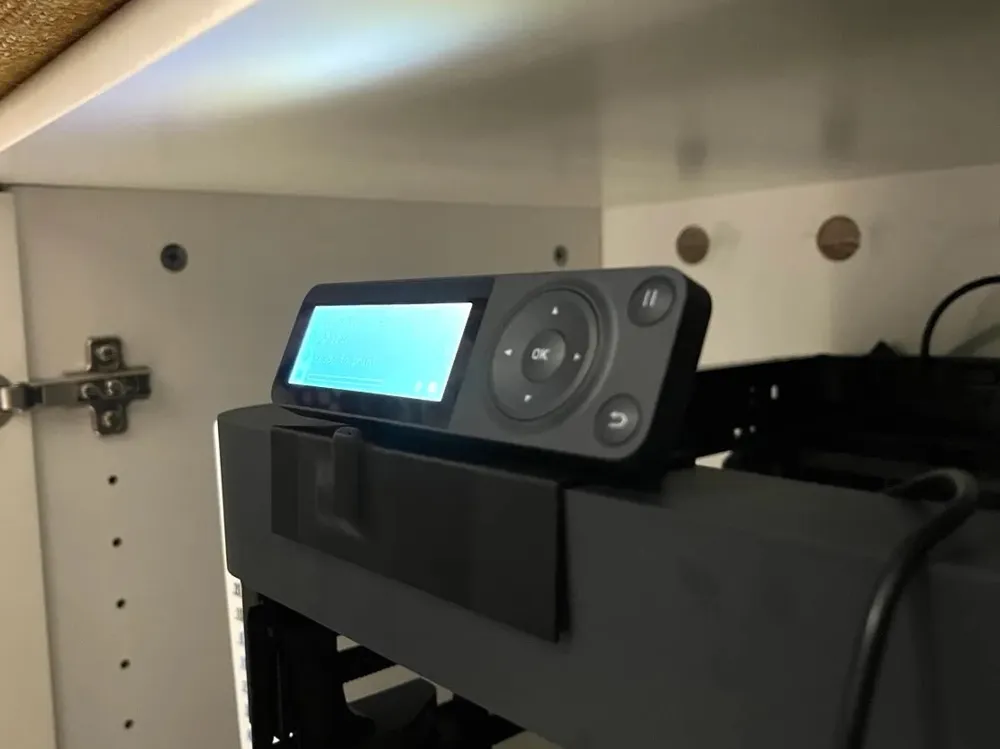
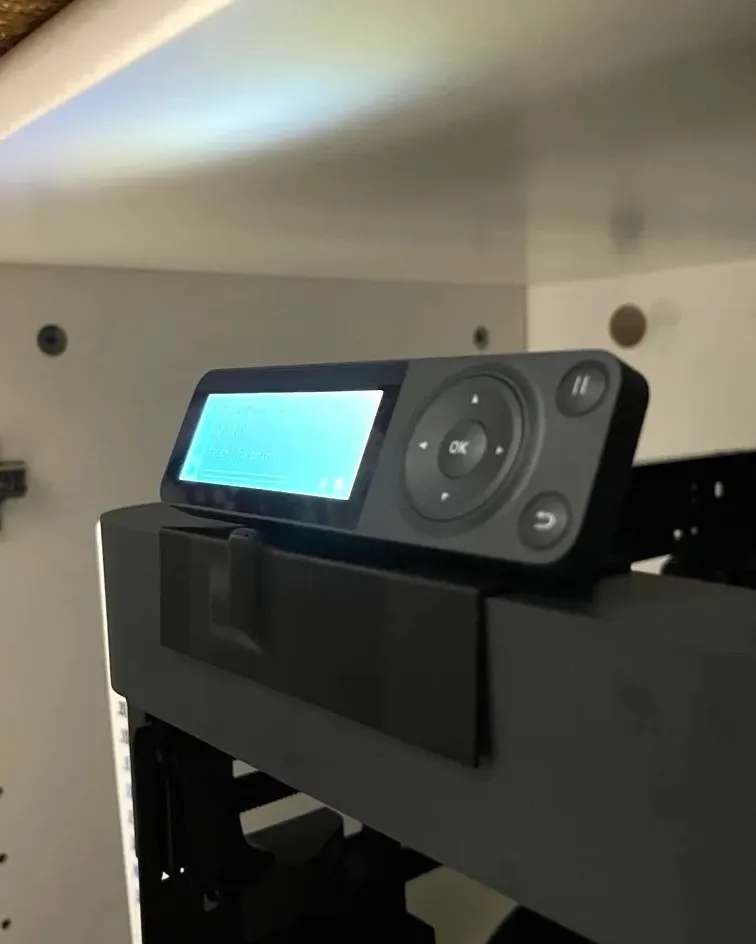
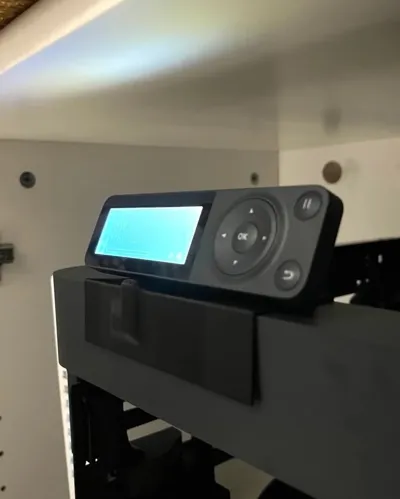
I found a cabinet that was just the right size for the P1P, only the screen was sticking out too much to close the door. I designed this mount to be able to attach the screen at the top edge of the printer instead so as to not protrude beyond the printers dimensions.
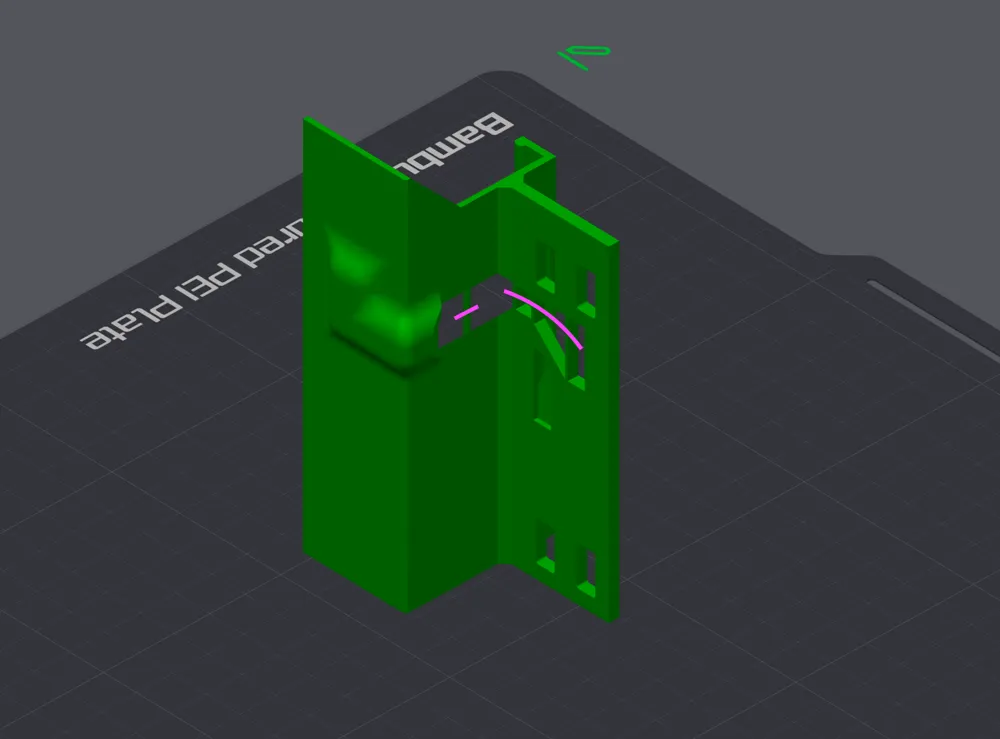
Prints without supports.
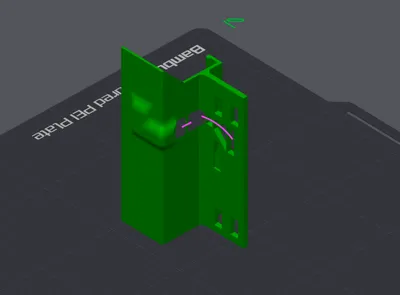
Slice with right edge down (last image).
Bridging-supports are built into the model, these snap of very easy afterwards (marked in pink on the slicer image).
To install, remove the cable from the screen and feed it from the bottom through the hole in the mount (where the cable canal starts). Then reattach the cable to the screen.
Align the mount so that the protrusions on the inside go into the original mounting holes for the screen, then snap the mount round the back edge on the top of the printer.
License

You shall not share, sub-license, sell, rent, host, transfer, or distribute in any way the digital or 3D printed versions of this object, nor any other derivative work of this object in its digital or physical format (including - but not limited to - remixes of this object, and hosting on other digital platforms). The objects may not be used without permission in any way whatsoever in which you charge money, or collect fees.


Comment & Rating (0)