
Ultralight+ Gridfinity Bases






Print Profile(16)


Description
Boost Me (for free)
Boosts mean points and points make prizes. Any support is most appreciated. This is all just stuff I create in my spare time.
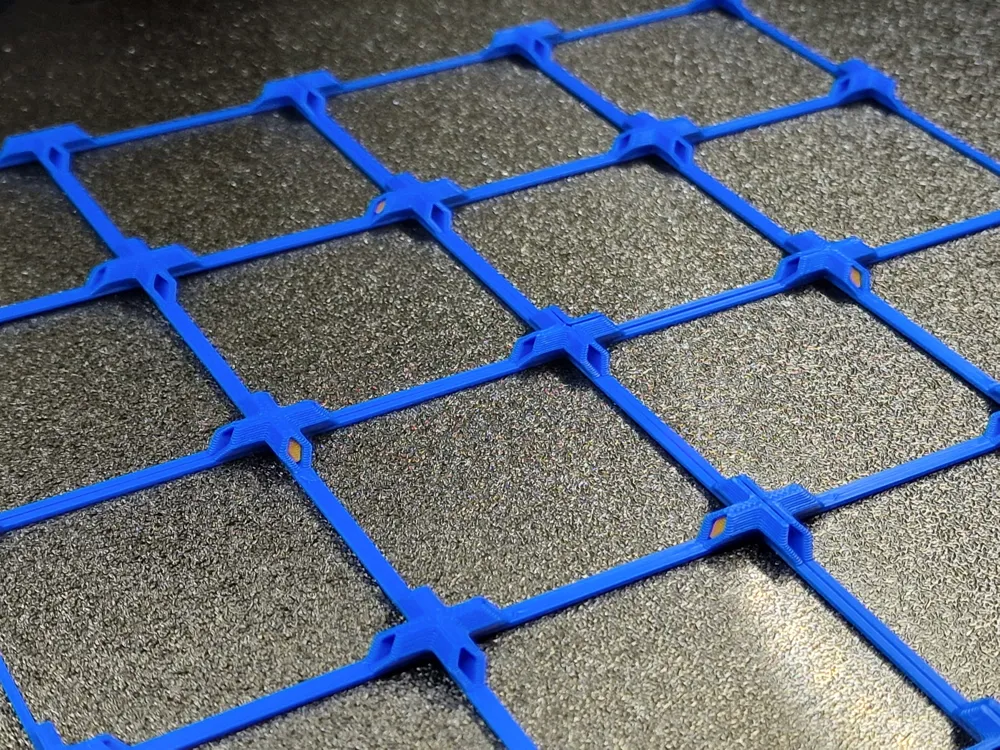
Introducing Ultralight+ Gridfinity bases. Based on an idea I saw by @danimal91. I liked the idea but felt that I could go even further. These have been designed with specific considerations in mind. 1) I use Gridfinity grids in drawers with solid bases. 2) I only need them to manage the alignment of bins. They do not need to have any real strength. 3) Design specifically with 3d printing and how slicers want to slice a model into 0.2mm layers and 0.4mm walls.

With those considerations, these grids are designed to print quickly even at normal speeds and to use a tiny amount of filament. Nothing that isn't needed is printed and as a result you can now print (on a P1S on Standard with Bambu PLA) a 5x5 standard plate in 19 minutes and 51s using just 6.53g of filament if you use the 2 wall version, or a whopping 26 minutes and 7 seconds and 9.55g of filament for the 3 wall version.


These are fast to print because there are few stop start sections to fill in pointless areas of the print. Everything flows nicely into everything else. We don't bother printing the sides of each grid because they do nothing, only the corners are needed to align bins.
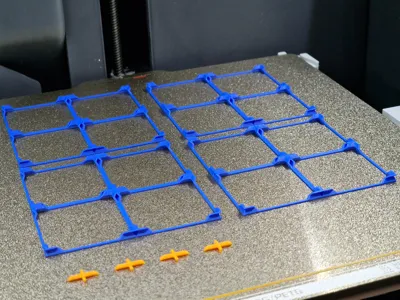
I know that some also want to join their grids together, I've got that covered too. Using connecting pins you can place them in the sides of each plate and connect multiple plates as shown in the photos.

There is no way planned to secure these plates down. There is no magnet option. The whole point for this was minimalism and speed. For my use case I have zero need for magnets or to hold grids down. They sit in a drawer flush to all sides and so can't move laterally. I just need grids for alignment.
Print Settings:
Standard 0.2mm profile. Concentric top layer, walls to 2 or 3 depending on the files you print, classic wall generator. Printing with Arachne wall generator will result in fractionally shorter print times in Bambu Slicer but pin tolerances may be off. They should be snug enough to resist pulling out easily.
Advise to print pins on a per object basis rather than by layer as they have a very small footprint and so can come unstuck more readily, and we don't want to use brims.
But they are so flimsy when I wobble them around?
Yes. They are supposed to be in a drawer, after all.
I'm having adhesion problems
I suggest printing on a PEI sheet, this is what I print on and have had no issues with adhesion, good or bad. If you do the same and find adhesion is too good, try lowering the bed temperature a little.
DO NOT PRINT ON A SUPERTACK OR SIMILAR BUILD PLATE. This is a very thin lightweight part, that is the point of the part. It doesn't need any strength as it is for alignment. Printing on a build plate that promised ultra super mega adhesion is asking for trouble for a part like this.
Extra bonus:
They print so fast and are so minimal that you can just print them oversize and cut them to size to fit your drawer. Even scissors will work!
Available in 30, 42, 50mm flavours
Waste 7g of filament and see what you think.
EDITS:
19/03/25 - 3 wall joining pin revised to v1.1. Somehow I uploaded the wrong one in the initial post
21/03/25 - 1x2 to 1x8 grids added upon request
04/04/25 - New profiles added. Dedicated A1 Mini demo profile as well as a 2 wall and 3 wall profile that contains every grid that can be printed on either an A1 Mini or a A1, P1 or X1 printer, depending on the profile you download. In each are dedicated plates that contain only connecting pins printing in per object mode. The choices are 20, 50 ro 100 pins.
05/08/25 - It has come to my attention that P and X series users cannot see any profiles other than the Demo. This is because of the certain grids fouling the exclusion zone and Makerworld deciding that this entire profile is no use for those printers. For that I can only apologise and dedicated profiles for the X/P printers are on the way to avoid that issue going forward.
06/08/25 - A1 Mini, A1 and X/P 30mm 3 wall grid profiles and step files added.
16/01/26 - Some 60mm 2 and 3 wall step files added per request
I don't do coffee, but I love a hot chocolate!




Comment & Rating (378)