
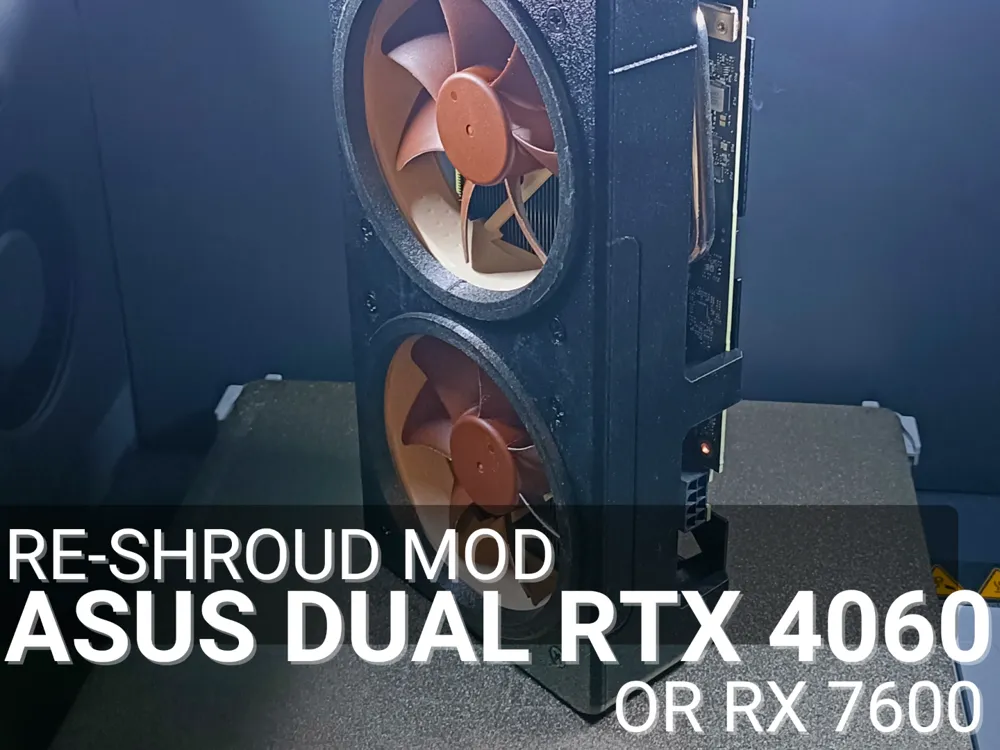
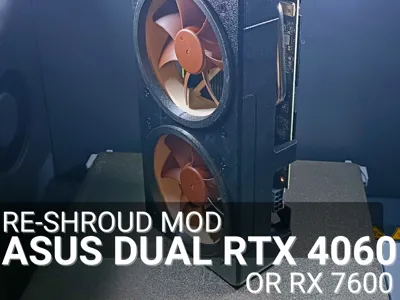
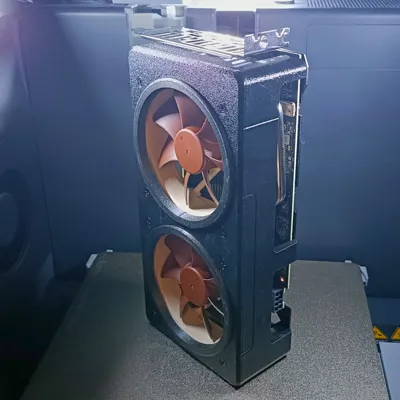
Asus Dual RTX 4060 Re-shroud mod
Print Profile(3)
![[P1] 0.2mm layer, 2 walls, 10% infill](https://makerworld.bblmw.com/makerworld/model/US2a745df347f7a9/255789218/instance/2025-03-21_b1132d4c25a58.png?x-oss-process=image%2Fresize%2Cw_100%2Fformat%2Cwebp)
![[X1] 0.2mm layer, 2 walls, 10% infill](https://makerworld.bblmw.com/makerworld/model/US2a745df347f7a9/255789117/instance/2025-03-21_1a895df21b96d.png?x-oss-process=image%2Fresize%2Cw_100%2Fformat%2Cwebp)
![[A1] 0.2mm layer, 2 walls, 10% infill](https://makerworld.bblmw.com/makerworld/model/US2a745df347f7a9/255789572/instance/2025-03-21_1ae22d5899287.png?x-oss-process=image%2Fresize%2Cw_100%2Fformat%2Cwebp)
Description
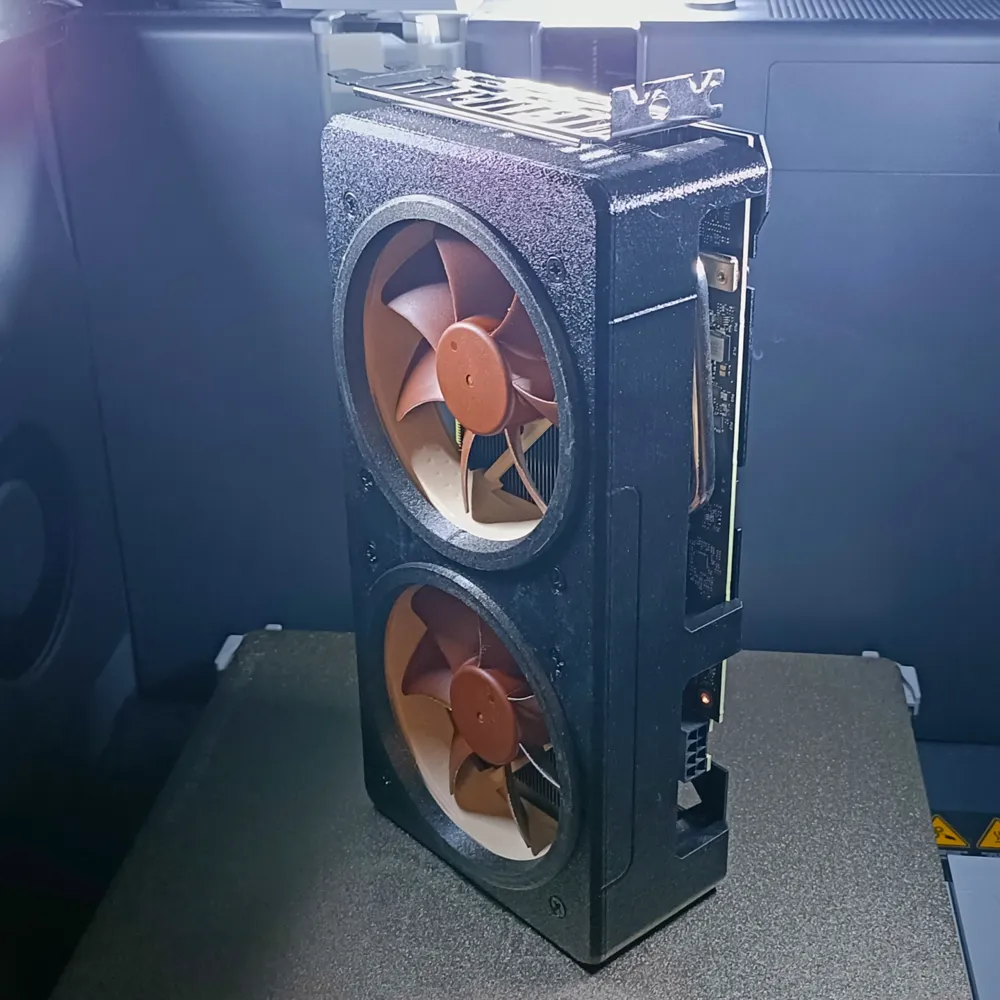
A quick and dirty upload. I didn't planned on sharing this, but since this project turned way better than I expected, why not ?
Long story short, my Asus Dual RTX 4060Ti OC 16Gb perfectly fits my need except on two details : the noise on full load, and the temps on badly optimized games (I'm looking at you AC:Valhalla).
Solution ? Yeah, it just costs 1500 bucks and it's the Asus/Noctua collab RTX 4090. So no, but still a good inspiration for this so thank you Noctua and Asus I guess.
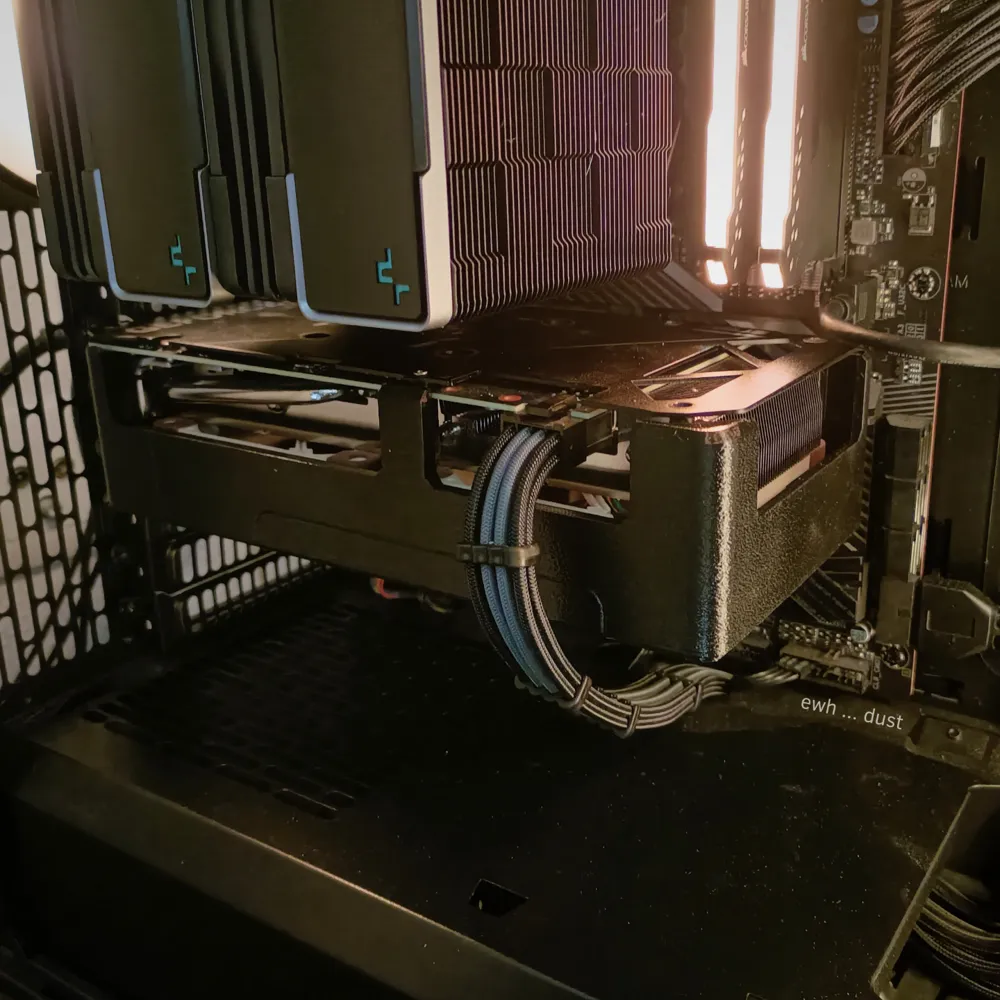
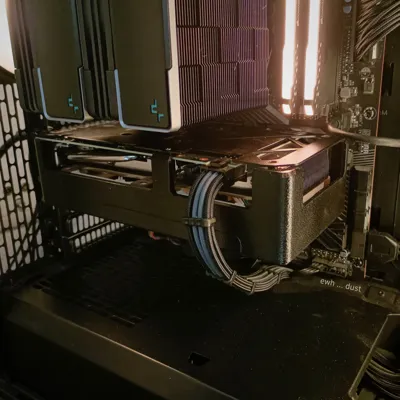
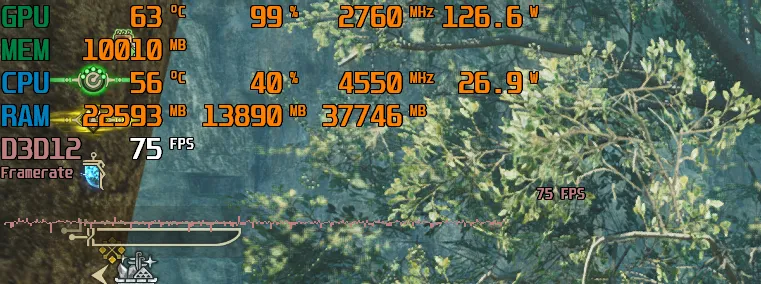
Once done, my GPU just don't go above 76°C for the hotspot, 63°C global and 30dB while on full load. With the stock ones, it was more about a 88°C for the hotspot, 74°C global and about 52dB with the same stress*. I'm quite happy with the outcome 🤌
*Stressed with furmark, Cyberpunk 2077, Monster Hunter World then Wilds, and some heavy rendering in Blender. Here is a screenshot from MHWilds after 1h of gameplay
💾 Included files 💾
- GPU Shroud + air inlets
🛠 Post-process 🛠
Before you start :
Do you have a compatible GPU ?
This mod is meant for Asus Dual RTX 4060 and 4060Ti cards. It should be compatible with the Asus Dual RX 7600 Evo and 7600XT as well. The problem is that some revision of those GPUs are slighty differently built.
To be sure, check the backplate of your GPU and see if the 6 screws attaching the shroud correspond as so :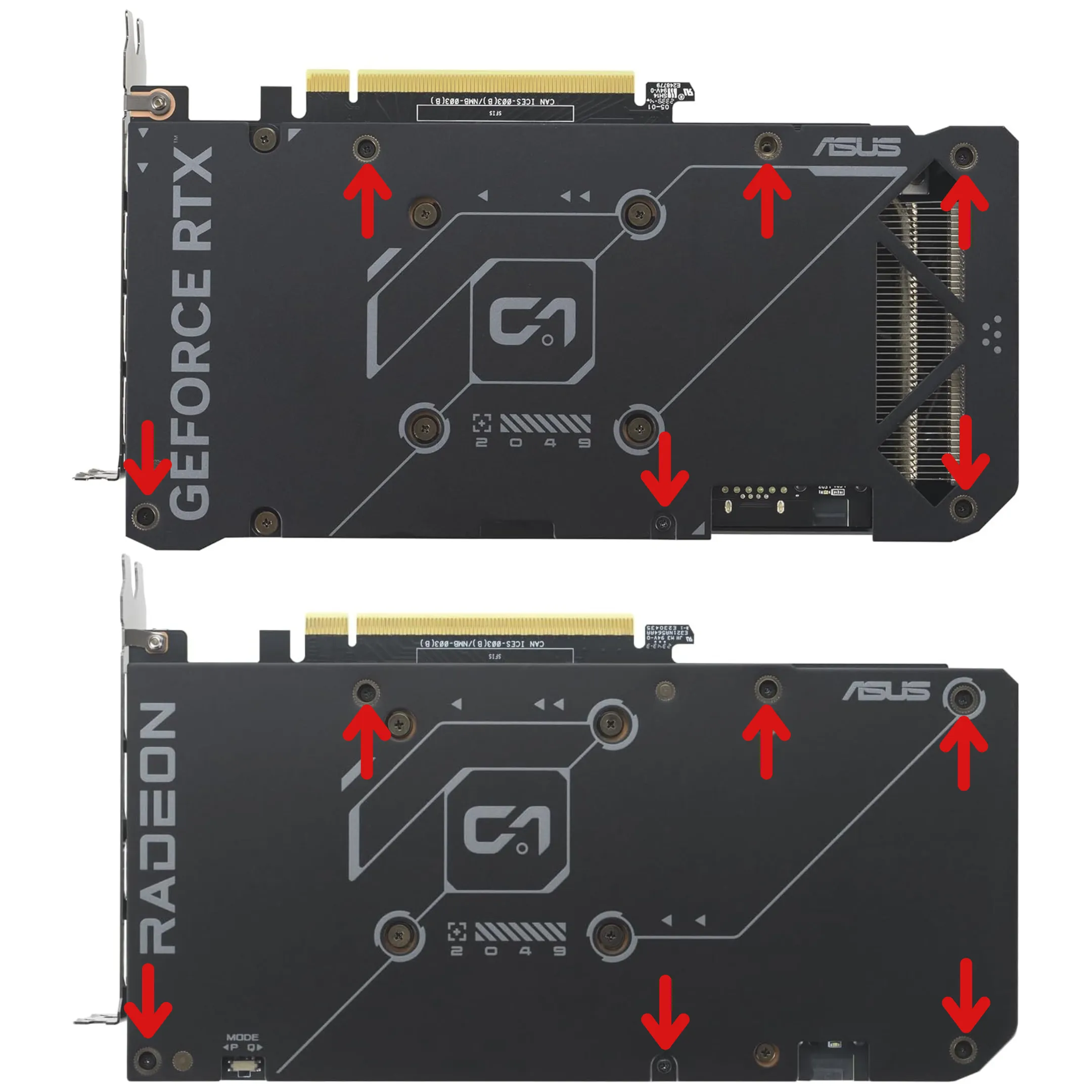
Are you aware that modding might damage your hardware if you don't proceed with precautions ?
Not much to add here. Modding can fail. Wether it's because of you, or unclear instructions, or inadequat tools, etc. You need to be aware of that if it's your first mod.- Do you kown what controls your GPU fans ?
You will probably need to adjust the fans curves once done or bypass the integrated fans controler. Be sure you know how to do that before starting anything.
In my case, I use MSI Afterburner to edit my GPU fans curves and I used Fan Control for my testings (more on that below)
- Do you have basic soldering and/or electrical skills/equipments ?
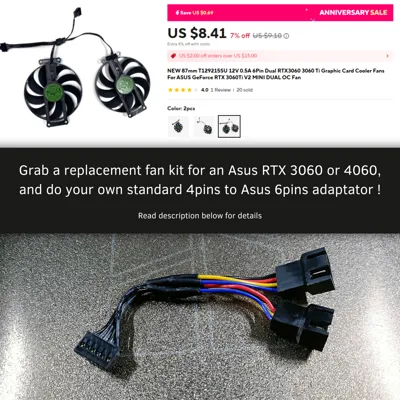
If you don't want to buy (or can't) an adapter Standard 4pins to Asus 7pins, you'll need to wether do your own or plug the fans directly to your motherboard (also more on that below)
- Is your printer capable to print at least PETG ?
PLA won't do in the long term. Heat resistant material is required
Still there ? Let's go then ! 💪
Preparation :
- A mounting system for the fans, and you conveniently printed my shroud for this reason
(no need for screws, the stock ones are enough, don't loose them) - Two 92×25mm PWM fans of your choice (I went for Noctua NF-A9 PWM)
- A way to power and control the fan. 3 solutions describe below
Fans power and control :
Option 1
Just buy an adapter. I only know one seller of that. Here is one that should be compatible even if it's for 4070 cards since it's the same pinout https://www.etsy.com/listing/1535805920/. Feel free to message them if needed, they are cool 👌
Option 2
Just plug the fans to the motherboard and use your prefered software to set them up.
BUT you'll have to be sure that the software automaticaly starts after boot, and that the fans blow by default (so Noctua's ones wont do the job since their default signal is at 0%. Basically, most PWM fans set themselves at 100% when they don't control signal. Go Thermalright or Arctic fans instead in that case)
I personaly prefer Fan Control because it allows to sync a fan to whatever sensor it detects. For example, I've been able to sync the new fans of my GPU, hooked on the motherboard's SYS_FAN3 header, with the GPU integrated fan controler even if the stocked ones were removed. Kinda like a passthrough. This way, I could continue to use MSI Afterburner like before. But I could have set up a control curve on the GPU hotspot temp directly, bypassing MSI afterburner. Etc
Option 3
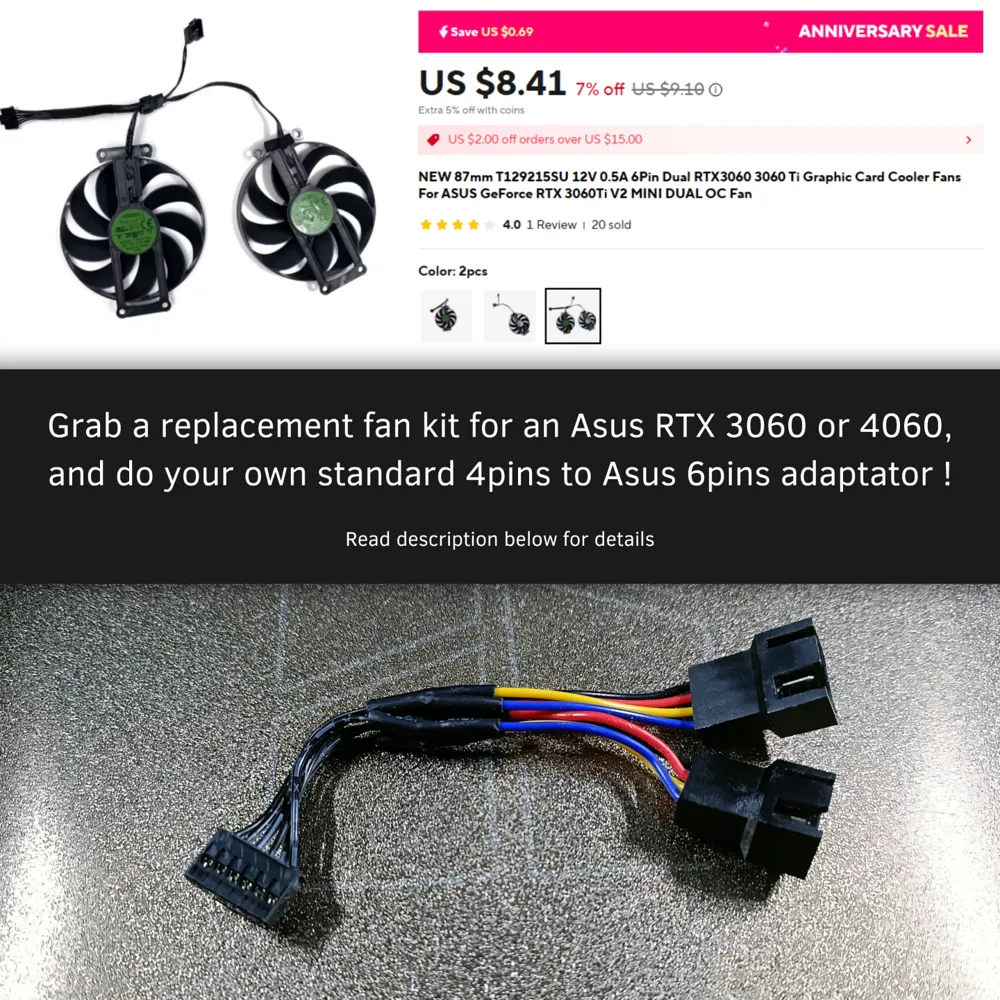
Craft your own adapter. I won't elaborate much. I'll assume you have the required tools and skills for that.
I'll provide some intels I wish I had before starting tho :
- If you get a 6pins connector from the replacement fan, don't worry it's compatible, just trim ONE of the two plastic bits on the side. The one near the N.C pin (see photo below)
- Here are two helpful diagrams. One from Noctua's website about standard 4pins connectors. The other from a reddit post about the usual pinnout of the Asus' connectors.
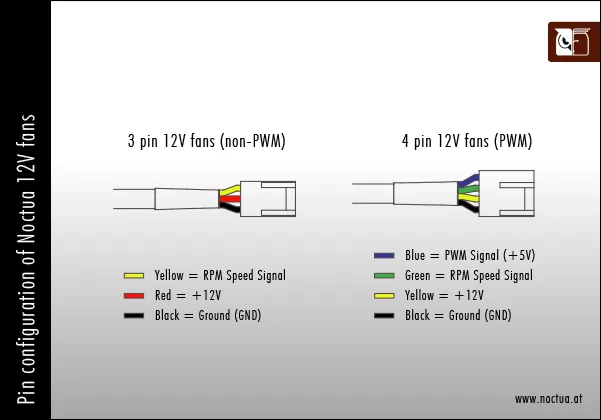
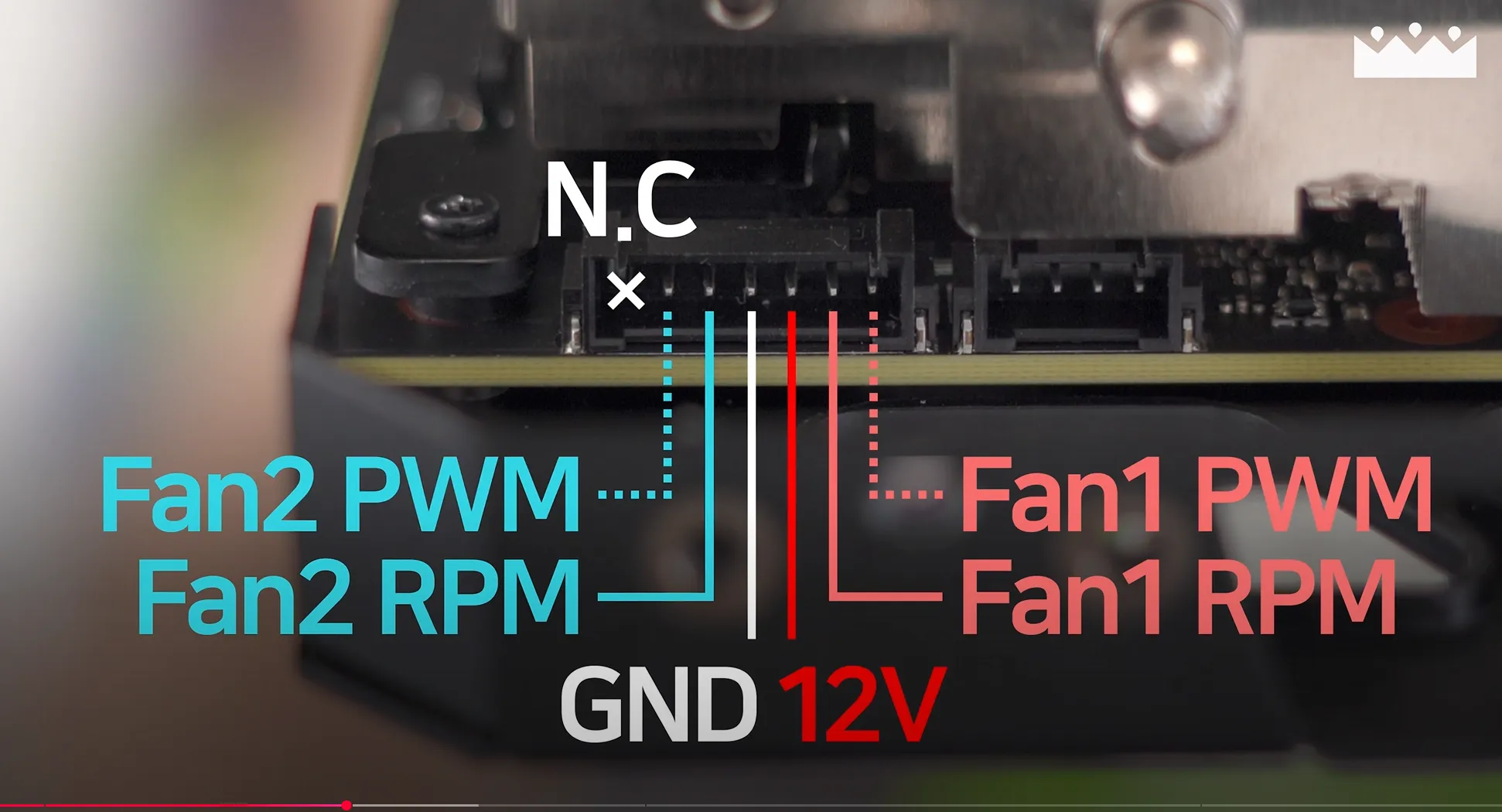
- On my adapter, you can see I've made both side of the Y the same lenght. Don't. It's not easy to stuff in the shroud 🥲
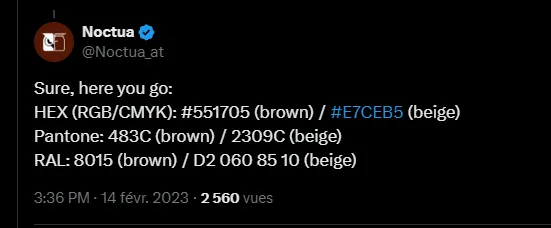
- If you want something following Noctua's color scheme, here you go. Everything you need to compare and find the closer filaments.
Boost Me (for free)
Please consider a boost !
💵 A word to pro-printer/seller 💵
Contact me to get right to sell this items or directly go to my Patreon. I'm willing to produce a cleaner manual to reproduce the mod if you plan to create a mod kit to sell. Feel free to contact me if you want to discuss that.
Attribution is always mandatory. Just add my IG (@rubiksensei) and/or my cults3d or Makerworld page link at the end of the product page.
License

You shall not share, sub-license, sell, rent, host, transfer, or distribute in any way the digital or 3D printed versions of this object, nor any other derivative work of this object in its digital or physical format (including - but not limited to - remixes of this object, and hosting on other digital platforms). The objects may not be used without permission in any way whatsoever in which you charge money, or collect fees.


Comment & Rating (2)