
MobilePay QR Skilt


Print Profile(1)

Description
MobilePay QR Sign for you who run a business with MobilePay Erhverv. You have probably seen the QR code before, and it can be used to facilitate payment, as you only need to scan the code from the app, after which payment is automatically initiated.
I have chosen to make it as a sign, as I personally prefer it to the stickers, but each to their own of course.
1. To create your own sign, you need to use the template, which I have created via TinkerCAD at this link.
2. But first, you need to generate a payment link via this page.
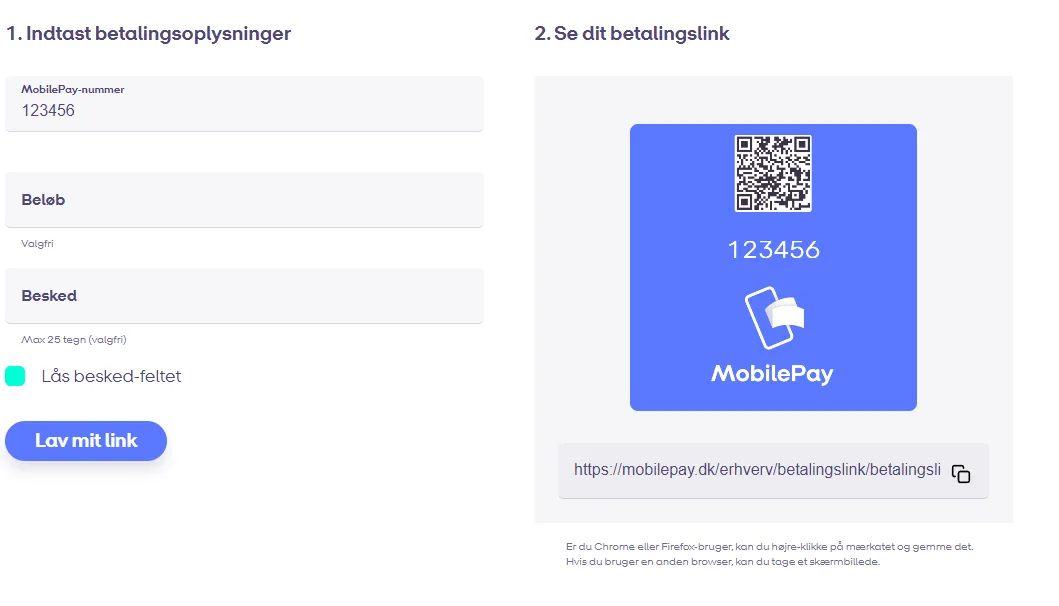
Normally TinkerCAD has a built-in QR figure, which you can use. Unfortunately, it does not work with these links for unknown reasons. So the process of generating a QR code is a little more cumbersome.
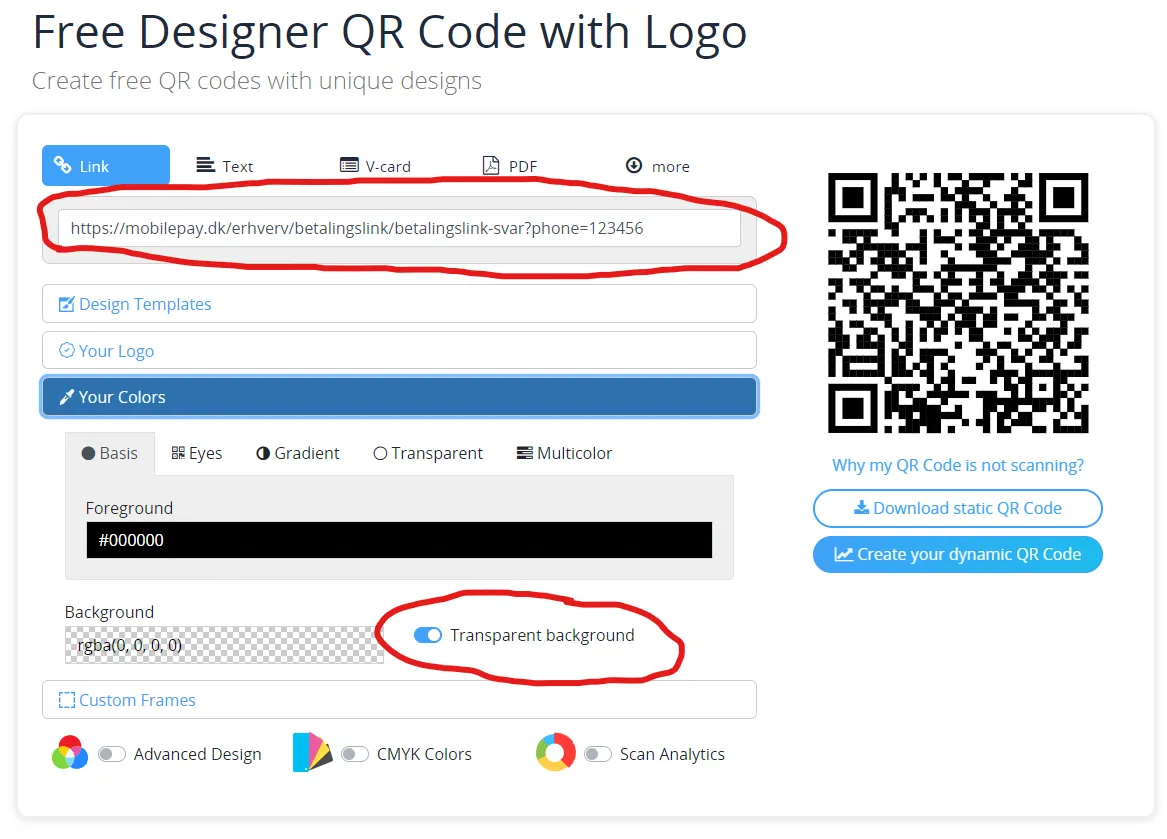
3. Go to https://qrplanet.com/designer-qr-code-with-embeded-logo
Insert your payment link, and make sure to enable “Transparent background”.
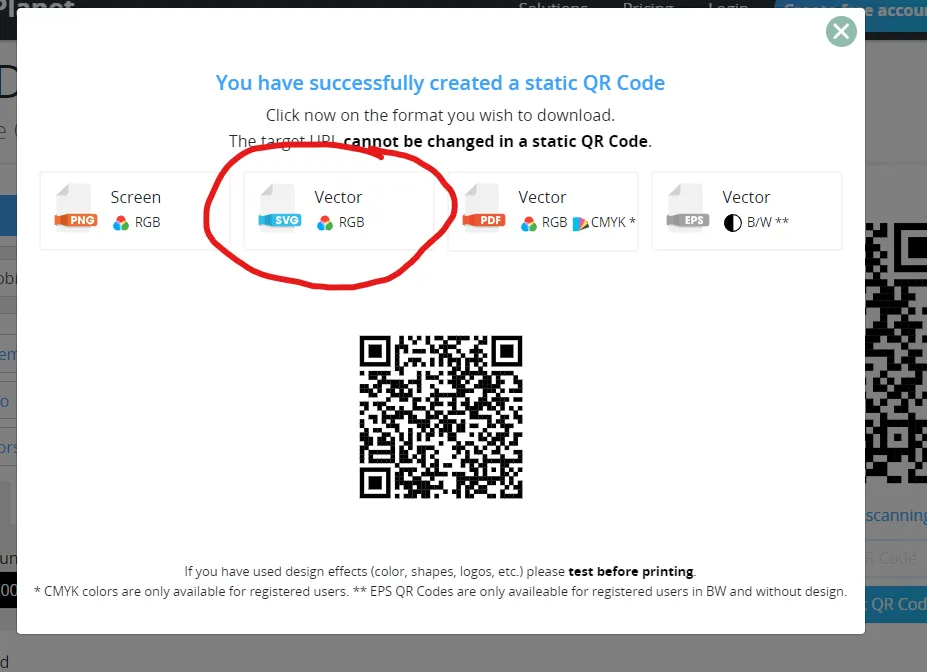
4. Choose “Download static QR Code” and download it as Vector / SVG
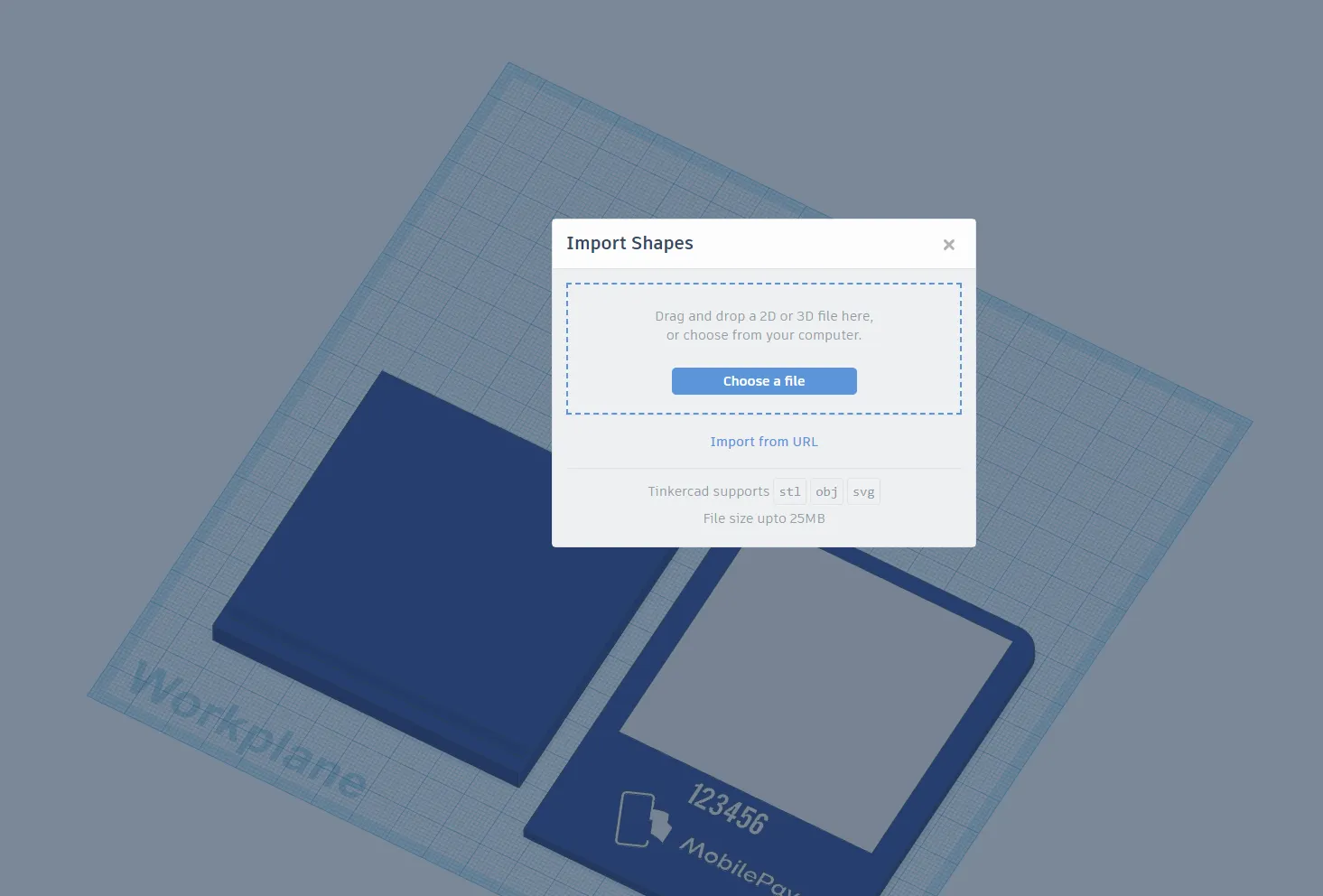
5. Then, go into TinkerCAD and open the template I linked to in Step 1. Here you need to import the SVG file you just downloaded. Make sure to remove the existing QR code on my design, as it is only made as an example.
6. Reduce the size of the QR code, and place it in the middle of the white. I typically run with a height of 1 mm and 62 x 62 mm in length and width
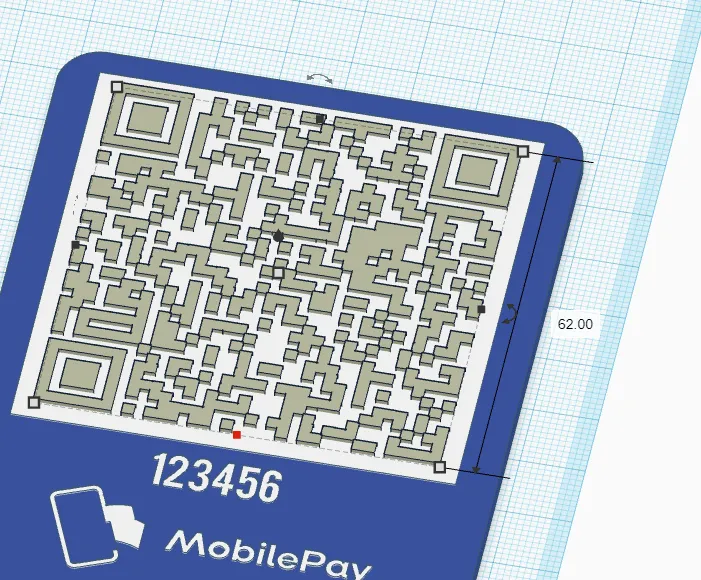
7. Edit the phone number below, which customers can use in case they cannot get the QR code to work. You can also just delete it.
8. Export the file as STL, and open it in Bambu Studio
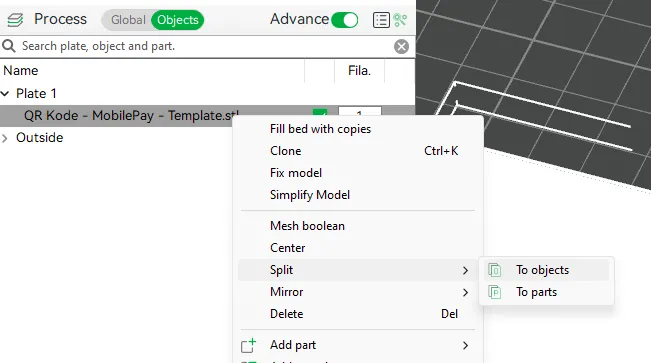
9. Start by splitting the model into objects
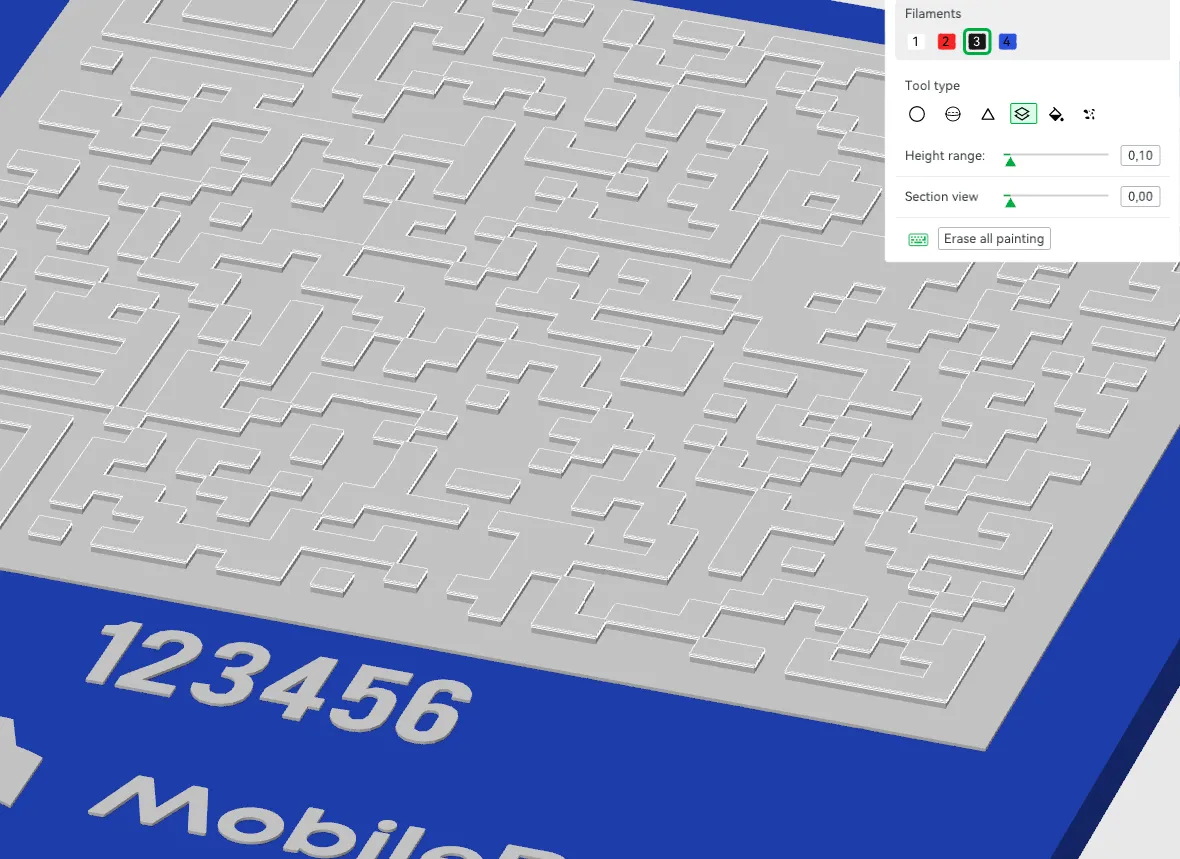
10. Then select the sign itself, and use “Color Painting” to paint according to “Height Range”
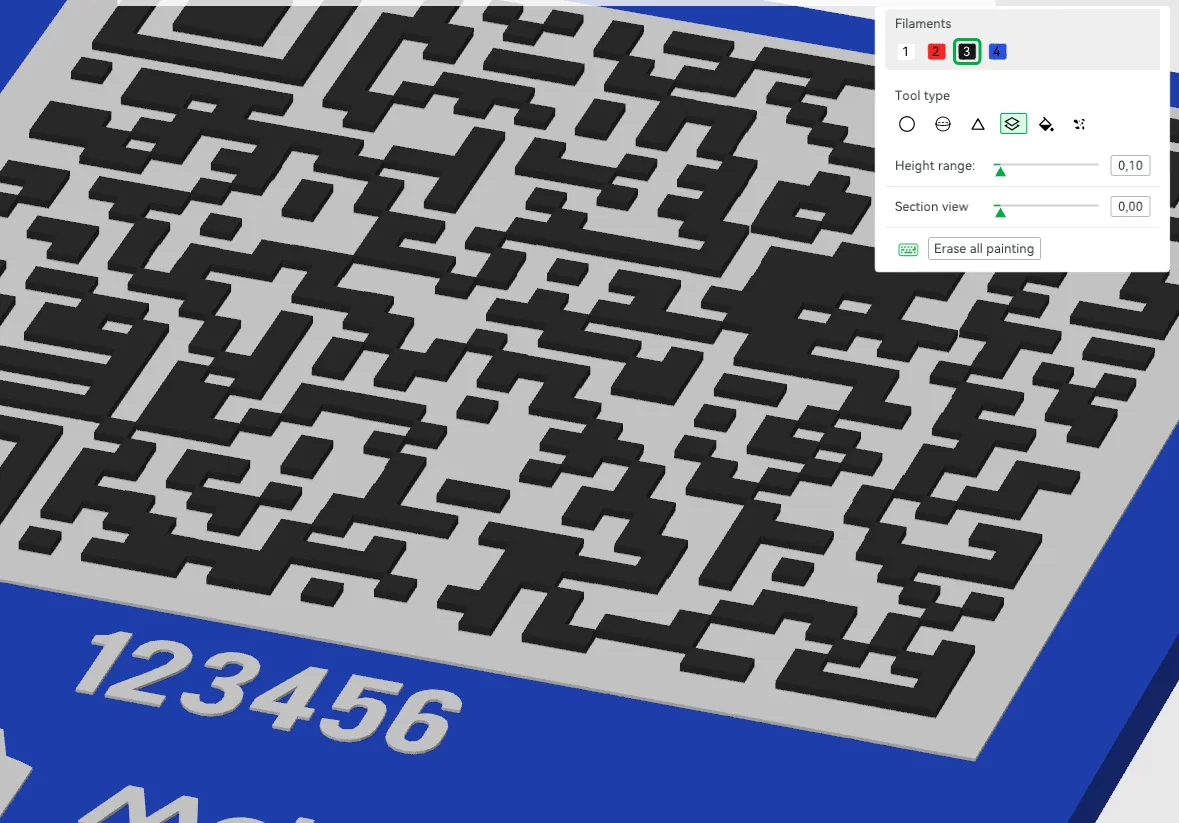
11. That’s it. When you are satisfied you can slice the file, and start printing. :)
License

You shall not share, sub-license, sell, rent, host, transfer, or distribute in any way the digital or 3D printed versions of this object, nor any other derivative work of this object in its digital or physical format (including - but not limited to - remixes of this object, and hosting on other digital platforms). The objects may not be used without permission in any way whatsoever in which you charge money, or collect fees.


Comment & Rating (5)