
Zhang Jie Support Zhang Jie Star Keychain
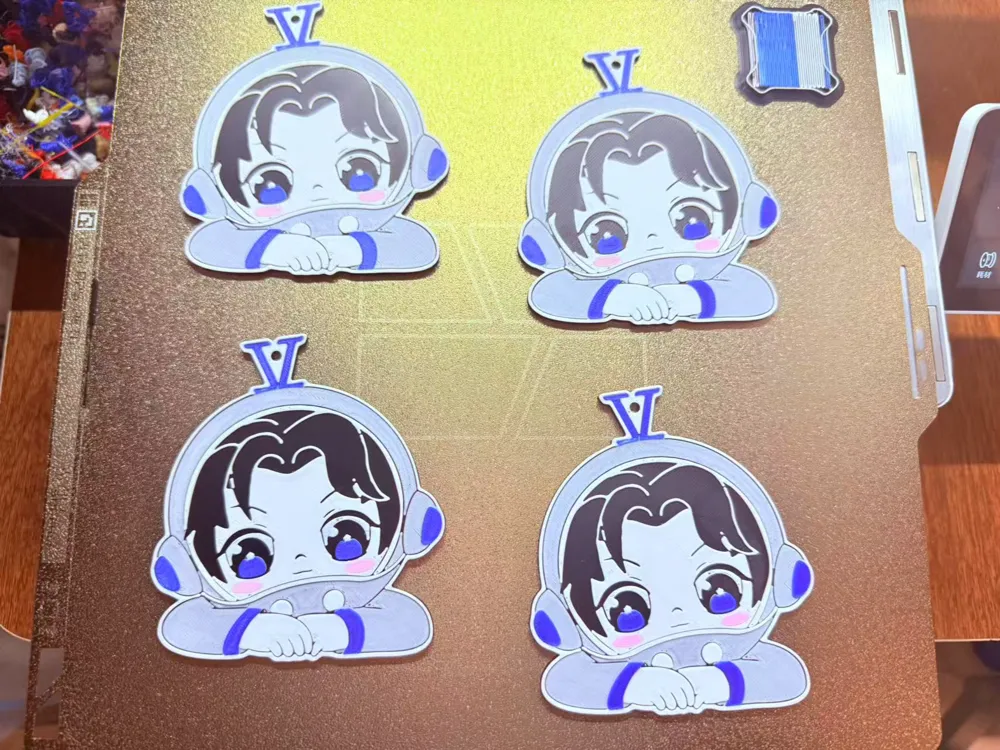
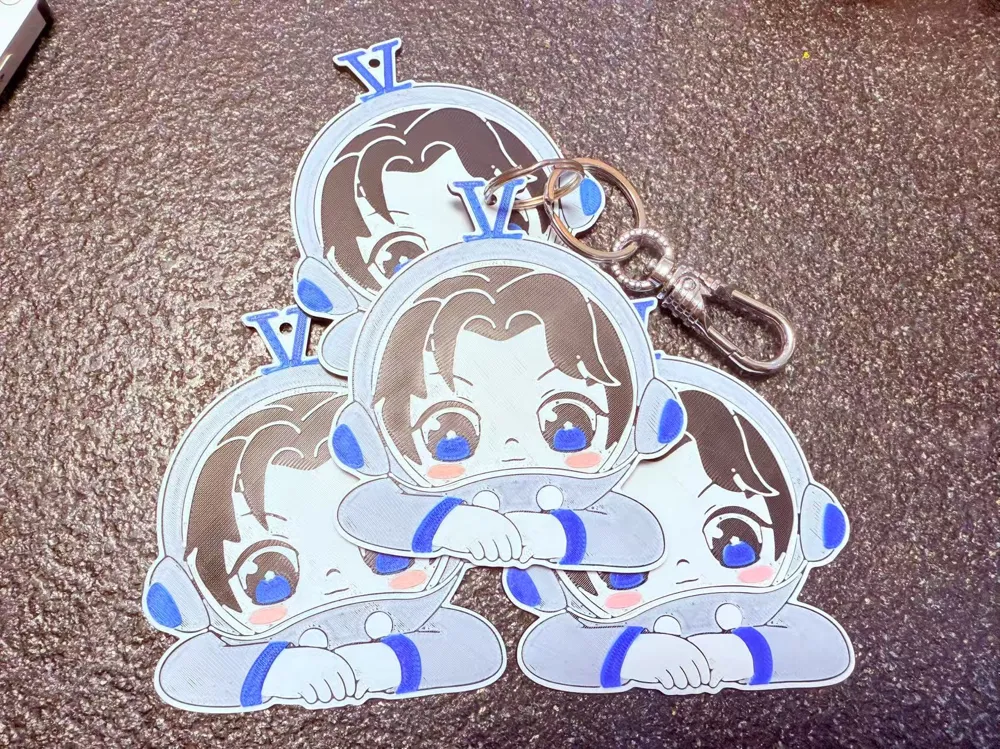
Print Profile(5)


Description
Fan-made pendant, please do not use for commercial purposes.
This pendant uses a unique method to generate five colors with four-color filaments due to its five-color design. If you have two AMS units or have purchased the newly released multi-color drying device, you can achieve 5-color printing and directly apply the colors according to the image.
For others using 4-color printing, listen carefully.
First, load the following four colors of the same material into the AMS/AMS Lite: blue, pink, black, white.
After setting the corresponding colors in the AMS, manually modify the information for the white filament to be exactly the same color and brand/material as the black filament.
(If the black filament is Generic PLA Black, set the white filament to Generic PLA Black as well.)
Enable the AMS filament runout resume function (this is why the information must be exactly the same).
Remember which slot contains the actual black filament.
When starting the print, map black to the slot containing the actual black filament.
The print will pause at layer 10. Manually disconnect the filament, use the control point to retract filament, and then completely rewind the black filament back into its spool in the AMS (this is manually retracting the filament, after which the AMS will think that the spool is out of filament and will continue the print via automatic filament loading , loading the spool that is actually white).
Continue printing until completion.
A gray effect is achieved by controlling the single layer of white that does not completely cover the black underneath.
License

You shall not share, sub-license, sell, rent, host, transfer, or distribute in any way the digital or 3D printed versions of this object, nor any other derivative work of this object in its digital or physical format (including - but not limited to - remixes of this object, and hosting on other digital platforms). The objects may not be used without permission in any way whatsoever in which you charge money, or collect fees.


Comment & Rating (2)