


Print Profile(2)


Description
This model was created using the original art found here Dragon-Illusion-BBC (thinkfun.com). Once printed, I heated the print along the marked lines with a heat gun that was set to 220c (if printed in anything other than ABS you may need to lower this temp). Once the plastic was soft, I folded the plastic to the correct position (may require some adjusting) I then put a little super glue on the three folded tabs. On it's own, this does not stand up too well. I just placed a little double sided tape under the tail and stuck to the table. You could easily super glue the tail down to a printed platform.
Folding
Where it says "Mountain Fold" this is referring to the side you view the dragon from. See image below to help identify the correct direction of the folds.
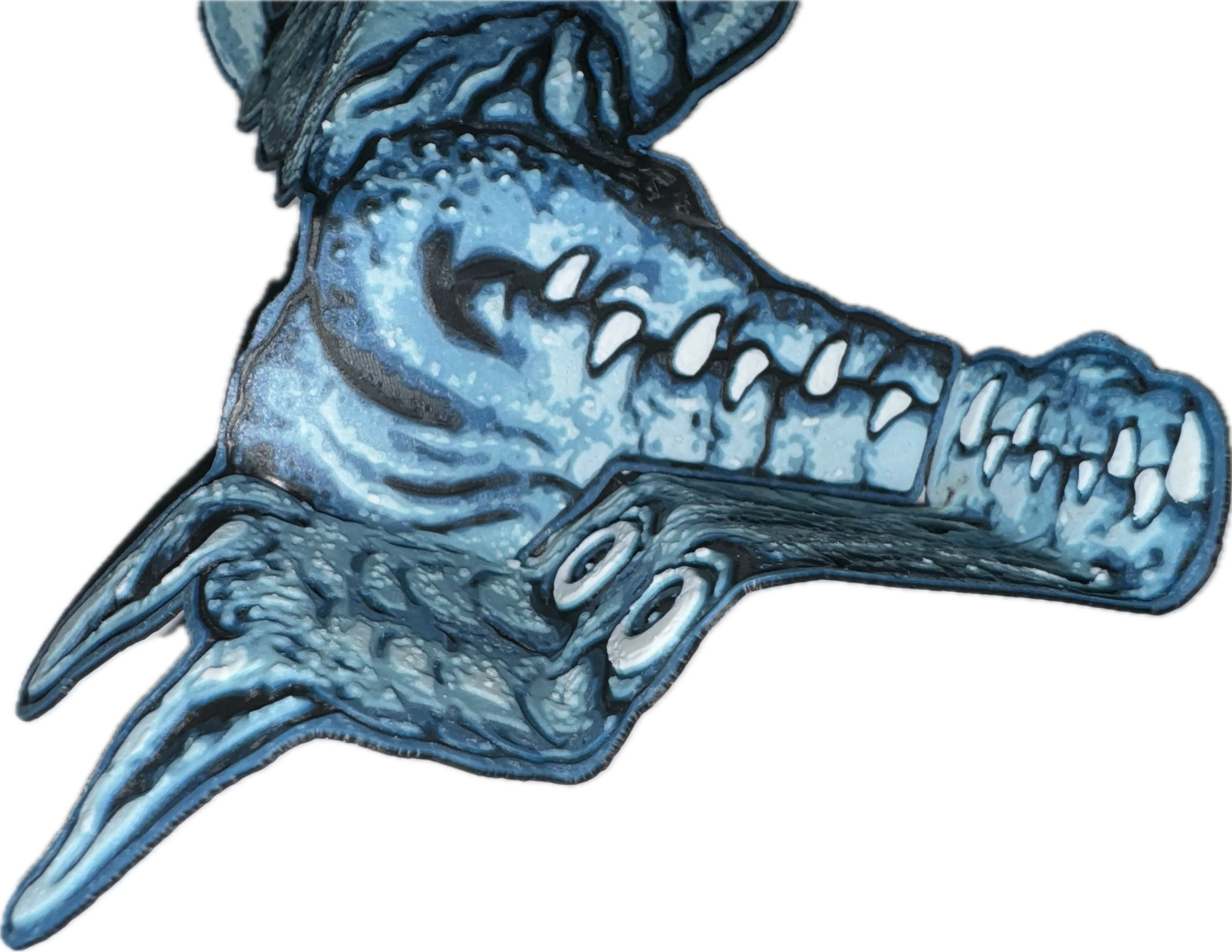
See the Illusion
- View from about 2 ft
- Close one eye
- Look into the eyes of the dragon
- Rock back and forth. WOW!
Print Settings
Print at 100% infill with a layer height of 0.04mm with a base layer of 0.16mm
Filaments Used:
ABS Overture Black Transmission Distance: 0.2
ABS Overture Blue Transmission Distance: 2.4
ABS Overture Light Blue Transmission Distance: 4.8
ABS Overture White Transmission Distance: 4.7
Swap Instructions:
Start with Black
At layer #13 (0.64mm) swap to Blue
At layer #20 (0.92mm) swap to Light Blue
At layer #32 (1.4mm) swap to White for the rest.
License



Comment & Rating (106)