
【Minecraft Block Series】Flippable Enchantment Table Leng






Print Profile(3)


Description
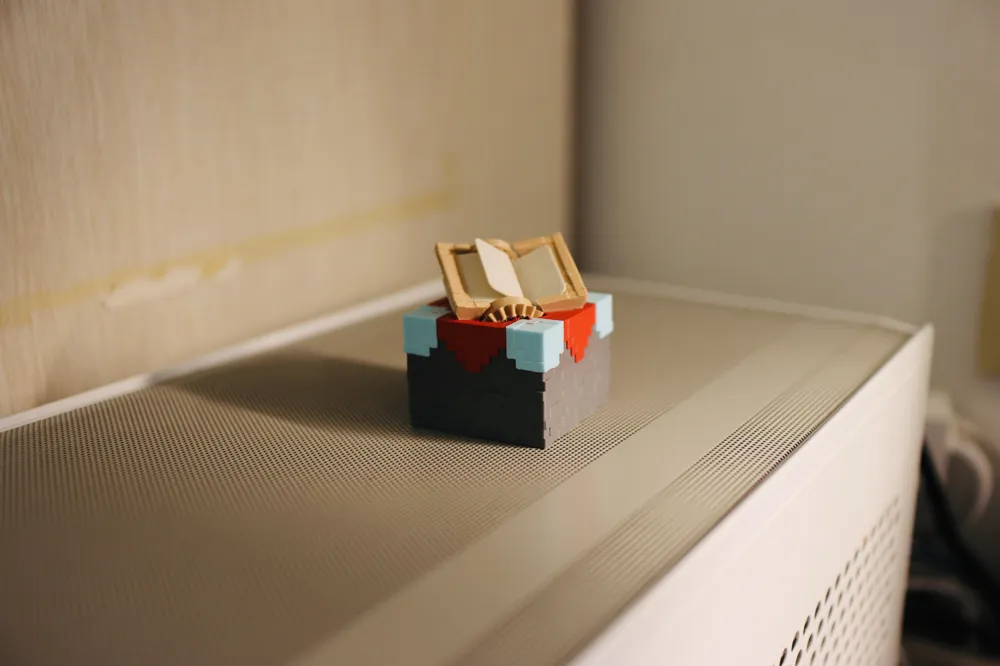
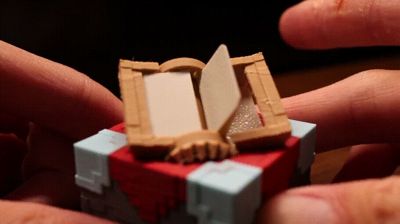
This stylish tabletop toy is modeled after the enchanting table block from the video game Minecraft. It features a page-turning mechanism, faithfully recreating the animation of the table's pages turning as a character approaches in the game. A delightful addition to your desk, designed to provide amusement during moments of leisure!
【Printing Instructions】
The print includes small components; a high-quality first layer is crucial. Please clean your build plate before printing to ensure optimal first-layer adhesion.
【Usage Instructions】

During operation, operate the dial only in the direction of the arrow to prevent damage to the mechanism. If you encounter resistance, gently shake the enchanting table and check for any obstructions among the blades.
To achieve a smooth, horizontal page-turning effect, retaining clips are incorporated into the design. Therefore, some resistance when turning the dial is expected and perfectly normal!
【Assembly Instructions】
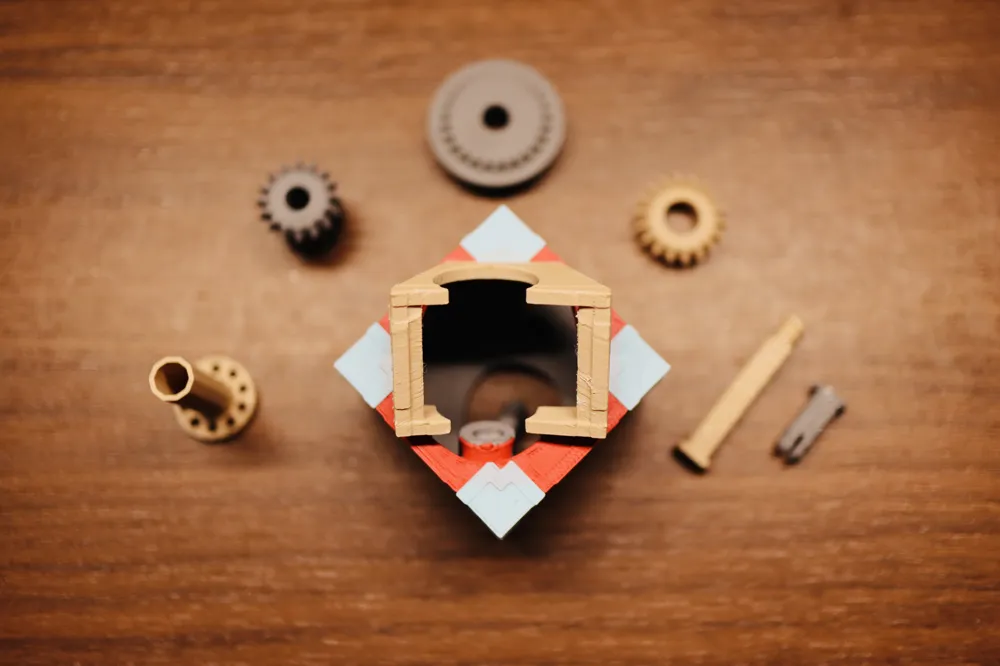
1. Insert the composite gear into the opening at the base of the housing.

2. Insert the dial gear, ensuring that (1) the dial gear is seated within the housing's opening; (2) the dial gear is properly engaged with the lower portion of the composite gear; (3) the dial and composite gears mesh correctly.



3. Insert the small pin into the opening in the dial gear and press until a click is heard. Before insertion, meticulously verify that all requirements in step 2 have been met!

4. After inserting the small pin, operate the dial to confirm the proper linkage of the internal mechanism.

5. Carefully insert the conical gear using your fingers through the opening at the top of the housing, positioning it above the cylindrical gear as shown, ensuring proper meshing with the internal gears.

6. Insert the decagonal shaft into the corresponding decagonal opening of the conical gear. Note: Correct alignment should allow for effortless insertion. If you encounter resistance, verify the decagonal shaft aligns perfectly with the decagonal opening on the conical gear before inserting.

7. Insert the shaft screw and tighten counter-clockwise.

8. Once again, operate the dial to confirm the proper linkage of all mechanisms.

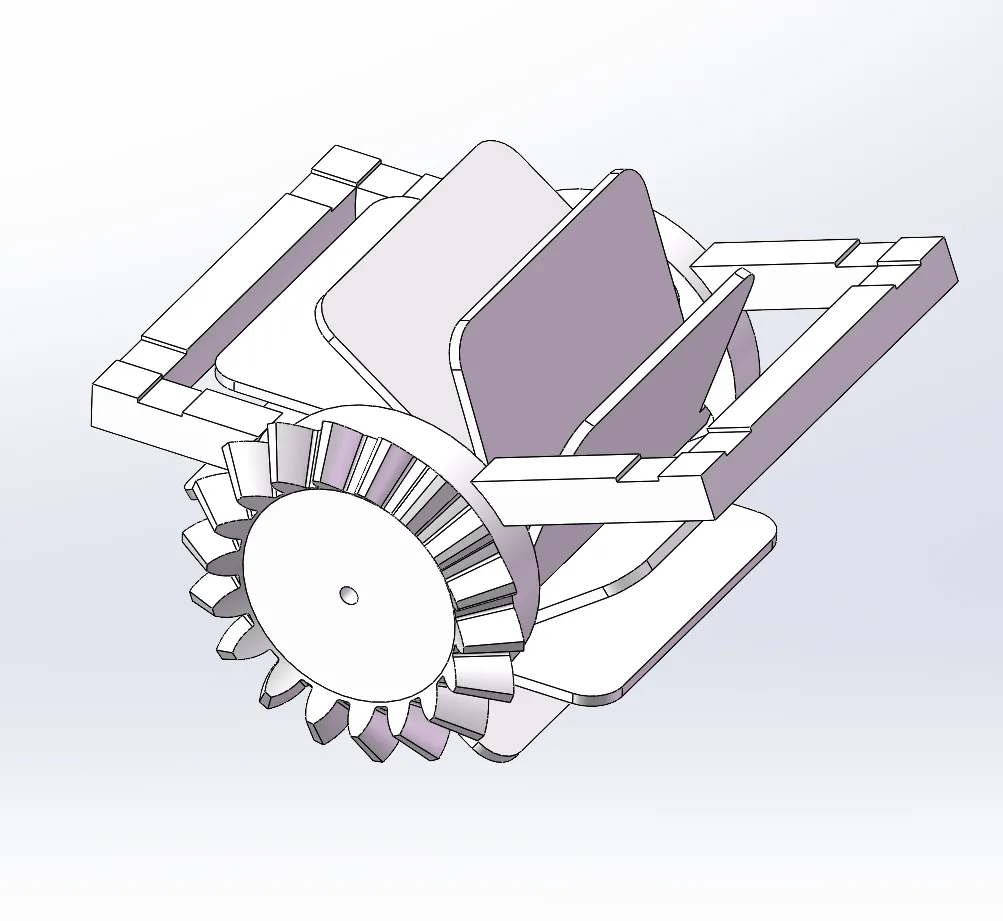
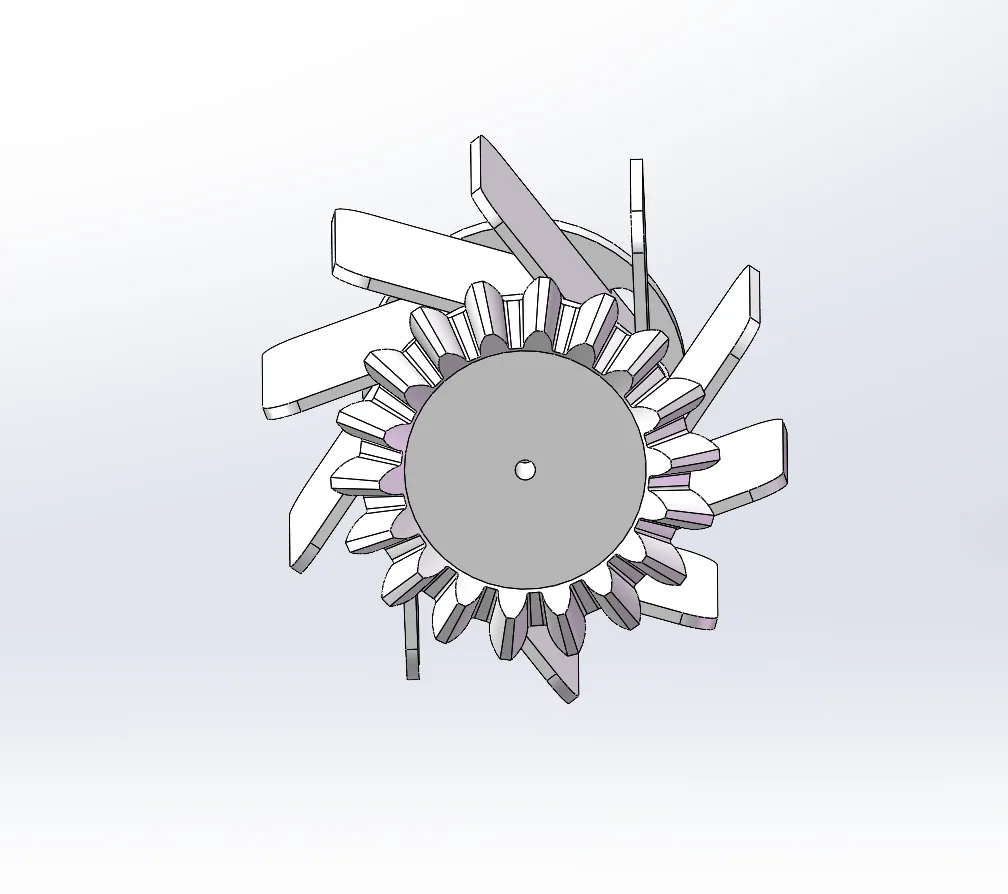
9. Install the blades. First, insert the lower end of the blade into the opening of the conical gear, then gently press the middle section! Note: Do not press the upper end (the section near the yet-to-be-inserted retaining clip). The blade should snap into place within the two openings. Note: Install all blades following the direction of the arrows in the illustration; you may slightly turn the gear to the right after installing each blade before proceeding to the next. This will ensure that all blades will rotate smoothly from left to right once all blades are installed.

10. Verify smooth rotation. When the mechanism functions correctly, the blades should be oriented as shown in the illustration, all facing one direction. Upon completion, ensure the blades within the mechanism maintain this bent state and directional consistency.
【Operational Precautions!】
During operation, operate the dial only in the direction of the arrow to prevent damage to the mechanism. If you encounter resistance, gently shake the enchanting table and check for any obstructions among the blades.
To achieve a smooth, horizontal page-turning effect, retaining clips are incorporated into the design. Therefore, some resistance when turning the dial is expected and perfectly normal!
License

You shall not share, sub-license, sell, rent, host, transfer, or distribute in any way the digital or 3D printed versions of this object, nor any other derivative work of this object in its digital or physical format (including - but not limited to - remixes of this object, and hosting on other digital platforms). The objects may not be used without permission in any way whatsoever in which you charge money, or collect fees.


Comment & Rating (206)