
100/150/200mm Hueforge Frame | Hueframe




Print Profile(9)



Description
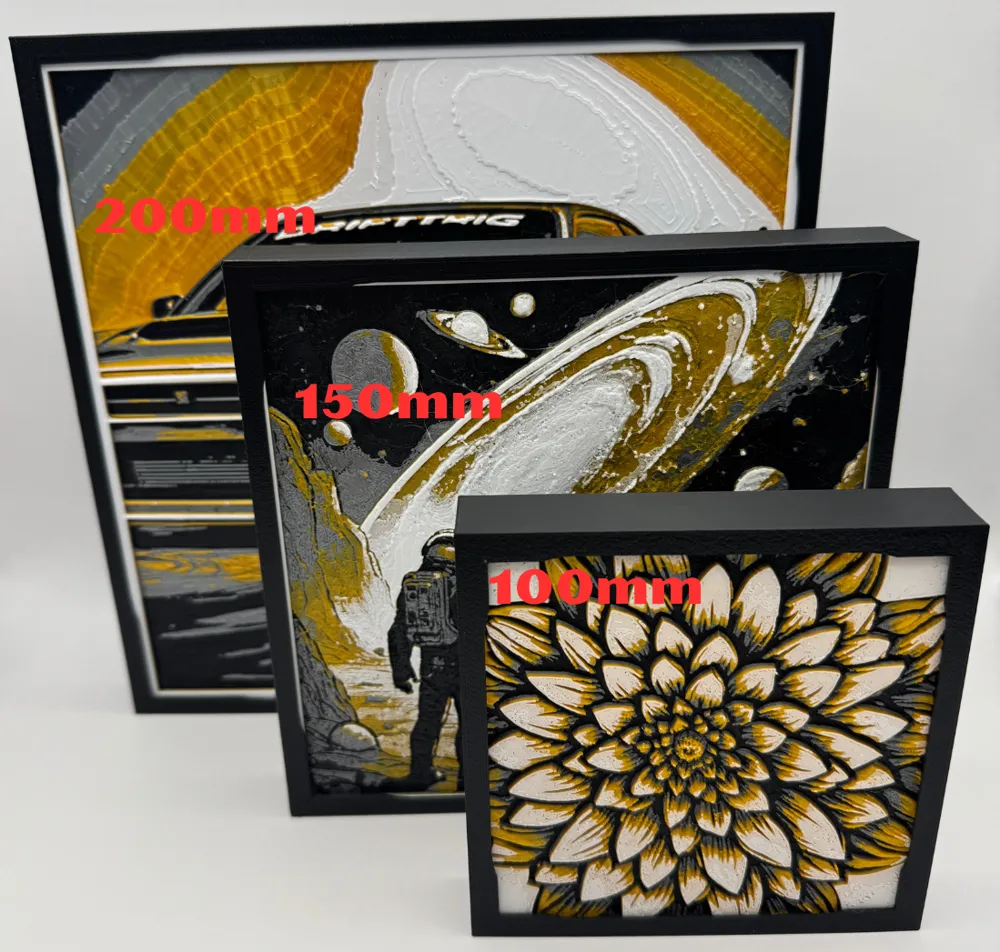
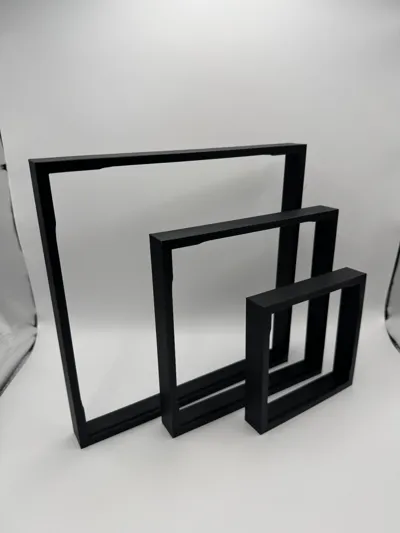
Simple picture frame for Hueforge portraits
1:1
-100mm x 100mm 2.0/2.5/3mm Depth : Actual Frame size L 4 5/8" x W ¾" x H 4 5/8"
-150mm x 150mm 2.0/2.5/3mm Depth : Actual Frame size L 6 ¼" x W ¾" x H 6 ¼"
-200mm x 200mm 2.0/2.5/3mm Depth : Actual Frame size L 8 ¼" x W ¾" x H 8 ¼"
-Wall or table/desk mount
Specs:
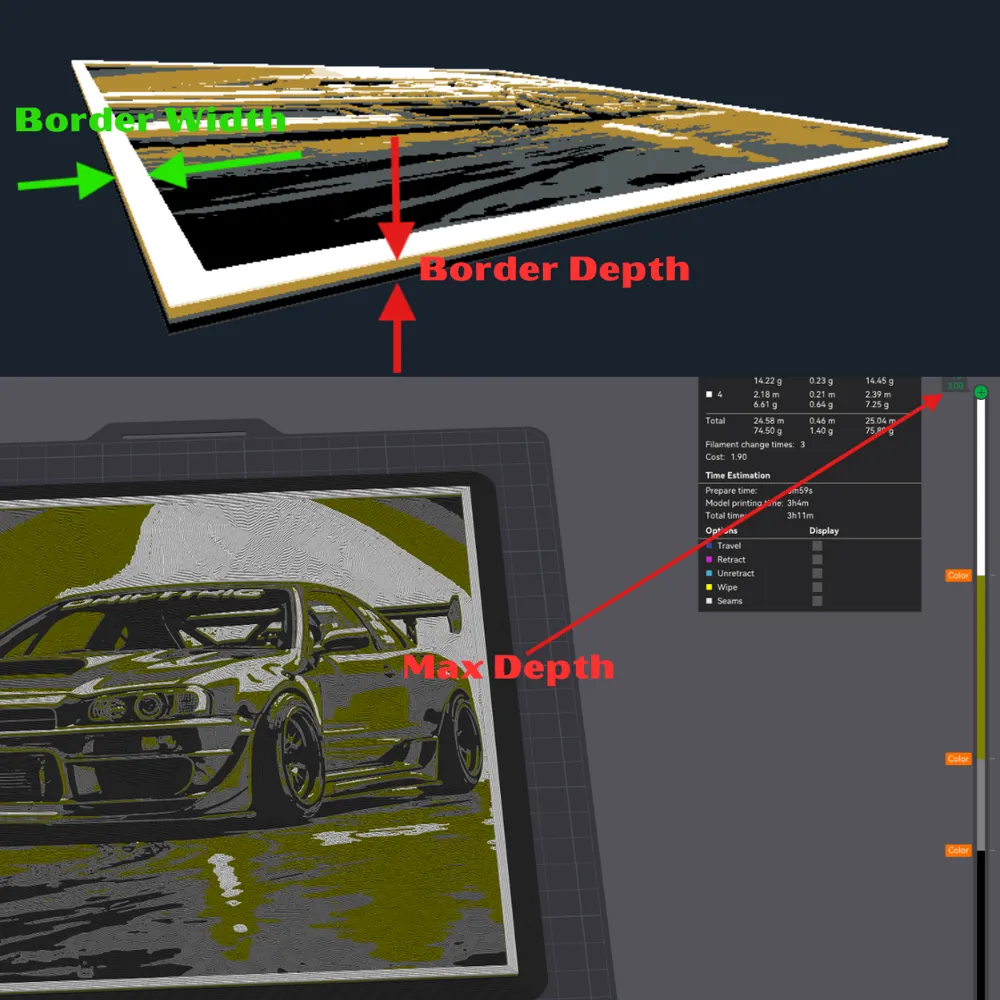
-Designed for Huforge prints with a Boarder Depth or Max Depth of 2.0/2.5/3.0mm 2nd Photo depending Print Profile
-Recommed Minimum Border Width of 2mm if you are creating the portrait in Hueforge
-3mm Border Widths will add nice visual 1mm past the frame window
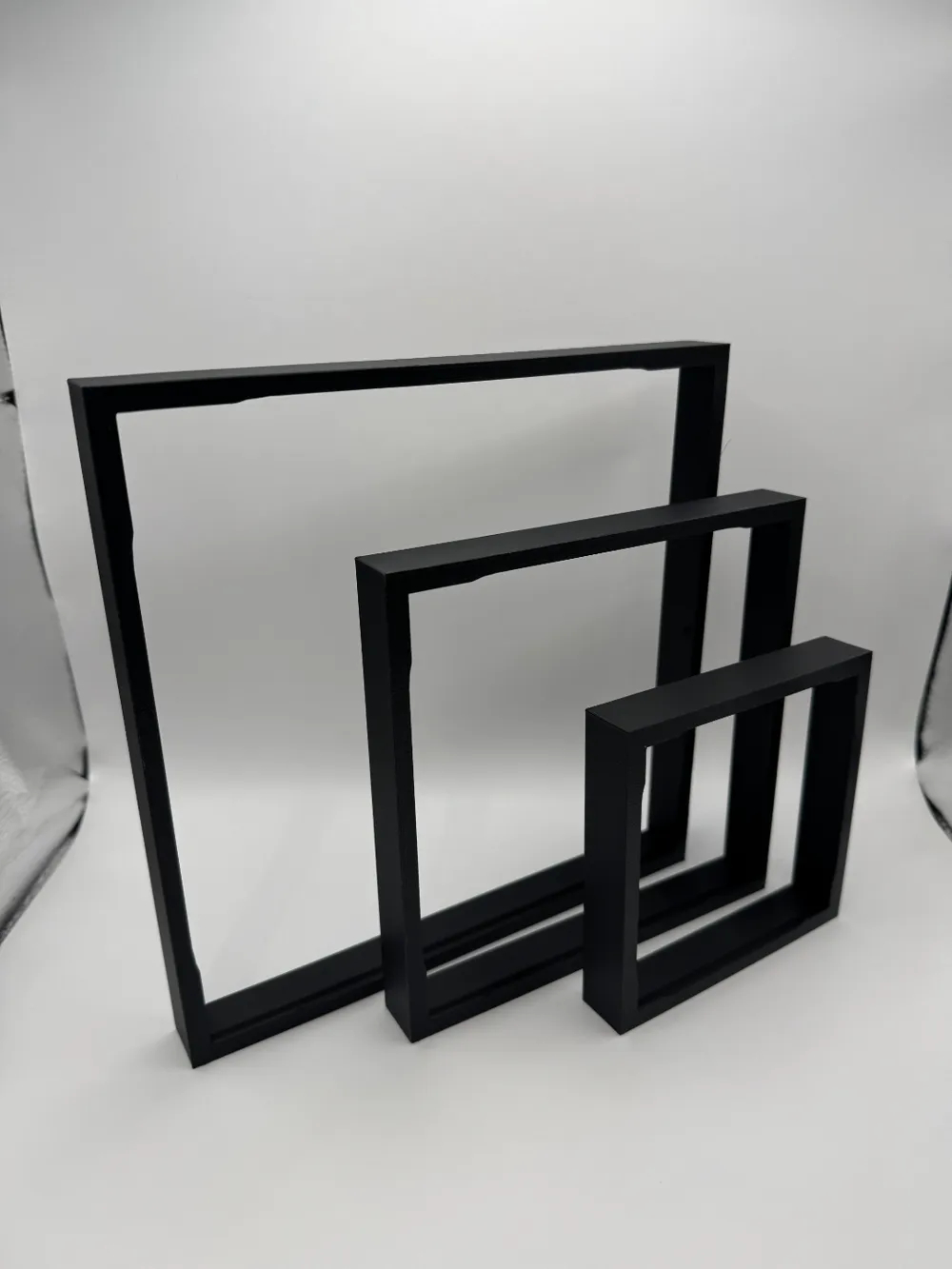
-All Frames include a lean to offset the weight of the pictures from falling forward when placed on a table or desk, this does not affect the symmetry of the frame hanging on a wall.
-Future iterations will include Max Depths of 3.5mm/4mm & 5mm to accommodate higher detail prints
-If the size you need isnt listed, leave a Comment
Take A Look:
-As always Double check your settings, print profile and printer selection to this print profile as this is based off of the X1 Carbon and Frostbite build plate. I like to run hotter print temps which might not be correct for your setup.
-Issues you might run into, if the picture you are using doesnt have a boarder and the lowest layer heights are around the edge of the picture (darkest colors/first color used) there will be a loose fit. On the Other hand, if the picture you are using doesnt have a border and the highest layer heights are around the edges of the picture (lightest color/last color used) there will be a snug fit
Material and Recommendations:
-Recommend using Bambu Lab PLA Basic if your enviroment (away from Direct sunlight) allows for faster print times.
-Recommend Speeds below 100mm/s if possible with generic PETG, Highest print quality aroung 75mm/s. Printing temp 250-260c
-If printing with Bambu Lab PETG HF use recommend settings on filament roll. Printing temp 245-260c
-Recommend higher temps with PETG to decrease print time, if speeds above 200/mms to prevent frame from warping if using textured plate
-Recommend printing with a Brim to keep corners secure to build plate.
Assembly:
-See Main Photos for step by step assembly
-Top/Up indicated by the arrow on back of frame
-Place top of portrait in slot at top of frame first
-Lightly rotate/roll/bend the bottom of portrait into the bottom slot in the frame
-On left and right of frame pull outward to clear the side tabs on frame
-Make sure portrait is snug in place
License

You shall not share, sub-license, sell, rent, host, transfer, or distribute in any way the digital or 3D printed versions of this object, nor any other derivative work of this object in its digital or physical format (including - but not limited to - remixes of this object, and hosting on other digital platforms). The objects may not be used without permission in any way whatsoever in which you charge money, or collect fees.


Comment & Rating (189)