
Apple iMac 27” (2017) Conversion to 5K Monitor
Print Profile(1)

Description
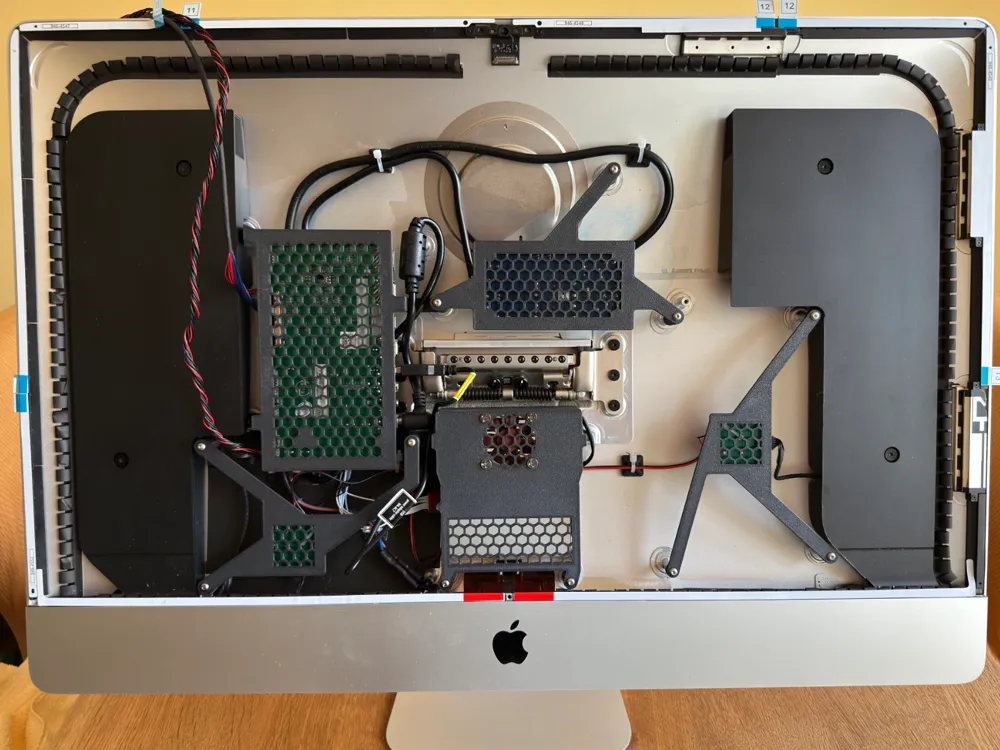
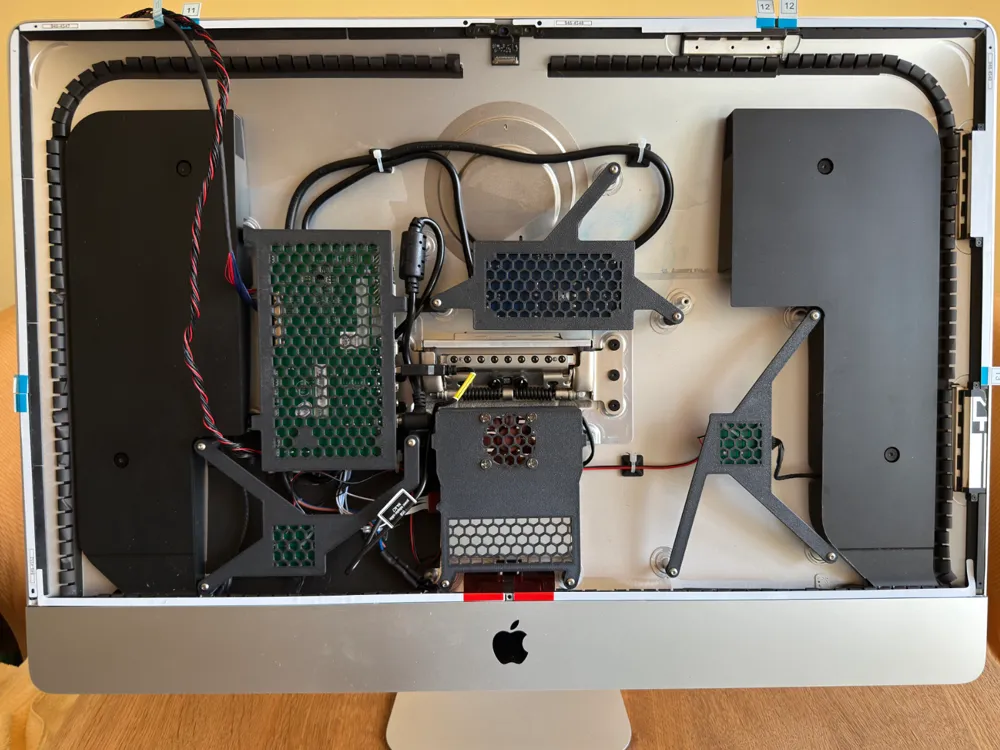
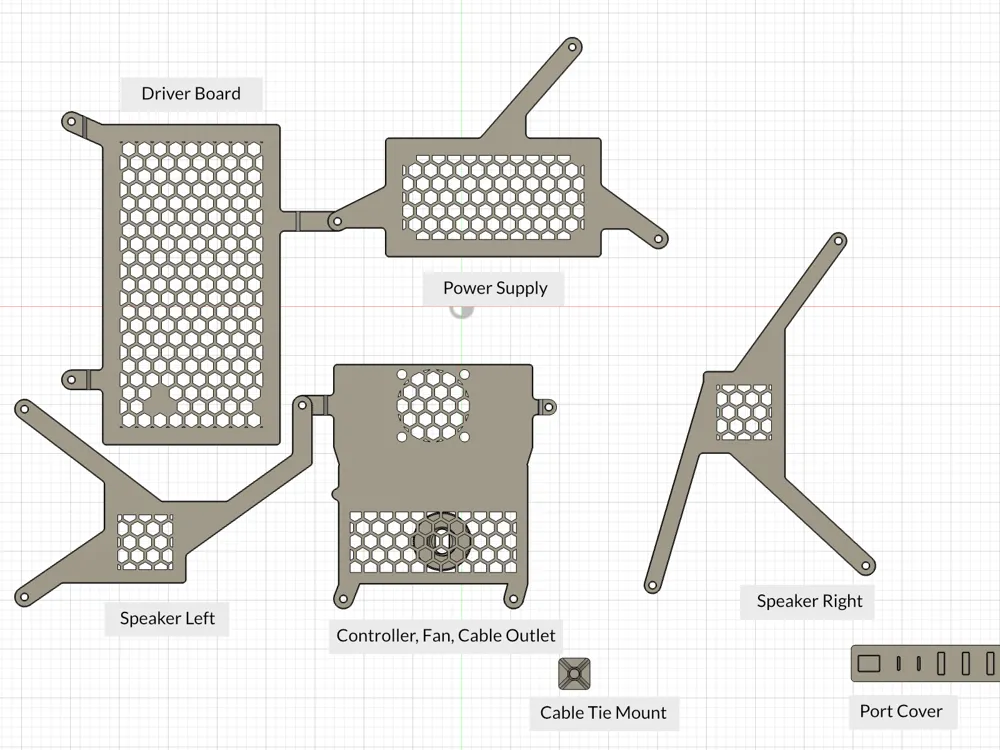
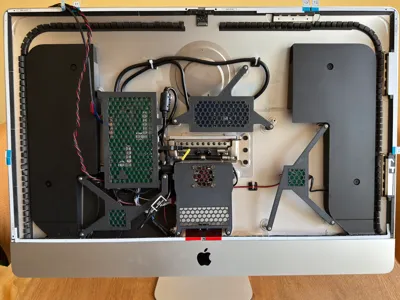
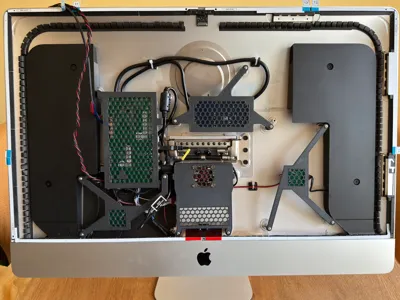
iMac 27” (2017, Intel) Conversion to External 5K Monitor – Mounting System for Driver Board, Controller, Power Supply, Optional Crossovers and Optional Fan
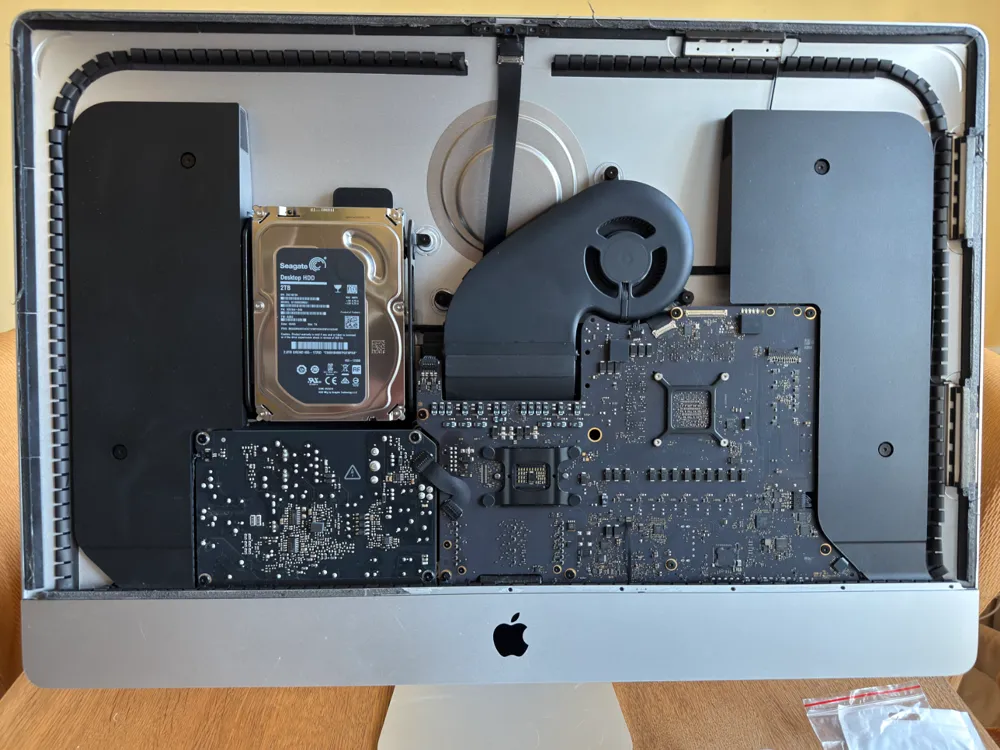
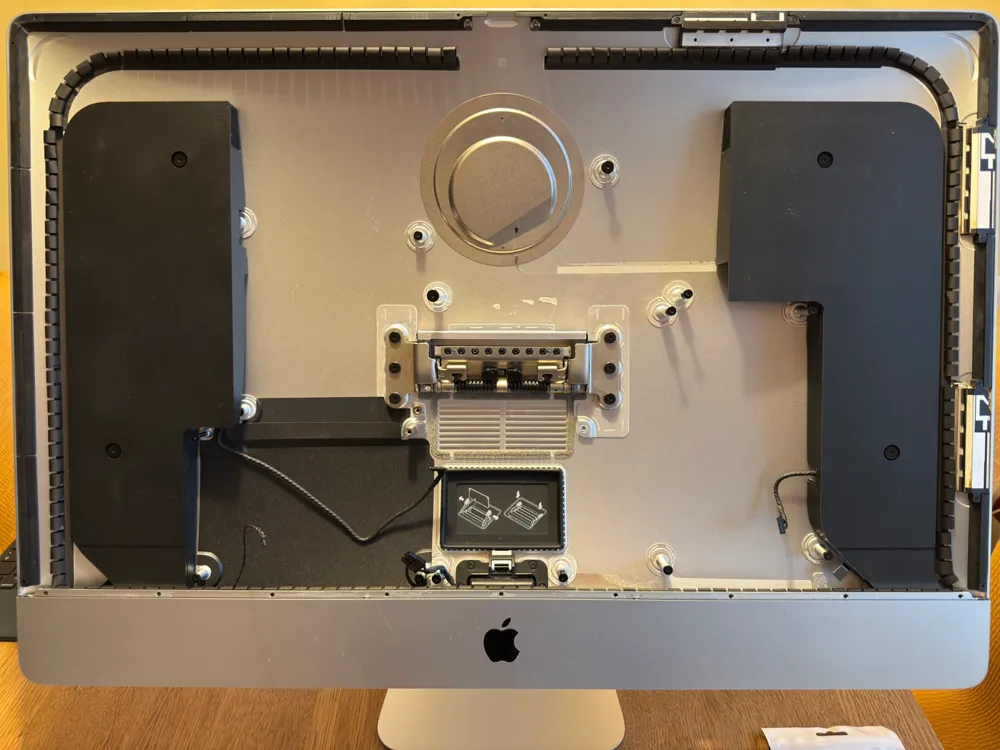
This mounting system is specifically designed for converting a 27” Intel-based iMac (2017, Model A1419) into an external 5K display (5120x2880), while reusing the original LG LM270QQ2 display panel and built-in speakers.
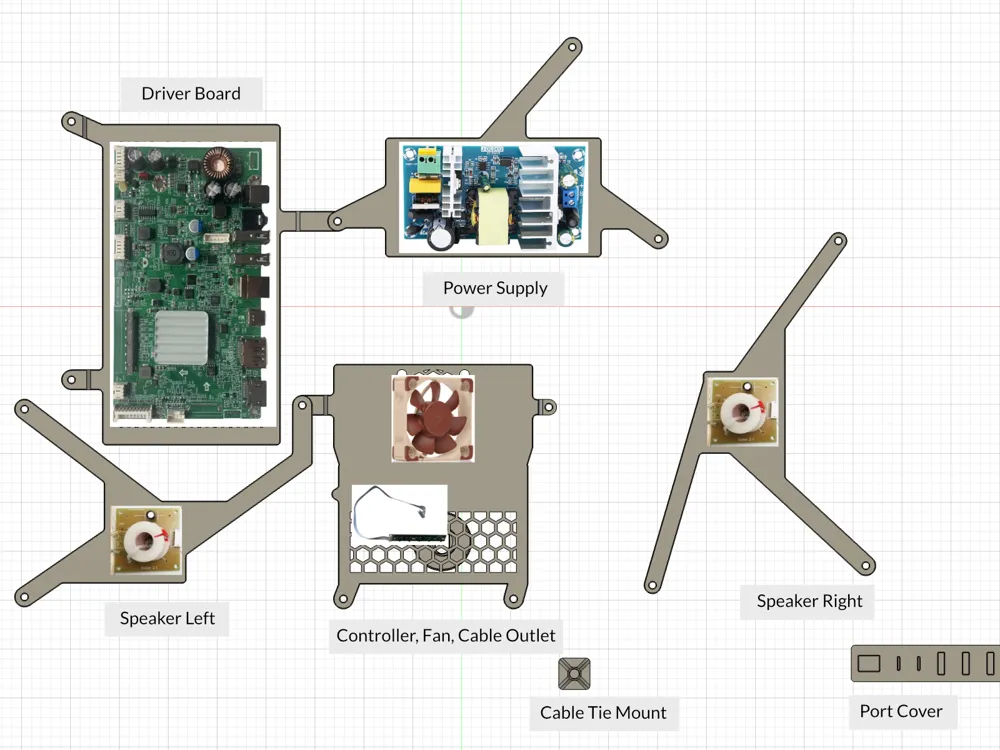
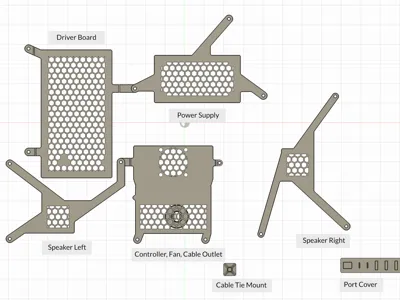
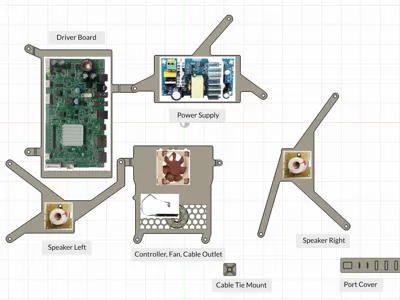
The 3D-printed brackets allow precise and secure mounting of the following components to the existing mounting points inside the iMac - without any drilling or permanent modifications to the case:
- Driver board including controller (e.g., Stonetaskin JRY-W9CUHD-AA1 for LM270QQ1)
- Power supply
- Optional Crossovers (for the original speakers)
- Optional fan
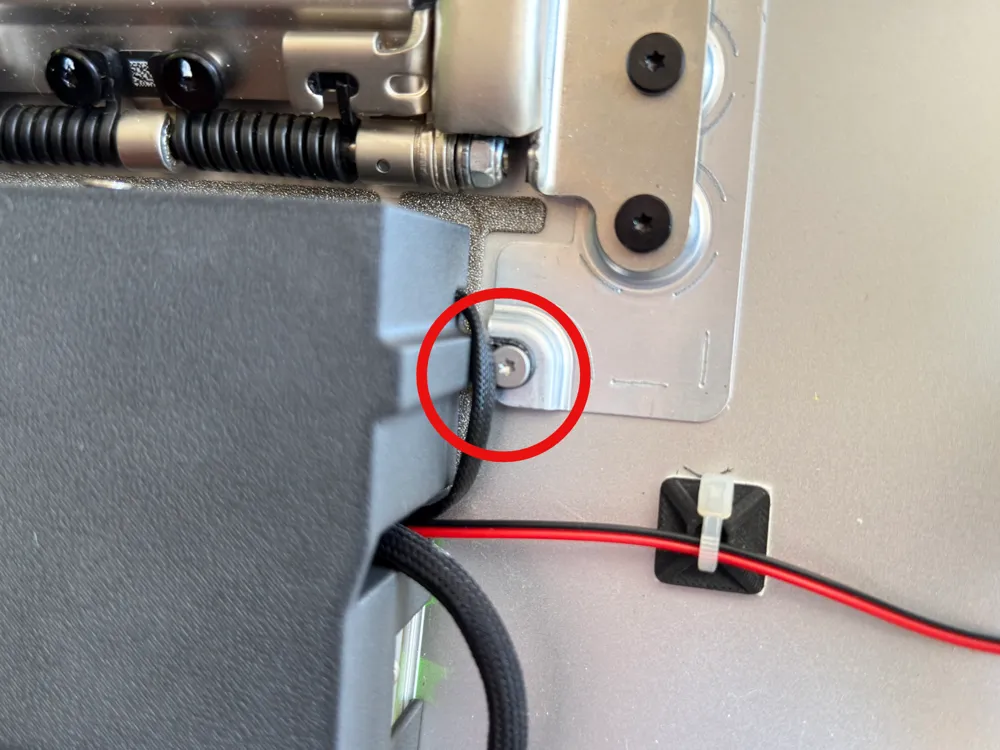
- Cable management elements
- Port cover
Important notes for implementation:
- The power supply must be connected to the original internal power input of the iMac. In some countries, electrical work on 110V/230V connections may only be performed by qualified professionals. Please follow the legal requirements in your country.
- The installed crossovers provide a clean sound, but the overall audio quality of the original speakers is moderate at best.
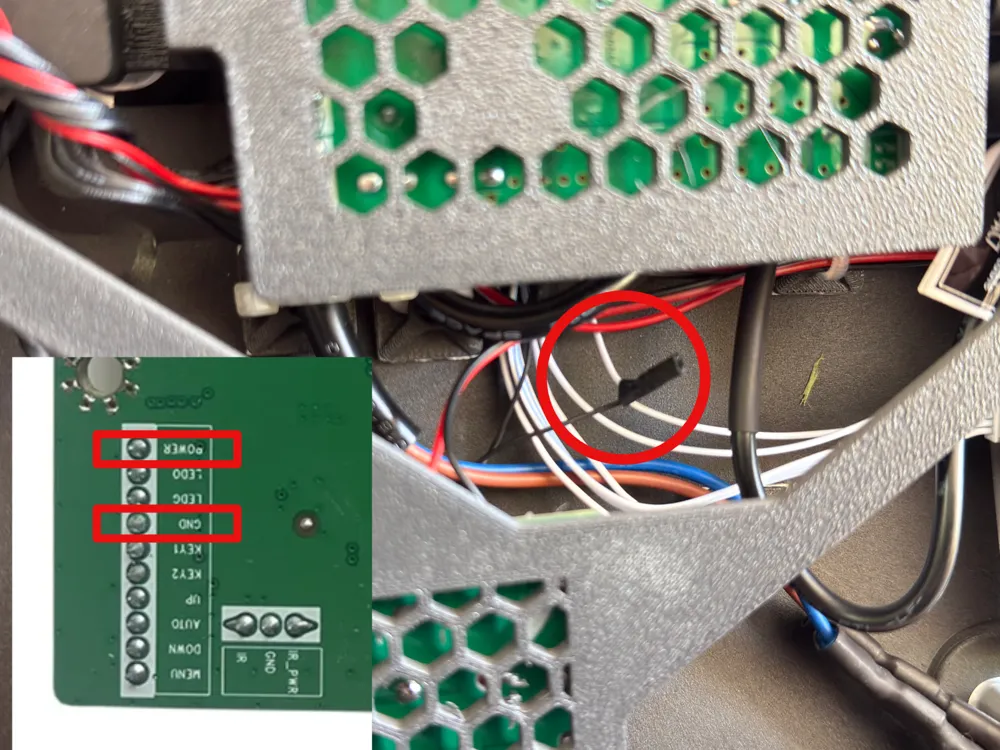
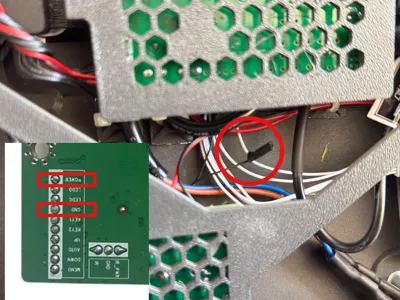
- Using the original power button: To continue using the iMac’s original power button, you need to connect it to the controller of the driver board. The controller is connected to the driver board via a multi-wire flat ribbon cable. On my board, one of the wires carries GND (ground) and another carries POWER (power supply). You can find the exact labeling of each wire directly on the circuit board. I separated the flat ribbon cable and additionally connected the two original wires from the iMac’s power button to the corresponding GND and POWER wires (essentially creating a bypass). Heat shrink tubing was applied to protect and reinforce the joined power button wires. This preserves the original functionality of the controller, allowing the iMac’s power button to be used as usual.
- The fan can be installed optionally. In my experience, it is not strictly necessary, as all components are oriented toward the rear of the case and dissipate heat in that direction. The fan produces a noticeable noise and may be perceived as disturbing depending on sensitivity.
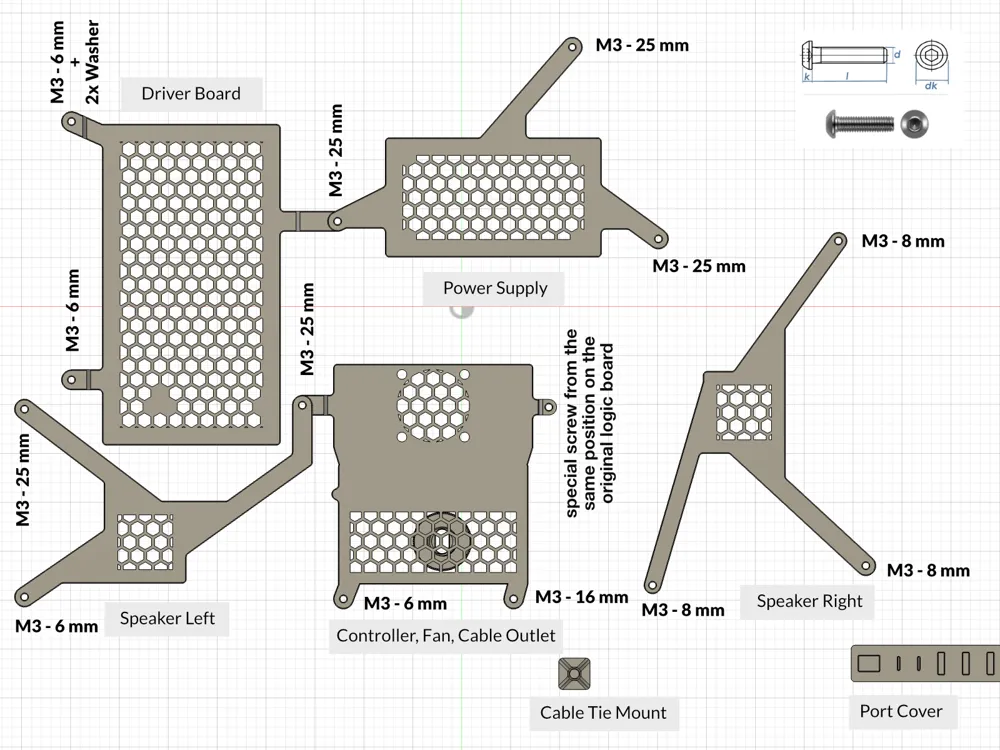
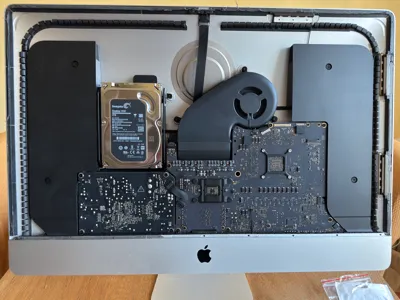
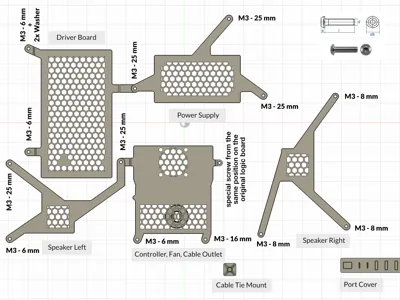
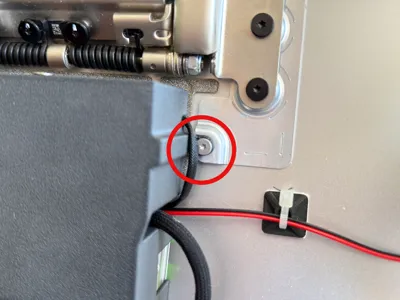
- A special screw is required for installation. This screw is located on the underside of the original logic board and must be removed from there to reuse in the same position for mounting the new bracket.
There are many tutorials - especially on YouTube - that explain how to open the iMac, install the new electronics, and reseal the display after the conversion. I recommend watching these resources before starting the project.
The provided material links were valid at the time of publication. I do not accept any liability for damages, malfunctions, or injuries resulting from the implementation of this project.
Printing recommendations:
The parts should be printed in PETG, ABS, or ASA to ensure sufficient heat resistance inside the iMac enclosure. PLA is not recommended due to potential deformation from heat exposure.
For the parts labeled “driver-board” and “controller-and-fan”, support structures are required during printing.
Parts List (with example links):
- Driver board (Stonetaskin JRY-W9CUHD-AA1 for LM270QQ1) Link
- Crossovers (Mini 2-Way Crossover) Link
- Power supply (24V 6A) Link
- Optional fan Link
- USB-C extension cable Link
- Power extension cable (DC 5.5mm x 2.5mm plug to socket) Link
- Glue for cable-duct and port-cover
- Adhesive strips for resealing the display Link
- Various M3 screws (different lengths)
- A few short M2 screws (for the crossovers)
- Cable ties
- Heat shrink tubing
Additional Download: USDZ File for Augmented Reality
A USDZ file is also available for download as part of this project. The USDZ file is especially useful for virtually placing the model, for example on a table or floor, to check its size, proportions and appearance in the room before 3D printing.
The USDZ format allows you to view the 3D model in augmented reality (AR). Apple devices such as iPhone, iPad and Mac support USDZ files natively, so the file can be opened and viewed directly in Safari, Mail, Messages or the Files app – no additional app is required. Users of other operating systems (e.g. Android or Windows) need a dedicated USDZ viewer or compatible 3D software, such as Adobe Aero or Blender (with USDZ plugin), to view the file.
Boost Me (for free)
✨ Enjoyed this model? Show your support with a Boost and help me bring even more creative ideas to life. Every Boost keeps me motivated to share new designs and contribute to the community.
Membership
☕ Love my designs? Support my work with a Coffee Membership or unlock commercial rights to sell physical prints with my Commercial Licenses. Join my community and help me create more innovative models!
Legal Notice: Manufacturer names are mentioned solely for compatibility description and do not constitute a recommendation or endorsement. No business relationship exists with the mentioned manufacturers. Trademarks are property of their respective owners. This model is an independent design and has not been authorized, sponsored, or otherwise approved by the mentioned manufacturers.
License

You shall not share, sub-license, sell, rent, host, transfer, or distribute in any way the digital or 3D printed versions of this object, nor any other derivative work of this object in its digital or physical format (including - but not limited to - remixes of this object, and hosting on other digital platforms). The objects may not be used without permission in any way whatsoever in which you charge money, or collect fees.


Comment & Rating (30)