
Parametric Name Keychain (with RTL Support)
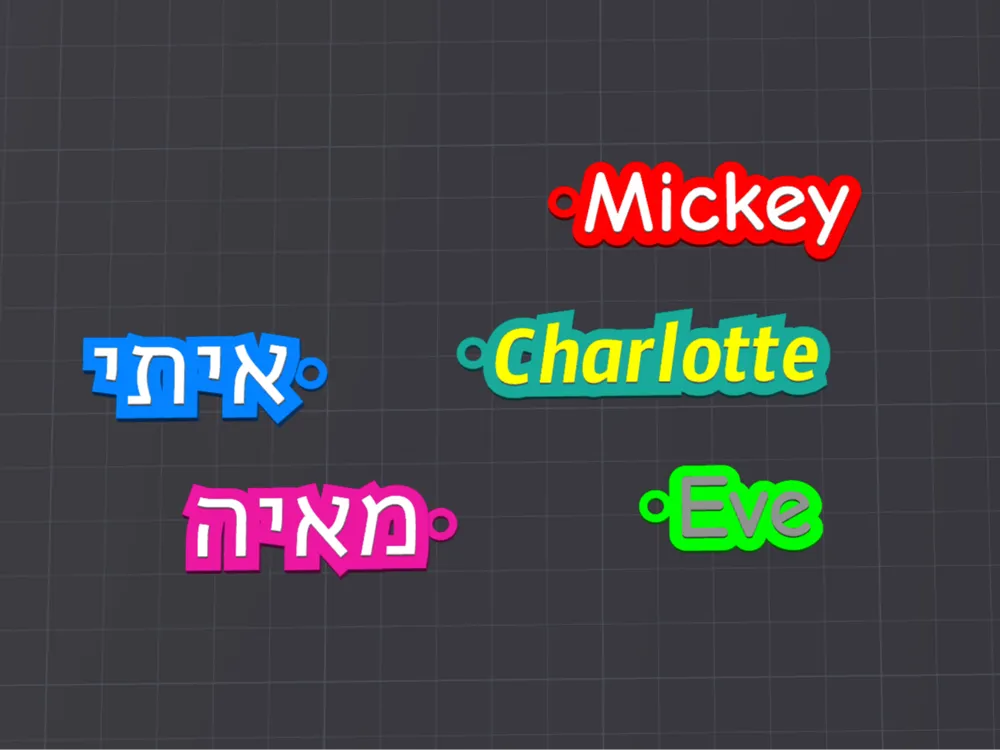
Print Profile(0)
Bill of Materials

Description
Parametric Name Keychain (with RTL Support)
Fully customizable, right-to-left–friendly parametric script for printing name keychains in any font, size, color, or language.
- Parametric Design: All dimensions, fonts, thicknesses, and colors are exposed as variables in the Customizer pane—just type your name, pick a font, adjust offsets, and hit Generate.
- Right-to-Left (RTL) Mode: Toggle a single flag to switch text alignment and automatically position the keyring on the correct side for Hebrew, Arabic, or other RTL scripts.
- Fully Customizable: Change text height, outline offset, keyring diameter, colors, and more.
How to Customize:
Click the “Customize” button

Edit Parameters in the Customize section.
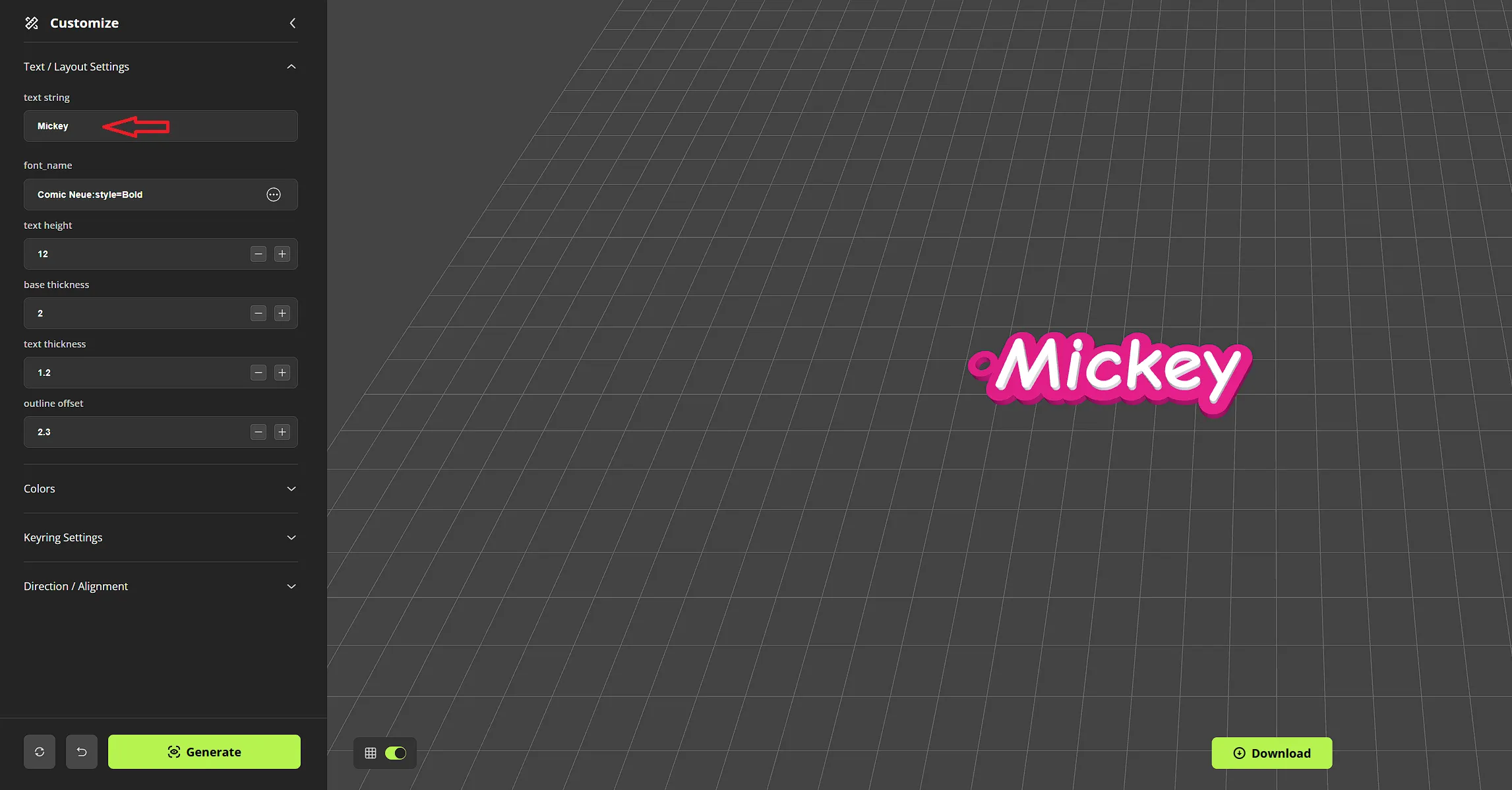
• Text / Layout Settings
- text string: Type the word or name you want on the keychain (for example, “Mickey” or “איתי”).
- font name: Click the font picker (the “…” button). A dropdown of fonts will appear—choose any font you like (e.g. “Comic Neue:style=Bold” for a playful look, “Arial:style=Bold” for a clean sans serif, or “LiberationMono:style=Regular” if you want a more uniform, monospaced style).
- text height (mm): Adjust how tall (in millimeters) the raised text should be. A value of around 12 mm is a good starting point.
- base thickness (mm): Controls how thick the pink outline/base layer is. A thickness of 2 mm produces a sturdy backing.
- text thickness (mm): Sets how much the letters themselves stand above the pink base. Try 1.2 mm for a visible but not overly bulky height.
- outline offset (mm): Determines how much the pink outline “halo” extends beyond each letter shape. A value of 2.3 mm usually ensures a consistent border around your text.
• Keyring Settings
- keyring outer diameter (mm): Size of the outer cylinder used for the keyring hole (e.g. 6 mm works well for standard key rings).
- keyring inner diameter (mm): Size of the actual hole (e.g. 3 mm leaves a 1.5 mm ring thickness). Adjust if you need a looser or tighter fit.
- keyring thickness (mm): How tall that ring feature is—usually matching your base thickness or slightly thicker (e.g. 2 mm).
- keyring y (mm): Vertical offset of the keyring hole relative to the baseline of your text. A value around 6 mm typically centers the hole above or beside the letters.
- keyring z (mm): Height offset of the keyring hole’s center above the base before cutting. A small positive value (e.g. 1 mm) makes sure the cut goes all the way through.
- keyring margin (mm): Gap between the edge of the text’s outline and the outside of the ring hole. About 1.2 mm is usually enough clearance.
• Direction / Alignment
- right to left (toggle):
- Set to false for left-to-right text (e.g. English).
- Set to true for right-to-left text (e.g. Hebrew).
- This flag automatically flips the text alignment so the keyring hole appears on the correct side of the letters.
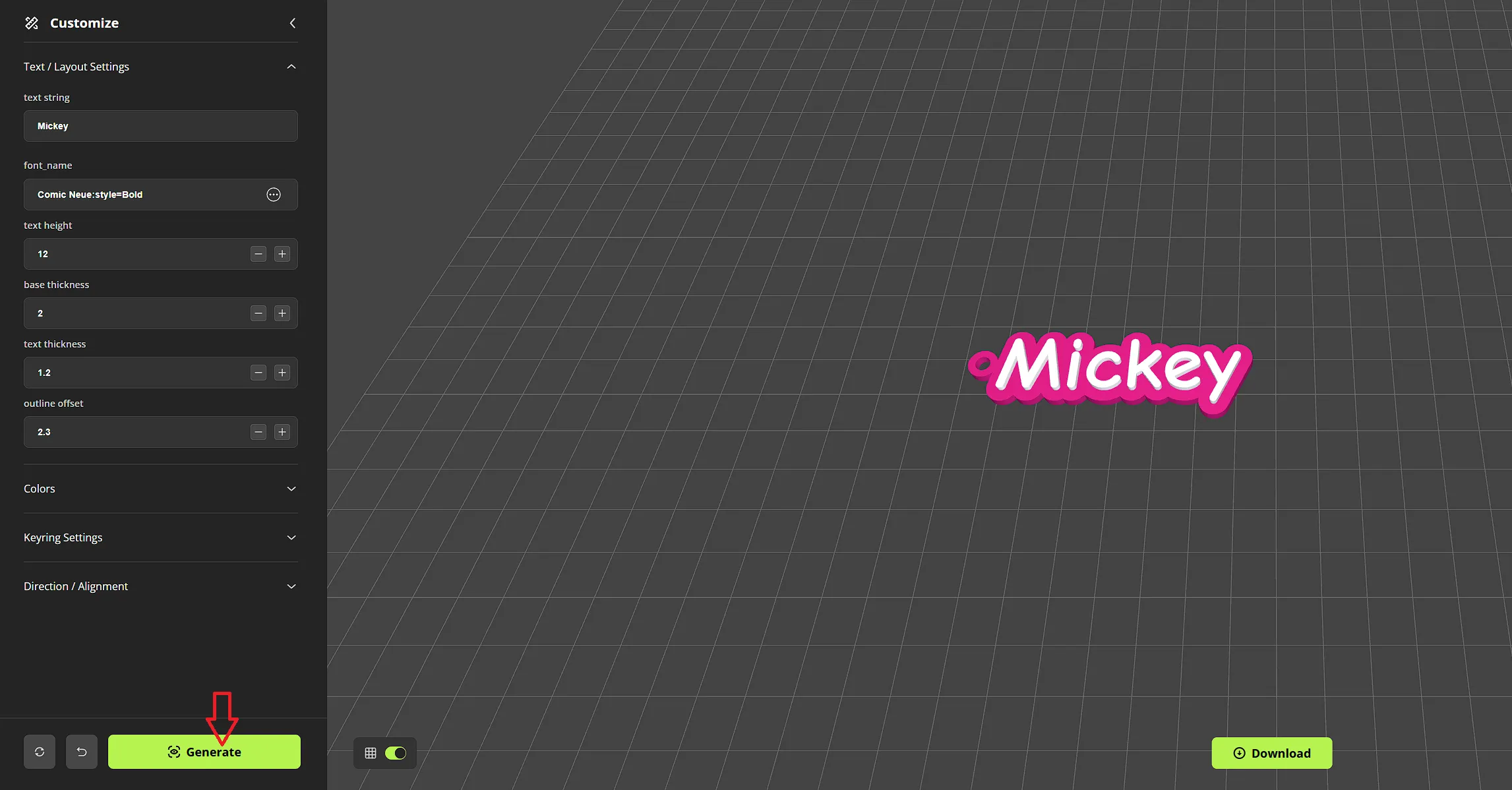
- Click the “Generate” button
Check that the letters, outline, and keyring hole look balanced and not overlapping. If any letter strokes are too thin or overlap the ring, adjust outline offset or keyring margin accordingly.
- Click the “Download” button.
Once satisfied with the preview, download model.
- 3D Print Tips
- Layer Height: 0.12–0.16 mm is ideal for capturing fine letter details.
- Infill: 15–20% works well—your outline will remain solid enough to hold keys.
- Filament Colors: Print the outline/base in one color and the raised text in a contrasting color to make the letters pop.
- Could be printed without AMS
Boost Me (for free)
If you like my models and want to support me, please boost 🚀!
Membership
If you'd like to sell prints of my designs, you can click on the join button
Happy printing ✨
License

You shall not share, sub-license, sell, rent, host, transfer, or distribute in any way the digital or 3D printed versions of this object, nor any other derivative work of this object in its digital or physical format (including - but not limited to - remixes of this object, and hosting on other digital platforms). The objects may not be used without permission in any way whatsoever in which you charge money, or collect fees.


Comment & Rating (7)