
Mechanical Counter — Increment by Place Value
Print Profile(2)


Description
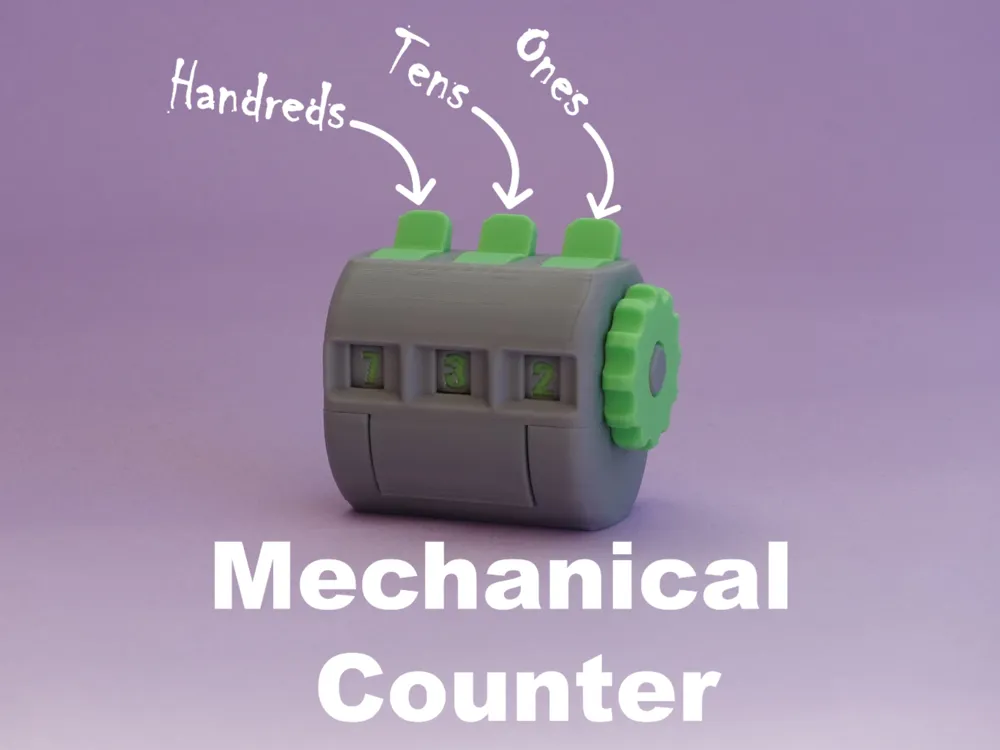
This is a fully 3D-printed mechanical counter .
Each digit can be increased independently with its own lever: ones, tens, hundreds.
The design uses a simple one-way ratchet built into the digit wheels, making the mechanism compact and reliable.
A zeroing knob allows you to reset the entire counter by pushing and rotating clockwise.
Assembly Instructions:
Insert the three detent springs into the bottom part.
Click the two intermediate gears into place.
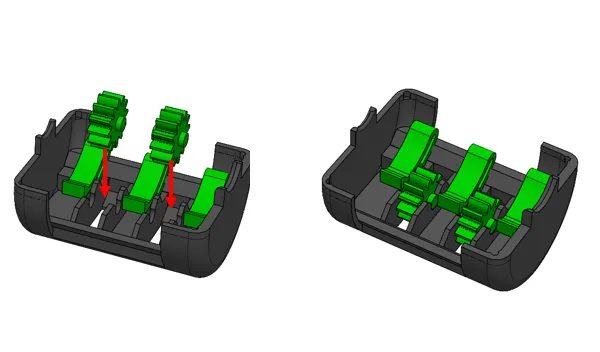
Stack the digit wheels on the shaft:
- Hundreds wheel first (full gear right, smooth left)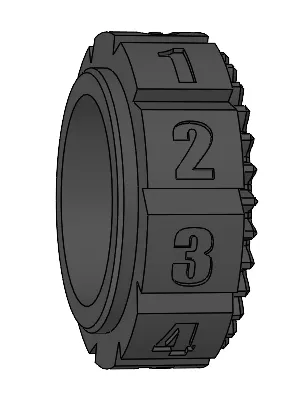
- Tens wheel (full gear right, two teeth left)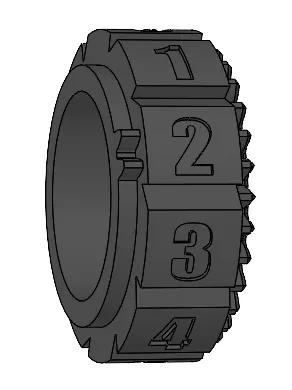
- Ones wheel (two teeth left)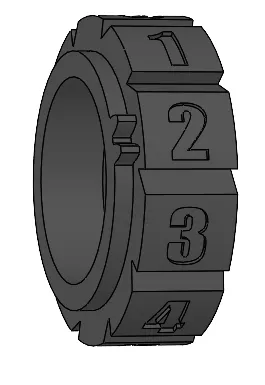
Add the zeroing knob on top of the stack.
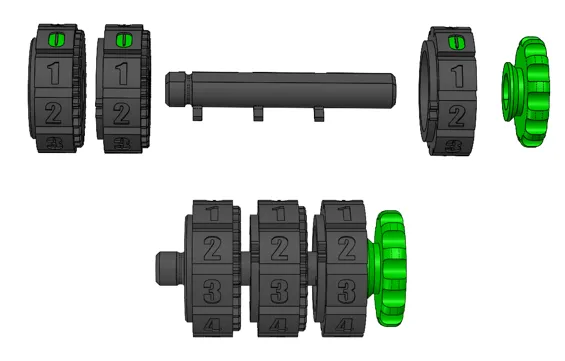
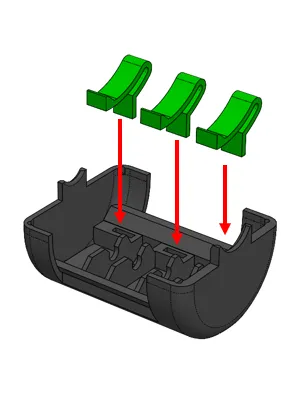
Insert the three incrementing levers into the top part.
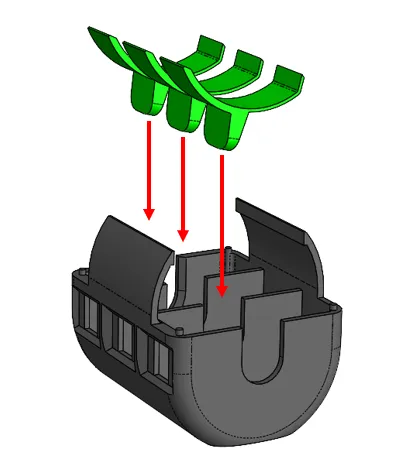
Carefully fit the wheel assembly into the top part.
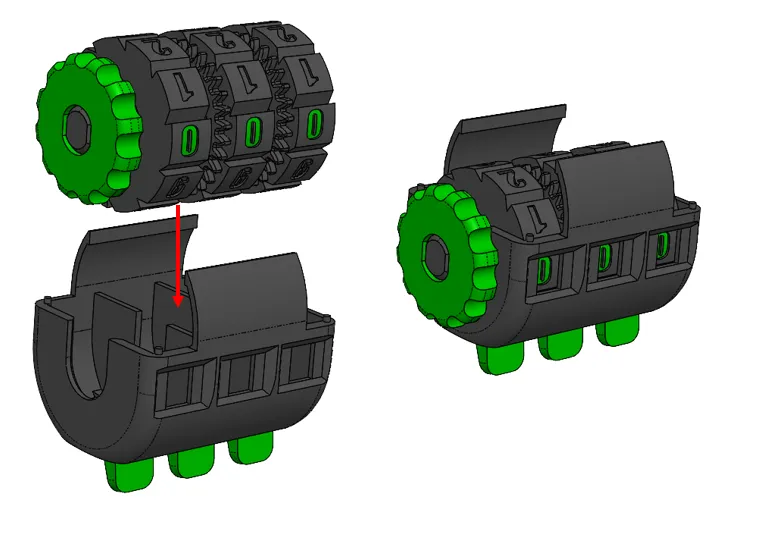
- Close the two halves together, starting with the detent spring side, then snap the bottom and top in place.
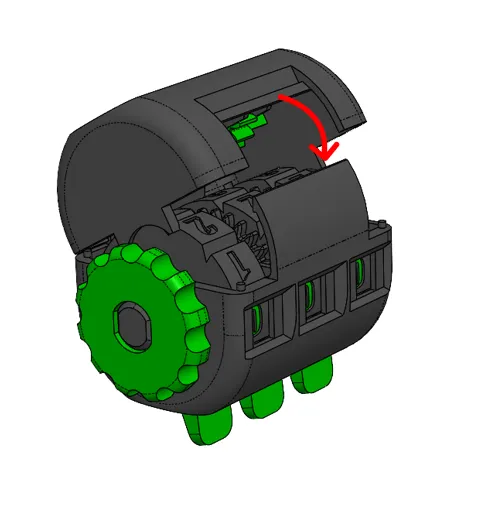
- Rotate the zeroing knob once to align the counter.
License

You shall not share, sub-license, sell, rent, host, transfer, or distribute in any way the digital or 3D printed versions of this object, nor any other derivative work of this object in its digital or physical format (including - but not limited to - remixes of this object, and hosting on other digital platforms). The objects may not be used without permission in any way whatsoever in which you charge money, or collect fees.


Comment & Rating (133)