
Sleeping Eevee Keychain (Hueforge, AMS/NoAMS)
Print Profile(4)





Description
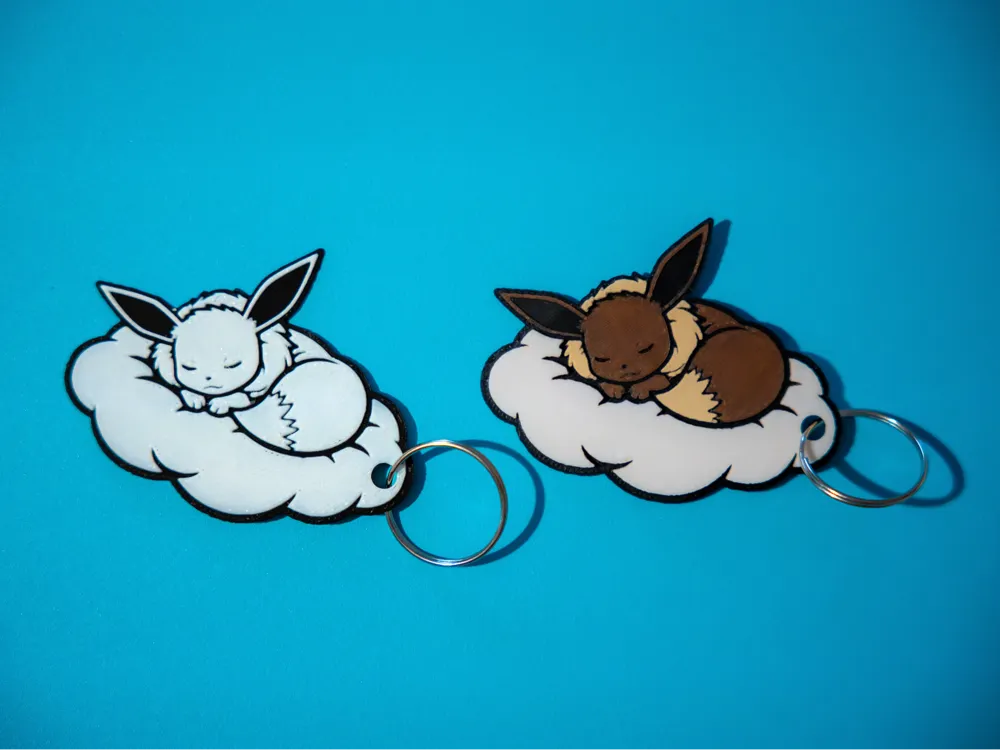
Sleepy Eevee keychain
I made this custom keychain using hueforge as my wife is a big fan of eevee, for now i'm uploading the 4 color version (i'll upload the black and white one as another print profile if possible or as a separate model.
The 4 color used for this print are:
Bambulab Basic BLACK
Bambulab Basic WHITE
Bambulab Basic BROWN
Bambulab Matte DESERT TAN
Here are the hueforge instructions in case you don't own an ams and want to use the pause functions instead of the presliced file:
Print at 100% infill with a layer height of 0.08mm with a base layer of 0.16mm
The Model is 80x80mm in size
You may print at higher layer heights below the Base Thickness of 0.48mm
The Max allowed Thickness is 2.88mm and the Actual Thickness is 2.4mm
Filaments Used:
#080a0d PLA Bambulab Basic Black Transmission Distance: 0.3
#9d432c PLA BambuLab Basic Brown Transmission Distance: 2
#e8dbb7 PLA BambuLab Matte Desert Tan Transmission Distance: 1
#ffffff PLA BambuLab Basic Jade White Transmission Distance: 5
This print uses 4 unique filaments
Swap Instructions:
Start with Black
At layer #10 (0.88mm) swap to Brown
At layer #13 (1.12mm) swap to Desert Tan
At layer #22 (1.84mm) swap to Jade White for the rest.
The keychain hole can be removed by going into the Per object slicing tab and removing the cilinder.
License



Comment & Rating (0)