
Bitaxe Big fan adapter for Silent and Cooling
Print Profile(1)

Description
A new model has been released!
that is a more powerful model with dual fans. Check it out!
https://makerworld.com/ja/models/1772885-bitaxe-silent-cooling-pro-overclock-ready#profileId-1887705
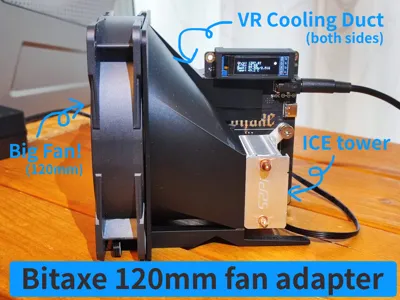
Bitaxe 120mm Fan Adapter – High-Performance & Ultra-Quiet Cooling Upgrade
Boost your Bitaxe with both dramatically improved cooling performance and whisper-quiet operation!
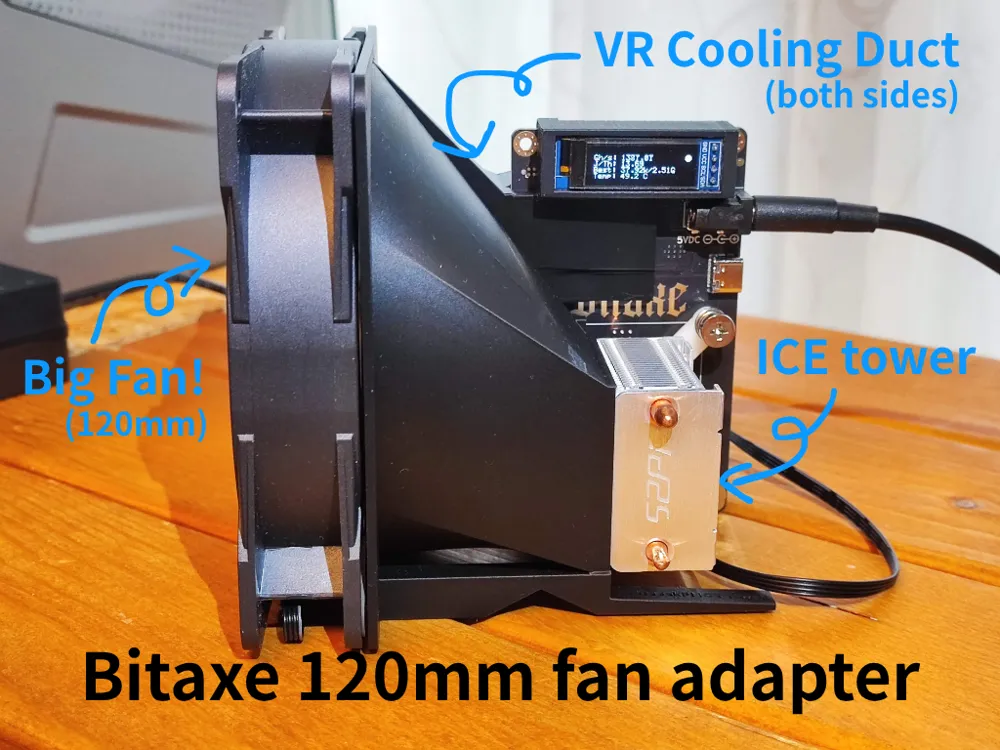
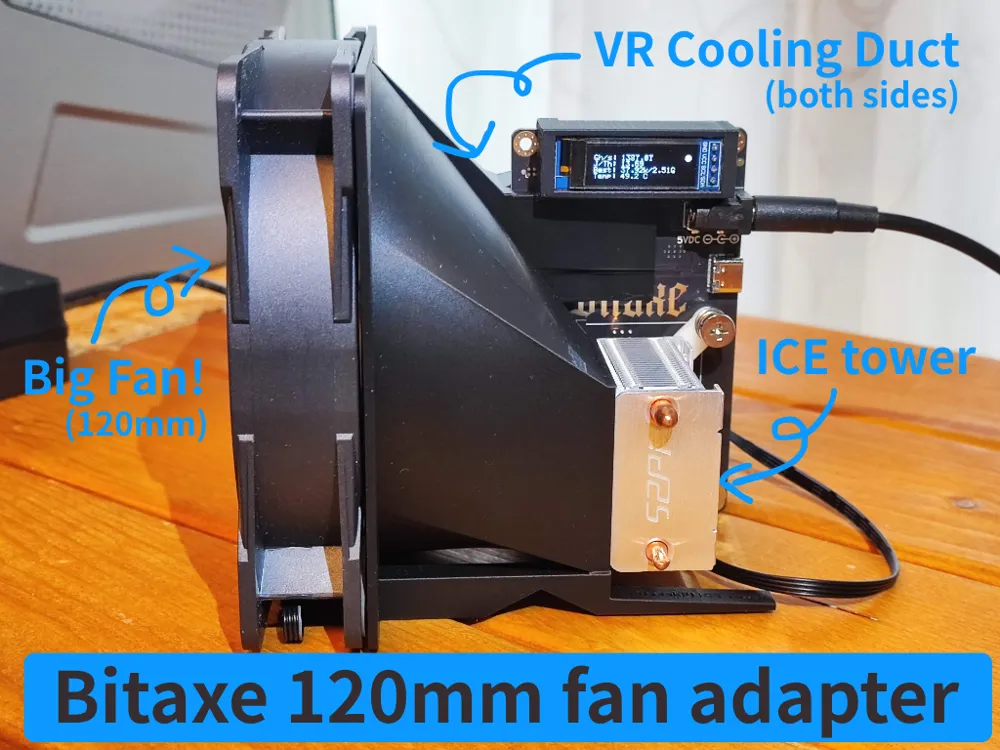
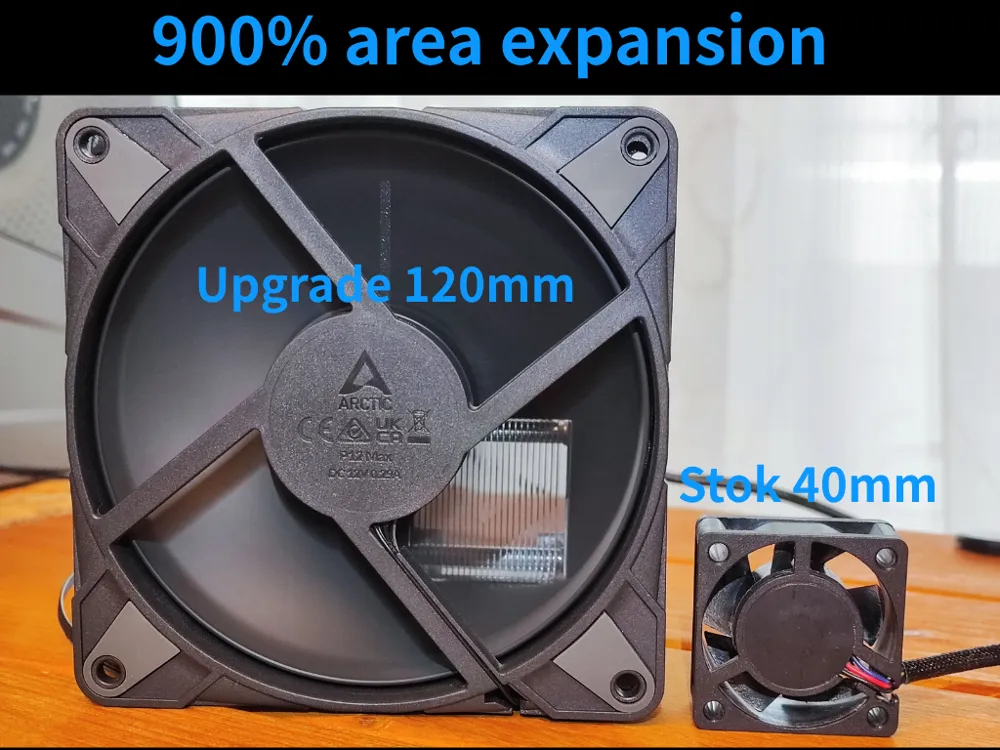
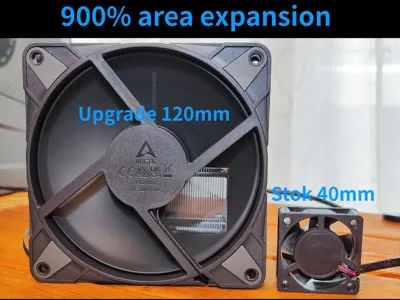
This 3D-printable adapter replaces the stock 40 mm fan with a powerful 120 mm fan (No need for a Noctua fan!), delivering up to 900% airflow area expansion while keeping noise levels extremely low.
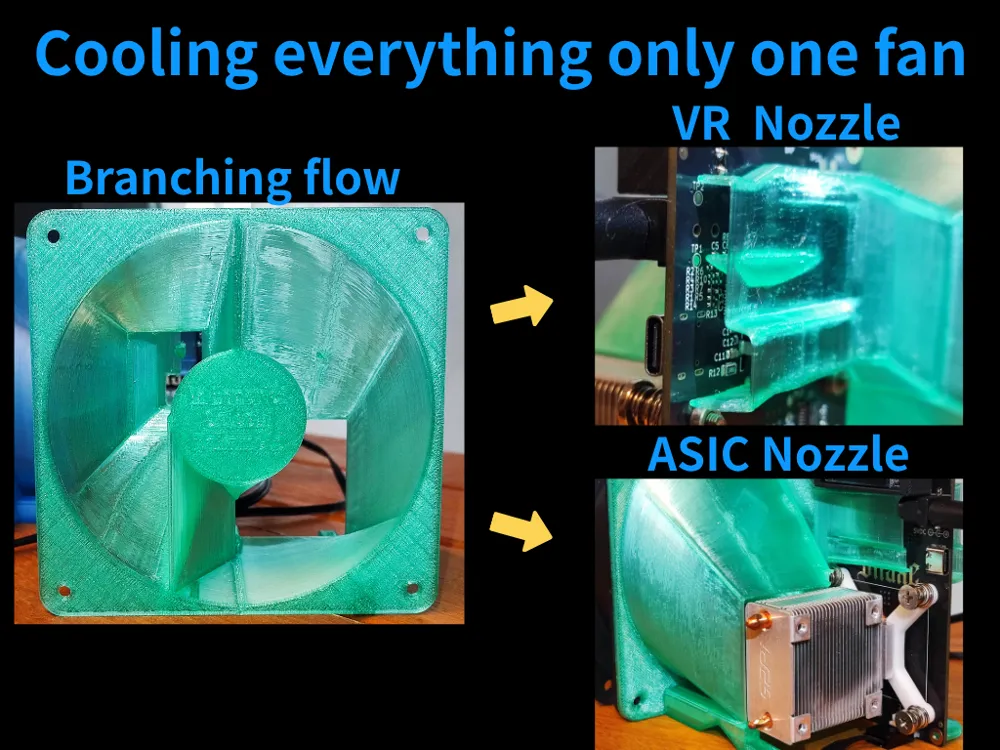
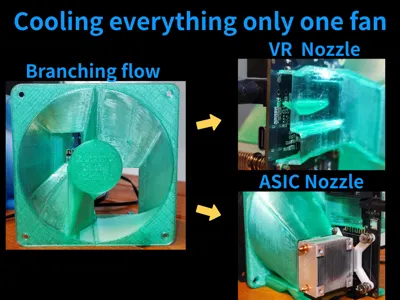
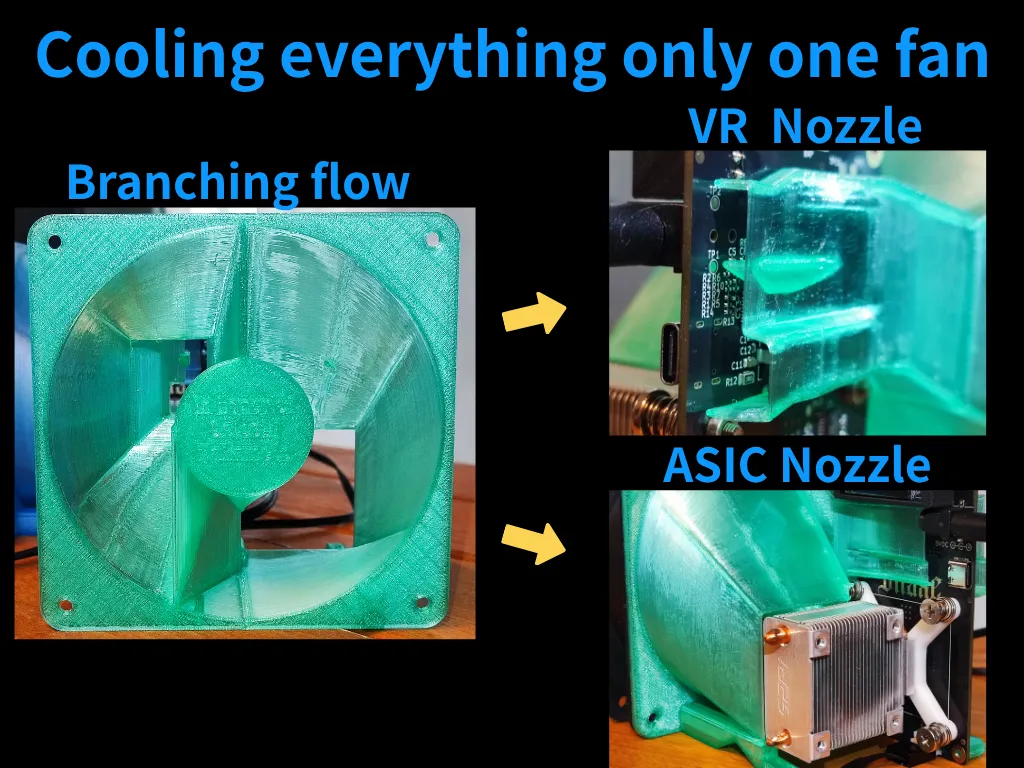
Smart ducting directs air precisely to the ASIC and voltage regulators, ensuring efficient cooling for every component.
To secure a 120mm fan, you will need M3-4 screws/nuts, rubber pins, or cable ties.
Please use existing excellent products for the brackets for the ICE tower.
I tested PLA at an outside temperature of 35°C and had no problems.
If you're using it for overclocking, consider PETG or ABS.
Key Features
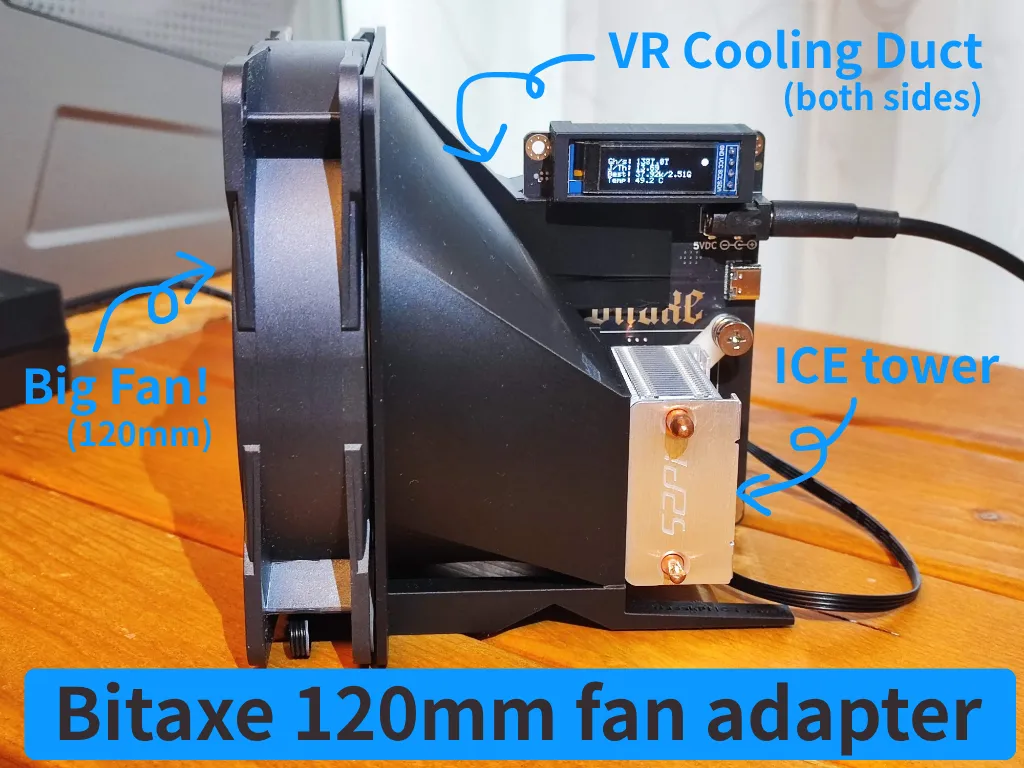
1. Big Fan, Big Cooling
- Supports a 120 mm fan for massive airflow. (Test fan: ARCTIC P12 Max 3300rpm@12V)
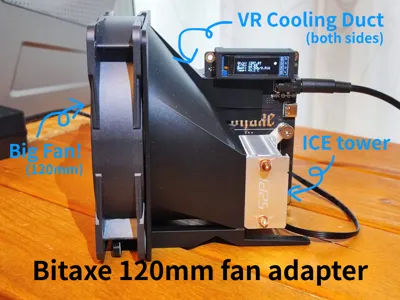
- Dual VR cooling ducts target both sides of the Voltage Regulators.
Integrated flow guide for efficient cooling of the Geek Pi ICE Tower heatsink.
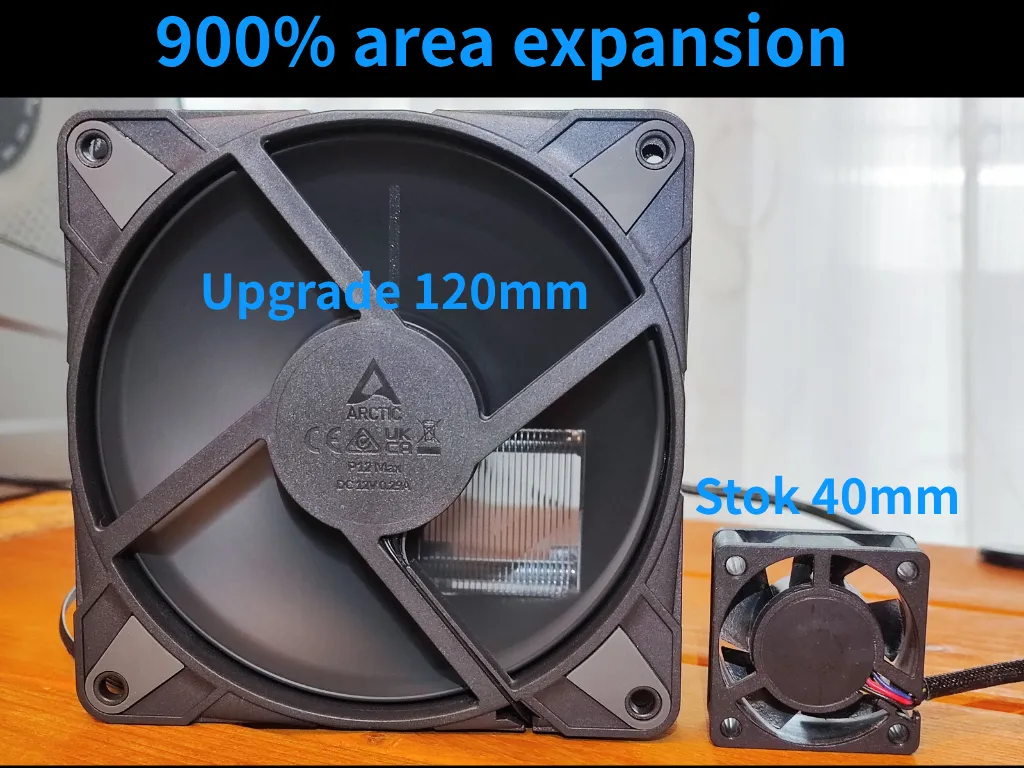
2. 900% Area Expansion
- Compared to the stock 40 mm fan, the 120 mm upgrade increases airflow area nearly 9×.
Quieter operation at the same cooling performance — or far better cooling at higher speeds.
3. One Fan to Cool Everything
- Smart internal ducts branch airflow to two nozzles:
- VR Nozzle: Directs air to both sides of the voltage regulator.
- ASIC Nozzle: Cools the main chip heatsink directly.
Eliminates the need for multiple fans.
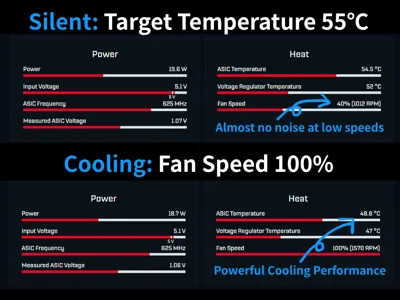
4. Quiet or Powerful – You Choose
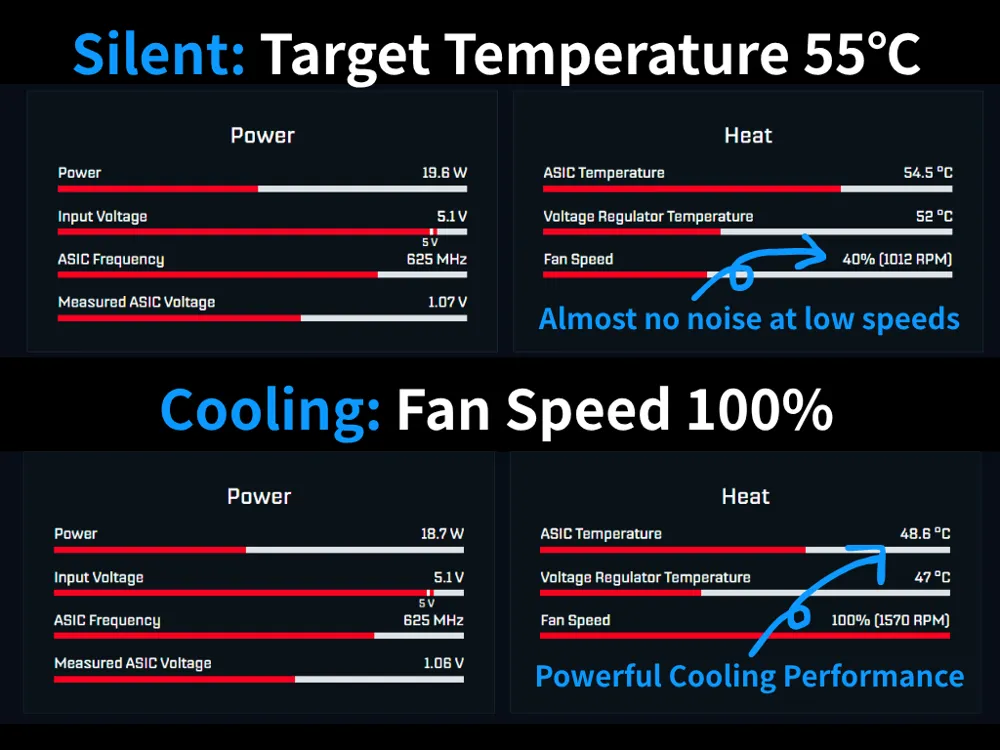
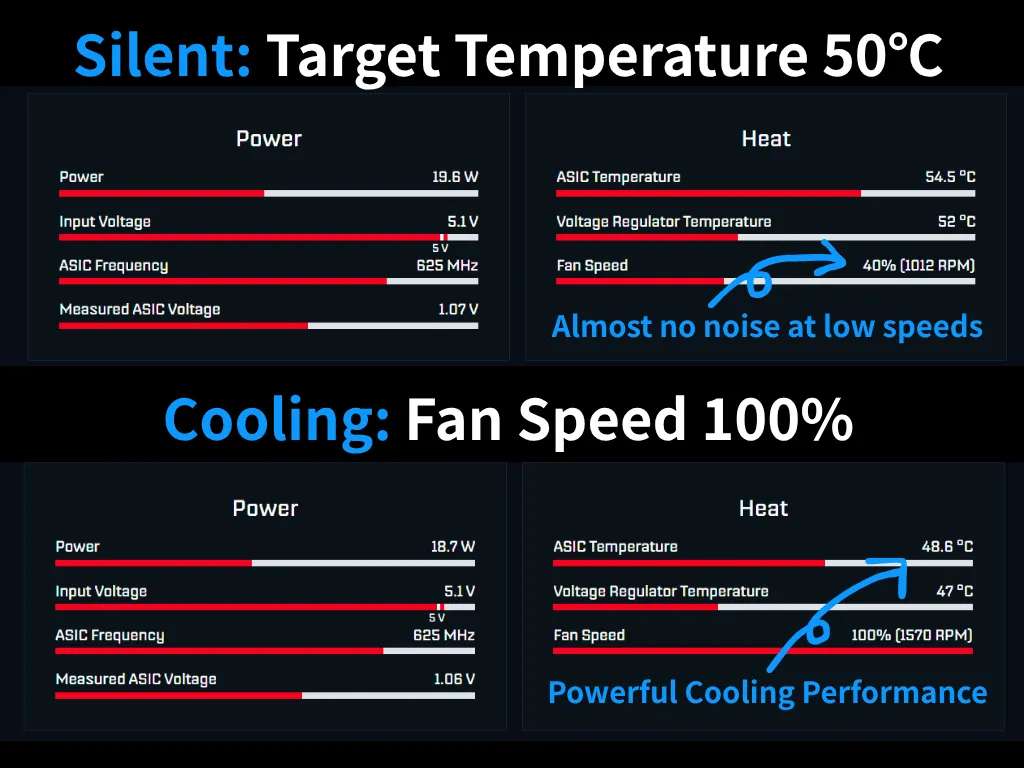
- Silent Mode (Target 55 °C): Fan runs ~40% speed (around 1000 RPM) with almost no audible noise.
Max Cooling: 100% fan speed (around 1600 RPM) keeps ASIC below 49 °C and VR below 47 °C.
(The test conditions are 28°C.)
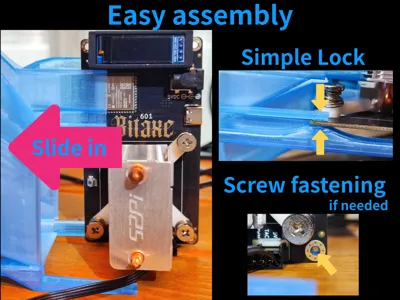
5. Easy Assembly
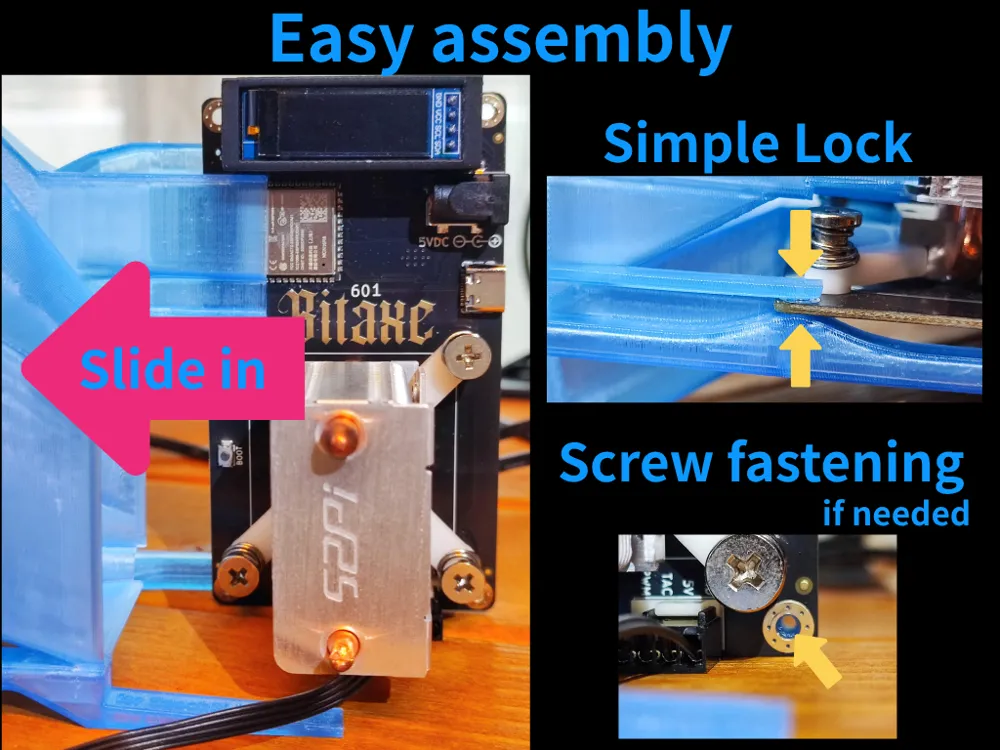
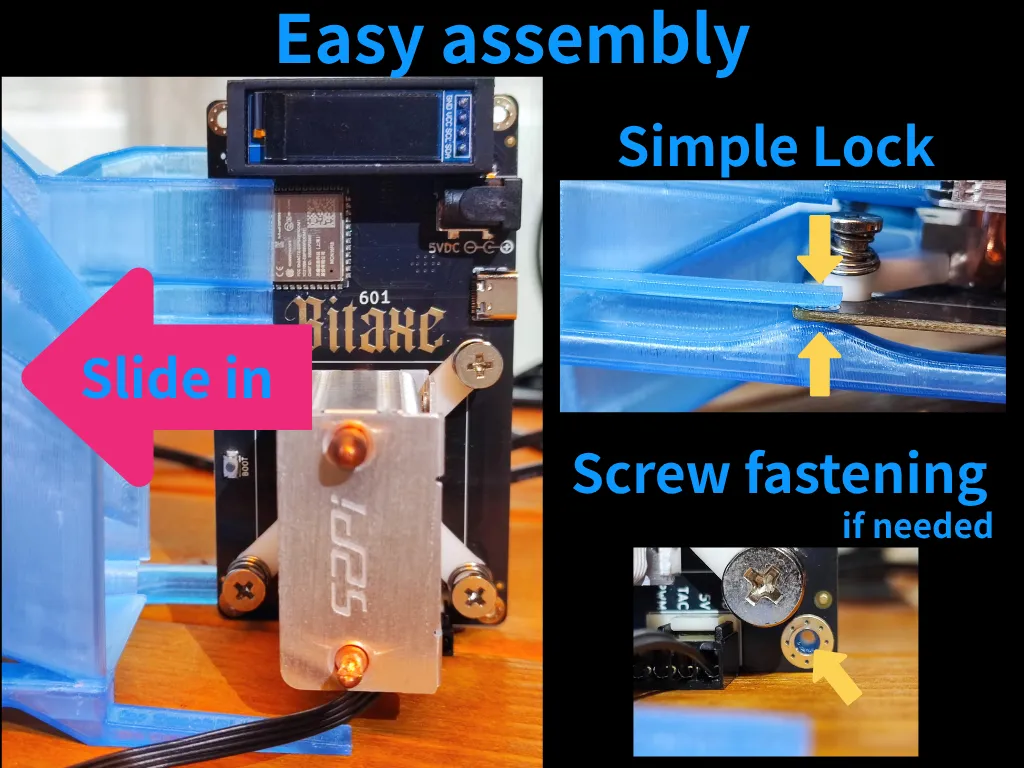
- Slide-in design for quick installation.
- Simple Lock holds the adapter securely — no tools needed.
Optional screw fastening for extra stability.
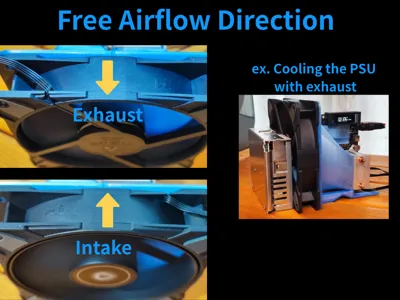
6. Flexible Airflow Direction
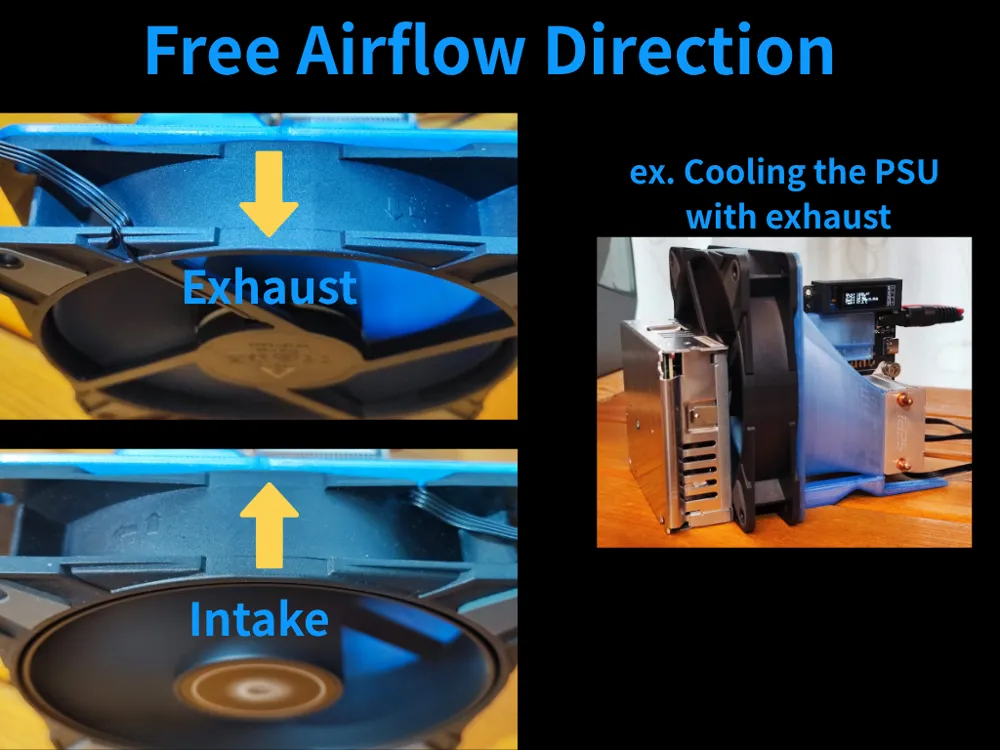
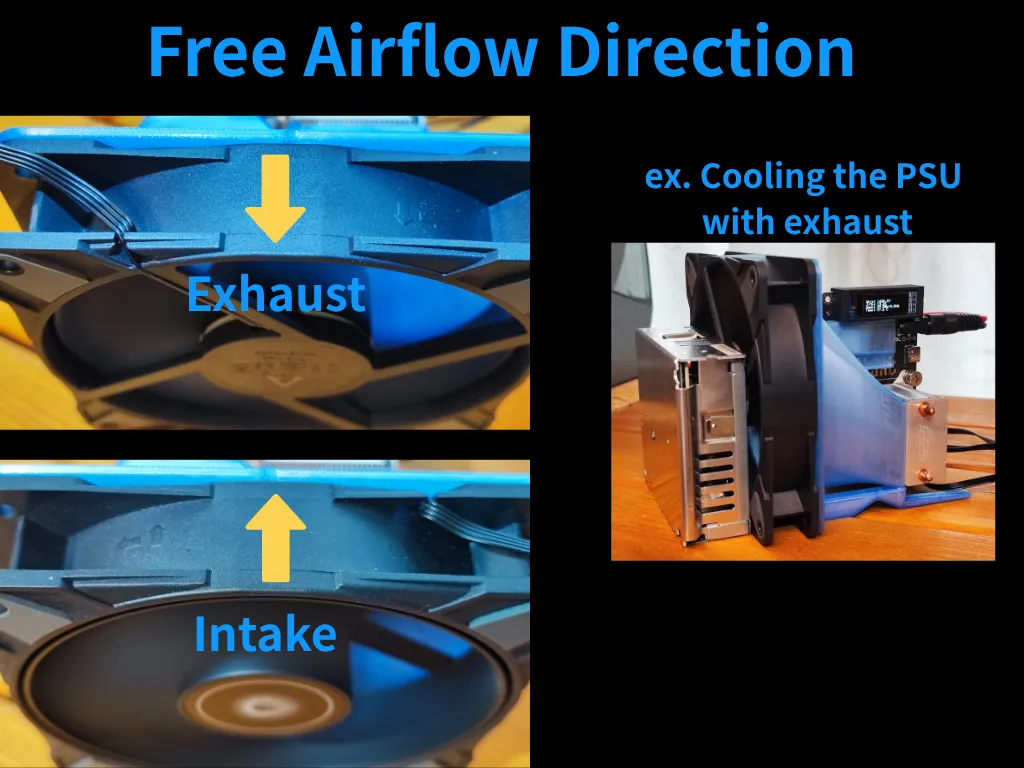
- Install fan for exhaust or intake.
Example: Use exhaust mode to also cool the PSU behind the fan.
Printing Tips
- Recommended Material: PLA or PETG (for heat resistance).
- Supports: None required if printed as designed.
- Fan Mount: Standard 120 mm PC case fan holes.
- Fan selection: Since a 12V fan is used at 5V, a fan with a high maximum rotation speed is preferable.
License



Comment & Rating (4)