
Smart TV Remote Holders (can be wall mounted)
Print Profile(2)


Bill of Materials










Description
Boost Me (for free)
Always appreciated, never expected. Thank you!
Boost Me (for free)
Always appreciated, never expected. Thanks for your support!
Smart TV Remote Holders
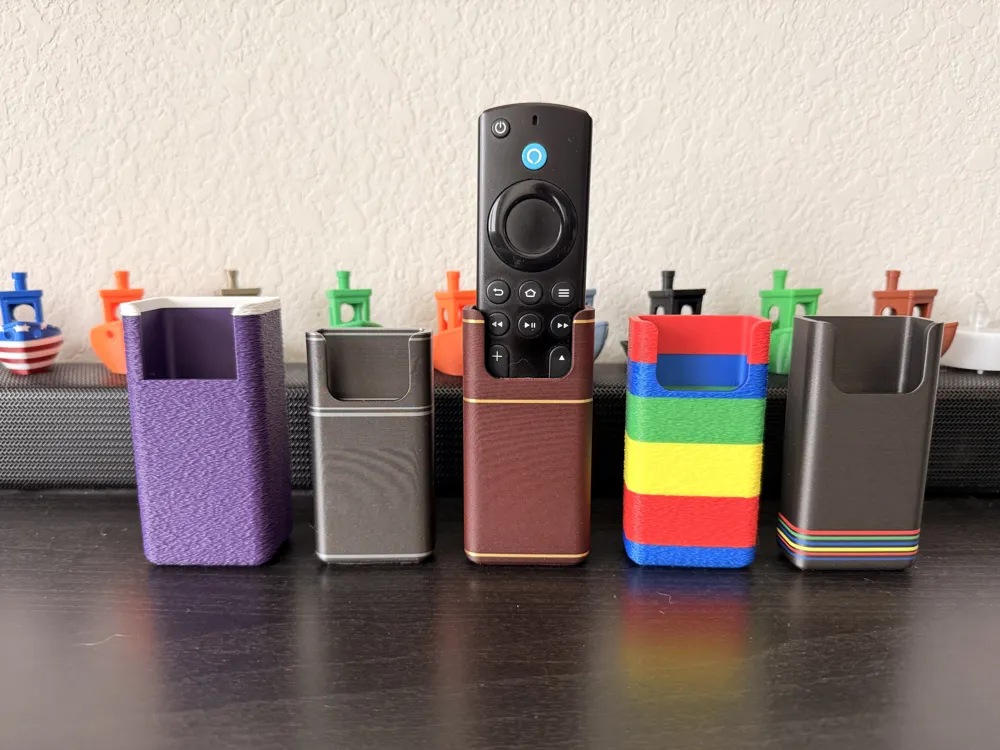
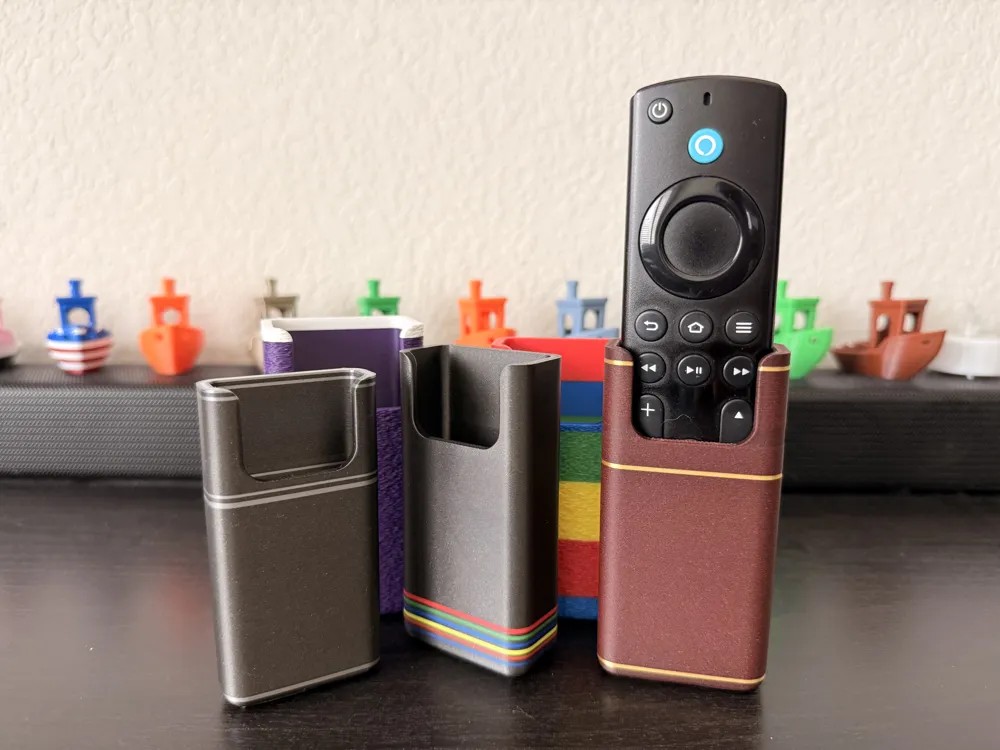
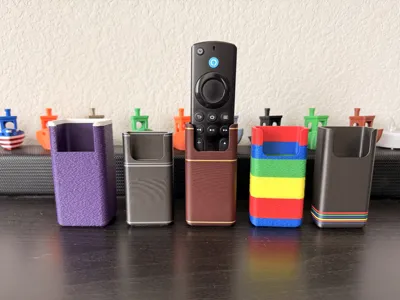
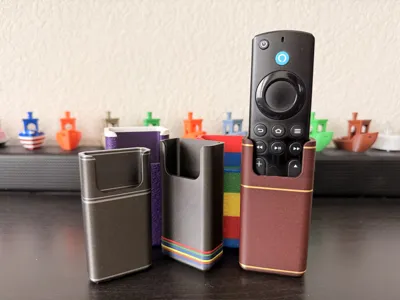
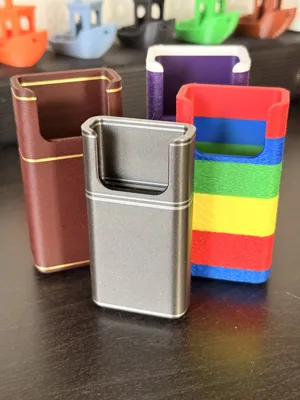
Tired of hunting for your TV remote? Keep it where it belongs with a new collection of Smart TV remote holders! These aren't just functional, they are designed to be a stylish and an essential part of your entertainment setup. Each holder is easy to wall mount with double-sided foam tape (Maker Supply link below), so you can mount it exactly where you need it.
Amazon Fire TV Holder
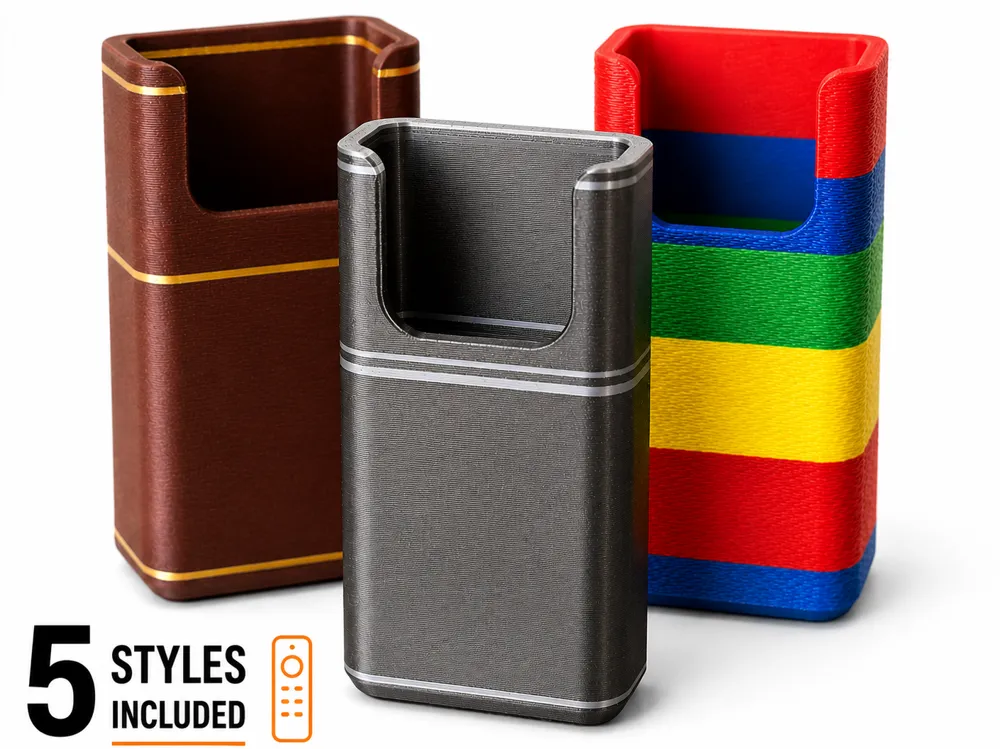
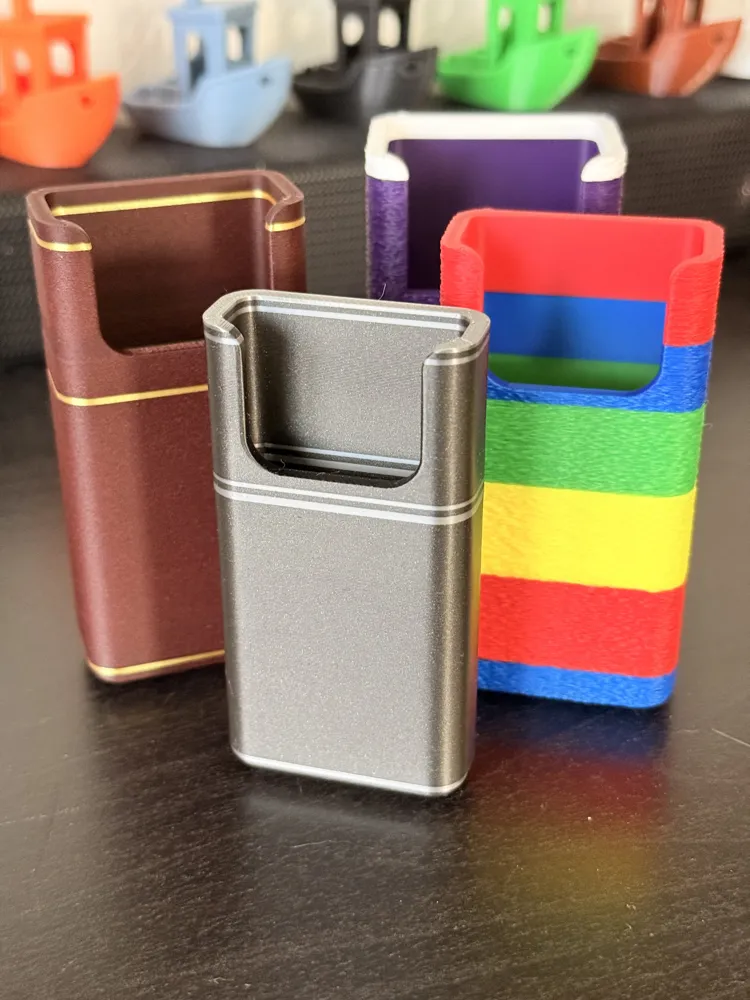
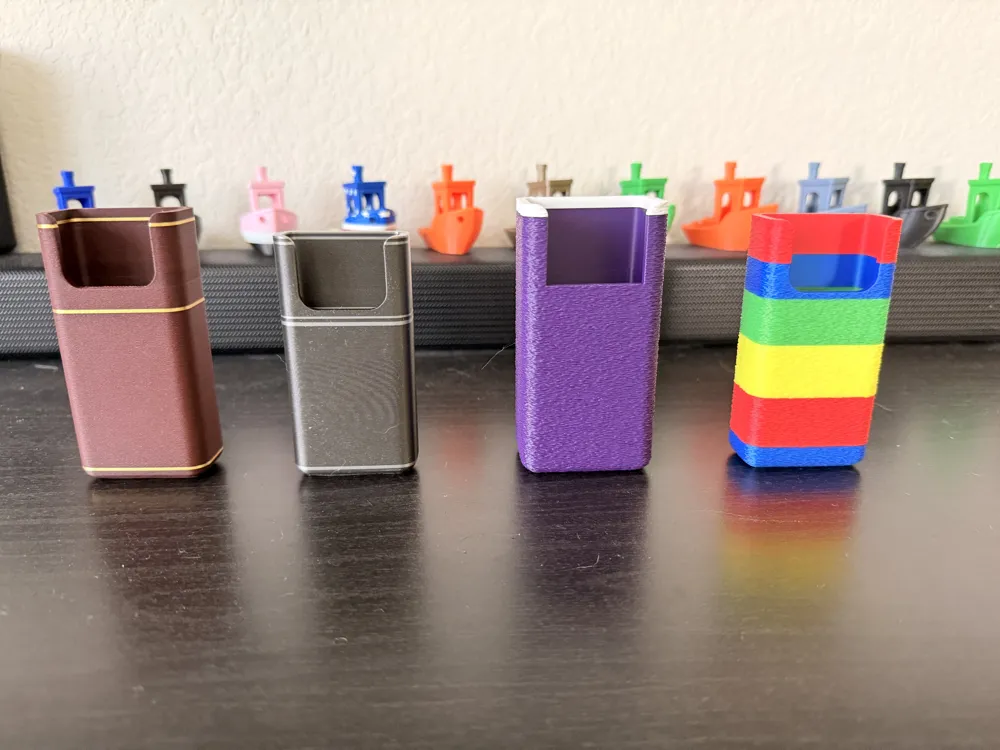
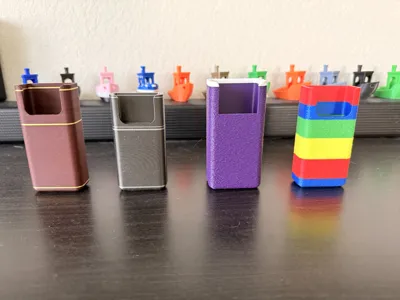
This holder elevates your Amazon Fire TV remote with a rich Bambu Rosewood PLA body and a striking, fine Gold Silk PLA+ trim. It’s the perfect blend of classic elegance and modern design.
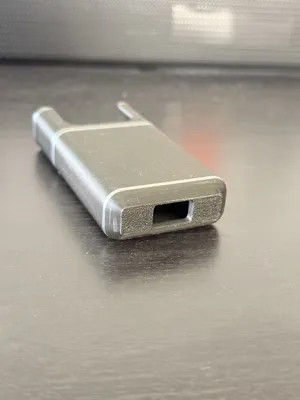
FireTV 2 - Bambu PLA Metal Iron Grey and Bambu Silk PLA+
Apple TV Holder
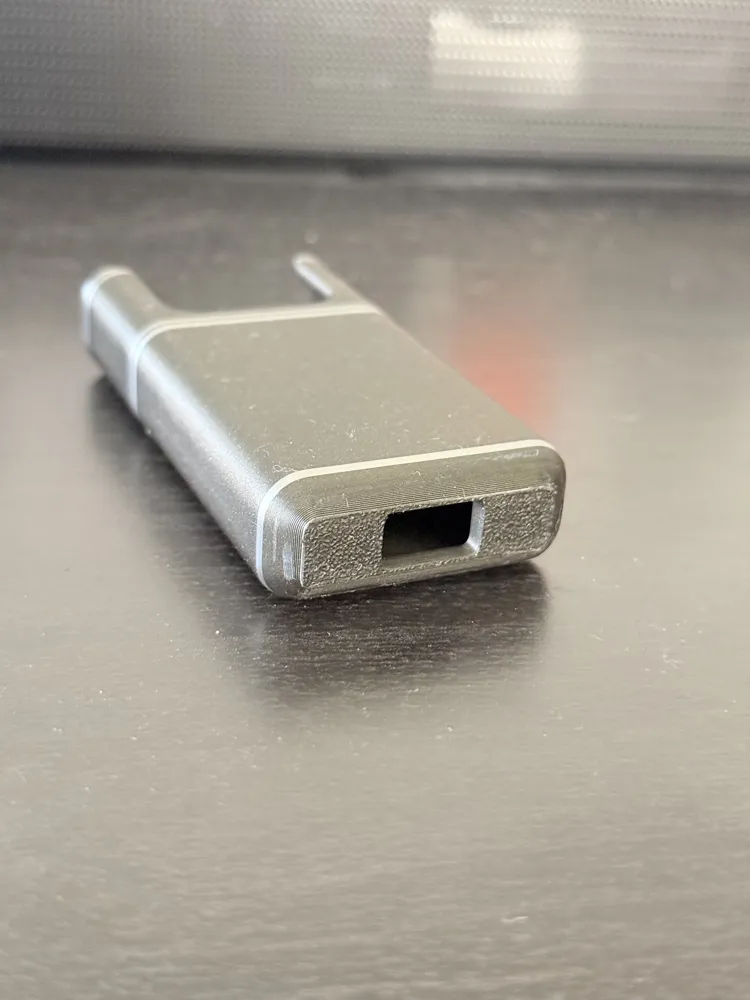
Crafted with premium Bambu Metal PLA Iron Grey Metallic and accented with a delicate Bambu Silver Silk PLA+ trim, this sleek and modern holder includes a convenient bottom hole for a USB-C charging cable, keeping your remote powered up and ready to go.
Roku TV Holder
Show off your Roku loyalty with this vibrant holder in classic Bambu Indigo Purple PLA with a crisp Bambu Jade White PLA trim. The textured finish gives it a professional, rugged look that stands out.
Google TV Holder
Inspired by the iconic Google logo, this holder features bold, vertical layers of Bambu Blue, Red, Yellow, and Green PLA. Its textured finish provides a professional, rugged feel, and it includes a bottom hole for a USB-C charging cable, ensuring your remote is always charged.
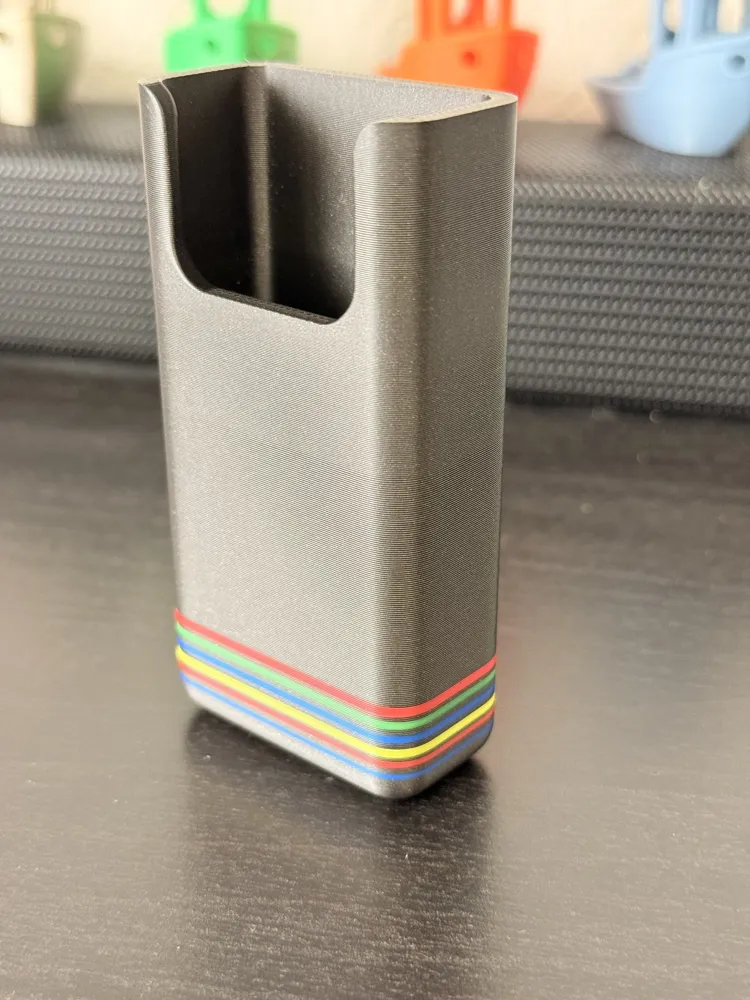
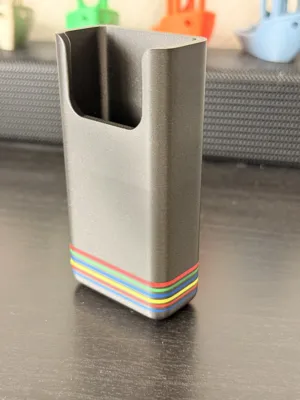
Google 2 (five colors)
Bambu Metal PLA Iron Grey Metallic with horizontal accent lines in Bambu Blue, Red, Yellow, and Green
Each print is setup with layer changes for colors. This allows an easy setup without using paint and minimal color swaps. See below for layer swap details if you want to try printing without an AMS.
I'm hopeful this inspires those who are not as familiar with the slicer to learn more about how layer changes can be utilized. Have fun with the colors and slicer and create your masterpiece to share with everyone in the comments! For those who just want a single color a profile has been added labeled “SingleColor” so you don't have to mess with any settings.
If you want to duplicate the models I have uploaded and do not have an AMS here are where each pause and color swap needs to be made for each option. I had to remove the profile where this was pre-loaded to comply with the new print profile rules.
FireTV
Start with Rosewood PLA and switch to Silk Gold PLA+
Pause Layer 48 switch to PLA+ Silk Gold
Pause Layer 52 switch to Rosewood
Pause Layer 254 switch to PLA+ Silk Gold
Pause Layer 258 switch to Rosewood
Pause Layer 366 switch to PLA+ Silk Gold
Pause Layer 370 switch to Rosewood
FireTV 2
Start with Bambu Metal PLA Iron Grey switch to Bambu Silk+ Silver PLA
Pause Layer 50 switch to Silver
Pause Layer 54 switch back to Iron Grey
Pause Layer 58 switch to Silver
Pause Layer 62 switch back to Iron Grey
Pause Layer 66 switch to Silver
Pause Layer 70 switch back to Iron Grey
Pause Layer 258 switch to Silver
Pause Layer 262 switch back to Iron Grey
Pause Layer 266 switch to Silver
Pause Layer 270 switch back to Iron Grey
Pause Layer 360 switch to Silver
Pause Layer 364 switch back to Iron Grey
Pause Layer 368 switch to Silver
Pause Layer 372 switch back to Iron Grey
Pause Layer 376 switch to Silver
Pause Layer 380 switch back to Iron Grey
Pause Layer 391 switch to Silver
Roku
Start with Indigo Purple, one swap to White at layer 462
Apple TV
Start with Bambu Metal PLA Iron Grey and switch to Silk Silver PLA+
Pause Layer 48 switch to Silver
Pause Layer 53 switch to Iron Grey
Pause Layer 246 switch to Silver
Pause Layer 250 switch to Iron Grey
Pause Layer 258 switch to Silver
Pause Layer 262 switch to Iron Grey
Pause Layer 381 switch to Silver
Pause Layer 385 switch to Iron Grey
Pause Layer 398 switch to Silver
Start with Blue, then Red, Yellow, Blue, Green, and Red
Pause Layer 68 switch to Red
Pause Layer 138 switch to yellow
Pause Layer 206 switch to Blue
Pause Layer 276 switch to Green
Pause Layer 345 switch to red
Google 2
Start with Bambu Metal PLA Iron Grey with swaps to Blue, Red, Yellow, Blue, Green, and Red
Pause Layer 52 switch to blue
Pause Layer 56 switch back to Iron Grey
Pause Layer 60 switch to red
Pause Layer 64 switch back to Iron Grey
Pause Layer 68 switch to yellow
Pause Layer 72 switch back to Iron Grey
Pause Layer 76 switch to blue
Pause Layer 80 switch back to Iron Grey
Pause Layer 84 switch to green
Pause Layer 88 switch back to Iron Greys
Pause Layer 92 Switch to red
Pause Layer 96 switch back to Iron Grey
License

You shall not share, sub-license, sell, rent, host, transfer, or distribute in any way the digital or 3D printed versions of this object, nor any other derivative work of this object in its digital or physical format (including - but not limited to - remixes of this object, and hosting on other digital platforms). The objects may not be used without permission in any way whatsoever in which you charge money, or collect fees.


Comment & Rating (6)