
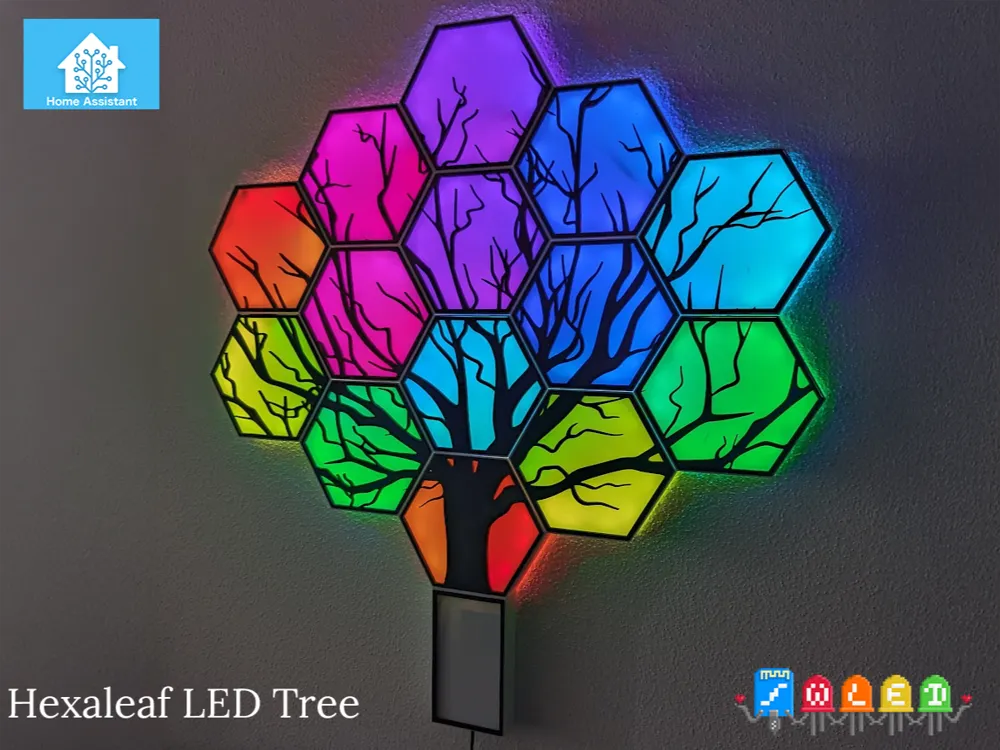
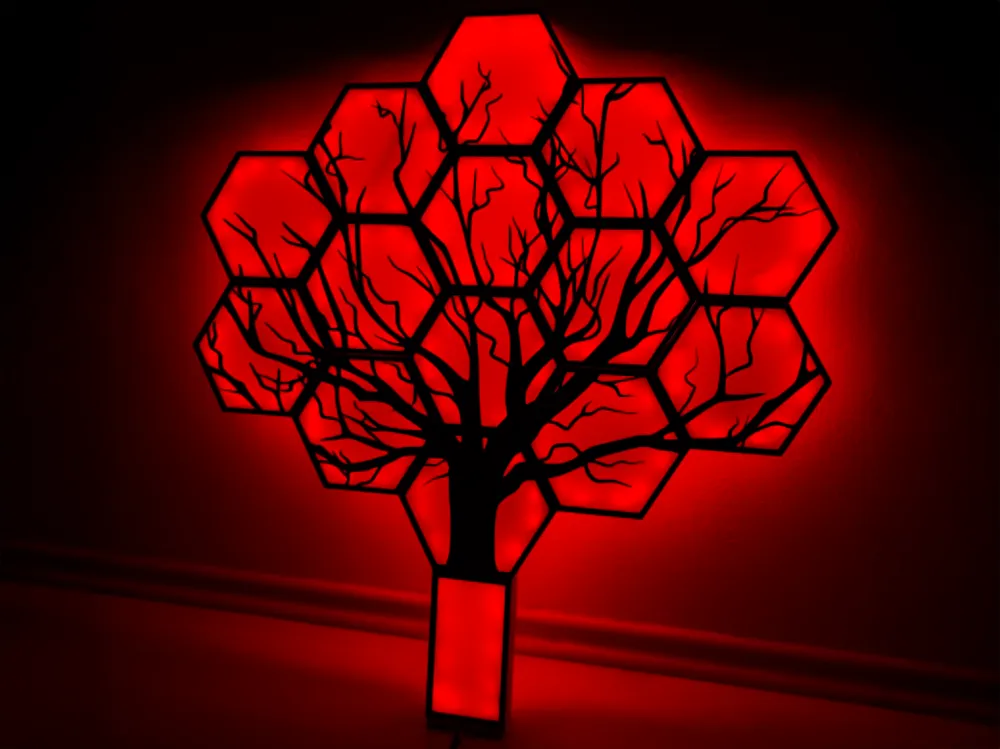
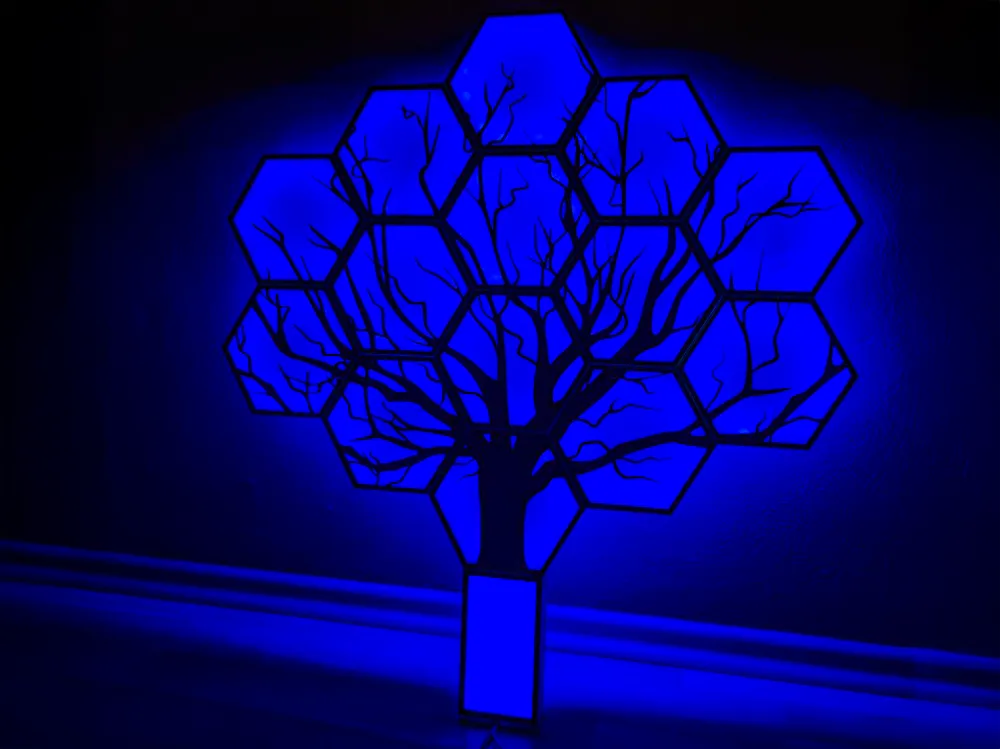
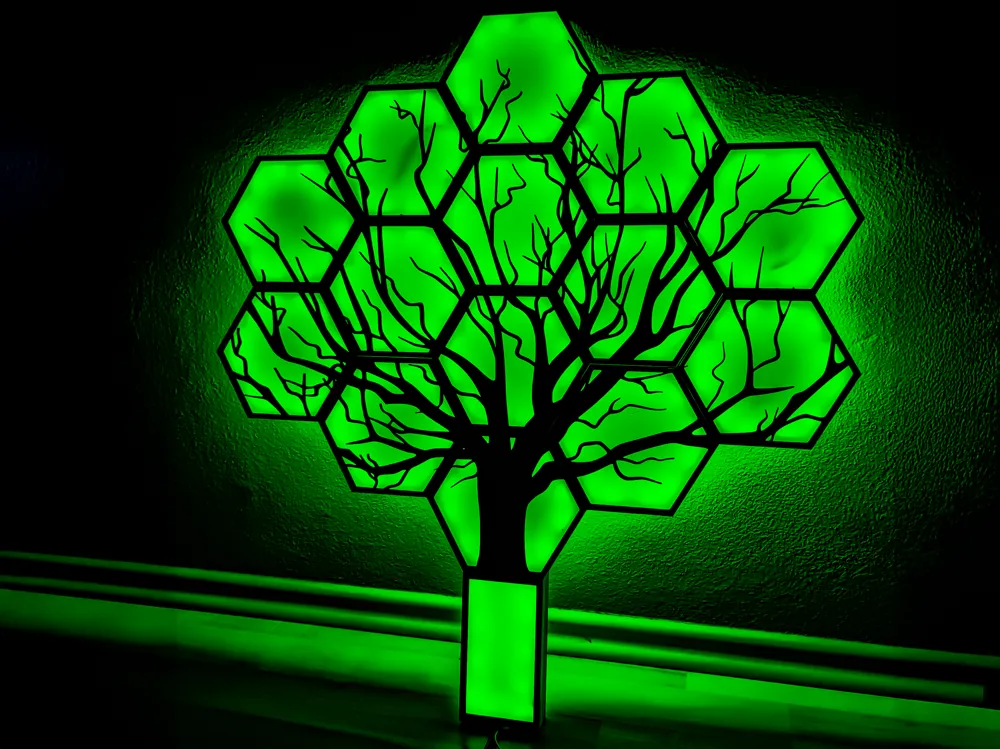
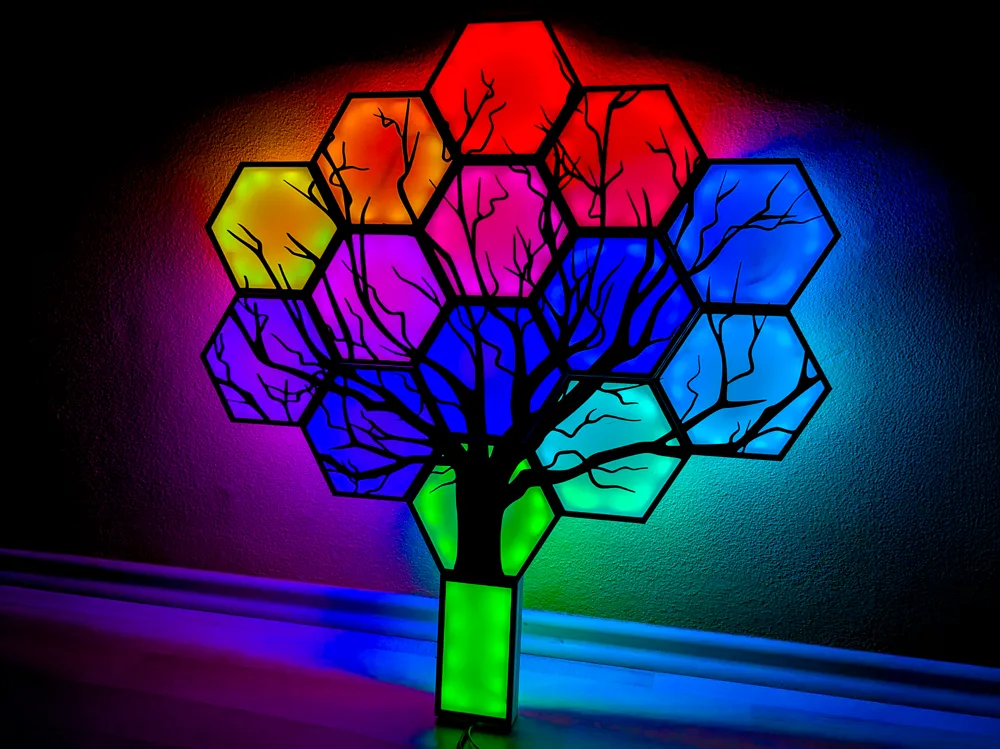
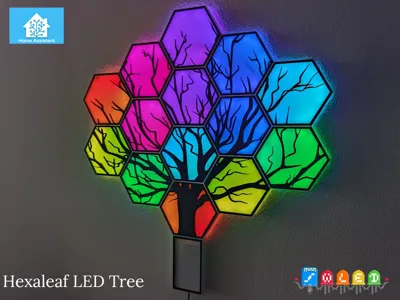
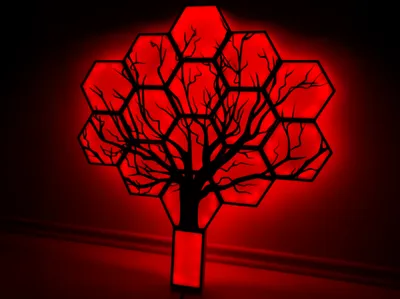
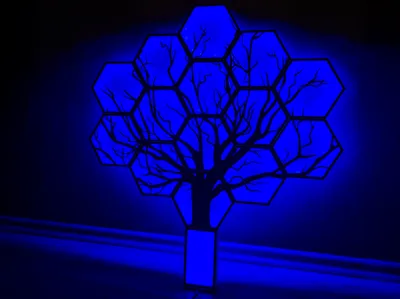
HexaLeafs LED Tree (Remix with LED Base)
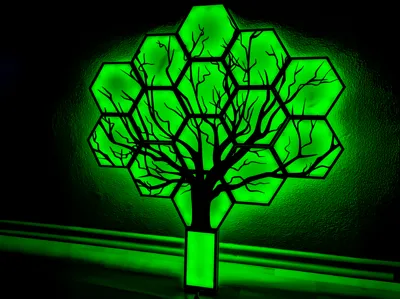
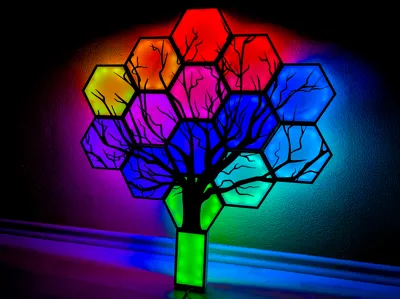
Print Profile(3)


Description
Boost Me (for free)
🛠️ This project took a lot of time, patience, and several rounds of prototyping to get everything just right – from tight component fit to practical usability. If you like it or find it useful, a little boost would mean the world and help me keep creating more! 🙌
This project is a remix of the HexaLeafs tree by ElHeisa.
I redesigned the base of the tree to make room for LED strips and a larger addressable controller. (Later I found out it works even better to keep the base only for LEDs and place the controller outside, but the option is yours.)
The documentation has also been completely rewritten – now with clear pictures and step-by-step descriptions of what goes where, which the original project was completely missing.
Additionally, the model has been scaled down to 70% for faster printing.
While the original idea was a solder-free design, in practice it is much better to solder the LED strips for reliability. In theory, you can still route them without soldering, but this variant has not been tested.
🎥 See it in action: Check out a short video of the LED tree in action:
You can copy the JSON code of all presets at the end.
Presets are easy to upload – just paste the JSON into WLED (Presets → + Add → API command).
🌟 Remix Features:
Redesigned tree base – space for LED strips and a larger addressable controller
- Scaled down to 70% size → faster printing, less filament
- Fully reworked documentation with pictures and labels (missing in the original project)
- Based on the no-soldering version, but soldering the LED strips is strongly recommended for reliability
- Covers designed for white filament to diffuse LED light (translucent is not recommended, LEDs and wiring would be visible)
- Frames securely hold the covers in place without glue
Once you know the key features, let’s move on to printing the parts.
🖨️ Printing
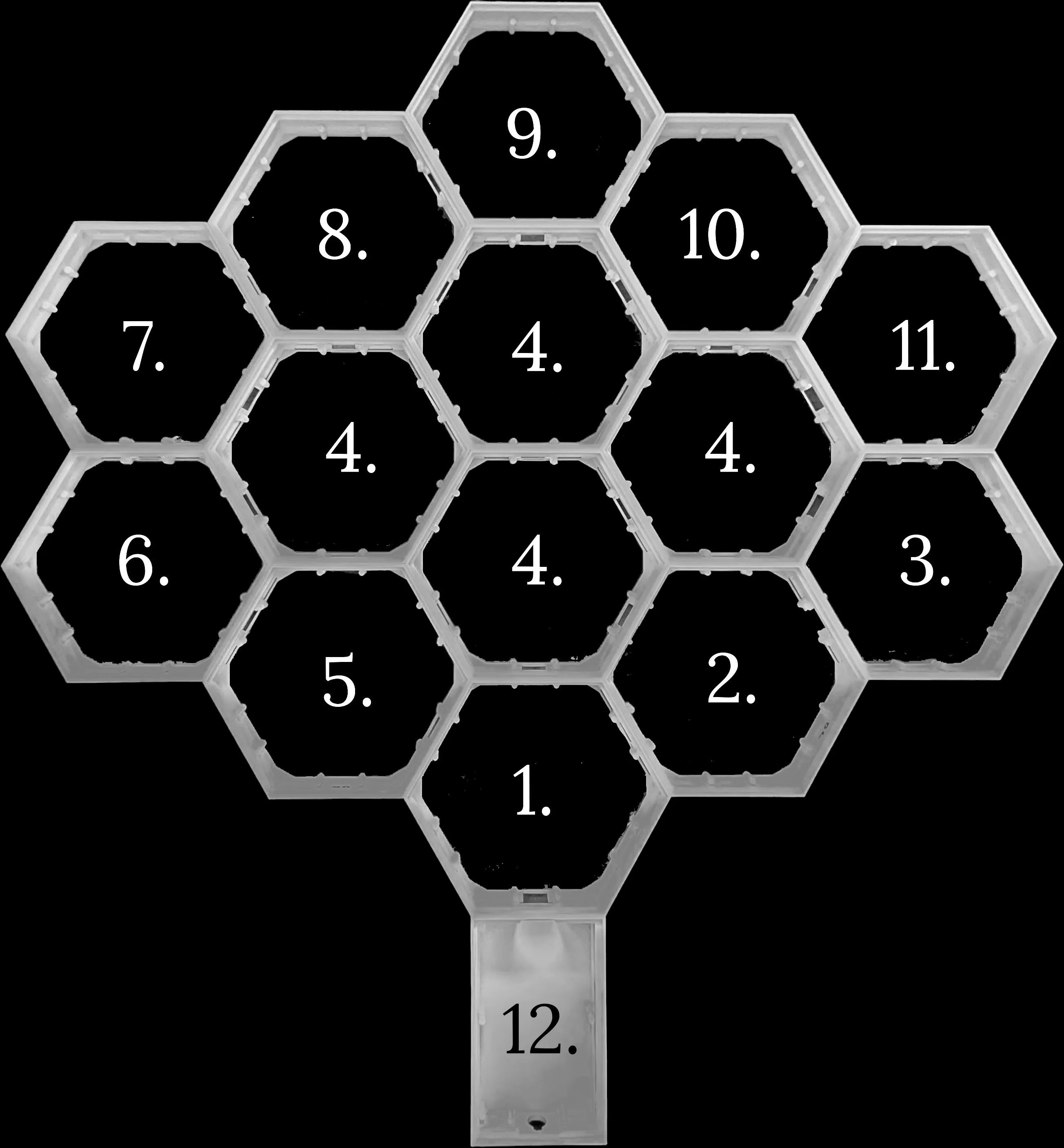
The tree is made of 14 hexagons and 1 base.
Each hexagon is later covered by a white diffuser and a black frame with a tree/leaf pattern.
Recommended printing order:
- Base + 14 hexagons
– form the structure of the tree
– print in white PLA or PETG (PETG recommended for durability, but PLA also works fine, WS2815 LED strip with 30 LEDs/1m is tested ) - Diffusers (one for each hexagon)
– print in white PLA/PETG (do not use translucent, otherwise LED chips and wiring will be visible) - Leaf frames (decorative parts with the tree pattern)
– print in black PLA/PETG for maximum contrast against the glowing diffuser
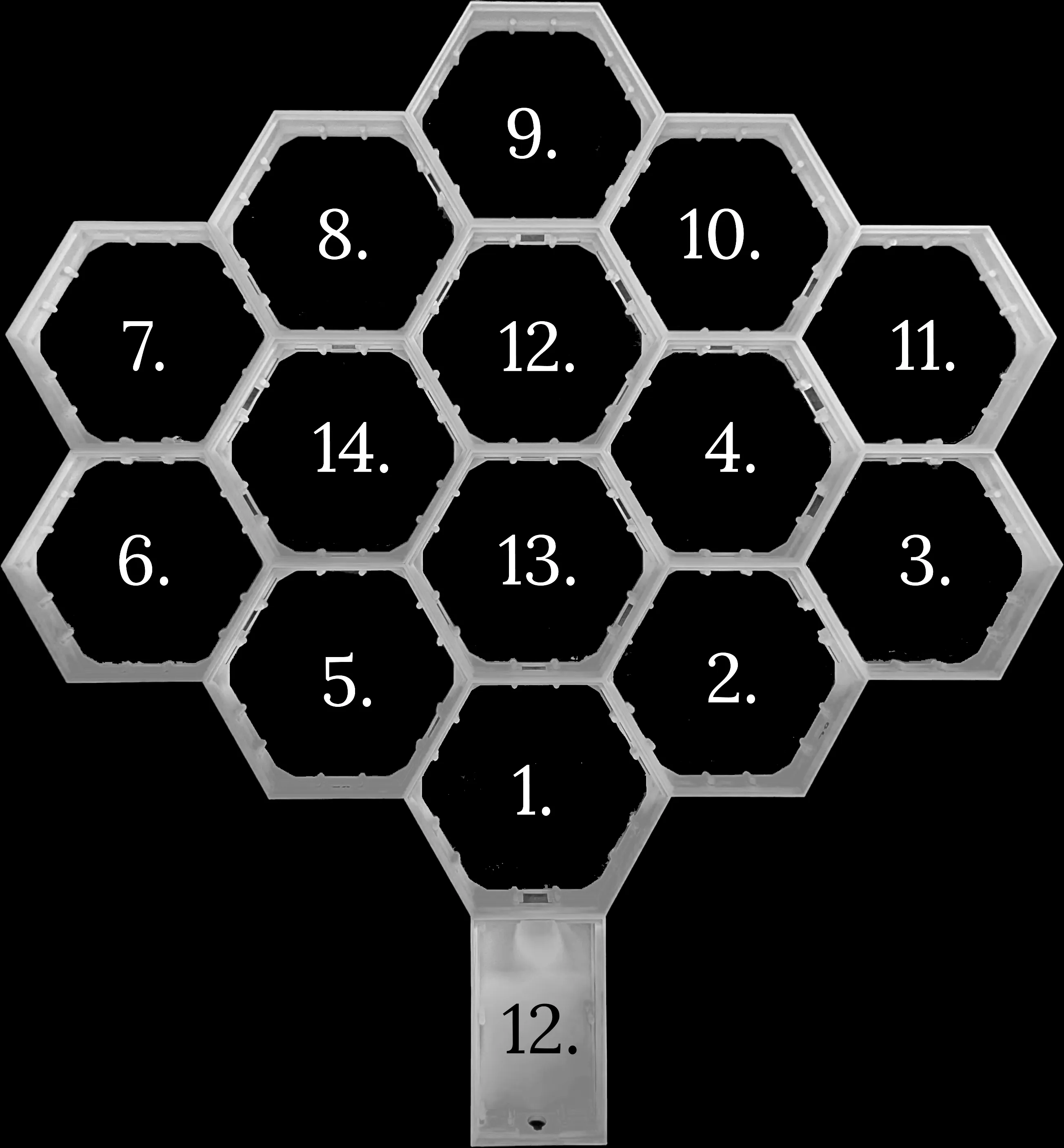
For easier assembly, here is the numbering order of the tree body and leaf frames.
💡 Tips:
- Printing order is important: after the base + hexagons are ready, you can already start installing and wiring the LED strip. Only then add the diffusers and finally the leaf frames.
- Both PLA and PETG work, but PETG is generally better (more durable, heat resistant).
⚙️ Hardware (BOM)
- 🔧 Soldering iron, tin & flux – strongly recommended (the project is based on a “no-soldering” design, but soldering the strips is much more reliable)
- 💡 6m (5+1m) WS2815 LED strip (12V, 30 LEDs/m, IP30) – tested and works great → AliExpress link
- 🔌 3 m 4-pin 22AWG wire – for internal wiring and jumpers → AliExpress link
- ⚡ 12V / 3A power supply – enough to power the strip and controller → AliExpress link
- 🔗 4-pin LED connector – to crimp and pull the 4-pin cable out through the base (LED strip cable ends inside the base) → AliExpress link
- 🧠 Athom WLED High Power LED Strip Controller – pre-flashed with WLED, easy to use → Athom product page
⚡ Wiring for Testing
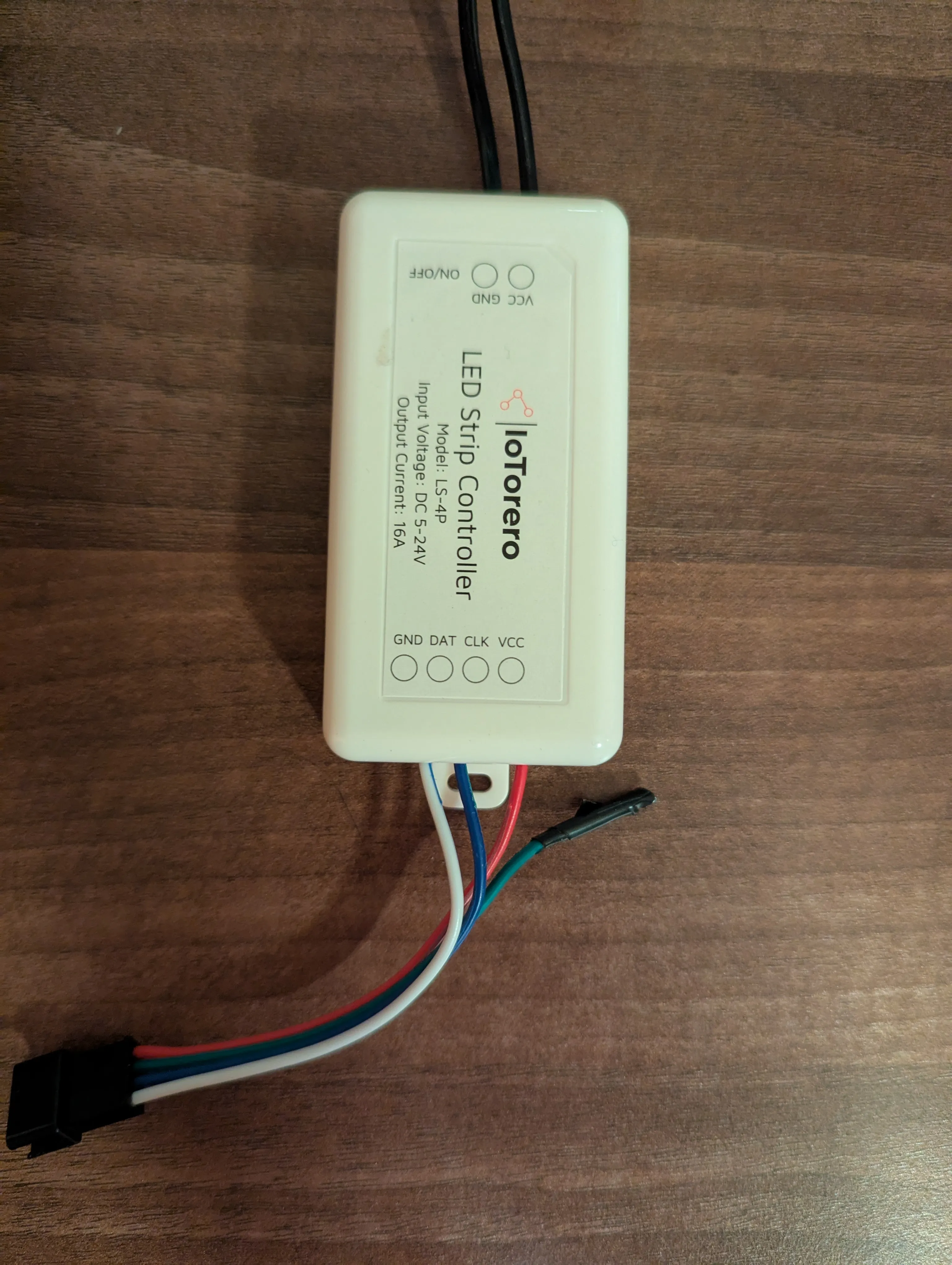
Before assembly it’s best to prepare a short 4-pin cable with a male connector and connect it to the controller. This allows you to test each LED segment before sealing it with hot glue.
Wiring (Athom controller / WS2815):
- 12V → VCC (red)
- GND → GND (white)
- DAT → DI (data line) (blue)
- CLK → leave unconnected (caused issues in testing, not needed)
💡 Tip: Always test the LED strip before sealing the solder joints. Once hot glue is applied, fixing issues is very difficult.
Once you have the wiring ready and tested, it’s time to set up the controller in WLED.
🖥️ Software (WLED Setup)
- Power up the Athom controller and connect to its Wi-Fi network.
- Open your browser and go to http://4.3.2.1 → configure Wi-Fi.
- After connecting to your home Wi-Fi, open the WLED web interface (check the assigned IP in your router).
- Go to Config → LED Preferences and set:
- LED count: 178 (14×12 in hexagons + 10 in base)
- LED type: WS281x (works for WS2815)
- mA per LED: 12 mA (WS2815)
- Current limiter: 3000 mA (for 12V/3A power supply)
- Data GPIO: 1
- Button 0 GPIO: 0 (Pushbutton)
- Relay GPIO: 12 (checked „Invert“)
💡 Firmware note:
It’s recommended to flash the controller with the latest WLED firmware.
For Athom controllers, always use the ESP02.bin.gz build (because of the smaller flash size).
📖 Full quick start guide: WLED Getting Started
🛠️ Assembly
1. Base + Hexagons
- Print the base and 14 hexagons.
- Place them together according to the numbering diagram.
- Make sure everything fits tightly before adding electronics.
2. LED Strip Installation
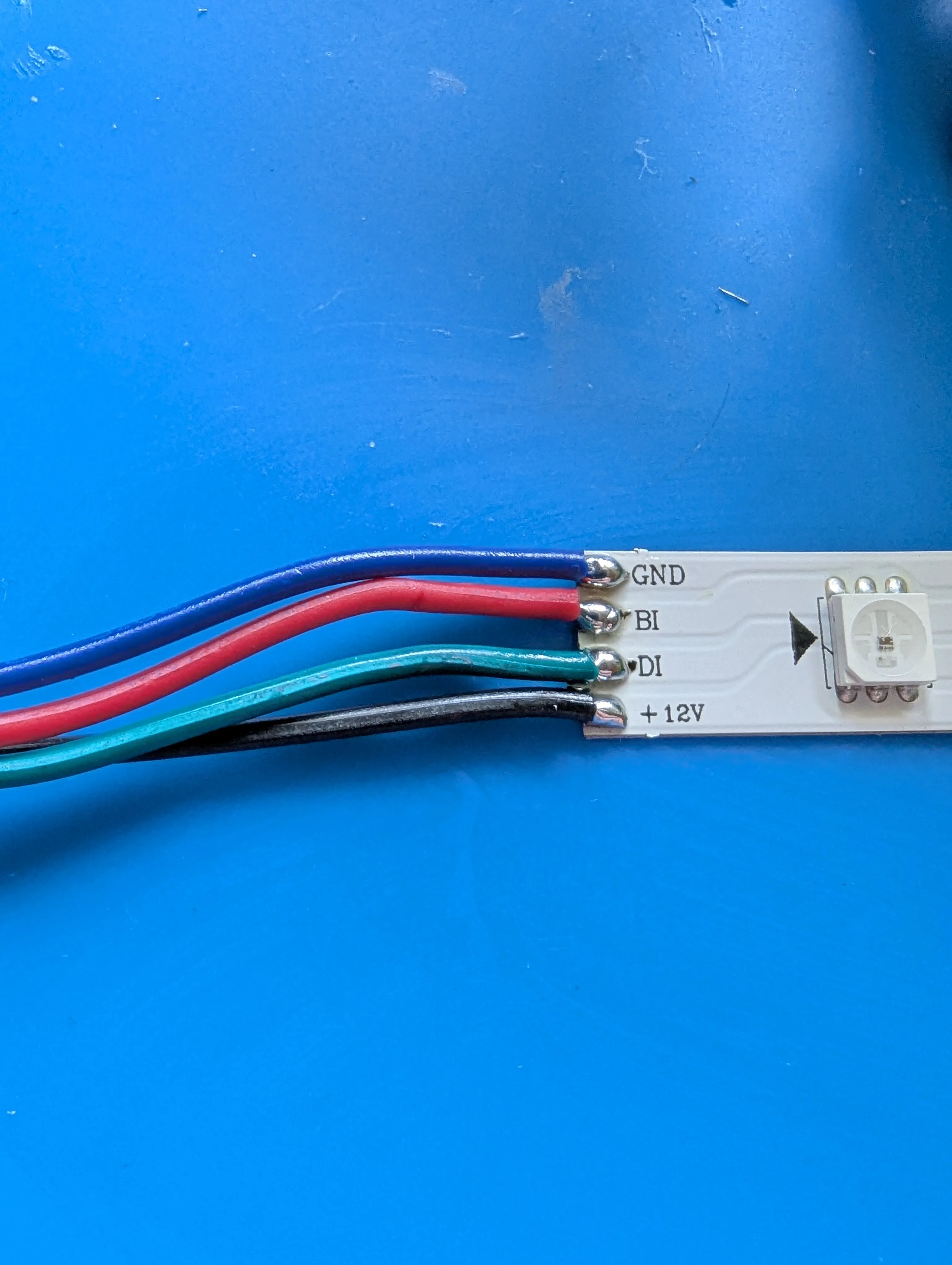
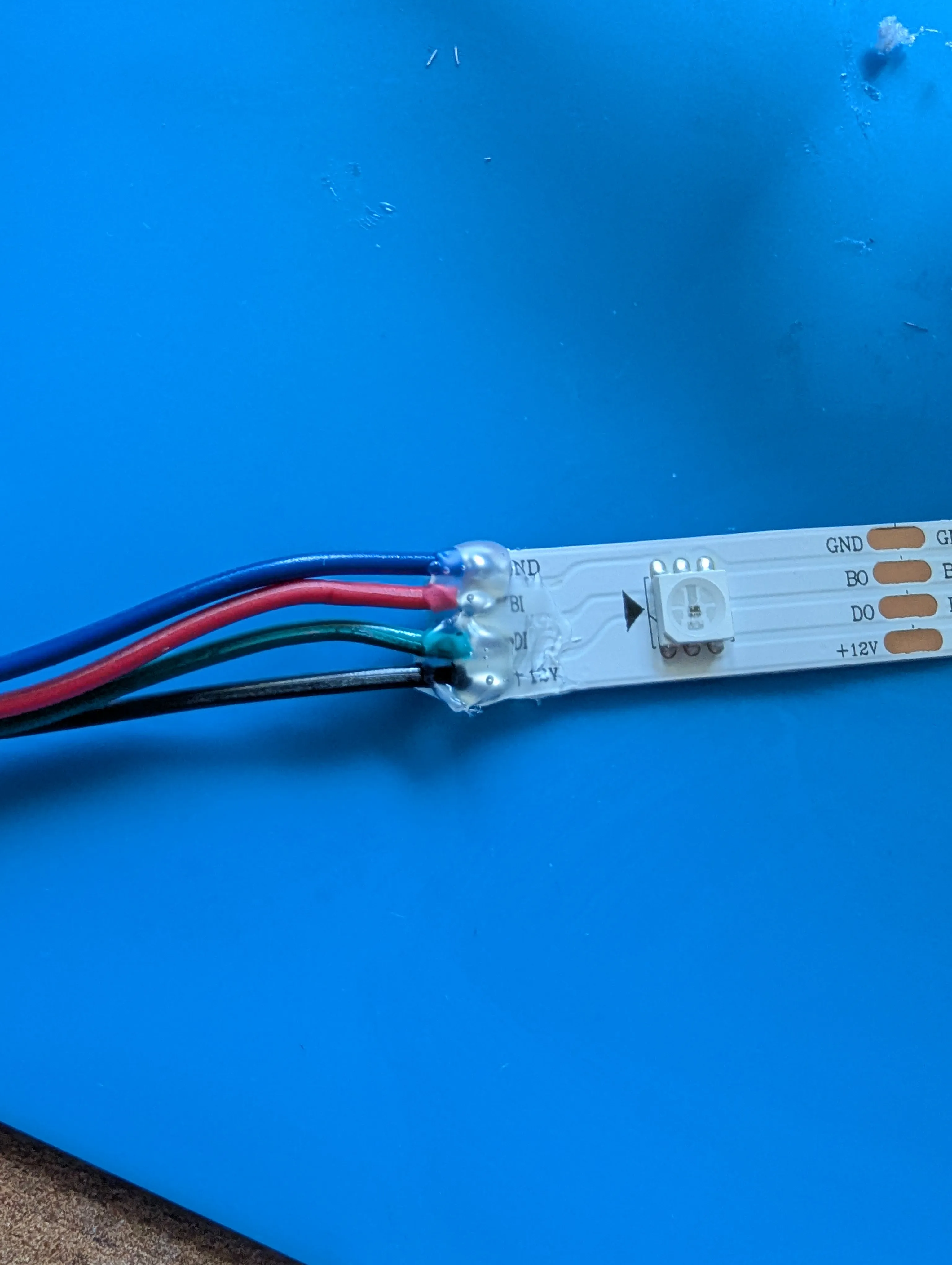
- Solder the WS2815 LED strip to the 4-pin connector cable (VCC, GND, DI). (BI pin is not needed.)
- Feed the connector cable through the hole in the base.
- Thread the LED strip through the base and then into the hexagons one by one (follow the arrow direction on the strip).
- Secure the strip with a bit of hot glue if necessary.
Notes:
- Each hexagon holds exactly 12 LEDs, and the base holds 10 LEDs.
- Start in the top-left corner of the base (connector pointing down to the cable exit) and go around the base into the first hexagon.
- After counting 12 LEDs inside a hexagon, cut the strip and solder a 4-pin connector.
- Measure a 4-pin jumper to the opposite hexagon’s input, solder the next strip (again 12 LEDs), and continue.
- You can pre-prepare 12-LED strip segments and solder them during assembly.
- At the pass-through windows of the hexagons, clip the thin plastic bar so the strip can be routed through.
- Alternative: pre-solder the whole chain of strips and then feed + snap it through all hexagons at once.
- Always cover solder joints with hot glue – especially where the 4-pin connector is soldered. Some strips may touch each other inside the base/hexagons, and hot glue prevents shorts.
- Best practice: solder two strips together, test them, seal with hot glue, install one strip, measure and cut the next jumper, solder again… and continue step by step. This way you always know everything works before you move on.
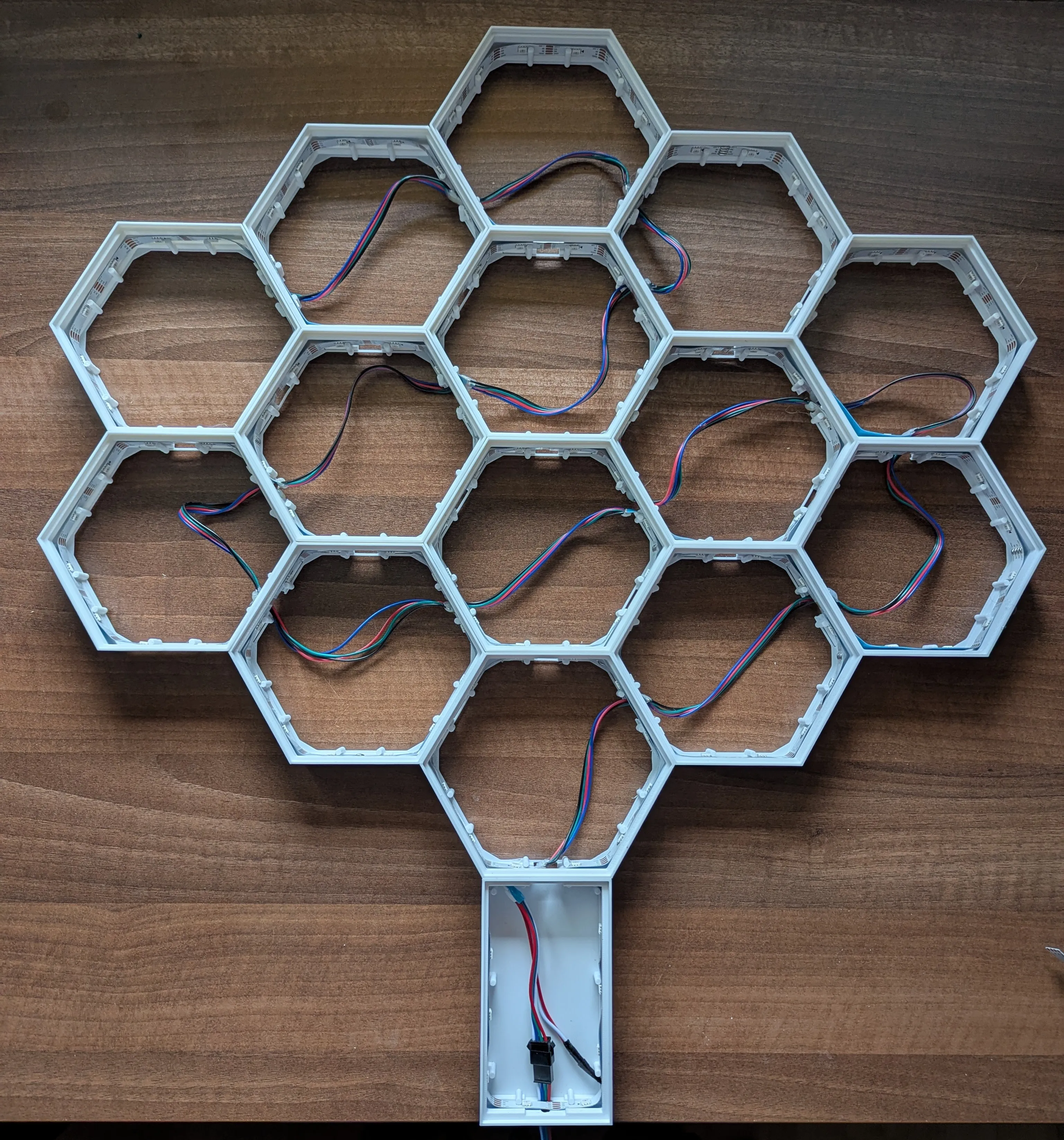
3.All hexagons assembled
When all hexagons are connected and soldered, the result should look like this:
4. Diffusers
Place the white PLA/PETG diffusers on each hexagon.
They should fit snugly and help diffuse the LED light.
5. Leaf Frames
Snap the black frames with tree pattern on top of the diffusers.
This creates the final decorative look.
✨ WLED Presets
To get you started quickly, here are some example presets you can import directly into WLED.
💡 Tip: For full flexibility, split the LEDs into segments (12 LEDs per hexagon, 10 LEDs in the base). This allows you to control the base separately from the tree. In my setup, I used the base as a CO₂ indicator (green/orange/red depending on air quality – see my CO₂ sensor case project).
1. Ocean Calm preset
{ "on": true, "bri": 120, "transition": 12, "seg": [ { "start": 0, "stop": 179, "fx": 2, "sx": 40, "ix": 200, "pal": 15, "col": [[80,100,255],[0,255,180],[180,0,255]] }, { "stop": 0 }, { "stop": 0 }, { "stop": 0 }, { "stop": 0 }, { "stop": 0 }, { "stop": 0 }, { "stop": 0 }, { "stop": 0 }, { "stop": 0 }, { "stop": 0 }, { "stop": 0 }, { "stop": 0 }, { "stop": 0 }, { "stop": 0 }, { "stop": 0 } ] }
2. Rainbow Classic preset
{ "on": true, "bri": 140, "transition": 8, "seg": [ { "id": 0, "start": 0, "stop": 179, "fx": 9, "sx": 128, "ix": 128, "pal": 0, "col": [[80,100,255],[0,255,180],[180,0,255]] }, {"stop":0},{"stop":0},{"stop":0},{"stop":0},{"stop":0}, {"stop":0},{"stop":0},{"stop":0},{"stop":0},{"stop":0}, {"stop":0},{"stop":0},{"stop":0},{"stop":0},{"stop":0} ] }
3. Rainbow Runner Party preset
{ "on": true, "bri": 200, "transition": 5, "seg": [ { "id": 0, "start": 0, "stop": 179, "fx": 74, "sx": 150, "ix": 200, "pal": 0 }, {"stop": 0},{"stop": 0},{"stop": 0},{"stop": 0},{"stop": 0}, {"stop": 0},{"stop": 0},{"stop": 0},{"stop": 0},{"stop": 0}, {"stop": 0},{"stop": 0},{"stop": 0},{"stop": 0},{"stop": 0} ] }
4. Rainbow Runner Party (segments) preset
{ "on": true, "bri": 200, "transition": 5, "seg": [ {"id":0,"n":"Leg","start":0,"stop":10,"fx":74,"sx":150,"ix":200,"pal":0}, {"id":1,"start":10,"stop":22,"fx":74,"sx":150,"ix":200,"rev":false}, {"id":2,"start":22,"stop":34,"fx":74,"sx":150,"ix":200,"rev":true}, {"id":3,"start":34,"stop":46,"fx":74,"sx":150,"ix":200,"rev":false}, {"id":4,"start":46,"stop":58,"fx":74,"sx":150,"ix":200,"rev":true}, {"id":5,"start":58,"stop":70,"fx":74,"sx":150,"ix":200,"rev":false}, {"id":6,"start":70,"stop":82,"fx":74,"sx":150,"ix":200,"rev":true}, {"id":7,"start":82,"stop":94,"fx":74,"sx":150,"ix":200,"rev":false}, {"id":8,"start":94,"stop":106,"fx":74,"sx":150,"ix":200,"rev":true}, {"id":9,"start":106,"stop":118,"fx":74,"sx":150,"ix":200,"rev":false}, {"id":10,"start":118,"stop":130,"fx":74,"sx":150,"ix":200,"rev":true}, {"id":11,"start":130,"stop":142,"fx":74,"sx":150,"ix":200,"rev":false}, {"id":12,"start":142,"stop":154,"fx":74,"sx":150,"ix":200,"rev":true}, {"id":13,"start":154,"stop":166,"fx":74,"sx":150,"ix":200,"rev":false}, {"id":14,"start":166,"stop":179,"fx":74,"sx":150,"ix":200,"rev":true} ] }
5. Rainbow (segments) preset
{"on":true,"bri":200,"transition":5,"seg":[{"id":0,"n":"Leg","start":0,"stop":10,"fx":9,"sx":150,"ix":200,"pal":0},{"id":1,"start":10,"stop":22,"fx":9,"sx":150,"ix":200,"pal":0,"rev":false},{"id":2,"start":22,"stop":34,"fx":9,"sx":150,"ix":200,"pal":0,"rev":true},{"id":3,"start":34,"stop":46,"fx":9,"sx":150,"ix":200,"pal":0,"rev":false},{"id":4,"start":46,"stop":58,"fx":9,"sx":150,"ix":200,"pal":0,"rev":true},{"id":5,"start":58,"stop":70,"fx":9,"sx":150,"ix":200,"pal":0,"rev":false},{"id":6,"start":70,"stop":82,"fx":9,"sx":150,"ix":200,"pal":0,"rev":true},{"id":7,"start":82,"stop":94,"fx":9,"sx":150,"ix":200,"pal":0,"rev":false},{"id":8,"start":94,"stop":106,"fx":9,"sx":150,"ix":200,"pal":0,"rev":true},{"id":9,"start":106,"stop":118,"fx":9,"sx":150,"ix":200,"pal":0,"rev":false},{"id":10,"start":118,"stop":130,"fx":9,"sx":150,"ix":200,"pal":0,"rev":true},{"id":11,"start":130,"stop":142,"fx":9,"sx":150,"ix":200,"pal":0,"rev":false},{"id":12,"start":142,"stop":154,"fx":9,"sx":150,"ix":200,"pal":0,"rev":true},{"id":13,"start":154,"stop":166,"fx":9,"sx":150,"ix":200,"pal":0,"rev":false},{"id":14,"start":166,"stop":179,"fx":9,"sx":150,"ix":200,"pal":0,"rev":true},{"stop":0},{"stop":0},{"stop":0},{"stop":0},{"stop":0},{"stop":0},{"stop":0},{"stop":0},{"stop":0},{"stop":0},{"stop":0}]}
6. Starfall Sky preset
{ "on": true, "bri": 170, "transition": 6, "mainseg": 0, "seg": [ { "id": 0, "start": 0, "stop": 179, "grp": 1, "spc": 0, "of": 0, "on": true, "frz": false, "bri": 140, "cct": 127, "set": 0, "n": "", "col": [ [220, 235, 255], [140, 190, 255], [0, 0, 0] ], "fx": 72, "sx": 61, "ix": 128, "pal": 15, "c1": 128, "c2": 128, "c3": 16, "sel": true, "rev": false, "mi": false, "o1": false, "o2": false, "o3": false, "si": 0, "m12": 0 }, { "stop": 0 }, { "stop": 0 }, { "stop": 0 }, { "stop": 0 }, { "stop": 0 }, { "stop": 0 }, { "stop": 0 }, { "stop": 0 }, { "stop": 0 }, { "stop": 0 }, { "stop": 0 }, { "stop": 0 }, { "stop": 0 }, { "stop": 0 }, { "stop": 0 } ] }
7. Winter Sparkle preset
{ "on": true, "bri": 180, "transition": 8, "seg": [ { "id": 0, "start": 0, "stop": 179, "fx": 72, "sx": 90, "ix": 200, "pal": 0, "col": [[255,0,0],[0,255,0],[255,220,80]] }, {"stop":0},{"stop":0},{"stop":0},{"stop":0},{"stop":0}, {"stop":0},{"stop":0},{"stop":0},{"stop":0},{"stop":0}, {"stop":0},{"stop":0},{"stop":0},{"stop":0},{"stop":0} ] }
8. Candle Light (segments) preset
{ "on": true, "bri": 130, "transition": 10, "seg": [ {"id":0,"n":"Leg","start":0,"stop":10,"fx":2,"sx":50,"ix":200,"pal":0,"col":[[255,160,40],[0,0,0],[0,0,0]]}, {"id":1,"start":10,"stop":22,"fx":2,"sx":45,"ix":180,"pal":0,"of":0, "col":[[255,150,30],[0,0,0],[0,0,0]]}, {"id":2,"start":22,"stop":34,"fx":2,"sx":55,"ix":190,"pal":0,"of":20, "col":[[255,170,50],[0,0,0],[0,0,0]]}, {"id":3,"start":34,"stop":46,"fx":2,"sx":60,"ix":200,"pal":0,"of":40, "col":[[255,140,20],[0,0,0],[0,0,0]]}, {"id":4,"start":46,"stop":58,"fx":2,"sx":50,"ix":170,"pal":0,"of":60, "col":[[255,160,35],[0,0,0],[0,0,0]]}, {"id":5,"start":58,"stop":70,"fx":2,"sx":45,"ix":180,"pal":0,"of":80, "col":[[255,180,60],[0,0,0],[0,0,0]]}, {"id":6,"start":70,"stop":82,"fx":2,"sx":55,"ix":190,"pal":0,"of":100, "col":[[255,150,25],[0,0,0],[0,0,0]]}, {"id":7,"start":82,"stop":94,"fx":2,"sx":65,"ix":200,"pal":0,"of":120, "col":[[255,170,40],[0,0,0],[0,0,0]]}, {"id":8,"start":94,"stop":106,"fx":2,"sx":60,"ix":180,"pal":0,"of":140,"col":[[255,160,35],[0,0,0],[0,0,0]]}, {"id":9,"start":106,"stop":118,"fx":2,"sx":50,"ix":170,"pal":0,"of":160,"col":[[255,150,30],[0,0,0],[0,0,0]]}, {"id":10,"start":118,"stop":130,"fx":2,"sx":55,"ix":180,"pal":0,"of":180,"col":[[255,180,60],[0,0,0],[0,0,0]]}, {"id":11,"start":130,"stop":142,"fx":2,"sx":60,"ix":190,"pal":0,"of":200,"col":[[255,140,20],[0,0,0],[0,0,0]]}, {"id":12,"start":142,"stop":154,"fx":2,"sx":45,"ix":170,"pal":0,"of":220,"col":[[255,170,50],[0,0,0],[0,0,0]]}, {"id":13,"start":154,"stop":166,"fx":2,"sx":55,"ix":180,"pal":0,"of":240,"col":[[255,160,35],[0,0,0],[0,0,0]]}, {"id":14,"start":166,"stop":179,"fx":2,"sx":65,"ix":200,"pal":0,"of":260,"col":[[255,150,30],[0,0,0],[0,0,0]]} ] }
9. CO₂ Standard preset
{"on":true,"bri":140,"transition":8,"seg":[{"id":0,"n":"Tree+Leg","start":0,"stop":179,"fx":9,"sx":128,"ix":128,"pal":0},{"stop":0},{"stop":0},{"stop":0},{"stop":0},{"stop":0},{"stop":0},{"stop":0},{"stop":0},{"stop":0},{"stop":0},{"stop":0},{"stop":0},{"stop":0},{"stop":0},{"stop":0}]}
10. CO₂ Medium preset
{"on":true,"bri":140,"transition":8,"seg":[{"id":0,"n":"Tree","start":11,"stop":179,"fx":9,"sx":128,"ix":128,"pal":0},{"id":1,"n":"Leg","start":0,"stop":10,"fx":2,"sx":40,"ix":200,"pal":0,"col":[[255,140,30],[0,0,0],[0,0,0]]},{"id":2,"n":"Gap","start":10,"stop":11,"fx":0,"col":[[0,0,0],[0,0,0],[0,0,0]]},{"stop":0},{"stop":0},{"stop":0},{"stop":0},{"stop":0},{"stop":0},{"stop":0},{"stop":0},{"stop":0},{"stop":0},{"stop":0},{"stop":0},{"stop":0},{"stop":0},{"stop":0}]}
11. CO₂ High preset
{"on":true,"bri":140,"transition":8,"seg":[{"id":0,"n":"Leg","start":0,"stop":11,"fx":2,"sx":40,"ix":200,"pal":0,"col":[[255,0,0],[0,0,0],[0,0,0]]},{"id":1,"n":"Tree","start":11,"stop":179,"fx":9,"sx":128,"ix":128,"pal":0},{"stop":0},{"stop":0},{"stop":0},{"stop":0},{"stop":0},{"stop":0},{"stop":0},{"stop":0},{"stop":0},{"stop":0},{"stop":0},{"stop":0},{"stop":0},{"stop":0},{"stop":0}]}
12. DJ Light preset
{"on":false,"bri":140,"transition":8,"mainseg":0,"seg":[{"id":0,"start":0,"stop":11,"grp":1,"spc":0,"of":0,"on":true,"frz":false,"bri":140,"cct":127,"set":0,"n":"Leg","col":[[255,0,0],[0,0,0],[0,0,0]],"fx":159,"sx":128,"ix":128,"pal":1,"c1":128,"c2":128,"c3":16,"sel":true,"rev":false,"mi":false,"o1":false,"o2":false,"o3":false,"si":0,"m12":2},{"id":1,"start":11,"stop":179,"grp":1,"spc":0,"of":0,"on":true,"frz":false,"bri":255,"cct":127,"set":0,"n":"Tree","col":[[255,140,30],[0,0,0],[0,0,0]],"fx":159,"sx":128,"ix":128,"pal":1,"c1":128,"c2":128,"c3":16,"sel":true,"rev":false,"mi":false,"o1":false,"o2":false,"o3":false,"si":0,"m12":2},{"stop":0},{"stop":0},{"stop":0},{"stop":0},{"stop":0},{"stop":0},{"stop":0},{"stop":0},{"stop":0},{"stop":0},{"stop":0},{"stop":0},{"stop":0},{"stop":0}]}
13. Theater Rainbow preset
{"on":false,"bri":140,"transition":8,"mainseg":0,"seg":[{"id":0,"start":0,"stop":11,"grp":1,"spc":0,"of":0,"on":true,"frz":false,"bri":140,"cct":127,"set":0,"n":"Leg","col":[[255,0,0],[0,0,0],[0,0,0]],"fx":14,"sx":128,"ix":128,"pal":1,"c1":128,"c2":128,"c3":16,"sel":true,"rev":false,"mi":false,"o1":false,"o2":false,"o3":false,"si":0,"m12":0},{"id":1,"start":11,"stop":179,"grp":1,"spc":0,"of":0,"on":true,"frz":false,"bri":255,"cct":127,"set":0,"n":"Tree","col":[[255,140,30],[0,0,0],[0,0,0]],"fx":14,"sx":128,"ix":128,"pal":1,"c1":128,"c2":128,"c3":16,"sel":true,"rev":false,"mi":false,"o1":false,"o2":false,"o3":false,"si":0,"m12":0},{"stop":0},{"stop":0},{"stop":0},{"stop":0},{"stop":0},{"stop":0},{"stop":0},{"stop":0},{"stop":0},{"stop":0},{"stop":0},{"stop":0},{"stop":0},{"stop":0}]}
14. Sweep Random preset
{"on":false,"bri":140,"transition":8,"mainseg":0,"seg":[{"id":0,"start":0,"stop":11,"grp":1,"spc":0,"of":0,"on":true,"frz":false,"bri":140,"cct":127,"set":0,"n":"Leg","col":[[255,0,0],[0,0,0],[0,0,0]],"fx":36,"sx":128,"ix":128,"pal":1,"c1":128,"c2":128,"c3":16,"sel":true,"rev":false,"mi":false,"o1":false,"o2":false,"o3":false,"si":0,"m12":0},{"id":1,"start":11,"stop":179,"grp":1,"spc":0,"of":0,"on":true,"frz":false,"bri":255,"cct":127,"set":0,"n":"Tree","col":[[255,140,30],[0,0,0],[0,0,0]],"fx":36,"sx":128,"ix":128,"pal":1,"c1":128,"c2":128,"c3":16,"sel":true,"rev":false,"mi":false,"o1":false,"o2":false,"o3":false,"si":0,"m12":0},{"stop":0},{"stop":0},{"stop":0},{"stop":0},{"stop":0},{"stop":0},{"stop":0},{"stop":0},{"stop":0},{"stop":0},{"stop":0},{"stop":0},{"stop":0},{"stop":0}]}
Of course, you can create your own presets and segment layouts in WLED – these are just examples to get you started.
Sometimes you might need to reset the hexagons and turn all LEDs off.
This preset sets the entire strip to black:
Reset preset
{"on":true,"bri":255,"seg":[{"id":0,"start":0,"stop":179,"fx":0,"col":[[0,0,0],[0,0,0],[0,0,0]]}]}
🎉 Final Notes
This project is a remix of the HexaLeafs tree by ElHeisa, redesigned to include LEDs, a larger base, and complete documentation. Big thanks to the original author for the amazing base idea! 🙏
My contribution was redesigning the base, adding LED support, and preparing full step-by-step documentation (printing, wiring, software setup, presets) so that anyone can easily replicate and enjoy the project.
If you build this LED tree, I’d love to see your makes – share your colors, effects, and creative uses. 💡🌳
And if something is unclear, feel free to ask in the comments – I’ll be happy to help.
This remix is based on

License



Comment & Rating (8)