
Centauri Carbon CC1 / CC2 Bed Leveling Tool
Print Profile(1)

Description
NOTE 2/01/26: Tool works great on the Centauri Carbon 2. Just received my CC2 and the back right corner was lower than all the other 4 corners.
When I received my Centauri Carbon, I noticed that during prints, the bed would move up and down as the print head moved across it. This is the automatic bed leveling system doing its job. However, I also noticed that the bed wasn’t very level.
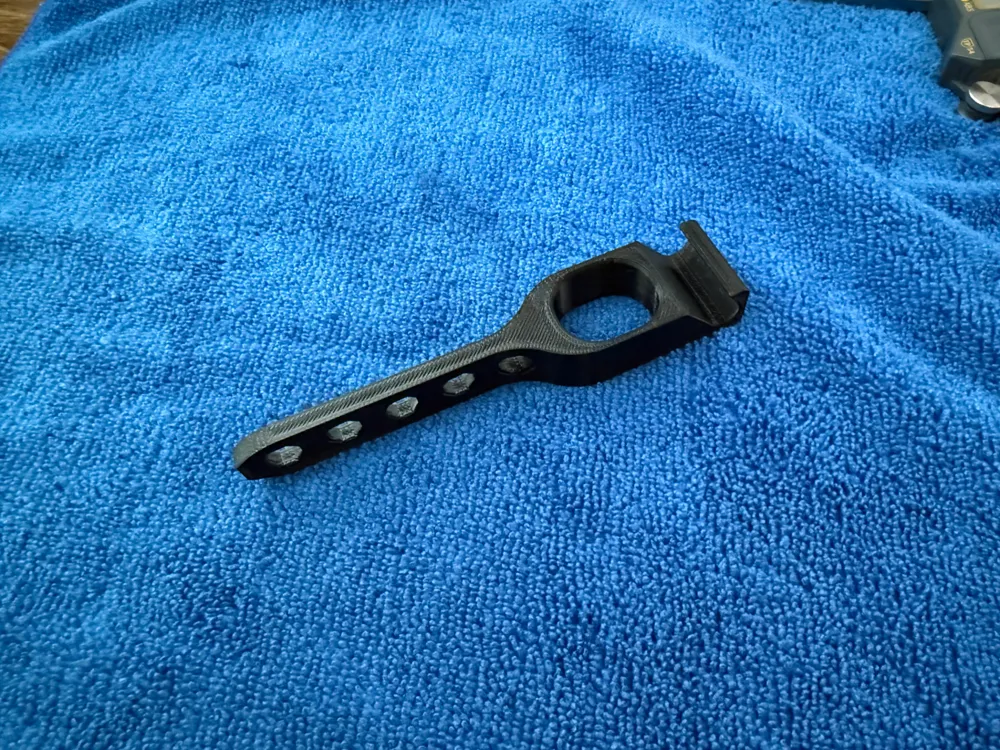
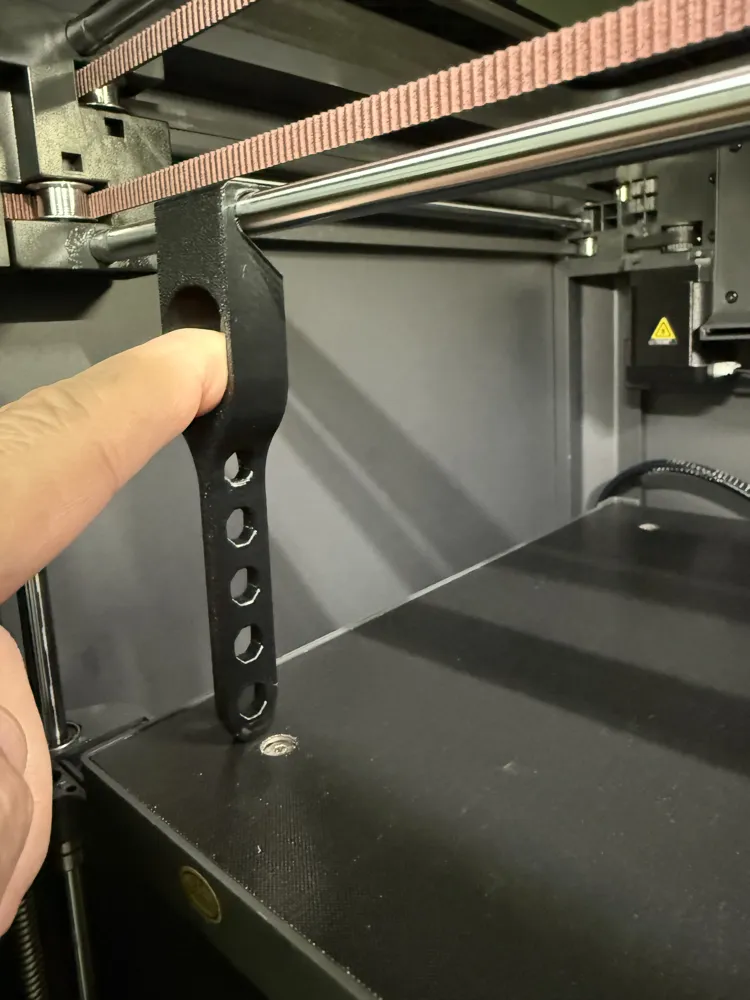
After consulting the online manual, I found that it recommends tightening all four screws that hold the bed in place (this was not the case on my printer the screws were not completely tightened and not all set the same tightness). Following this instruction by tightening them all the way down, I ended up with a bed that wasn’t very level. To address this, I designed a very simple but effective leveling tool that mounts to the linear bars, allowing you to ensure your bed is properly leveled to the print head.
How to Use the Tool once its hooked on the linear bar:
- Position the Bed
Raise the bed until it barely touches the bottom of the leveling tool. - Check Each Corner
Move the tool to each of the four corners of the bed, where the adjustment screws are located. - Set the Reference Corner
Identify the corner that is highest and use it as your starting point. Adjust the bed height until the tool barely touches the bed. - Level the Remaining Corners
Move to the next corner and adjust its screw until the tool just touches the bed at the same distance as the first corner. Repeat this process for all four corners. - Recalibrate the Printer
Once all corners are adjusted, recalibrate your printer. This process reduces the amount of bed leveling corrections during prints
I level mine without the print plate attached but I expect it would work either way. So far, this method has improved my print quality and the reliability of bed adhesion.
License

You shall not share, sub-license, sell, rent, host, transfer, or distribute in any way the digital or 3D printed versions of this object, nor any other derivative work of this object in its digital or physical format (including - but not limited to - remixes of this object, and hosting on other digital platforms). The objects may not be used without permission in any way whatsoever in which you charge money, or collect fees.


Comment & Rating (27)