
Hex Connect Phone Mount - Bike Head Tube

Print Profile(5)


Bill of Materials


Description
***DISCLAIMER: I am not responsible for damage caused to your phone if you use this mounting system. Use at your own discretion.***
**Update 10/16/2025**
Added less stiff version to make it easier to mount the phone when using stiffer plastics than ABS.
**

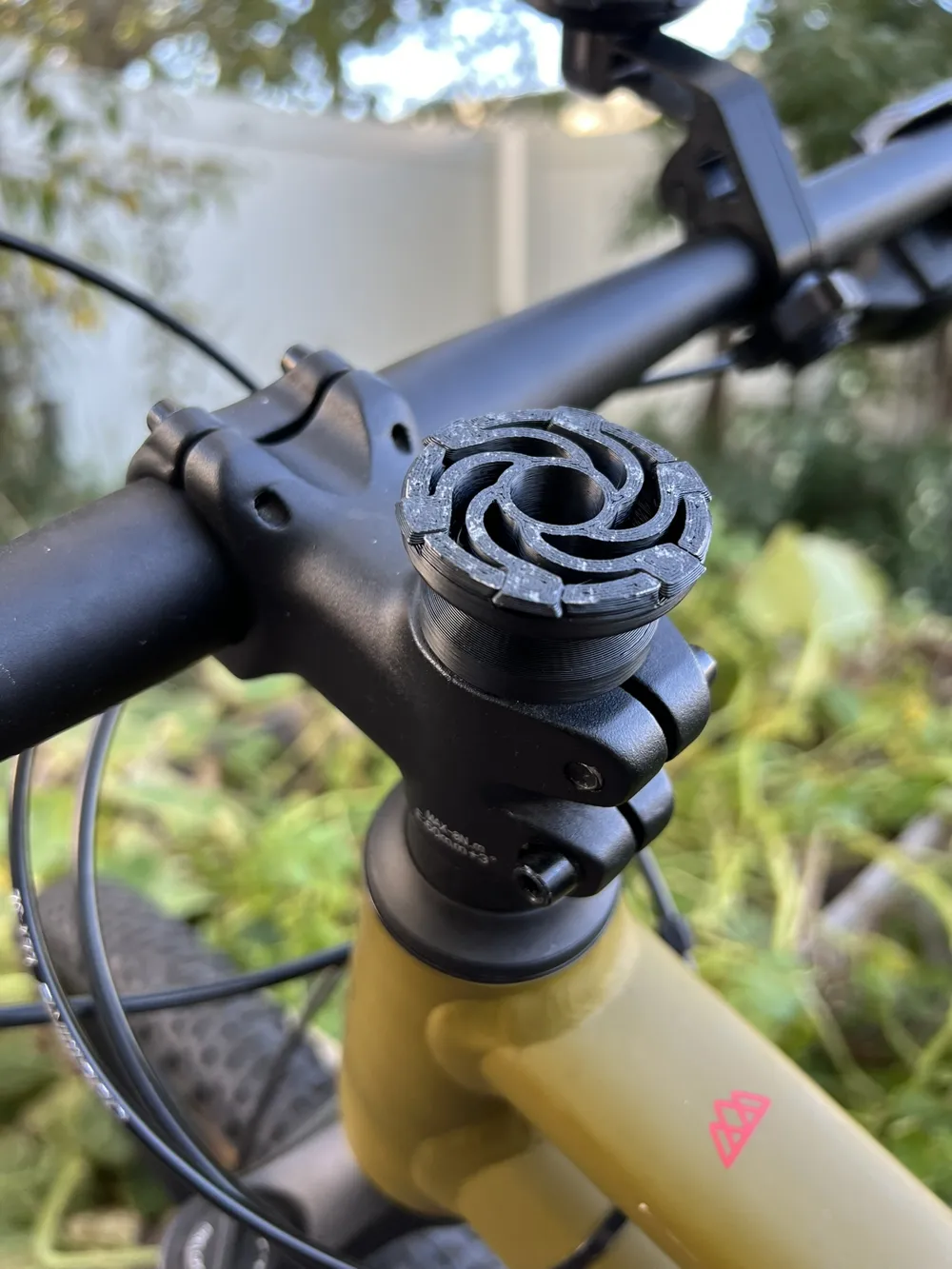
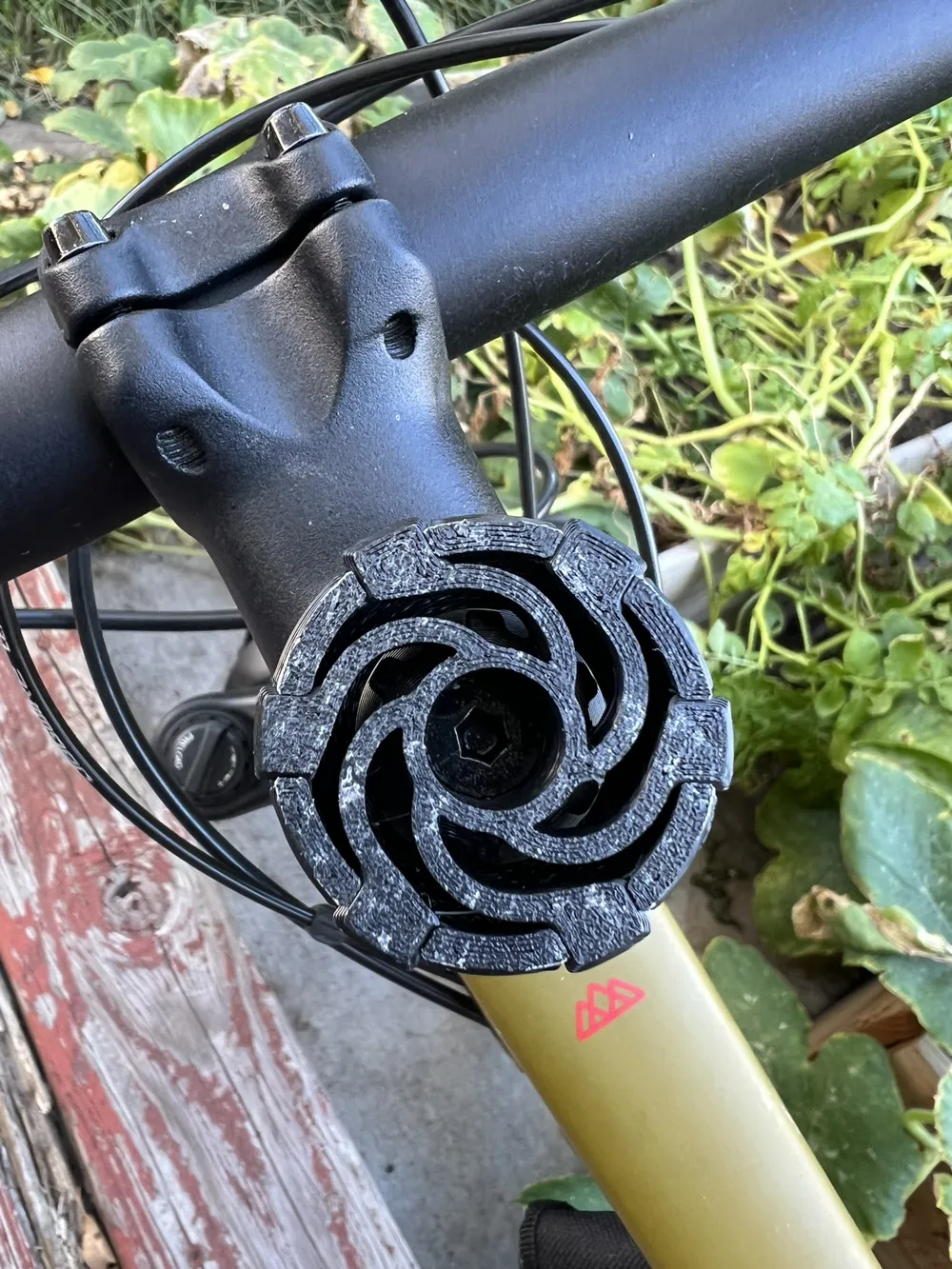
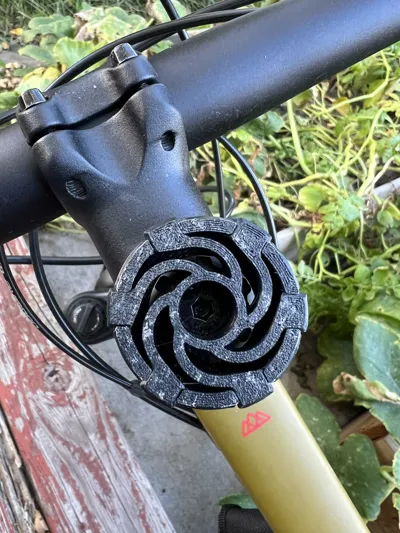
This is a phone mount for mountain bike head tubes using the Hex Connect mounting system.
Currently supports 1-1/8" head tubes using either M6 countersunk or socket head screws.
Included are both standard and XL size Hex Connect mounts.
Boost Me (for free)
Help me spread this design by boosting me! I would love more people to use and design Hex Connect models!
Standard vs XL pros and cons:
Standard:
- Pros
- Thin enough for proper Magsafe support (2 mm)
- Slimmer case is more convenient for everyday use
- Allows use with Magsafe mounts using a case-mounted metal ring
- Probably stronger than you would expect :)
- Cons
- Not as strong as XL
XL:
- Pros
- Strongest connection for high-intensity activities
- Cons
- Thicker case is less convenient for everyday use
Not Magsafe compatible
Using Hex Connect:
- To connect: Align the hole in the phone case to the Hex Connector. Make sure the back of the phone is flat to the face of the Hex Connector. Either push the phone straight onto the connector or start a little clockwise and turn the phone counterclockwise as you push for a smoother connection action.
- To disconnect: Pull slightly on the phone, then turn counterclockwise while holding slight pulling pressure on the phone.
Tip for Left-Handers: Mirror the connector in the slicer to reverse the rotation direction. The case design is ambidextrous.
Simply unscrew the existing head tube cap and replace it with the Hex Connect mount.
For printing tips, more Hex Connect accessories, and a list of available phone cases, visit: https://makerworld.com/en/models/1834578-hex-connect-base-design-files#profileId-1959313
License

You may create derivative works based on this object, provided that all such derivative works are published exclusively on the MakerWorld platform and include proper attribution to the original creator. You may not share, upload, host, distribute, or publish this object—or any derivative work of this object—on any other digital platform, marketplace, or distribution channel. Commercial use of this object and any derivative works is strictly prohibited. This includes, but is not limited to, selling, renting, sublicensing, or using the object in any context in which you receive monetary compensation or other financial benefits.


Comment & Rating (4)