
Fully Calibrated Profile for Polymaker CoPE White
Print Profile(1)

Description
I've spent a lot of time looking around for the best print settings for various filaments and there aren't many out there listed, so I decided to share mine as I make them.
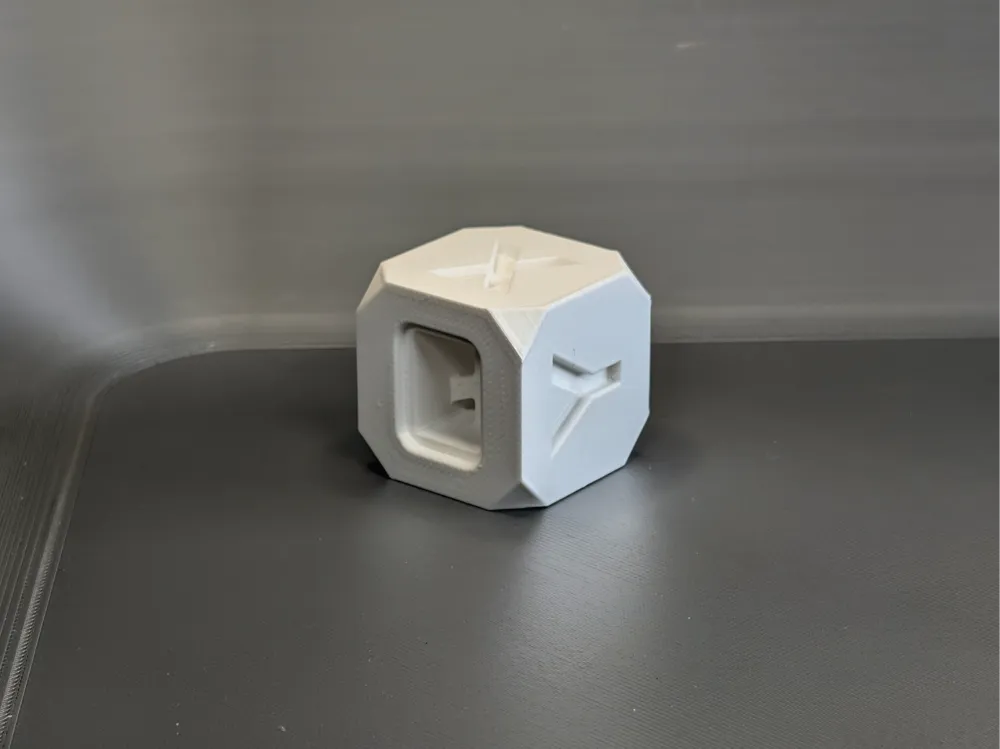
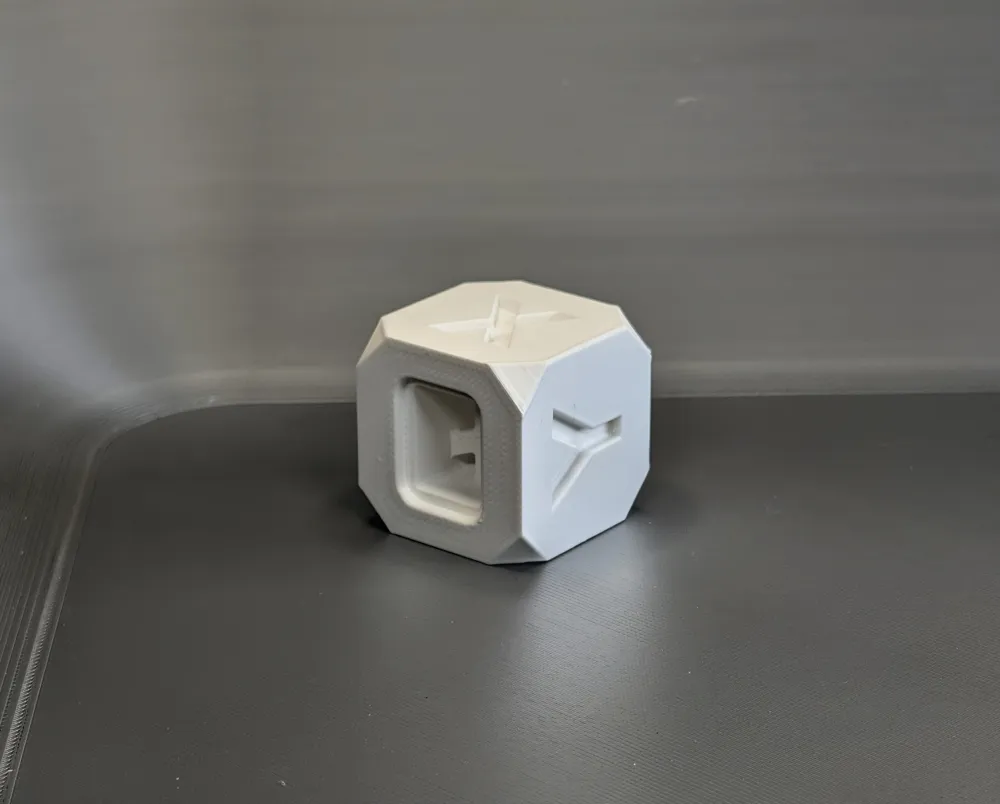
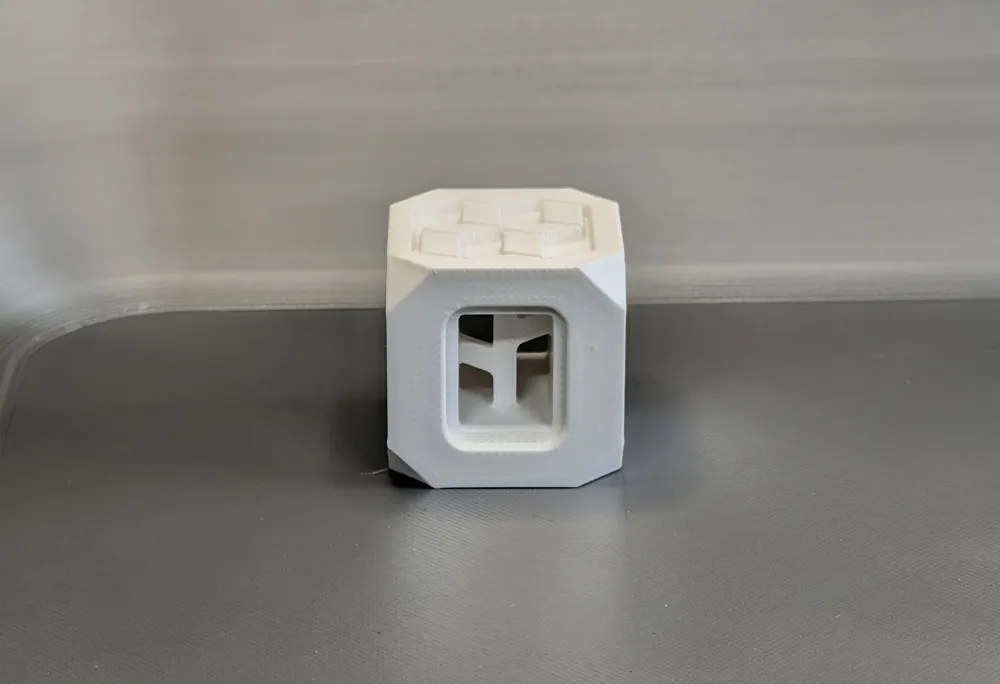
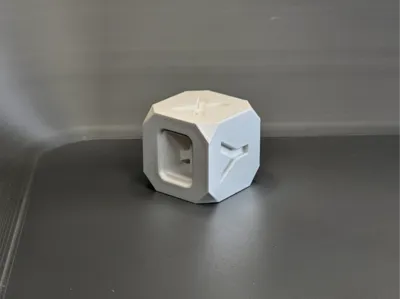
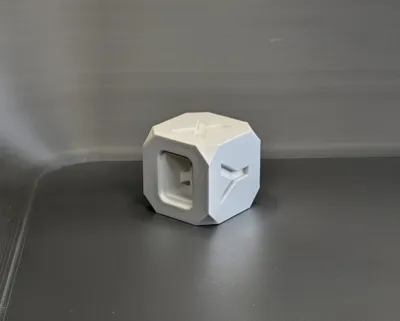
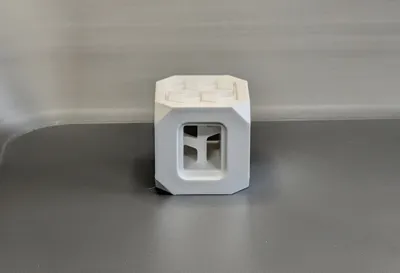
This is a fully calibrated profile for Polymaker Panchroma CoPE White, done on a Bambu H2D with the 0.4 hardened steel nozzle using a Biqu CryoGrip Frostbite plate, though it should work with a bunch of different printers and configurations with only slight variance. I used a cube made by nyx_nk here: https://makerworld.com/en/models/57954-makerworld-cube-materials-test - as a model for this because it is quick and easy to print for a test, and does a good job of pointing out any settings that are not dialed in.
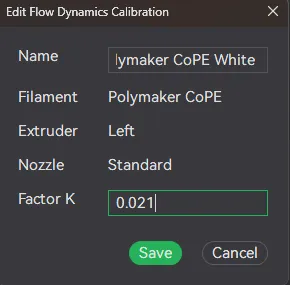
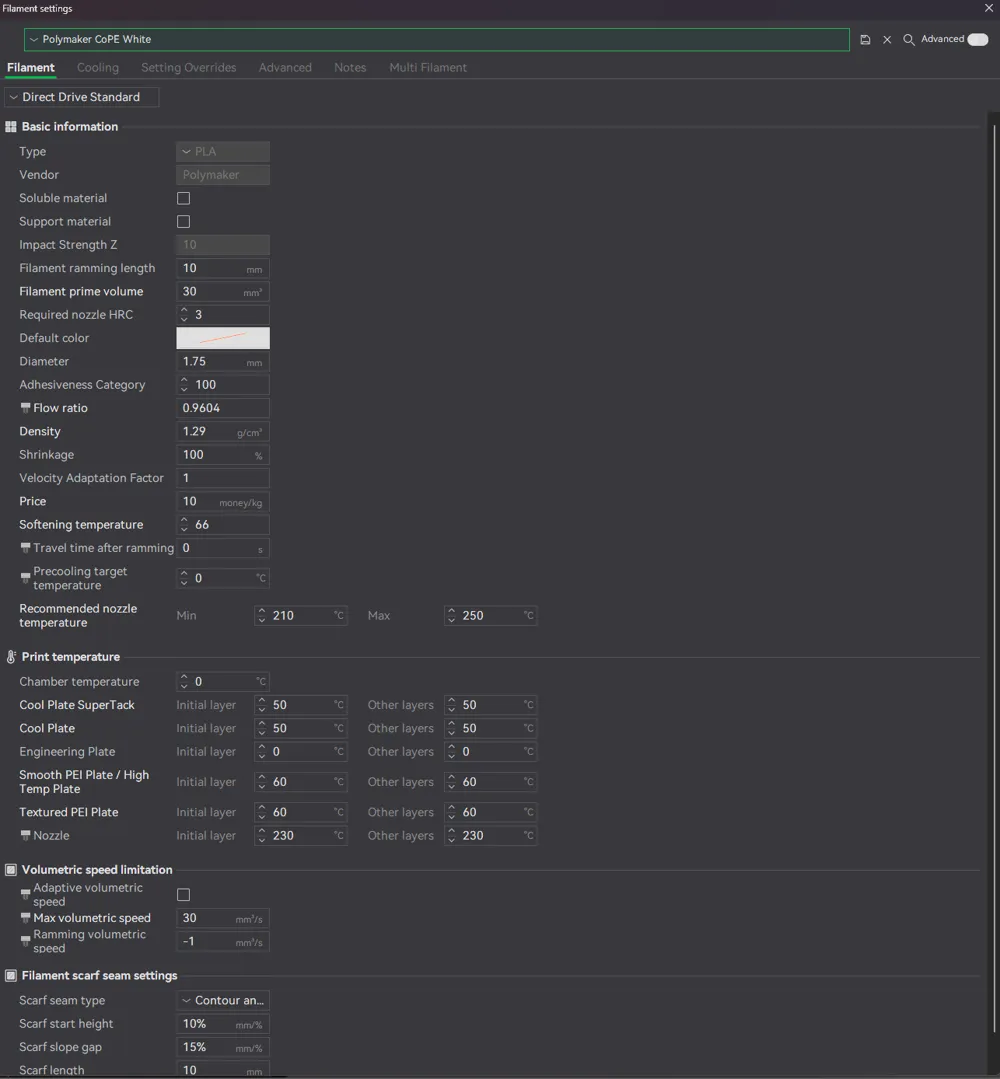
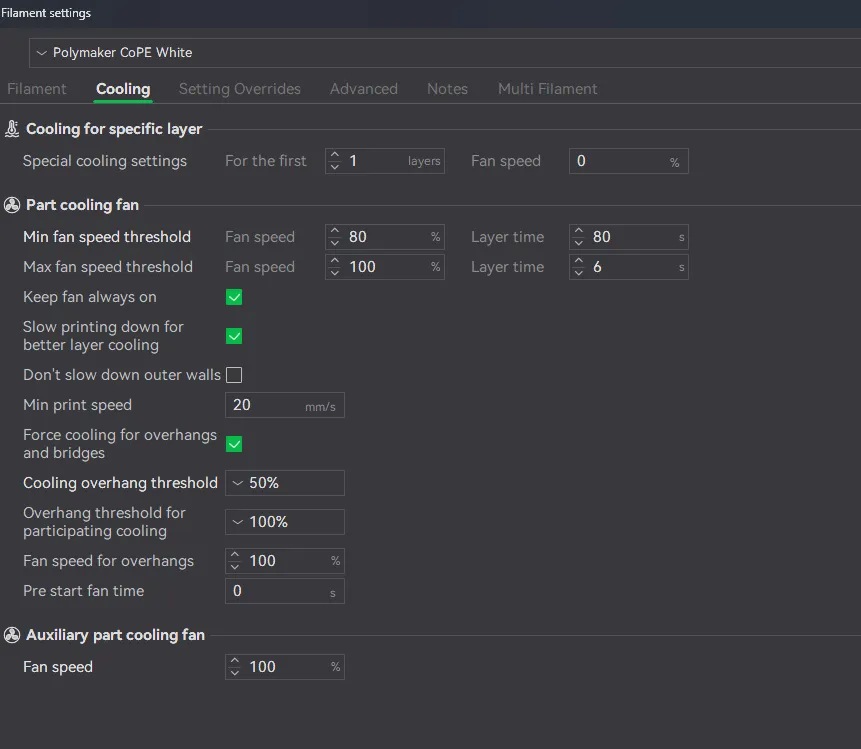
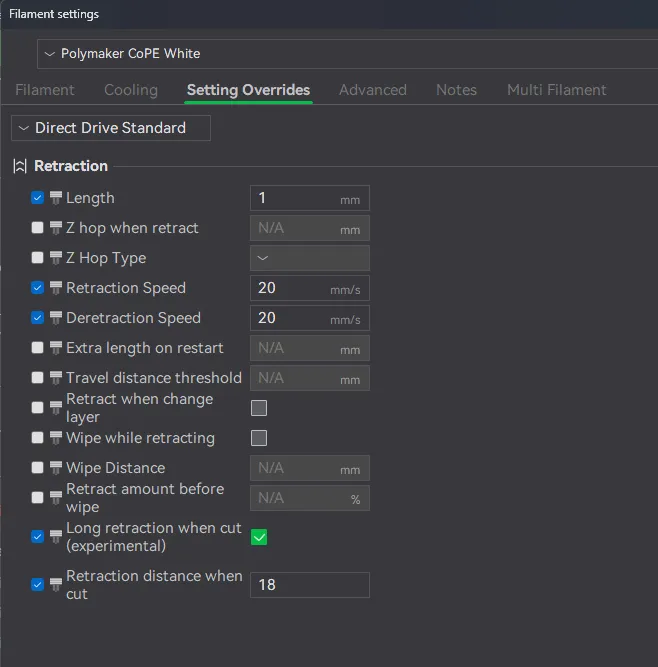
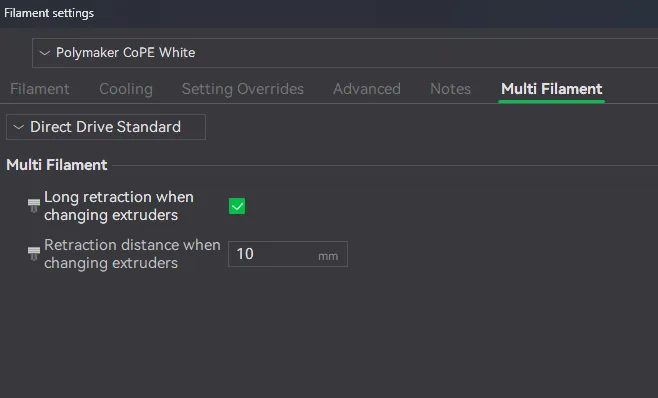
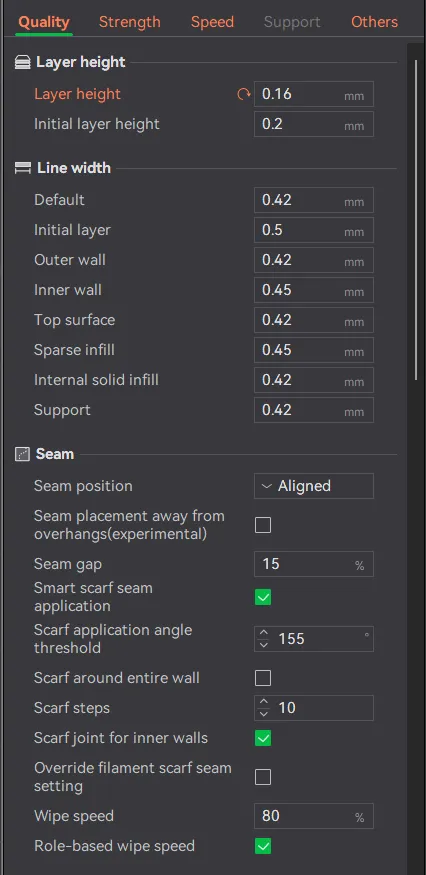
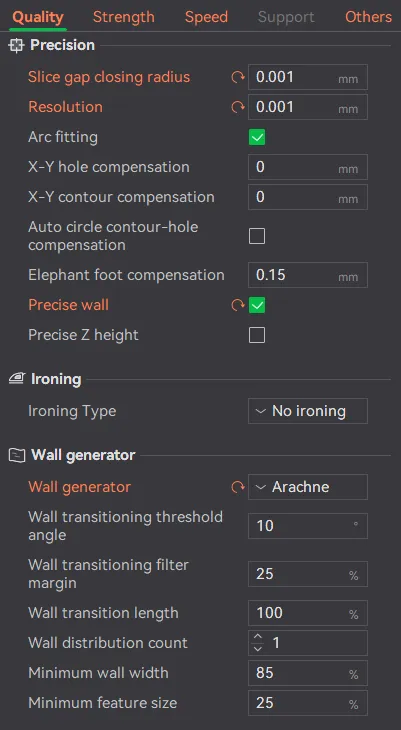
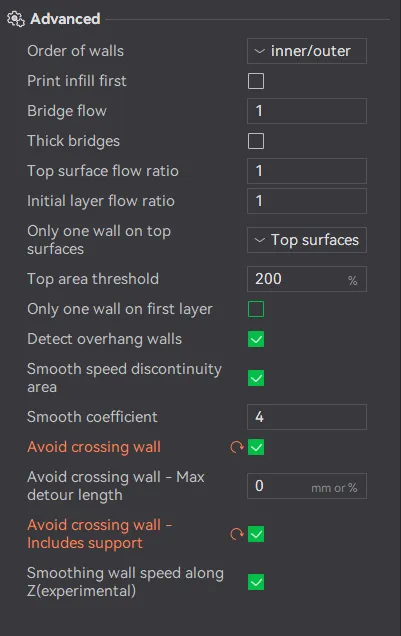
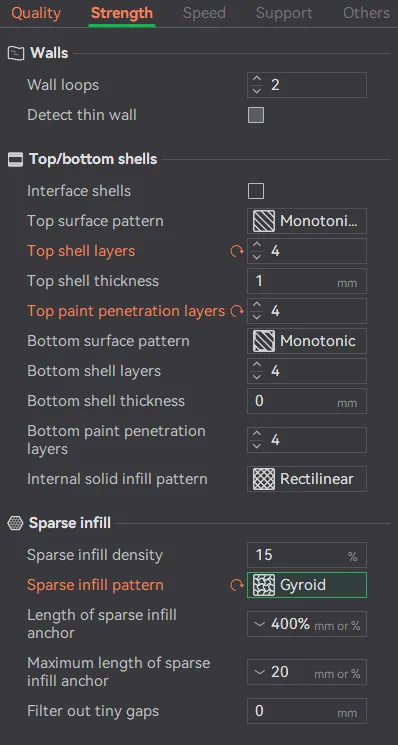
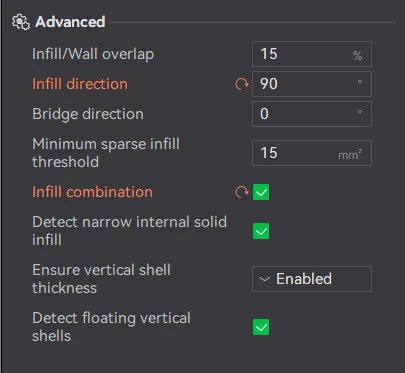
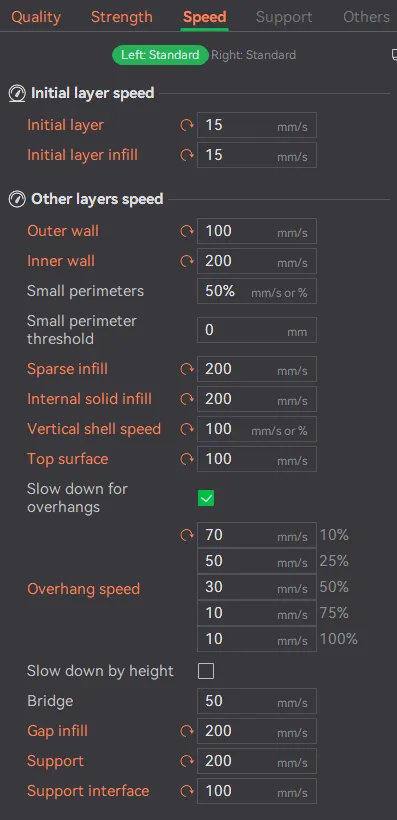
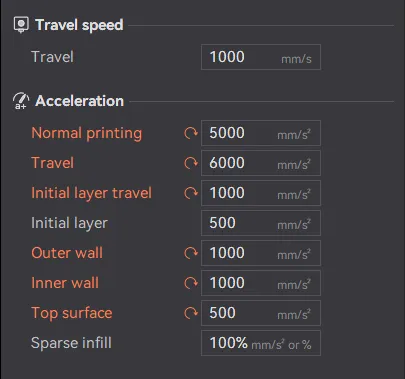
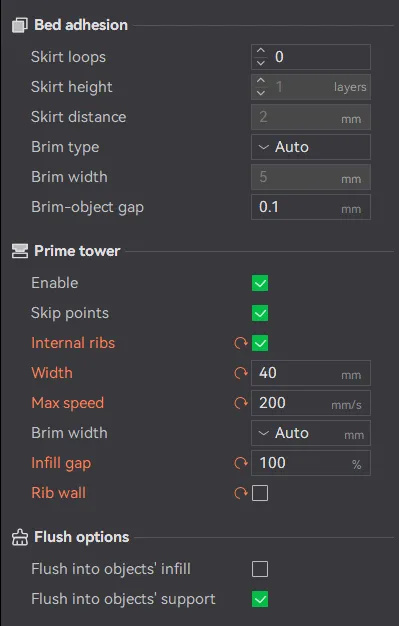
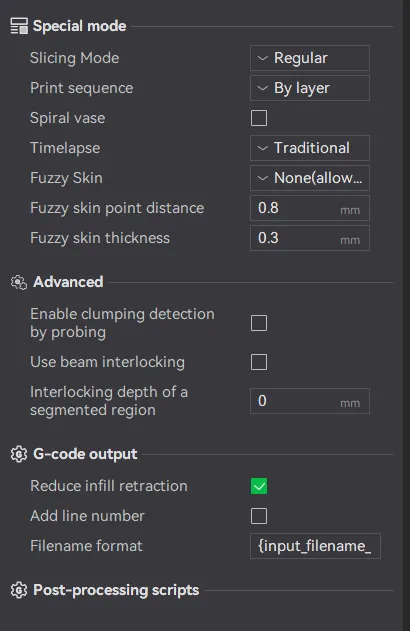
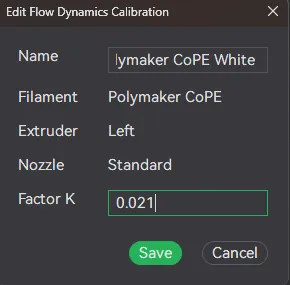
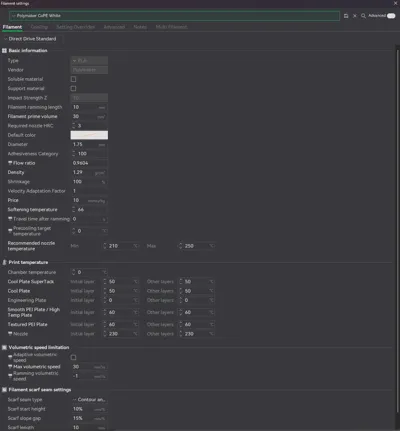
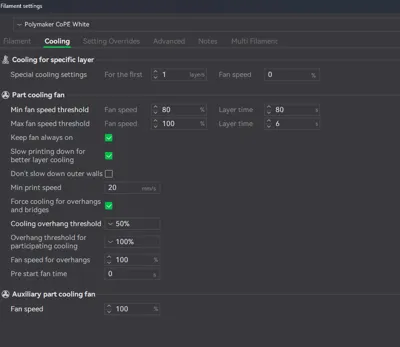
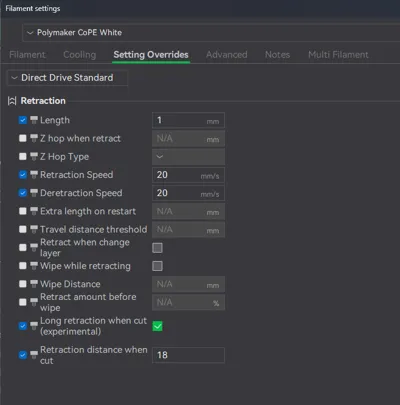
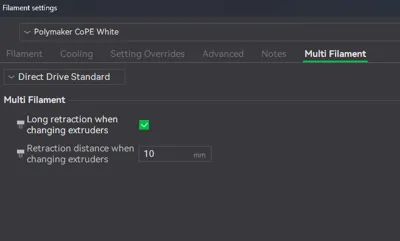
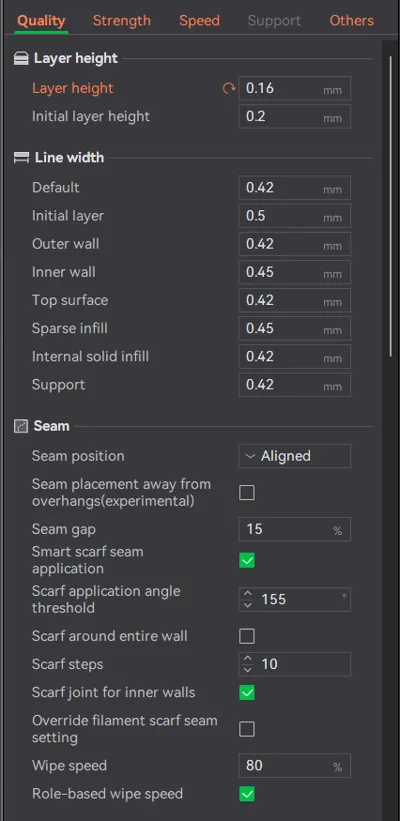
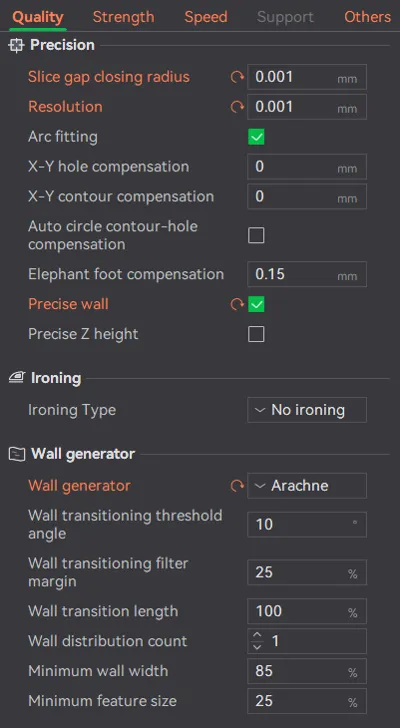
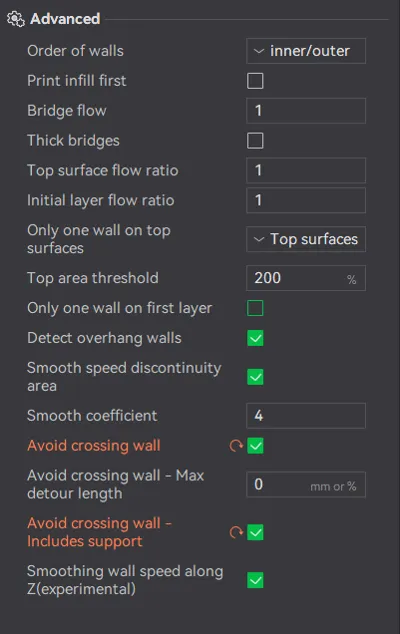
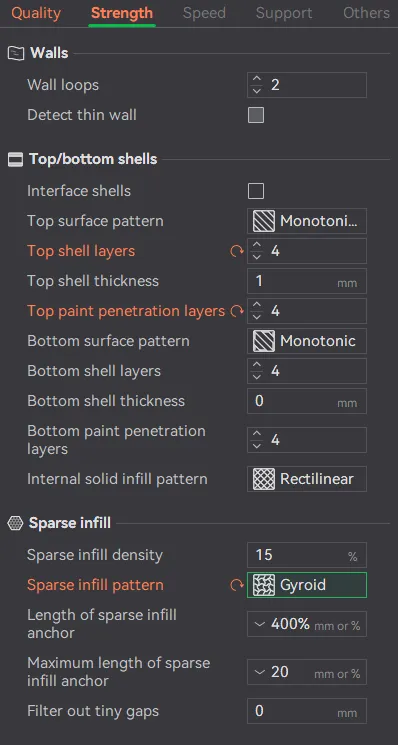
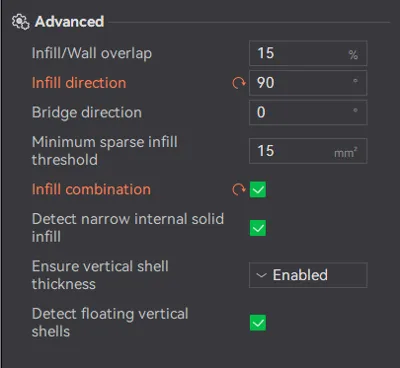
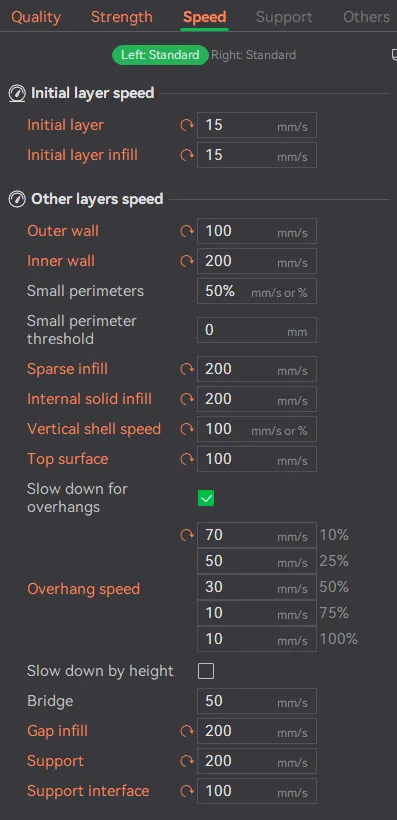
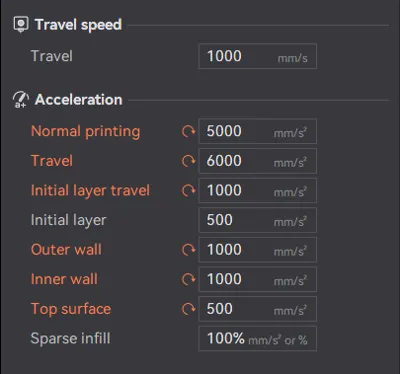
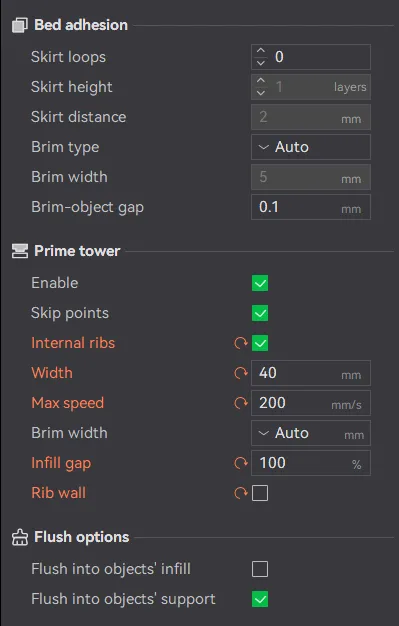
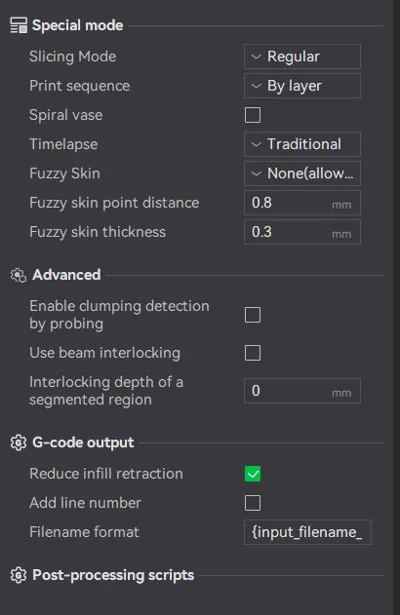
If you cannot get my settings to transfer over in Bambu Studio when you switch printers, I've attached screenshots of all the print settings as well as the custom filament settings that it will not allow in the uploaded profile. Just open the screenshots and transfer everything over and you should be good to go!
I calibrated the following:
- Nozzle temperature
- Bed temperature for the Frostbite plate → raise by 10°C for smooth plate or textured PEI plate
- Flow ratio
- Pressure advance
- Max volumetric speed
Print settings optimized for the following:
- Surface Quality
That's literally it. It is going to print slower than it is capable of with this profile, but you can up the speed at the expense of quality if you'd like.
Please feel free to ask any questions and I'll do my best to answer. Also feel free to boost if this was of help to you. I plan to post these as time allows me to calibrate more filaments and colors. The more well received they are, the more motivated I'll be =)
License



Comment & Rating (3)