
camera stabilizer
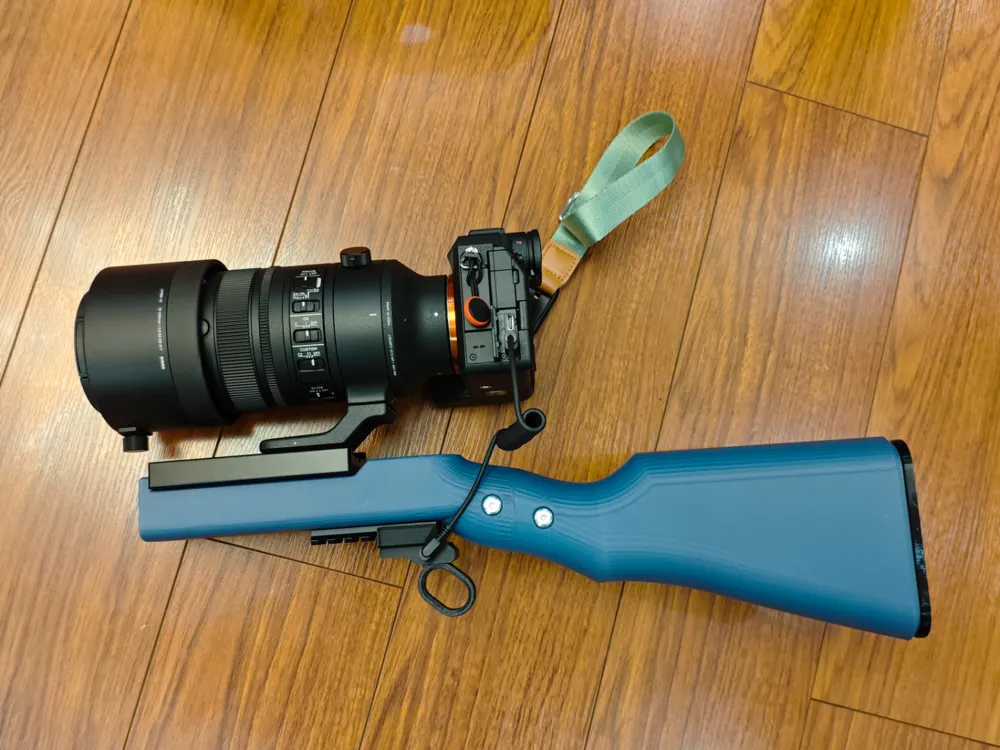
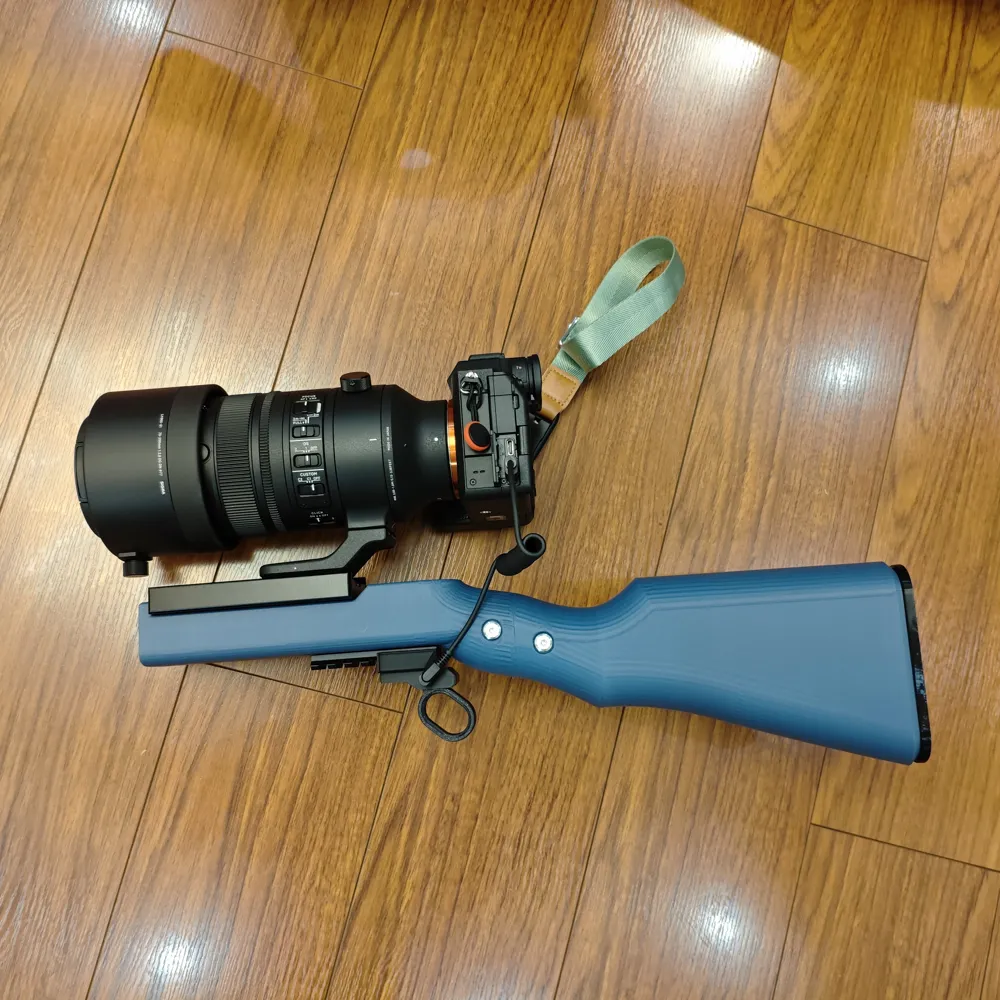
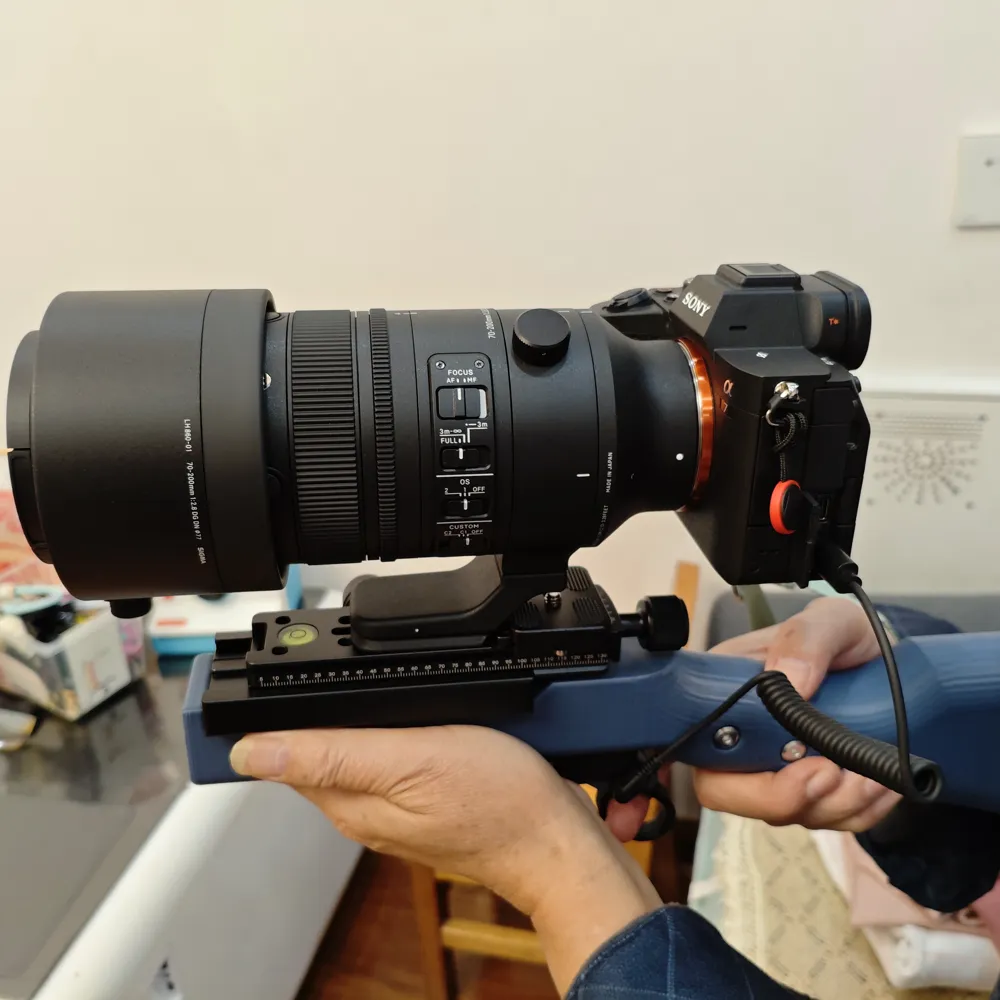
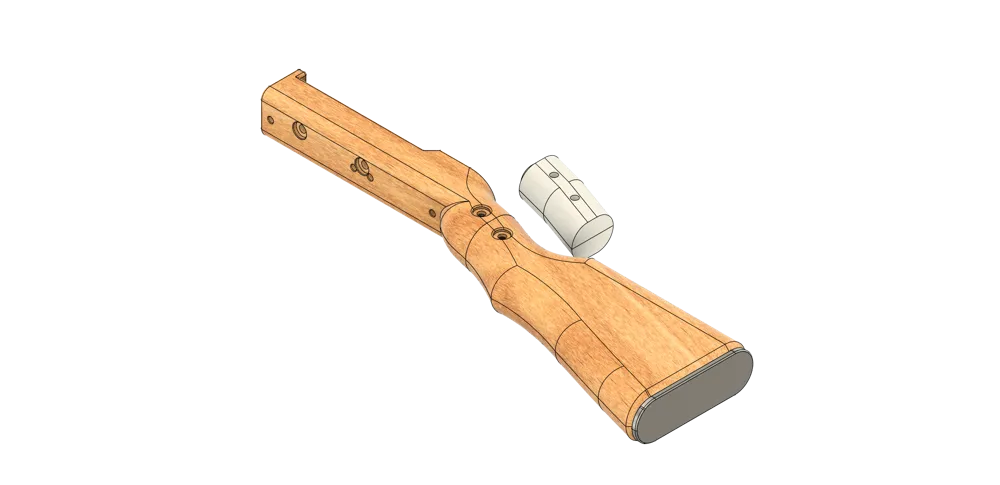
Print Profile(1)
![[Screw Hole Update] The bottom Picatinny rail screw hole has been changed from 4.8mm to a 4.5mm-4mm countersunk hole](https://makerworld.bblmw.com/makerworld/model/US8728efa3d3eab4/535851798/instance/2025-11-05_52cff302b0f548.jpg?x-oss-process=image%2Fresize%2Cw_100%2Fformat%2Cwebp)
Description
Boost Me (for free)
This model has been modified over 20 times and print-verified over 10 times, for example: hardware adaptation, weight reduction, adding storage space, support-free printing, feel adjustment, etc; it consumed a large amount of filament and I purchased various combinations of hardware. For a Fusion 360 beginner who just started not long ago, a lot of effort has really been put into this. If it works well for everyone, please consider boosting me; if it doesn't, please be gentle with your feedback. Thank you all 🫶
Please credit the source if you print this for others, and copy the following information into your product description:
MakerWorld model: Camera Stabilizer
Model ID: 1743493
Author: 0o布娃娃o0 (@0obuwawao0)
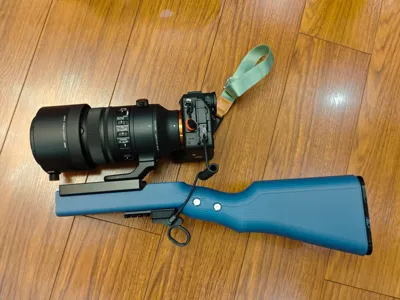
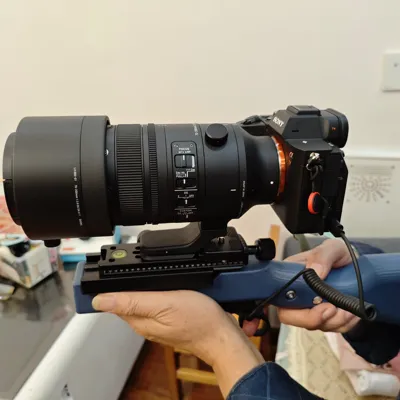
For picnics, camping, travel, and capturing life's beautiful moments, a camera is essential. If you want to travel light with one lens, a medium-to-long telephoto lens is often unavoidable. However, after adding the weight of the lens and camera body, holding it barehanded for long will quickly become tiring, especially for low-angle shots where pressing the shutter in an awkward position can be difficult. Hopefully, this camera stabilizer can help you!
Model Introduction:
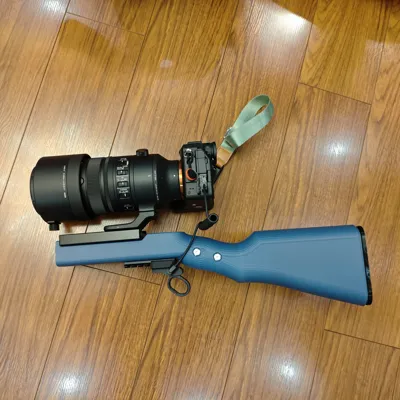
I bought a new camera with a telephoto lens in October, and it was very heavy and difficult to handle. While looking for camera brackets on Taobao, I found a "Cangye Camera Stabilizer" and was attracted by its appearance. This model draws inspiration from its appearance and was manually designed by me; during the process, to find suitable hardware, I purchased many different camera bases and screws. Adding these trial-and-error costs, it actually exceeded the price of the finished product itself😅. Coupled with my unfamiliarity with Fusion 360, the complex internal space design, and various unsatisfactory prints, I almost gave up. After more than 20 revisions, I achieved a relatively ideal result (I don't want to change it for now). It is open-source for everyone to use, and please be gentle if it doesn't meet your expectations.
Friendly reminder: Always ensure your camera is protected by using a camera strap or wrist strap as a safety measure! You are responsible for any damage caused by drops or detachment. If it works well, we also recommend purchasing the Cangye Camera Stabilizer wooden finished product, which looks great. The purchase link is attached in the document.
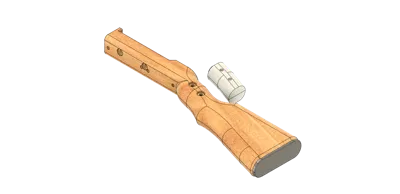
No supports are needed for printing, and it is designed to be hollow inside,【Only the current pre-arranged bottom surface is designed for support-free printing (if you change the bottom surface, you need to enable supports and deselect "Generate supports only on build plate")】, solid printing with a wall thickness of 3mm will increase weight, so please adjust the number of walls or infill rate as appropriate during printing to enhance durability. I am quite concerned about the fit of the screw holes; some of the demos I printed were either too small or too loose, and it took a long time to get them right. I'm not sure about everyone else's situation, so feedback from friends who have printed it successfully is welcome, and I will make adjustments.
Hardware (purchase links attached in document):
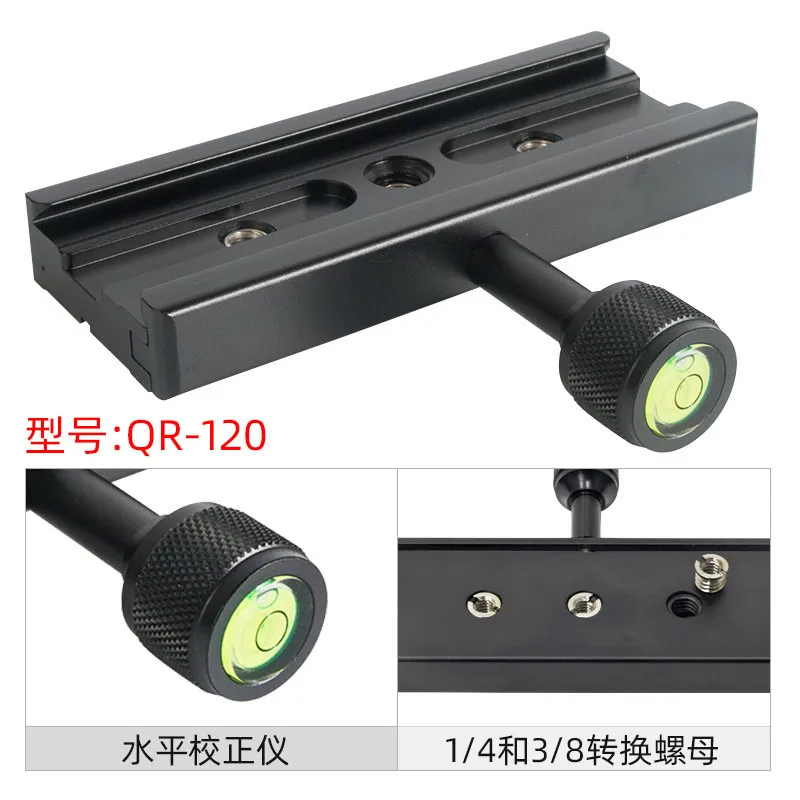
1 Akka Clamp Base 120*38*16mm with at least 2 quarter-inch screw holes 60mm apart Using a long clamp base and quick release plate mainly helps adjust the camera's center of gravity on the stabilizer.
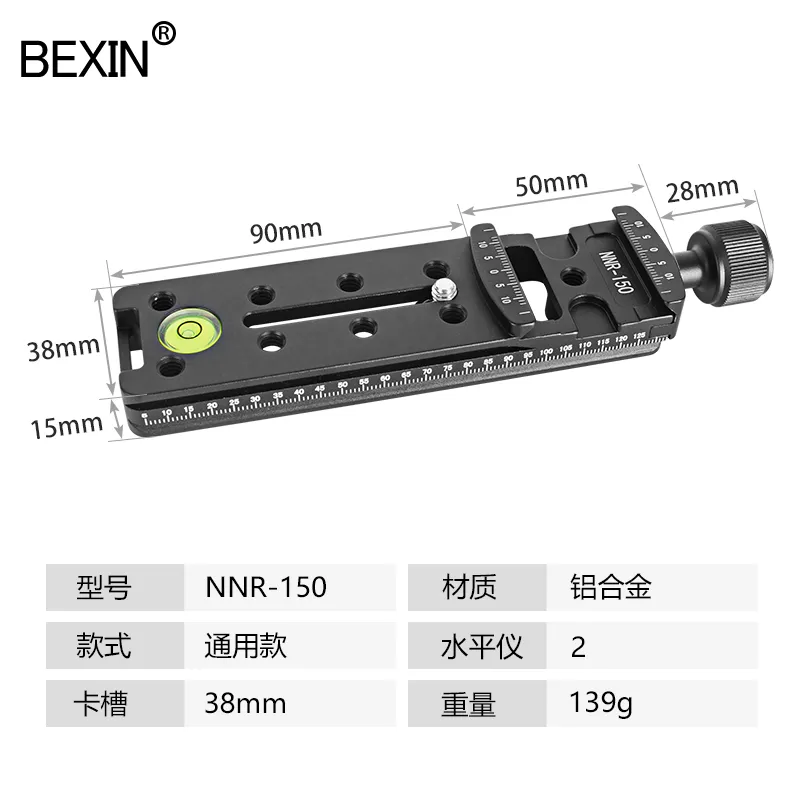
2 Quick release plate 150*38*15mm to be used with the Akka clamp above(Different sizes can be chosen according to your needs, but if too long, it will extend beyond the front of the stabilizer)
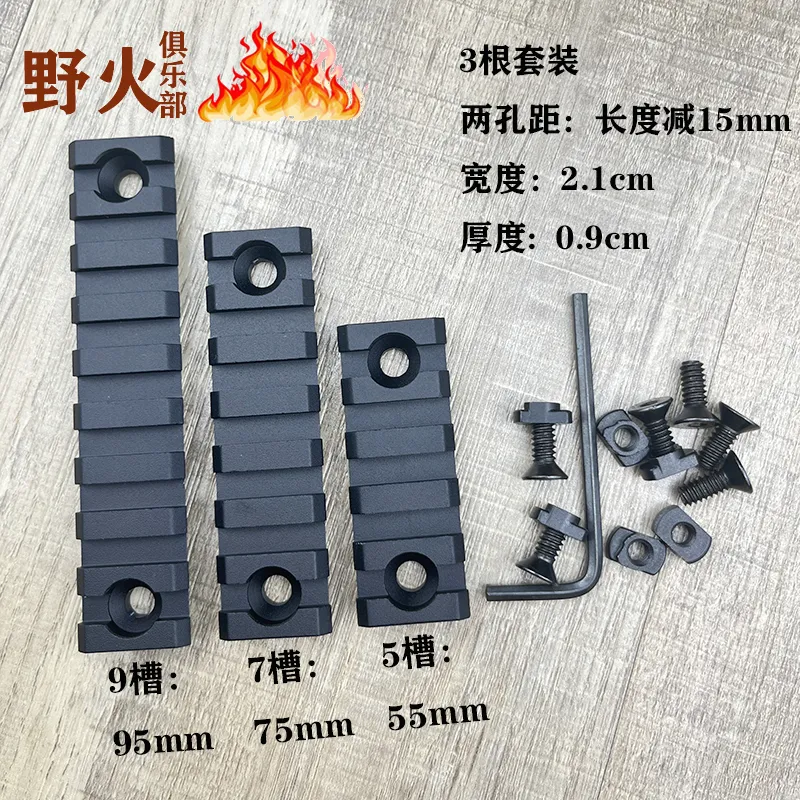
3 Mlok Universal Rail 9-slot 95*21*9mm + 7-slot 75*21*9mm These two sizes of rails perfectly cover the bottom length, Note: Choose rails with a completely flat bottom and integrated M5 screws.(If hand feel is important, the 9-slot rail is optional as it is more flexible)
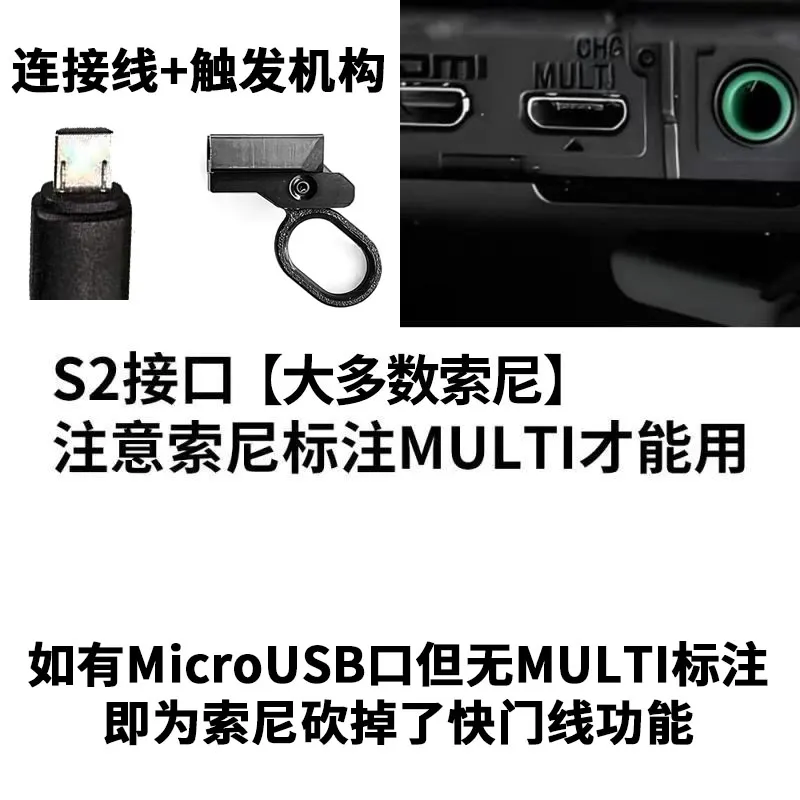
4 Cangye Camera Shutter Release Cable, mine is for Sony a7m4 Choose according to your camera model
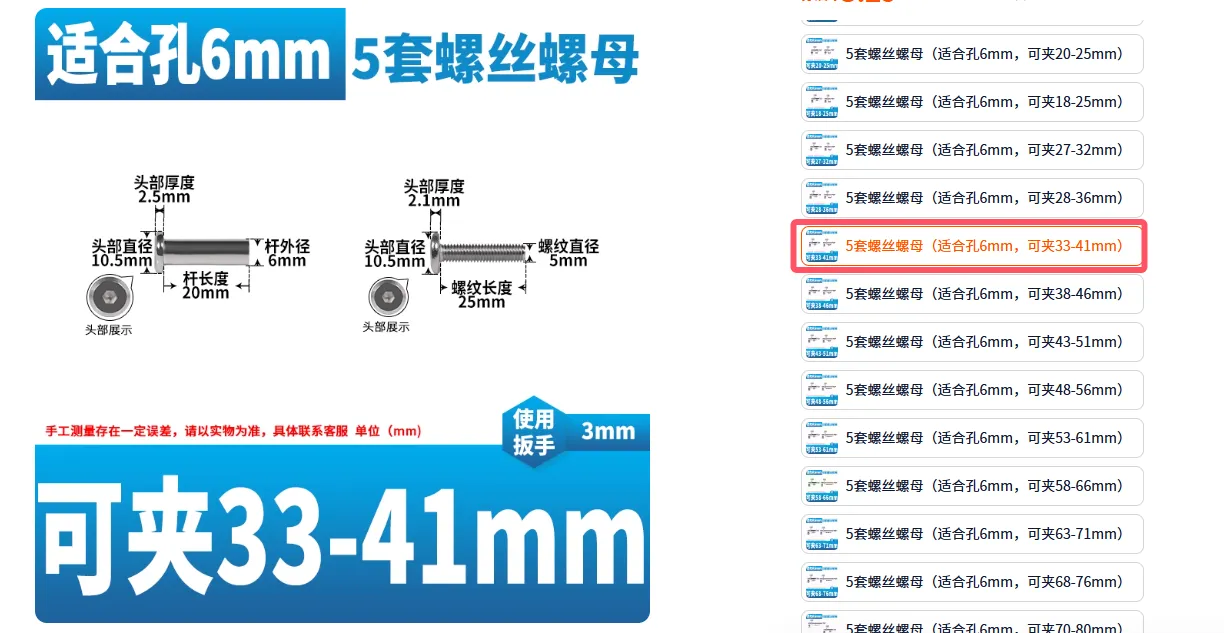
5 Through-screws *2 sets to connect the handguard and shoulder pad Note the dimensions in the image below Pay attention to the options
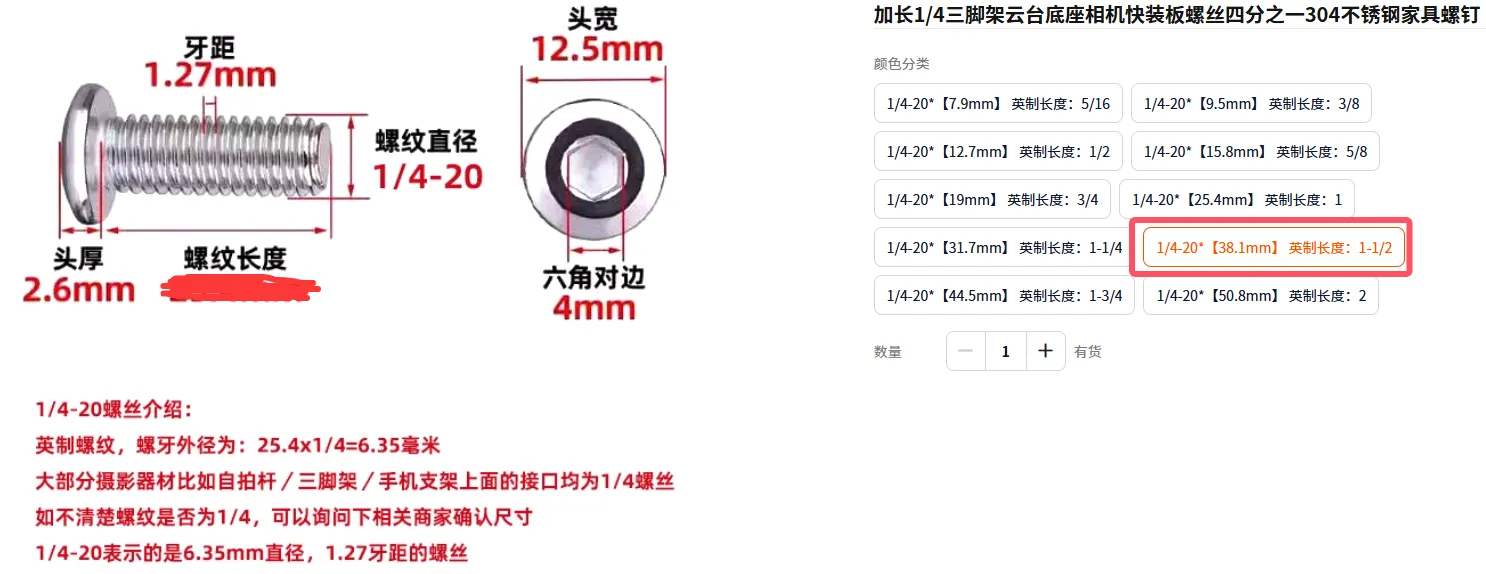
6 Extended 1/4 screw for Akka clamp fixing Head width 12.5mm, head thickness 2.6mm, thread length 31.7mm for longer sliding range. The 38.1mm model I chose can limit the sliding range of the quick release plate, which I feel is very suitable.
7 Storage space 8*3 magnets, 8 pieces
The storage space can hold spare batteries, data cables, or chargers, etc. (I only have an a7m4, and its original battery fits; other brands are unknown)
Assembly Diagram and Effect:
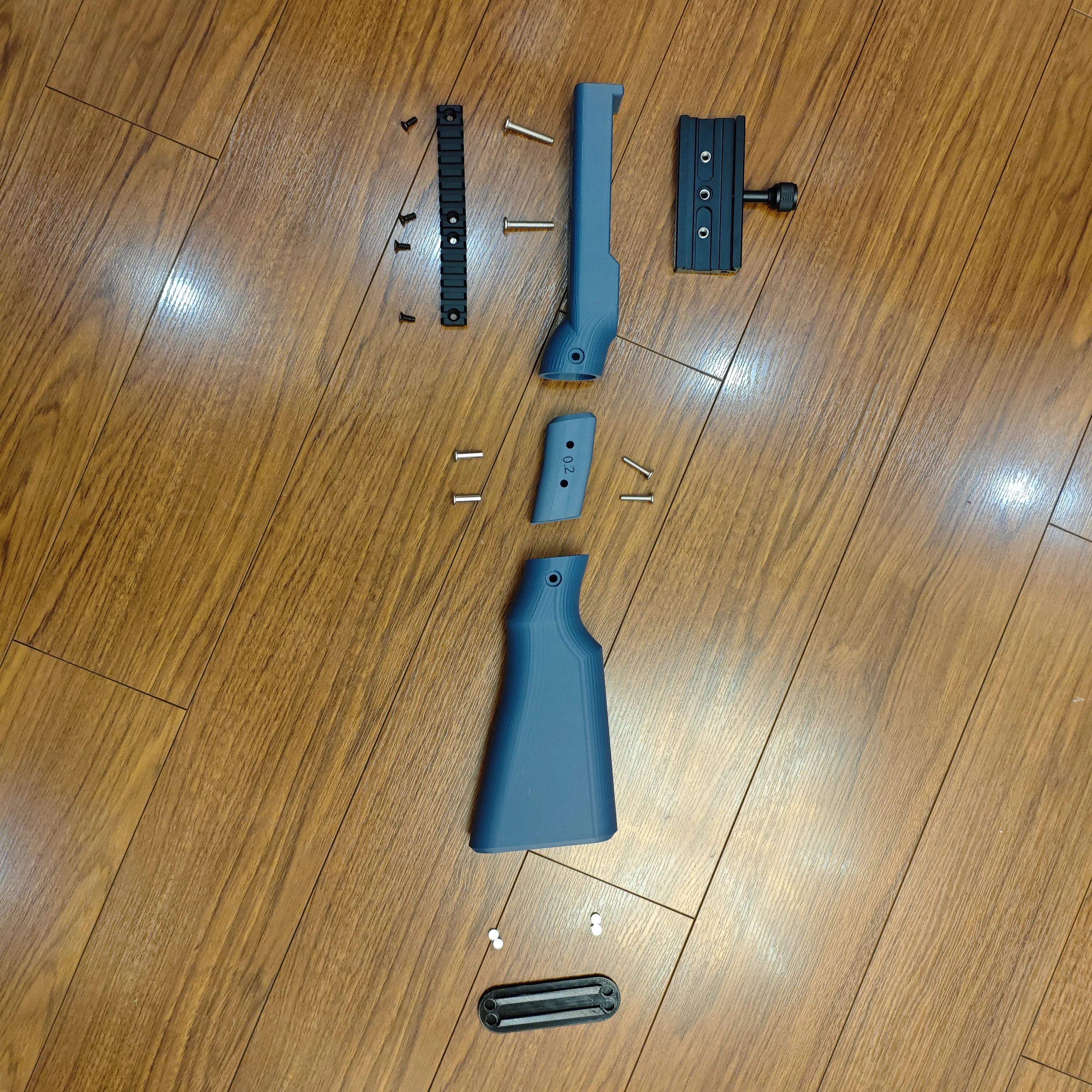
Assembly sequence diagram:
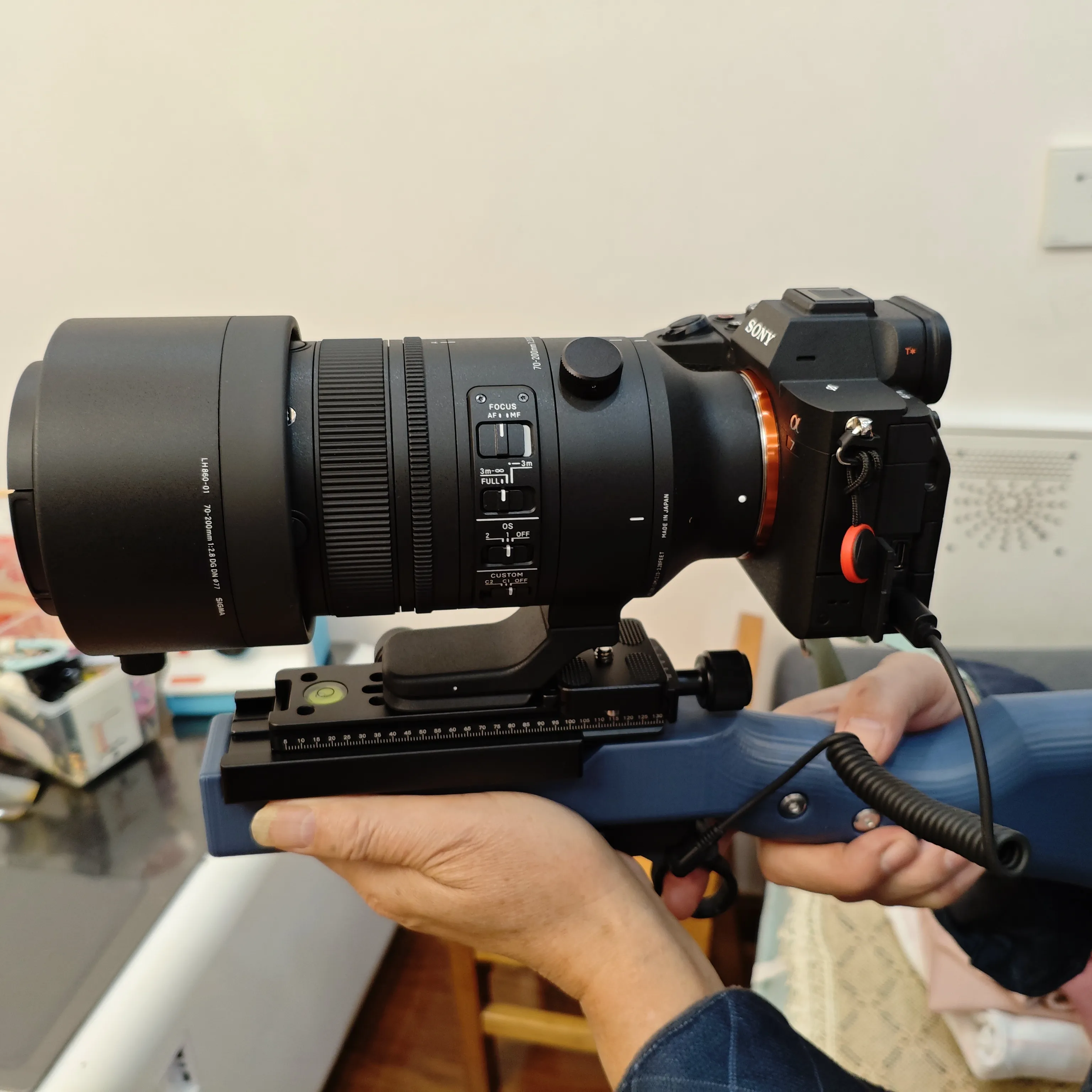
Final effect:
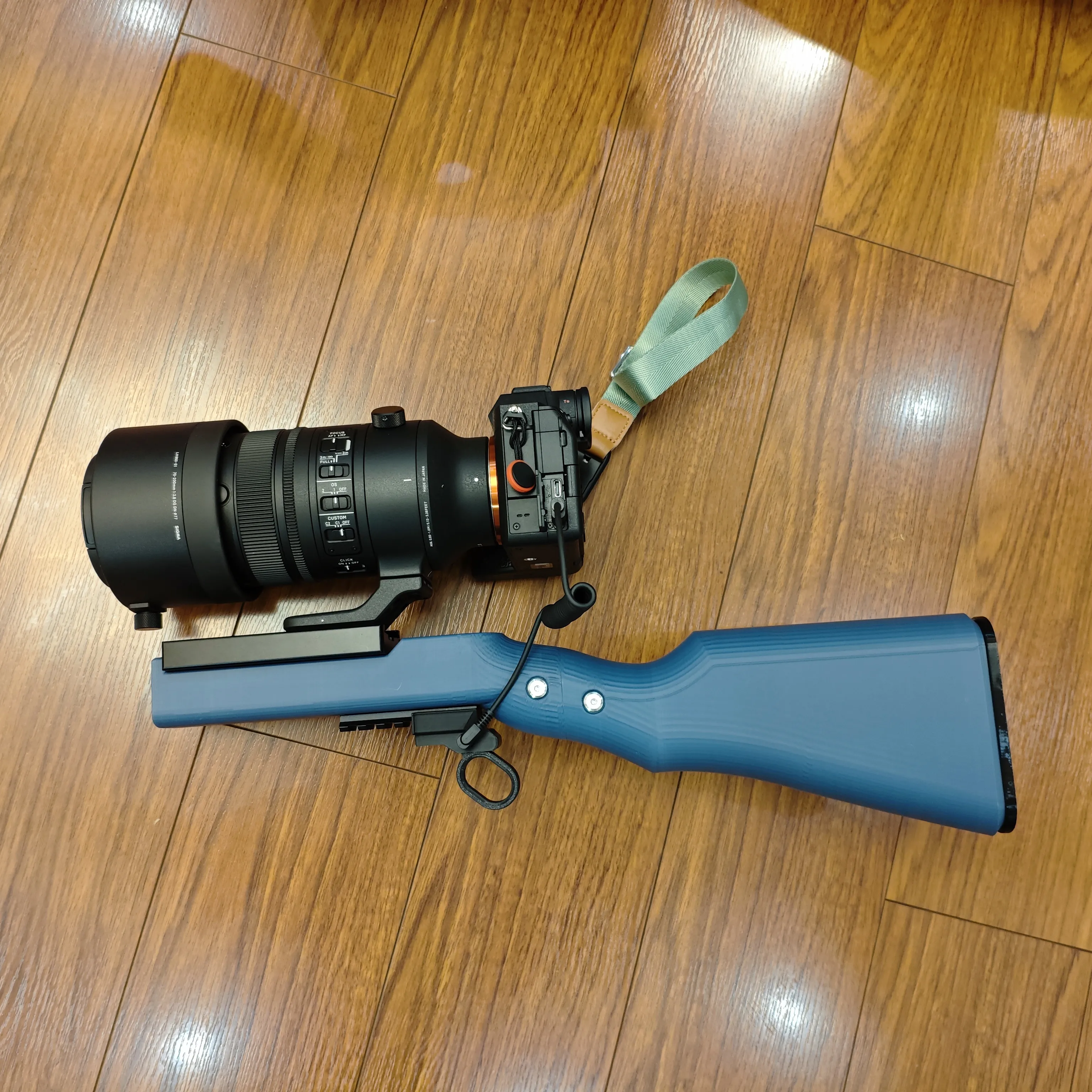
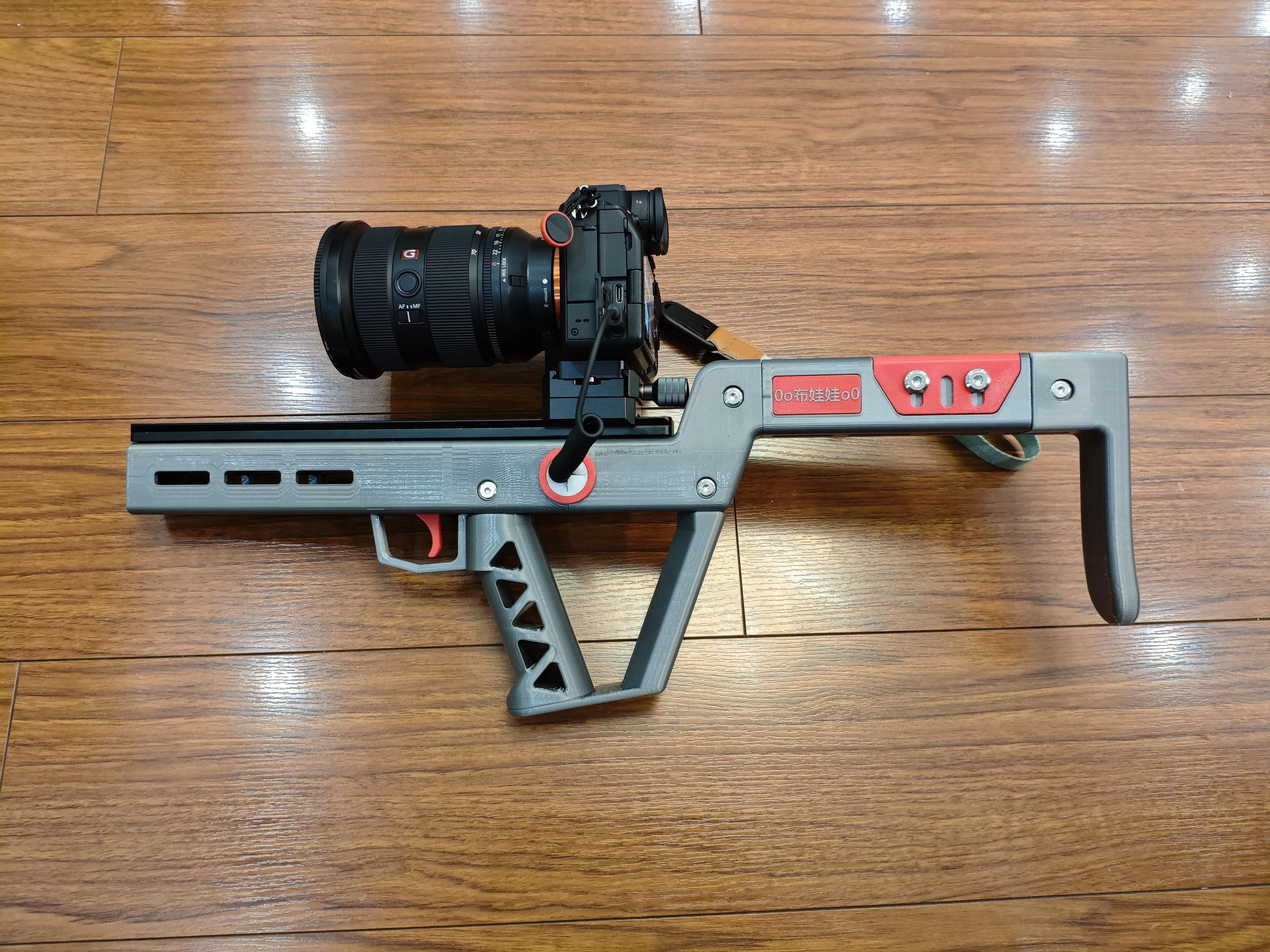
2026-05-13: The second stabilizer is here.
https://makerworld.com.cn/zh/models/2497396-xiang-ji-wen-ding-qi-v3#profileId-2858473
Safety Usage Rules:
1 Use a neck strap or wrist strap for the camera, and make sure the strap is not too long
2 Correctly use the Akka clamp and quick release plate, ensuring that the limiting measures are functioning properly
3 Most extended quick release plates do not have anti-slip pads between them and the camera; it is recommended to purchase and apply some separately to prevent rotation
4 Whenever using the stabilizer, the strap must always provide anti-drop protection. After all, the value of the equipment is greater than that of the printed part itself!
STEP files have been uploaded, feel free to modify and optimize them, and after completion please also upload a print profile here.
2026-01-22: Uploaded the STEP file for the trigger mechanism, making it convenient for DIY enthusiasts to create their own shutter release cables.
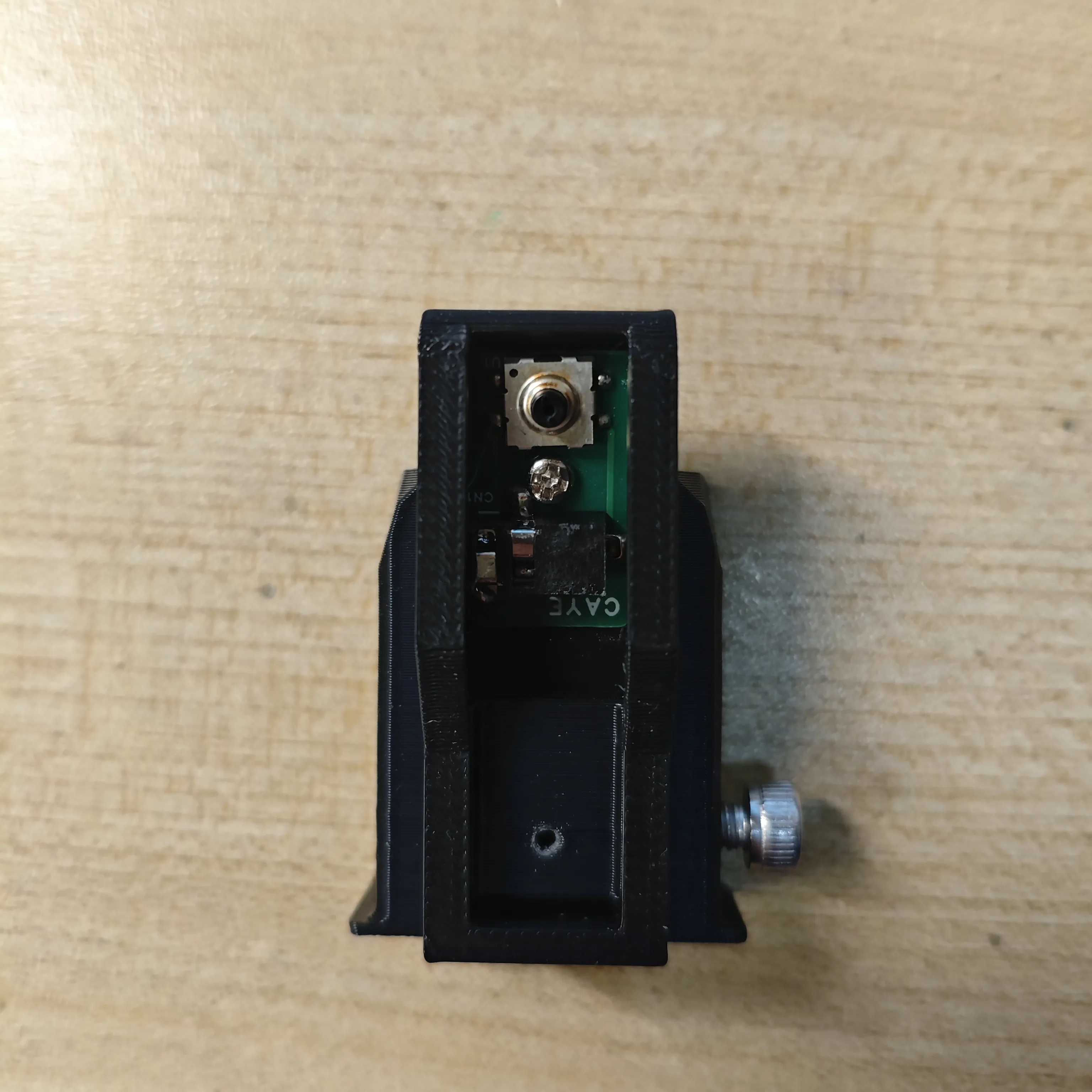
2025-12-25: Print profile updated: Picatinny rail screw holes changed from 4.8mm to 4.5mm-4mm countersunk holes.
Thanks to friends for their feedback (STEP file not modified)
Boost Me (for free)
If you've read this far, please support me 🫶
Documentation (1)
License



Comment & Rating (2)