Search models, users, collections, and posts

Vase mode Mushroom Shelf
IP Report


Print Profile(1)

0.2mm layer, 6 walls, 6% infill

4.9 h
1 plate
Open in Bambu Studio
Boost
99
207
3
1
147
51
Released
Description
Printing the mushroom:
I printed with a layer height of 0.16 in vase mode.
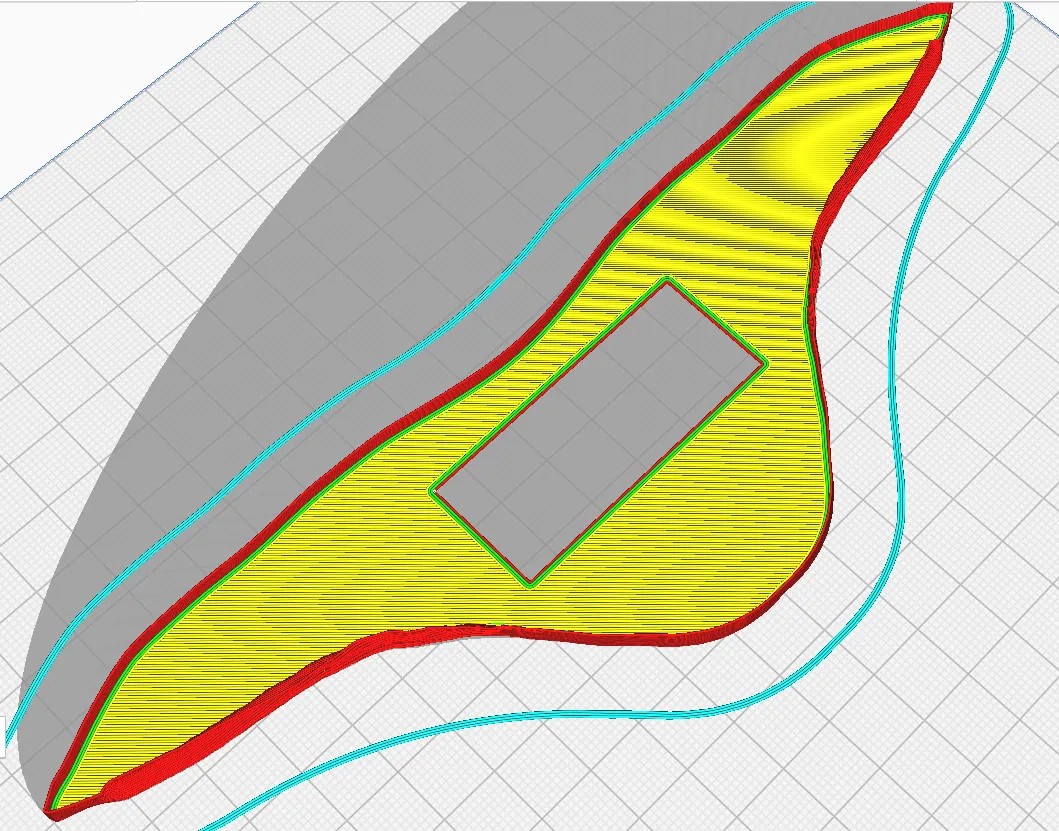
On the bottom of the print there is a 0.6 mm deep rectangle valley so for example in Cura slicer if you uncheck the “Remove All Holes” setting and set the number of bottom layer to 3 then the mushroom vase will have the rectangular hole you need. After finishing the bottom layers it will continue with the vase mode as normal.
Printing the support:
I printed with 0.2 layer height, no support. NOT in vase mode.
Assembly:
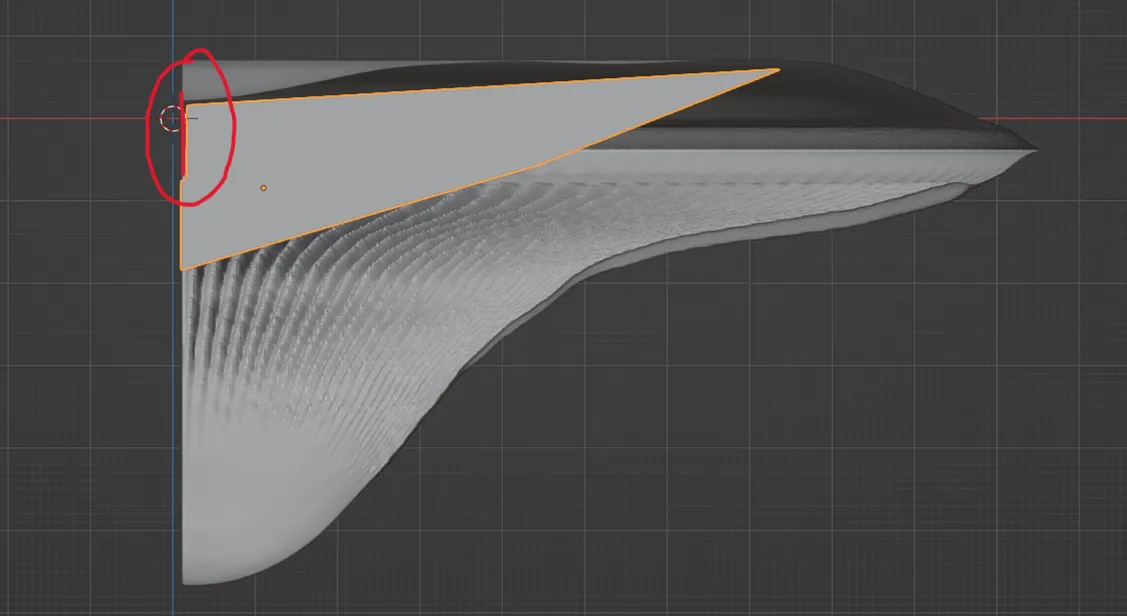
Two screws in the wall to hold the support. Then as you insert the mushroom you should be able to push it down a bit so the bottom layer of the mushroom will get in-between the wall and the support piece.
License

This user content is licensed under a
Creative Commons Attribution-Noncommercial-NoDerivatives


Comment & Rating (3)