
ITBoot. Can simulate USB drives, optical drives, and floppy drives. It's an IT operations artifact, related to: IODD
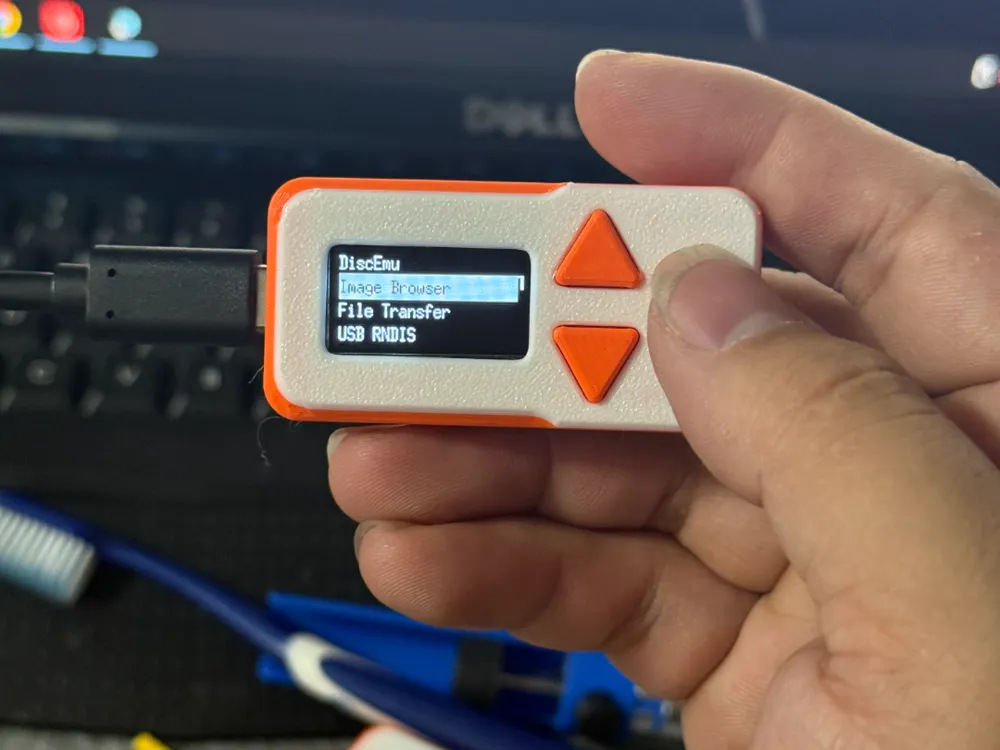
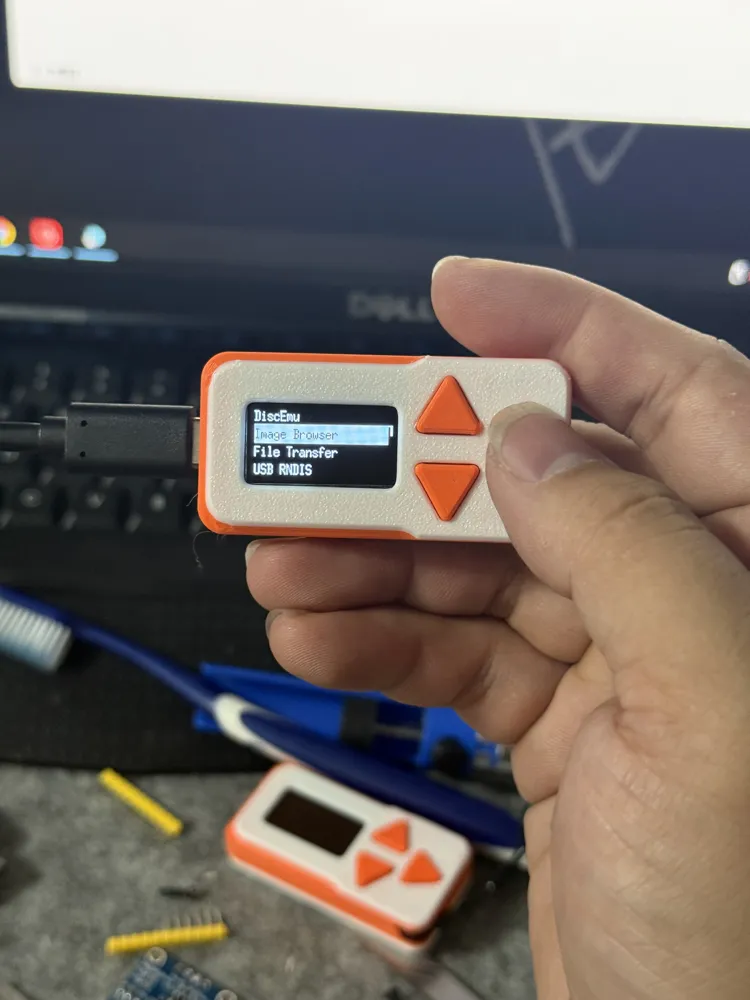
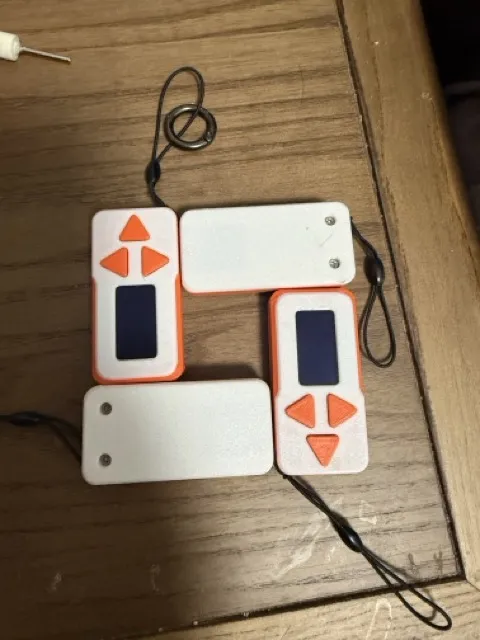
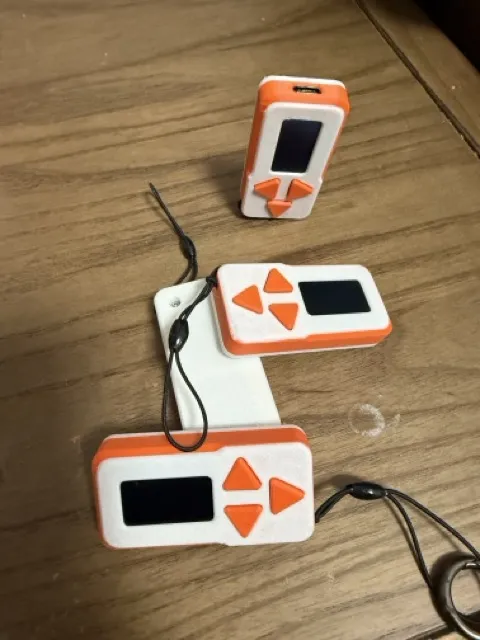
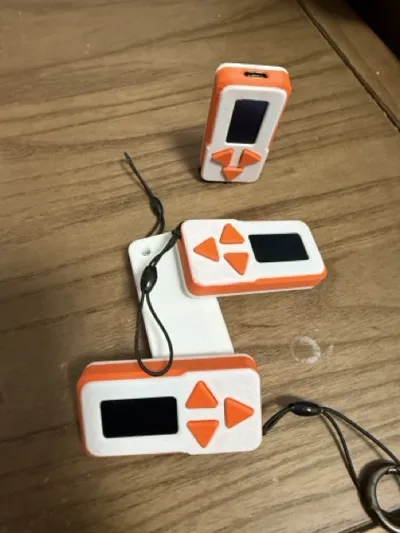
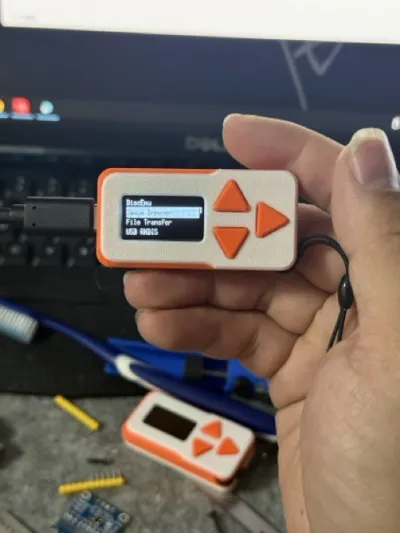
Print Profile(1)

Bill of Materials
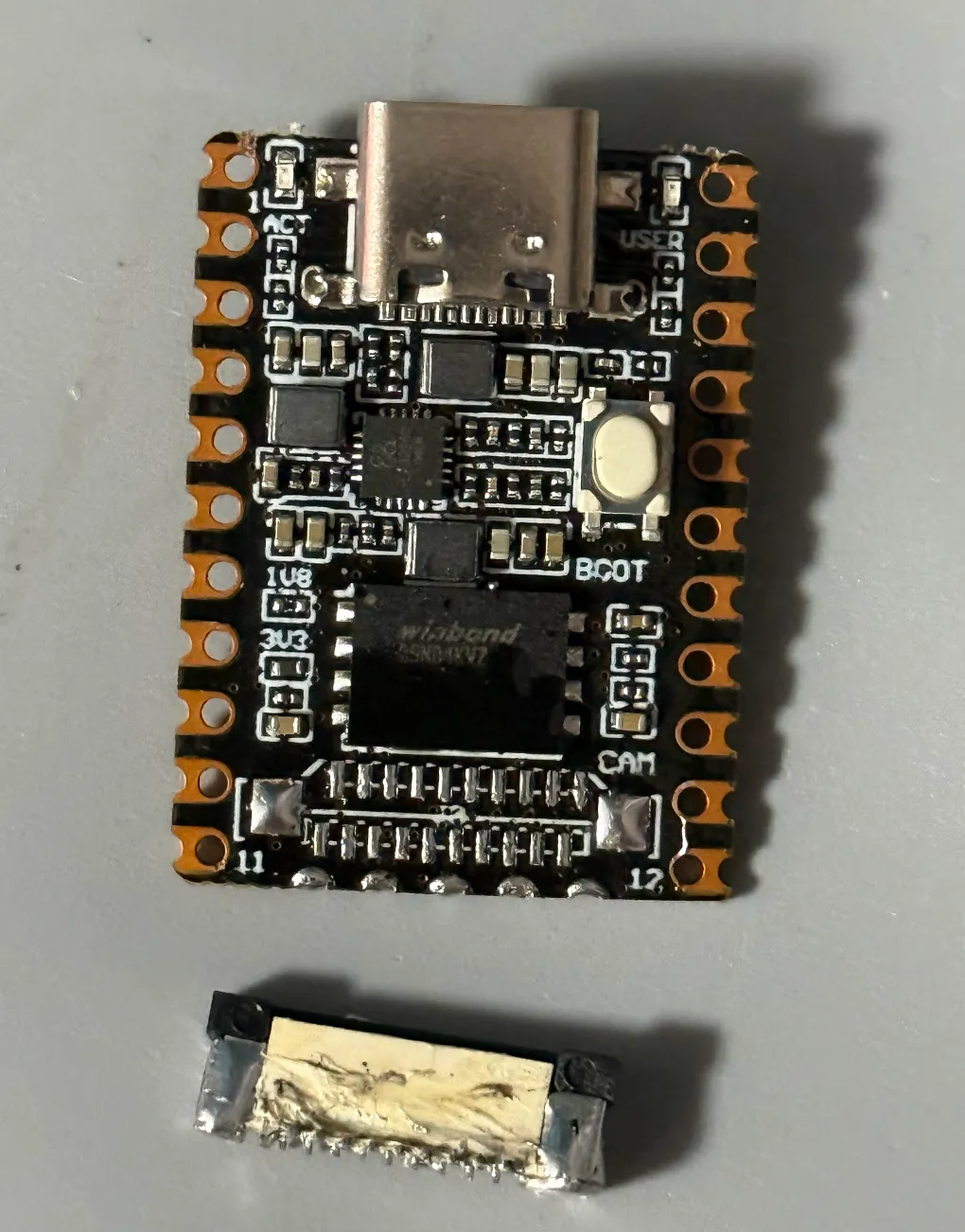
- Luckfox Pico Mini B x 1: Luckfox Pico Mini B
- oled1306 0.96 x 1: 接线定义GND VCC SCL SDA
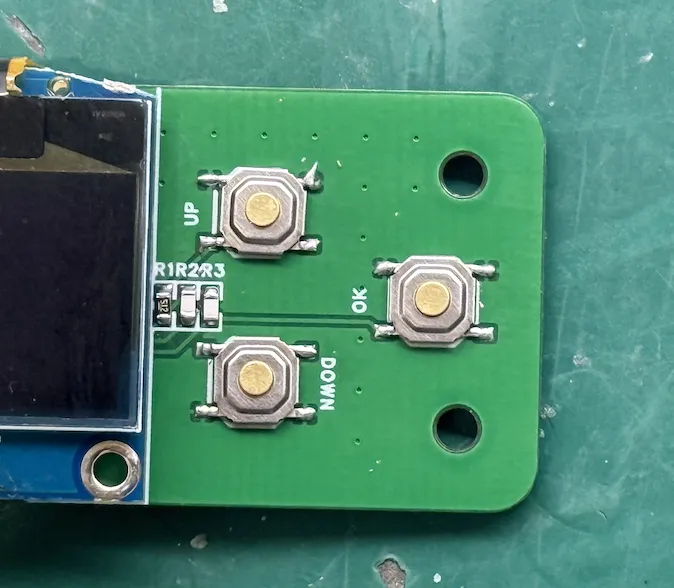
- 贴片按键 (TS-1187A-C-D-B) x 3: 4*4*2
- 4.7kΩ 电阻 x 3: 0603
Description
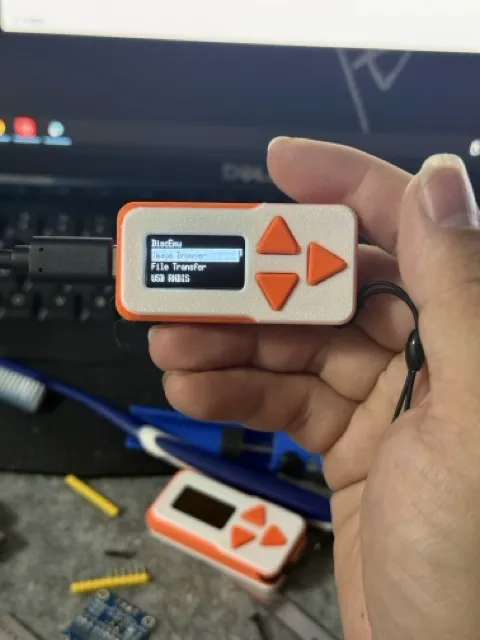
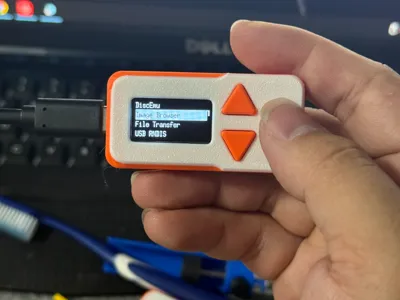
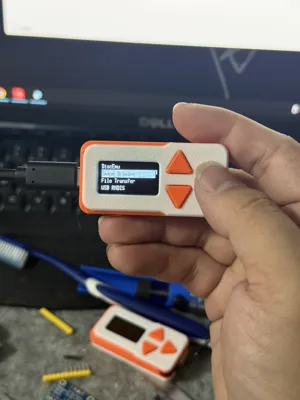
Portable USB Disk Emulator
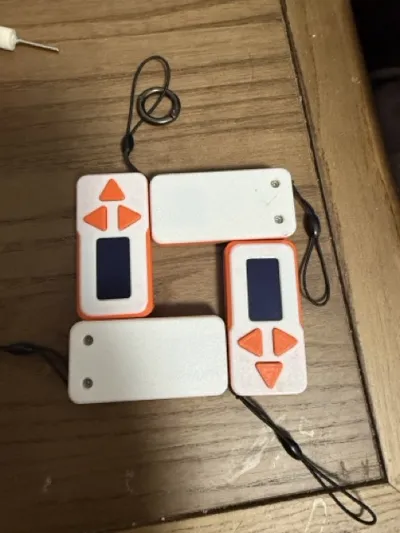
Dimensions: 59mm × 29mm × 13mm
This is a portable mini USB disk emulator based on the Luckfox Pico Mini B development board, supporting the emulation of USB drives, optical drives, and floppy drives
An excellent hardware tool for the IT operations and maintenance industry. System installation, maintenance, X86, ARM, and more are all covered
🚀 Booster request!
This open-source rocket is ready, but it needs your 'likes' as ignition fuel and your support as multi-stage propulsion!
Click to boost! Let's send this gadget into popular orbit!
Boost Me (for free)
I. Introduction
- Extreme Portability: Compact design (59x29x13mm), easily fits into a pocket or toolkit
- Quick Switching: Browse and mount images (.img/.iso) from the TF card via the OLED menu, quickly switching between USB drive, optical drive, and floppy drive modes
- File Management: Supports MTP (like accessing local folders) and SFTP for file transfer without plugging and unplugging
- State Persistence: Automatically resumes the last mounted state after device reboot, making it more convenient to use
- Safe and Reliable: Provides graphical safe shutdown and reboot options to protect your data and TF card
- Completely Open Source: Hardware (PCB), software (firmware), and casing (3D printed) are all open source, allowing for free modification and customization
II. Preparation
- Main Control Board: Luckfox Pico Mini B (requires removing the camera socket to reduce thickness)
- Screen: 0.96-inch OLED (requires cutting off the fixing tabs on both sides of the PCB before installation)
- PCB Files: Via open-source platform: OSHWHUB Jialichuang Link or cloud drive download: Baidu Netdisk Extraction Code: iswx, choose one of the two is sufficient (PCB thickness should be 1.6mm)
- Firmware Download: Baidu Netdisk Extraction Code: a1ur
- Flashing Method: Refer to Luckfox Official Tutorial
| Name/Model | Designator | Specification/Description | Quantity |
|---|---|---|---|
| Luckfox Pico Mini B | U1 | Main Control Board (requires modification) | 1 |
| OLED (HS96L03W2C03) | U2 | 0.96 inch, I2C interface (requires modification) | 1 |
| SMD Button (TS-1187A-C-D-B) | DOWN, UP, OK | 2mm high button | 3 |
| Resistor 4.7kΩ | R1, R2, R3 | R0603 package | 3 |
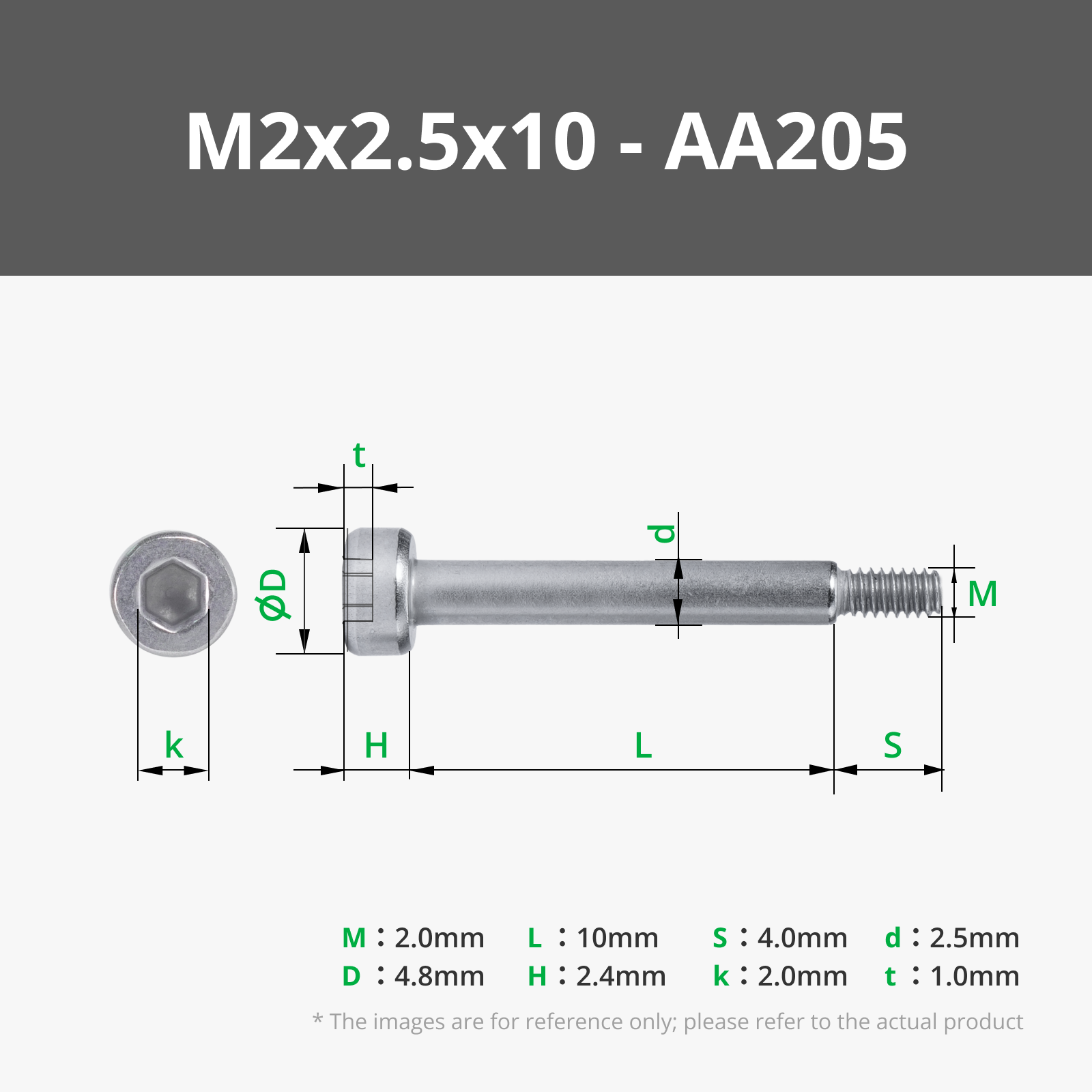
| Screw M2*10 | - | Flat head Phillips countersunk | 2 |
III. Installation Process
Remove the camera socket from the Luckfox Pico Mini B to reduce overall thickness
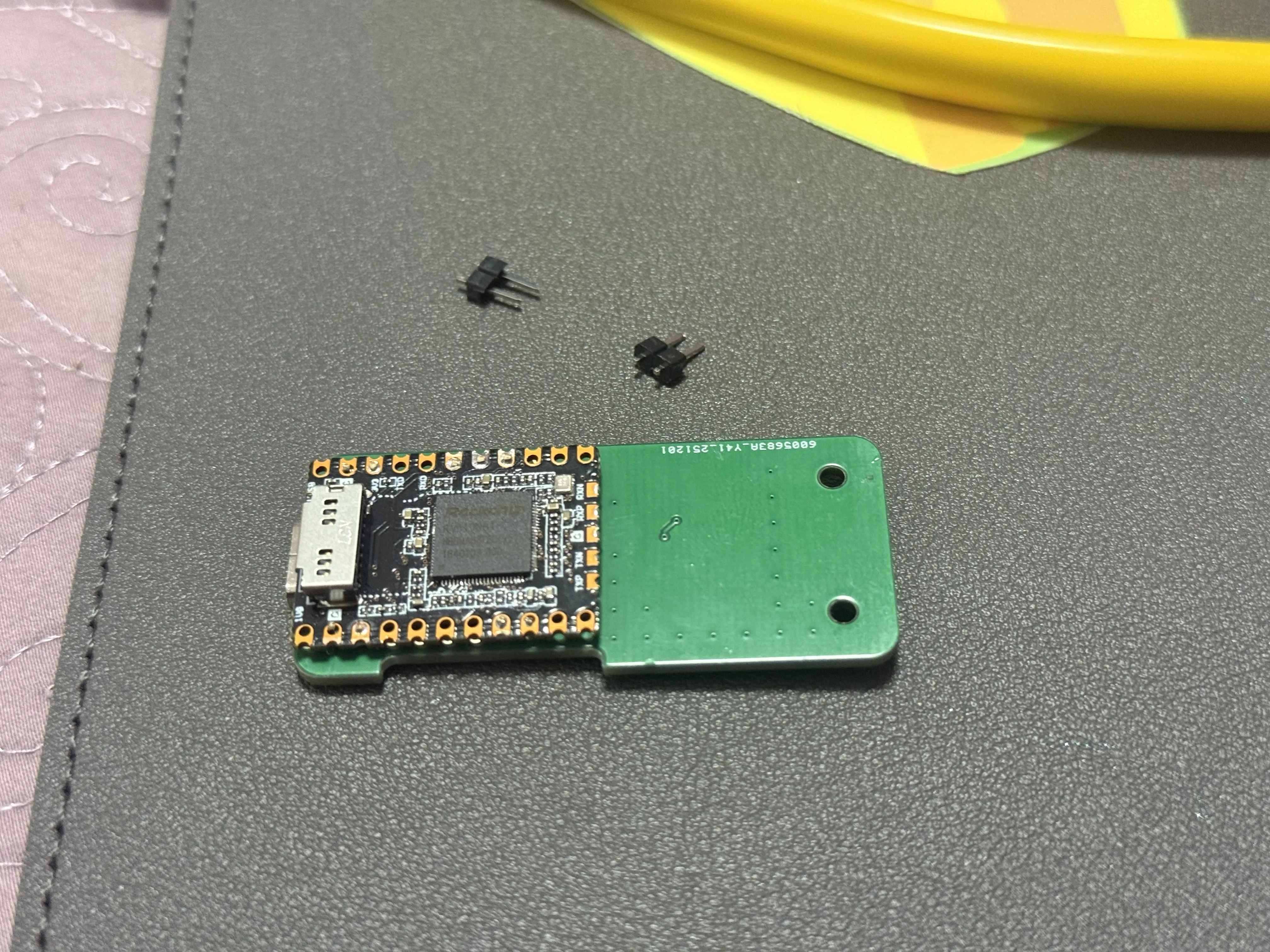
Solder the shorter end of the pin header to the Luckfox Pico Mini B and PCB as the connection part
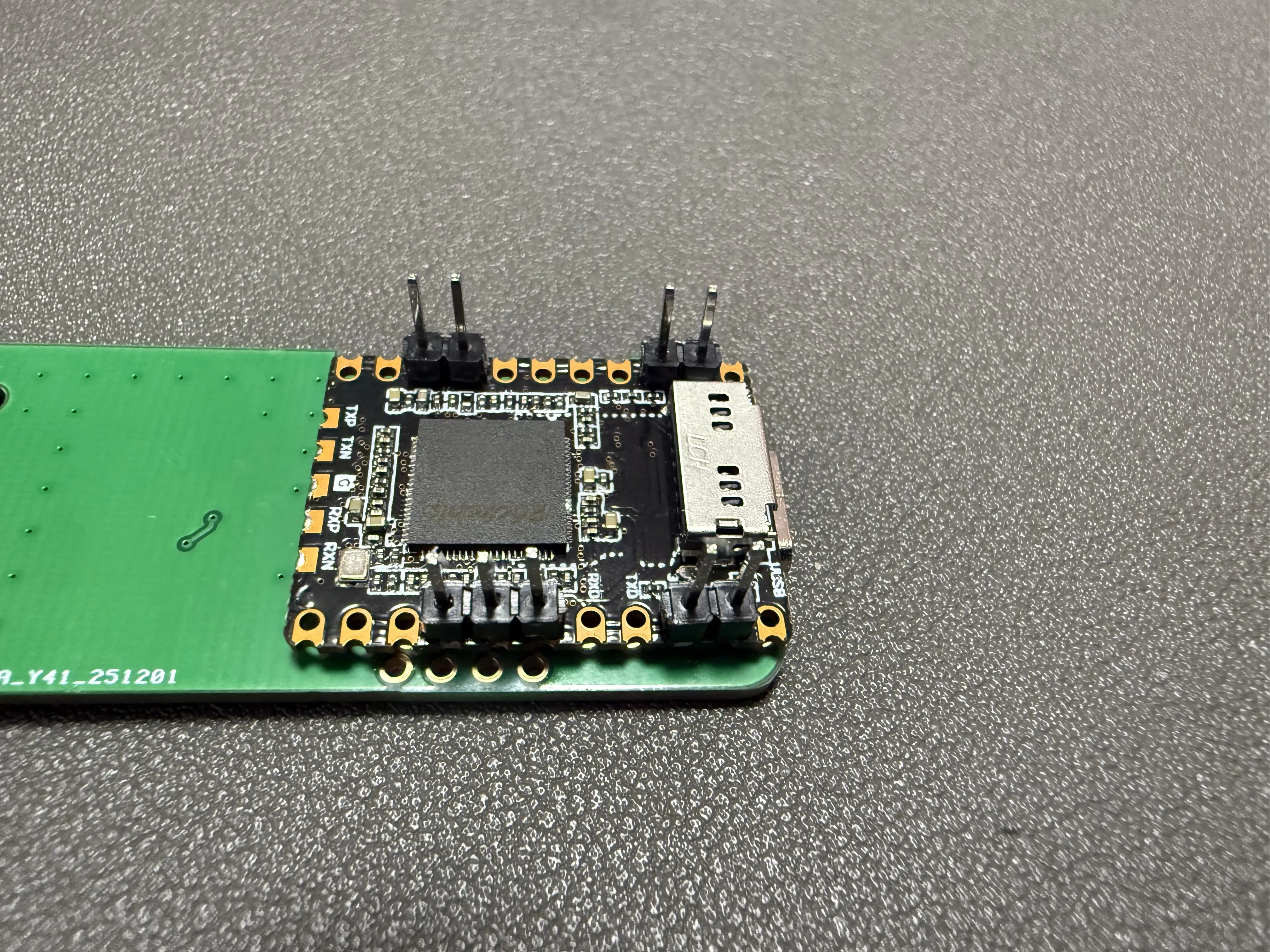
Then pull off the plastic fasteners and trim the pins
Solder the 4*4*2 button and three 4.7kΩ resistors
Cut off the fixing tabs on both sides of the OLED PCB to fit the casing size
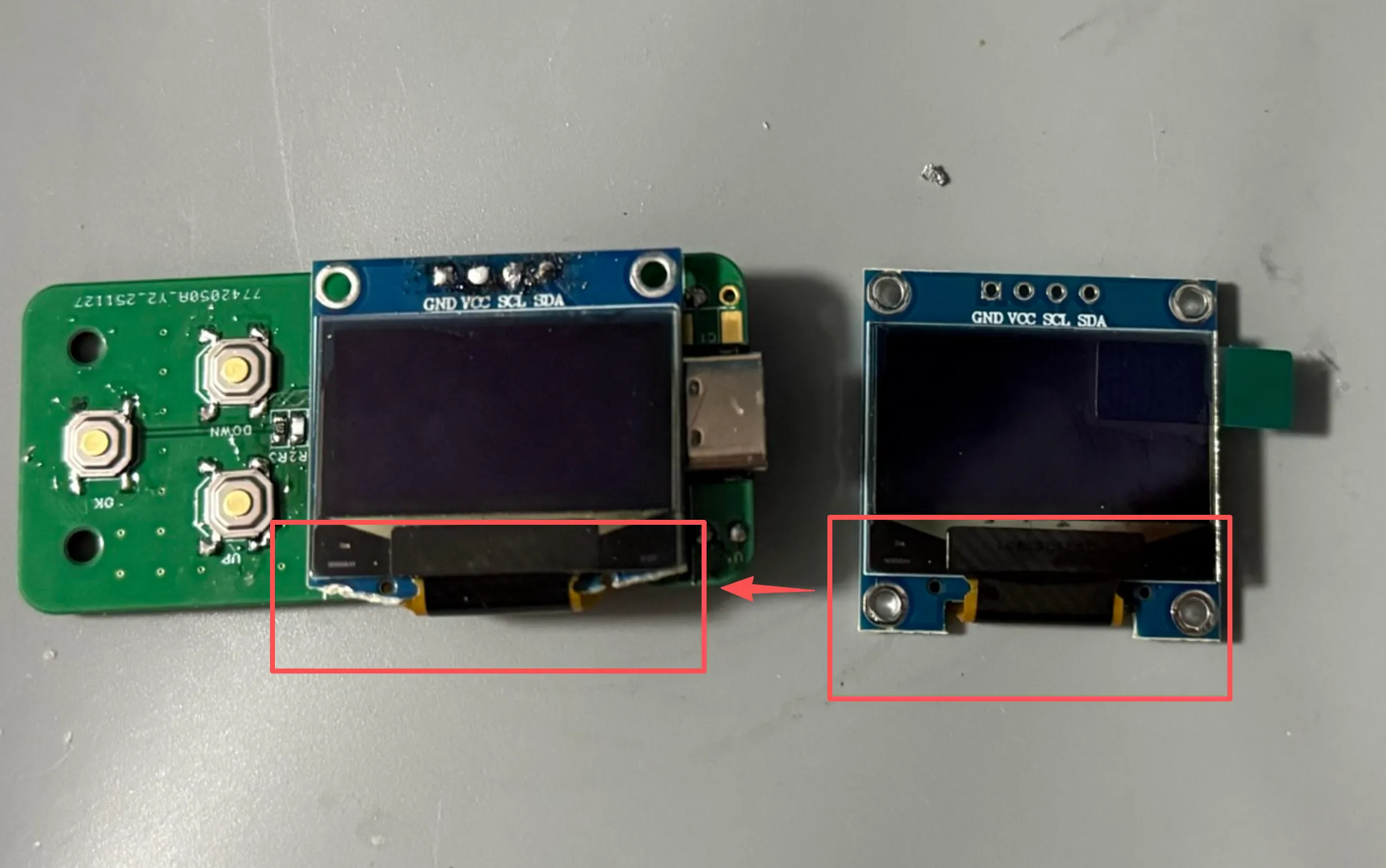
Apply acetate tape or polyimide tape to the capacitors and resistors on the back of the OLED module to prevent short circuits
It is recommended to use a ribbon cable to connect the screen to the PCB for easier adjustment later. Alternatively, solder the pin headers directly, [again, use the shorter side as the connection part for soldering,]
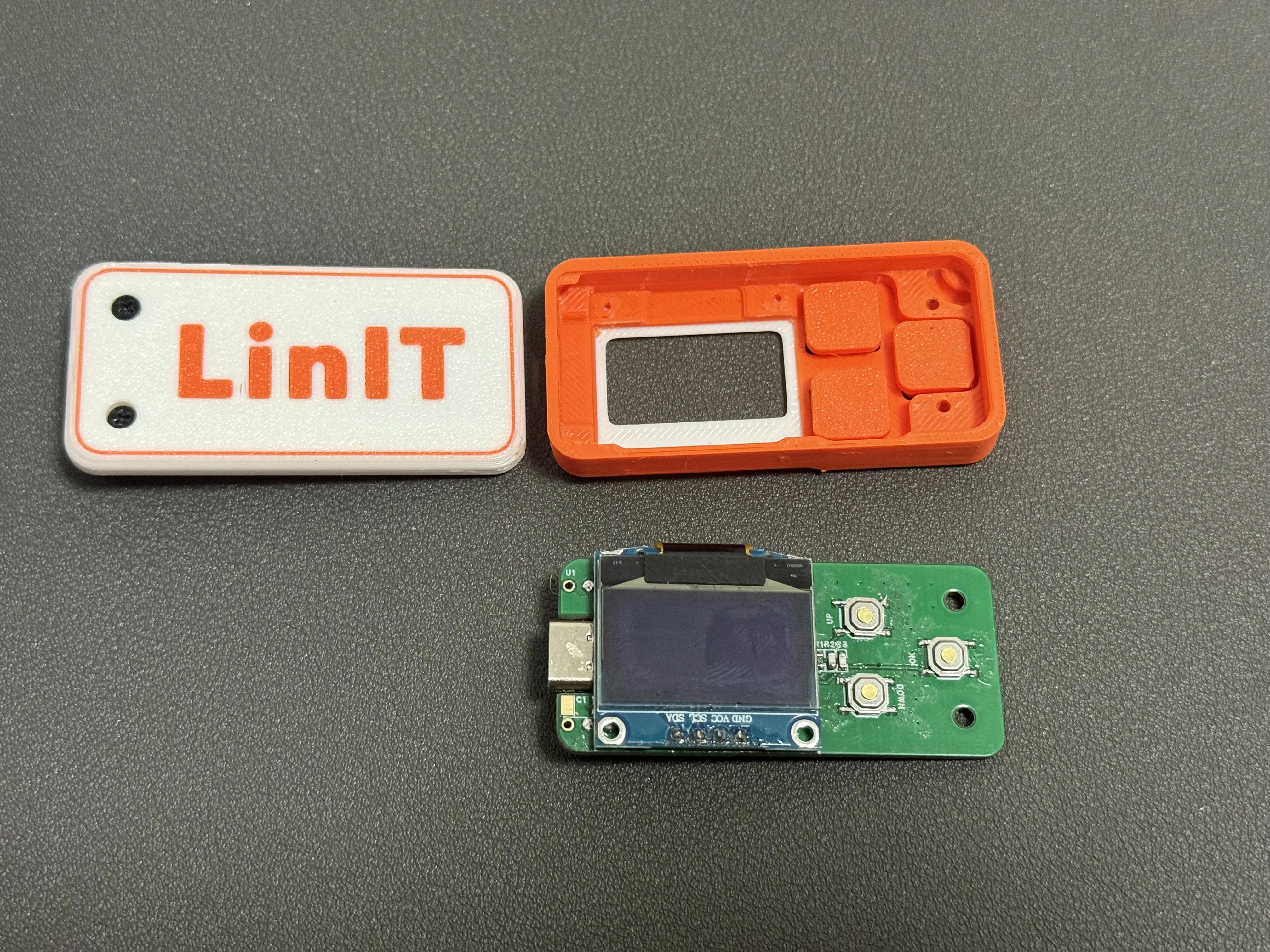
Main body completed, ready for installation
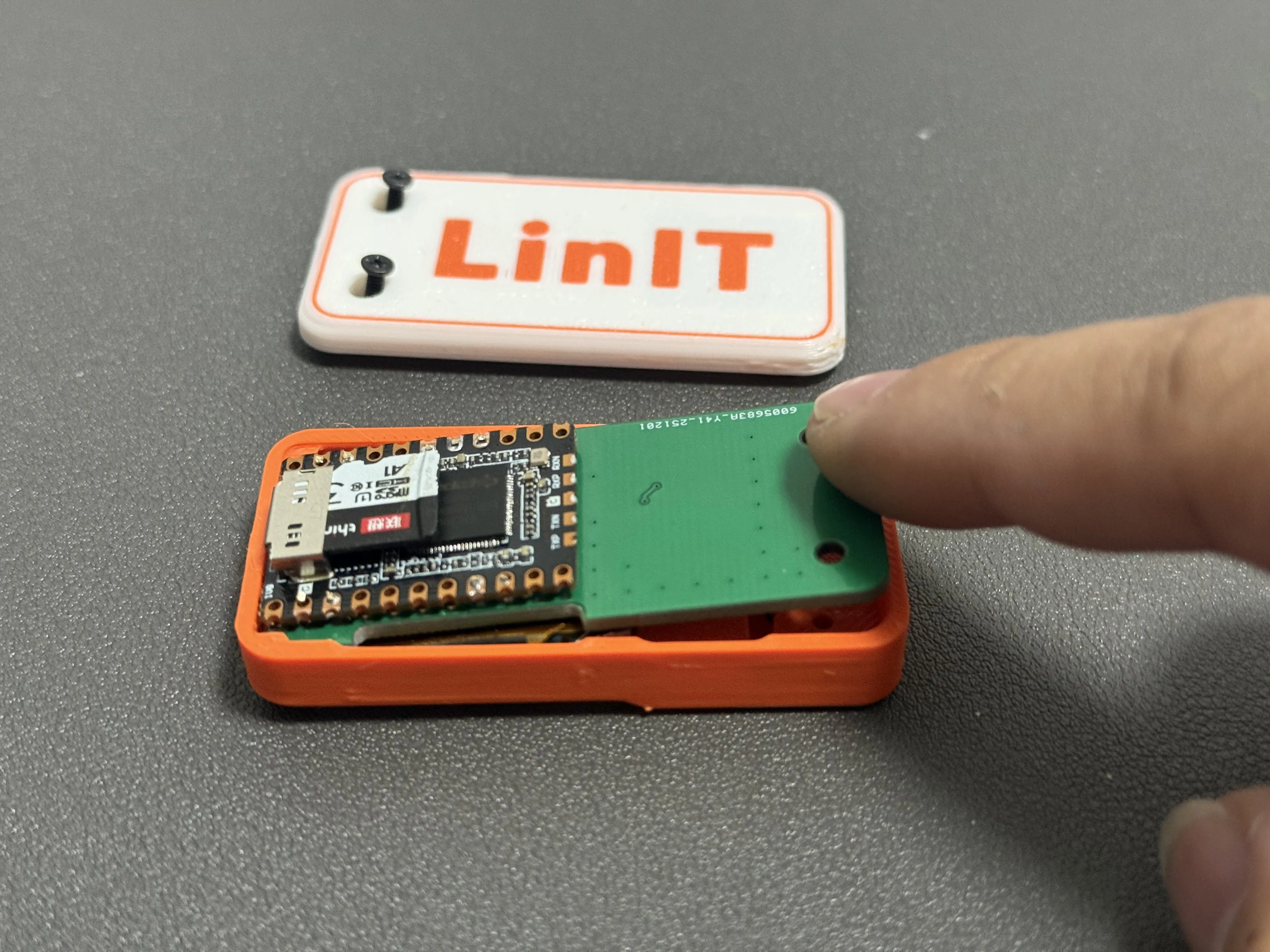
Insert the PCB diagonally, then press it into place
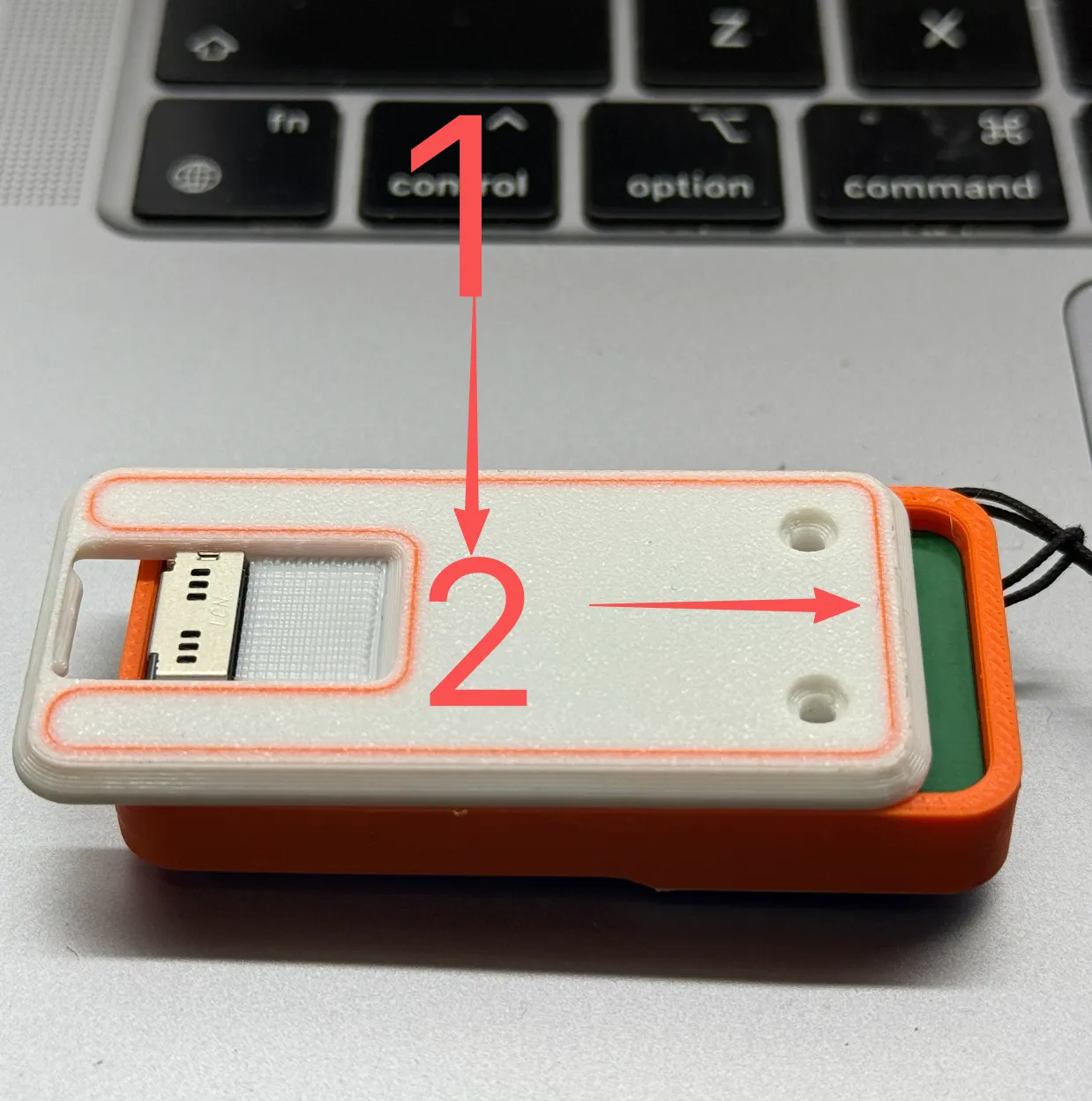
Place the cover, push it to the right, and install the m2*10 screws
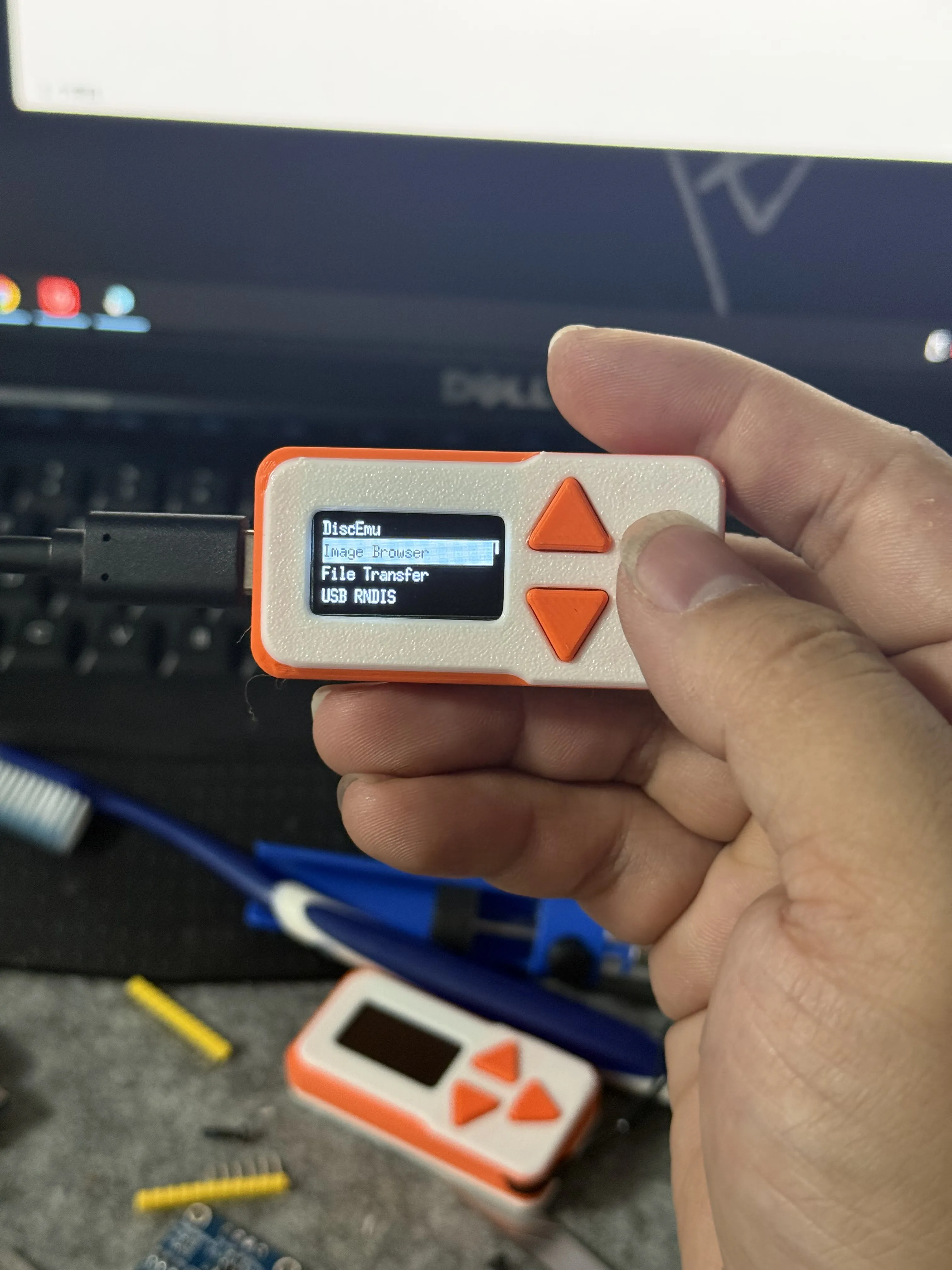
Congratulations everyone! Installation is complete
IV. Usage Instructions
Button Instructions
- Up/Down Buttons: Switch menu options
- Right Triangle Button: Confirm/Back
Menu Functions:
| Menu Item | Function Description |
|---|---|
| Image Browser | Browse TF card, one-click mount .img (USB drive) or .iso (optical drive) images |
| File Transfer | Enable sharing to access TF card folders on the computer |
| USB Status | Display device IP address, supports access using SFTP clients (e.g., FileZilla) |
| Status | Set floppy drive emulation switch, read-only mode, etc |
| Shutdown | Safe shutdown, power can be disconnected after two seconds |
| Restart | Restart the device for function recovery or configuration updates |
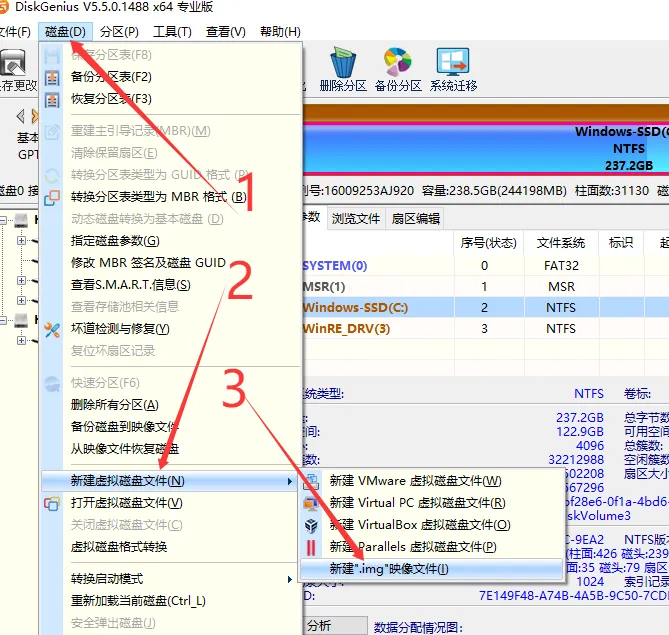
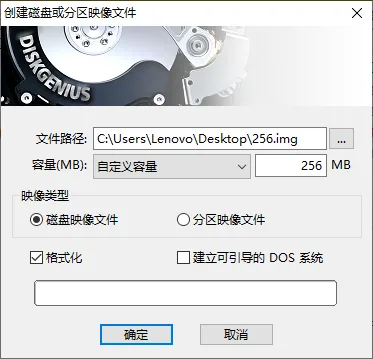
IMG File Creation
V. Project Origin
Acknowledgements and Open Source Spirit
This project is modified from deadfatty/disk-emu, and implemented based on the following excellent open-source firmware:
Thanks to all pioneering developers for their contributions! The power of open source made this small device possible
License

You may create derivative works based on this object, provided that all such derivative works are published exclusively on the MakerWorld platform and include proper attribution to the original creator. You may not share, upload, host, distribute, or publish this object—or any derivative work of this object—on any other digital platform, marketplace, or distribution channel. Commercial use of this object and any derivative works is strictly prohibited. This includes, but is not limited to, selling, renting, sublicensing, or using the object in any context in which you receive monetary compensation or other financial benefits.


Comment & Rating (9)