
Pet ID tags
Print Profile(1)

Description

✨ Support & Commercial Rights
Love this design? By joining my Patreon, you not only get the right to sell physical 3D prints of my models, but you also support me in creating more awesome content for the community!
🚀 Get your Commercial License here: https://www.patreon.com/14647005/join
------------------------------------------------------------------
🐾 Customizable Pet ID Tags - 5 Unique Designs!
💡 Description
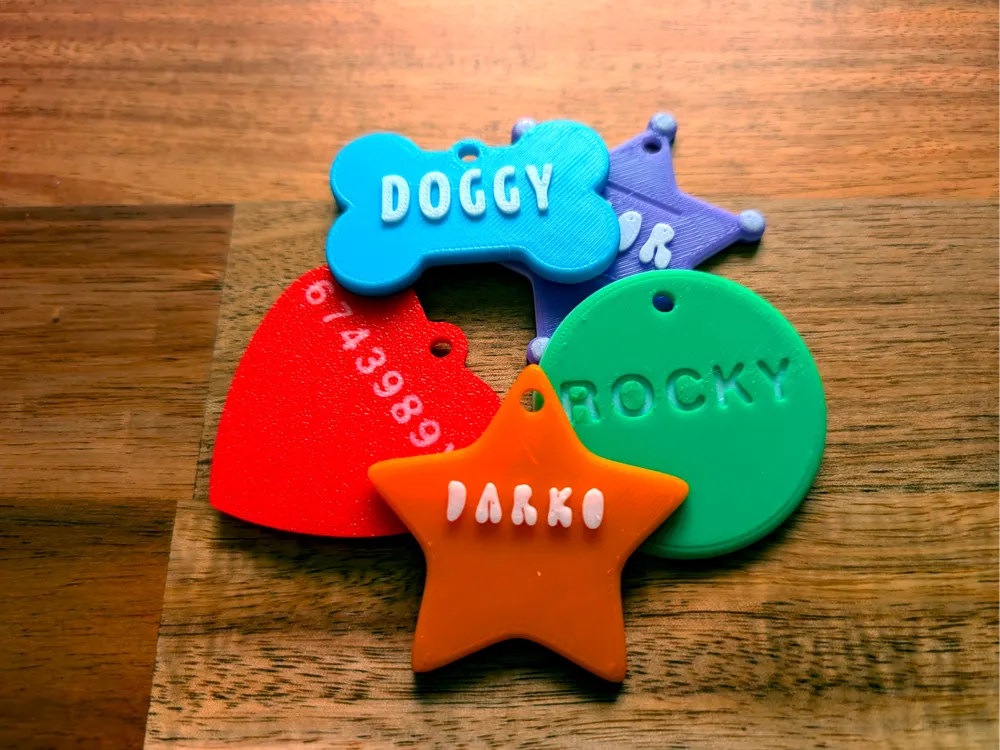
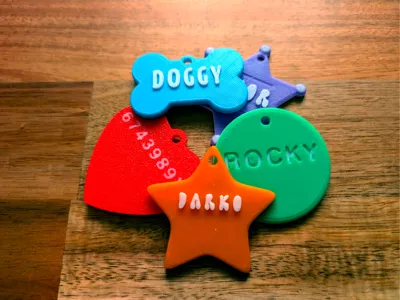
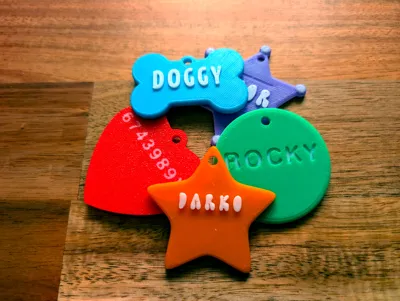
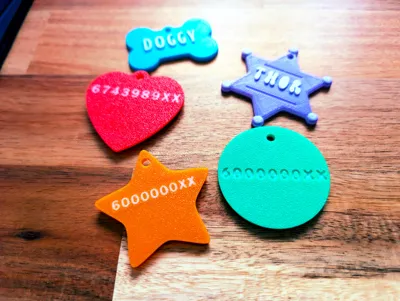
Are you looking for a fun and customizable way to keep your beloved pet safe? I've designed 5 unique and colorful pet ID tags that are perfect for dogs and cats. These tags are easy to print and, most importantly, super simple to personalize with your pet's name and your contact information!
I've made the modification process very accessible, even for beginners. The tags are designed to be easily editable directly within Bambu Studio.
✨ Key Features of the Design
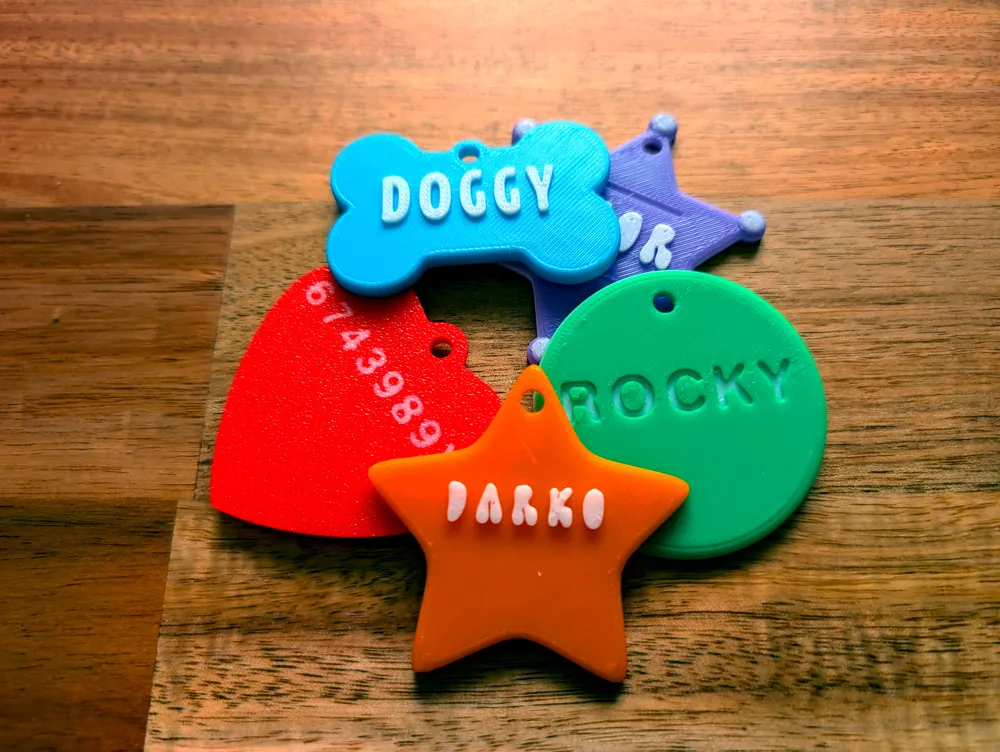
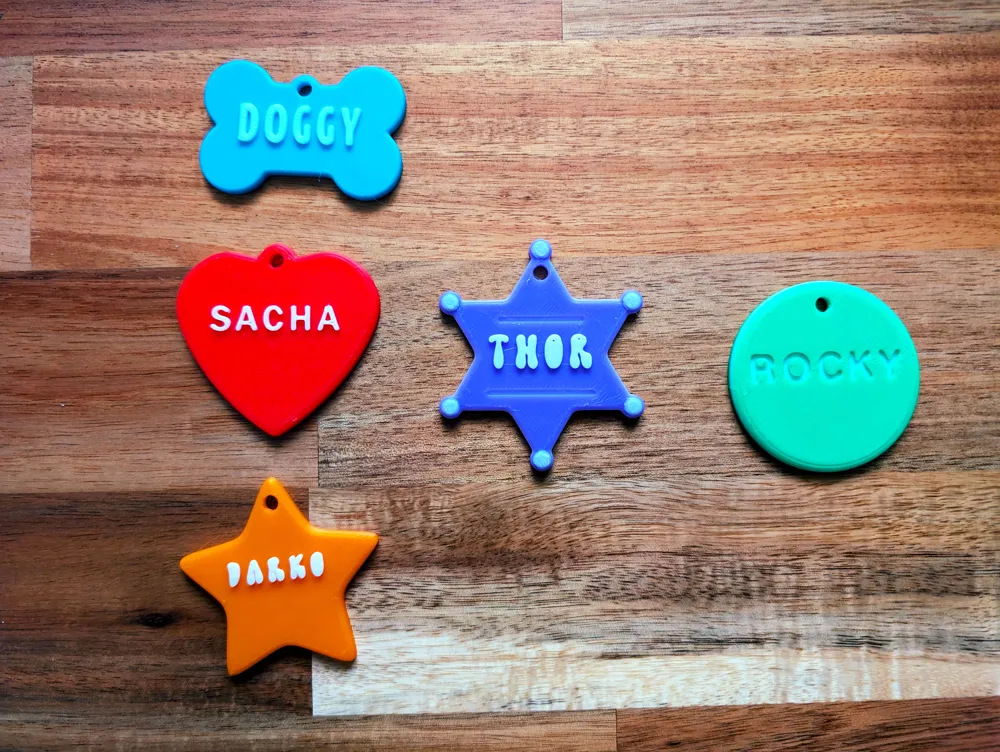
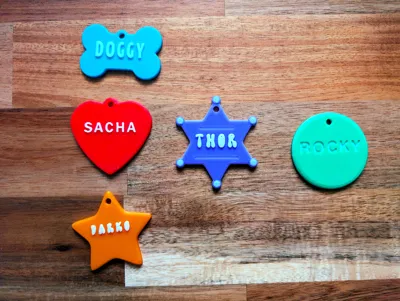
- 5 Distinct Shapes: Choose the perfect style for your furry friend!
- Bone (Doggy)
- Heart (Sacha)
- Sheriff Star (Thor)
- Five-Point Star (Darko)
- Circle (Rocky)
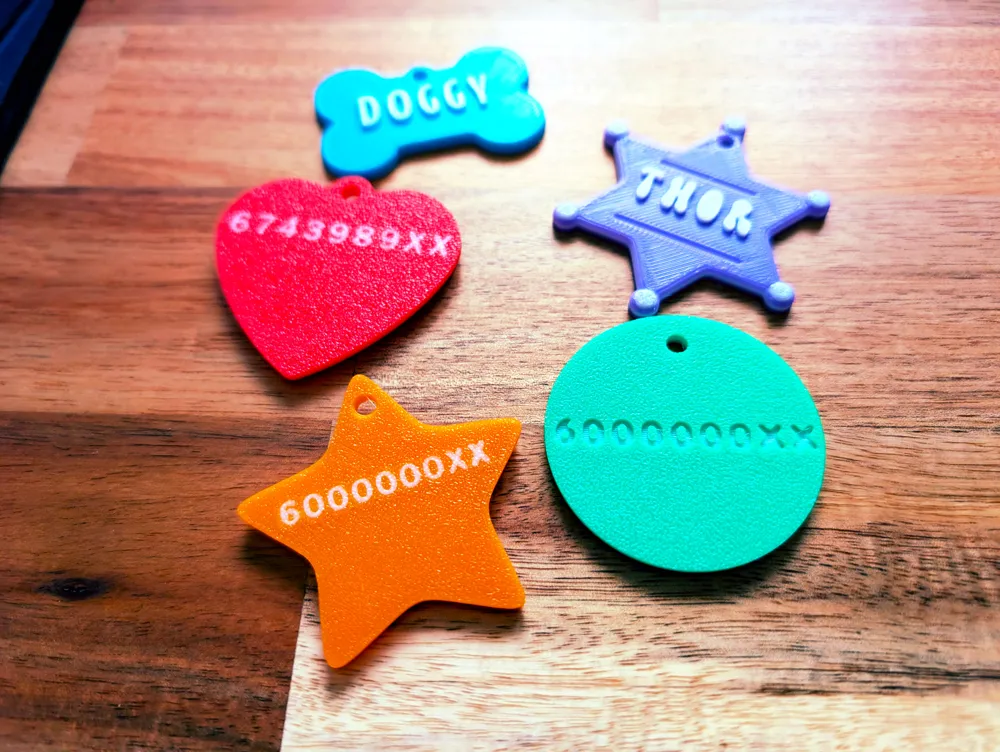
- Easy Customization: The files are set up so you can easily modify the name and phone number text fields in Bambu Studio.
- Durable and Lightweight: 3D-printed for a comfortable, non-irritating fit on your pet's collar.
🖨️ 3 Ways to Print for Maximum Style
You have three excellent options for printing these tags, allowing for great visual contrast and style:
- Embossed Text (Relief Outward): The name stands up from the surface for a clear, raised effect.
- Debossed Text (Relief Inward): The text is sunk into the surface, which is ideal for maximum durability as the letters are protected.
- Multi-Color Text: Achieve a vibrant look by printing the main tag body in one color and the text in a contrasting color (as shown in the images) using your slicer's color change or multi-material capabilities.
🛠️ Printing Instructions & Customization
I have made a short video to walk you through the customization process. You will learn how to:
- Open the file in Bambu Studio.
- Select the text (pet name and phone number).
- Change the text to your desired information.
- Apply the desired color for the multi-color effect.
👉 Don't forget to check the attached video for a step-by-step guide on how to personalize your tag!
------------------------------------------------------------------
🆓 Enjoying this model?
I share my designs for free for the community. The best way to say "Thanks" is with a Like ❤️ and a Boost 🚀
📢 Did you print it? Upload a photo! Seeing your makes is the best part of designing 🤗
Boost Me (for free)
"Fuel for my 3D printer (and my coffee) ☕"
License

You shall not share, sub-license, sell, rent, host, transfer, or distribute in any way the digital or 3D printed versions of this object, nor any other derivative work of this object in its digital or physical format (including - but not limited to - remixes of this object, and hosting on other digital platforms). The objects may not be used without permission in any way whatsoever in which you charge money, or collect fees.


Comment & Rating (3)