
Parametric Blu-ray Holder Organizer
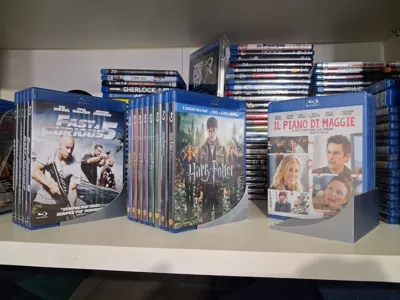
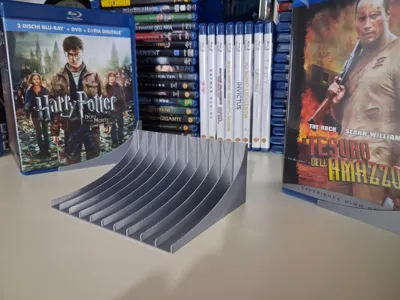
Print Profile(1)

Bill of Materials


Description
Parametric Blu-ray Holder Organizer – Customizable in Fusion 360
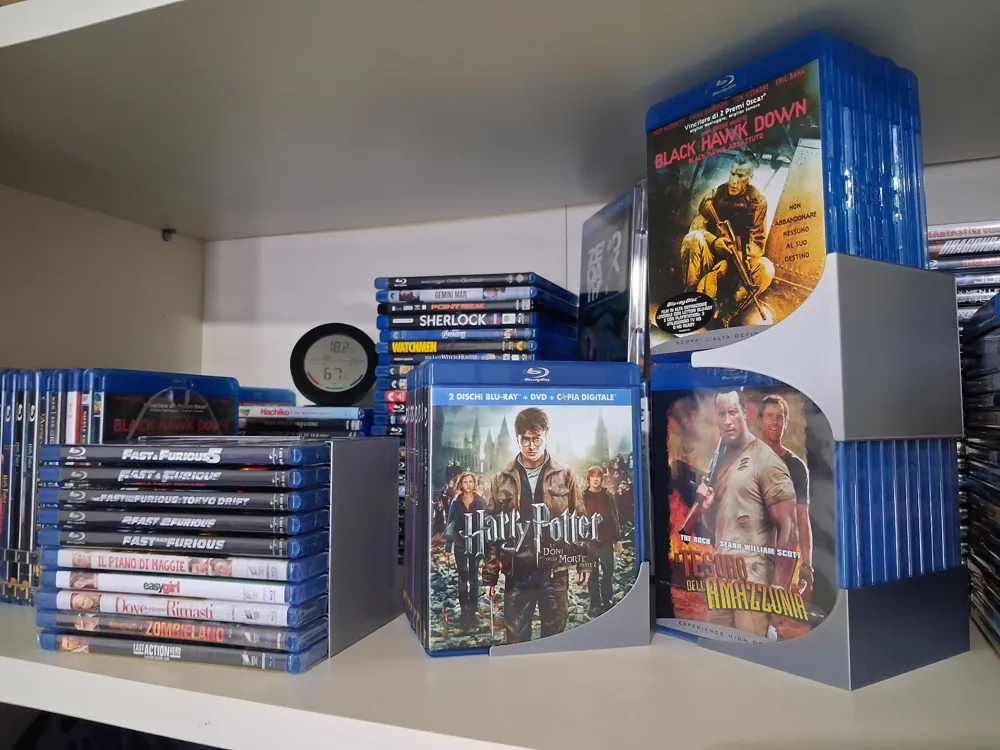
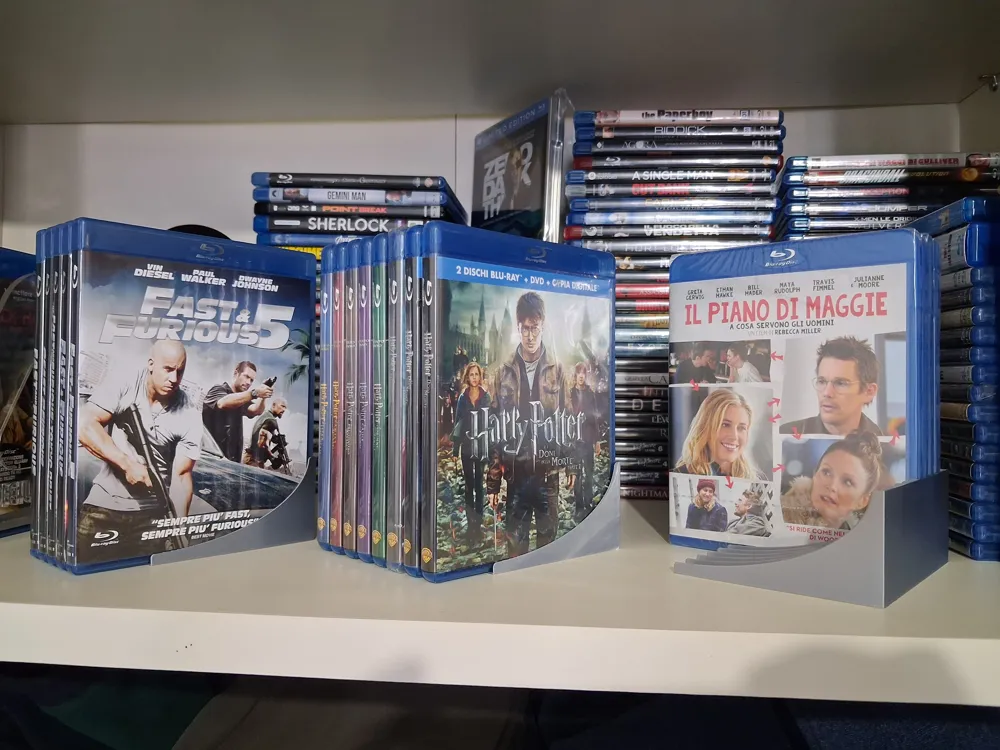
This project is a parametric Blu-ray holder organizer, designed in Fusion 360 and intended to offer maximum flexibility in managing Blu-ray collections (movies and TV series) as well as video games or music.
The organizer allows you to:
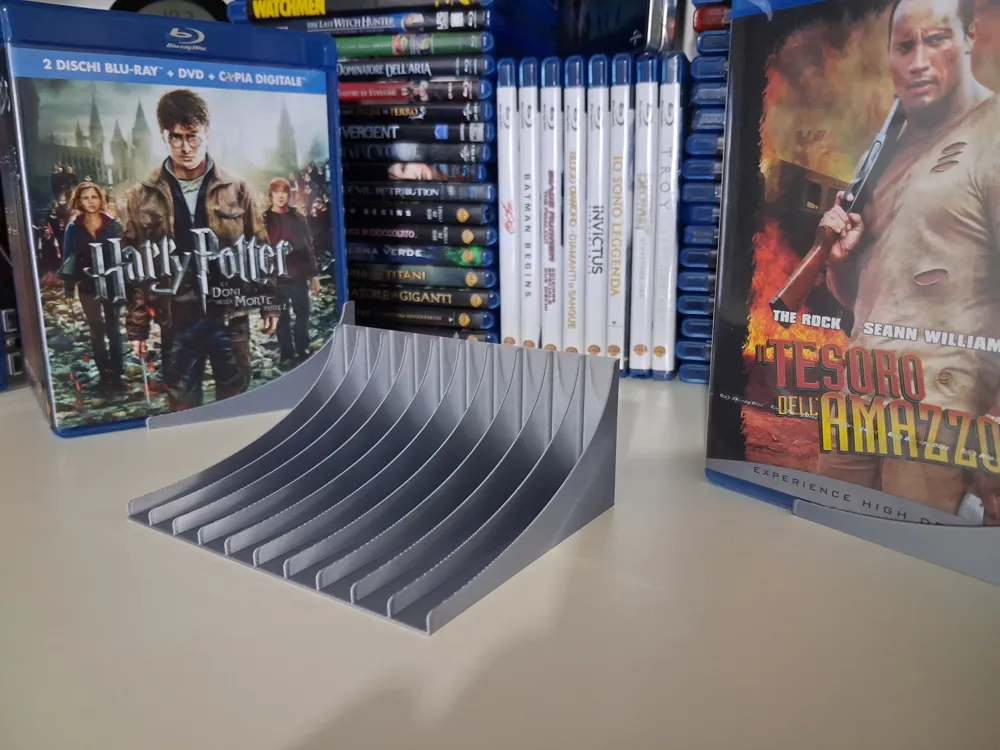
- Customize dimensions such as wall thickness and support width, but also the dimensions of all slots and/or each individual slot.
- Adapt spaces for different types of cases (Viva Elite 12.5 mm, Viva Elite 11 mm, Amaray 25mm etc.).
- Position Blu-rays both vertically (even on multiple levels) and horizontally using two bases side-by-side.
The wall thickness parameter is set by default to 0.8 mm, a thickness proven to be excellent for printing even large organizers, but you can change the value as you wish (I still recommend not going below 0.8mm).
The 11.5 mm slots are perfect for 11 mm Viva Elite cases and 13mm for 12.5mm Viva Elite cases, but feel free to modify the slots to your liking.
It is ideal for:
- collection shelves,
- drawers,
- display cases,
- modular displays,
- archive organization.
Perfect for those who 3D print and want a modular, expandable and good-looking system.
🛠️ KEY FEATURES
- 🔧 Parametric
- 🧱 Thin but strong walls.
- 📚 Modular slots – each “slot” can have custom width.
- 📐 Multi-level configuration – rear support that creates the rise.
- ↕️ Vertical or horizontal use – with a single support or two bases side-by-side.
- 🧩 Easy printing – Does not require supports.
- 📦 Compatible with any case (by adjusting measurements).
I also included a .3mf of the Blu-ray holder set with 0.8mm wall thickness and 13mm slot width (perfect for the 12.5mm Viva Elite cases, which are the most common in my collection).
🔧 USER GUIDE
You can customize the supports in two ways:
- using the Customize button here on MakerWorld
- by downloading the .f3d file and opening it with Fusion 360
CUSTOMIZATION VIA MAKERWORLD
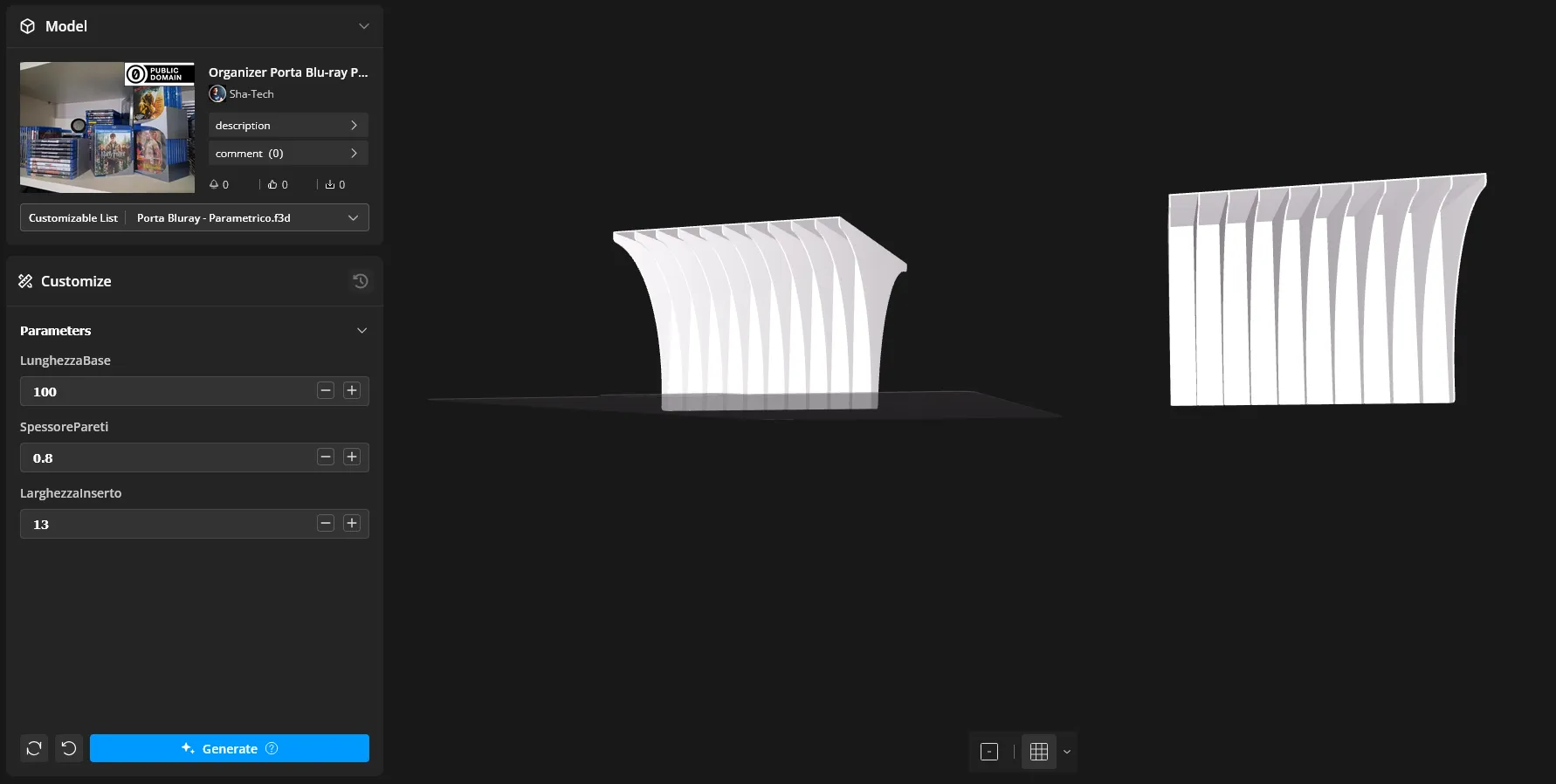
Once you enter the customization section, you will find 3 Parameters:
- BaseLength: By doing some tests through the customization section, I noticed that the BaseLength parameter, which determines the length of the support, does not work correctly here on MakerWorld. All other parameters are functional!
- WallThickness: Allows you to modify the thickness of all walls of the support excluding the base thickness.
- InsertWidth: Allows you to modify the width of all slots at once.
If you prefer to have more control over individual slots, download the .f3d file and open it in Fusion 360.
CUSTOMIZATION VIA FUSION 360
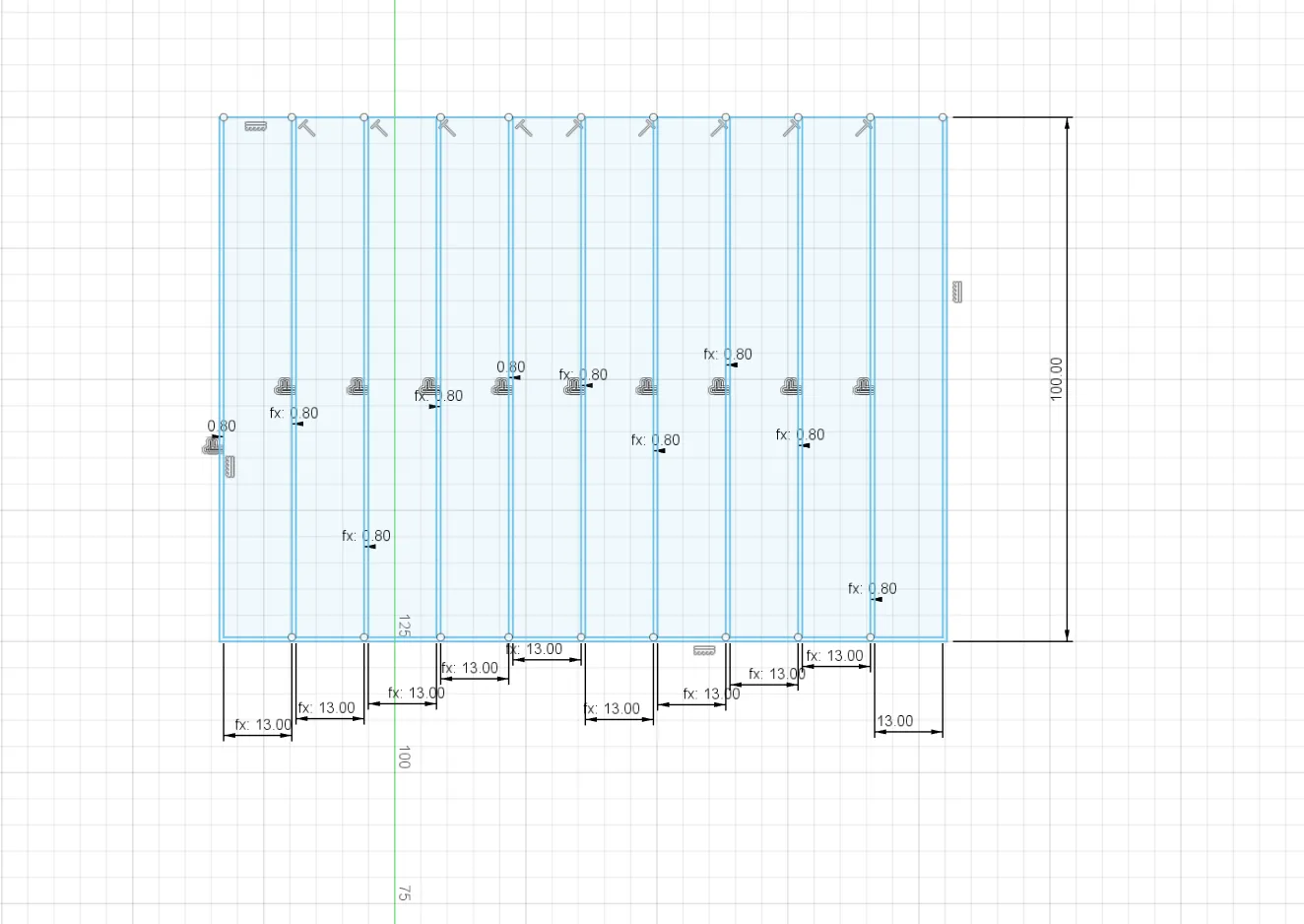
Once you open the .f3d file in Fusion, you can double-click on the Sketch called “Base” which you find to the left of the Viewport.
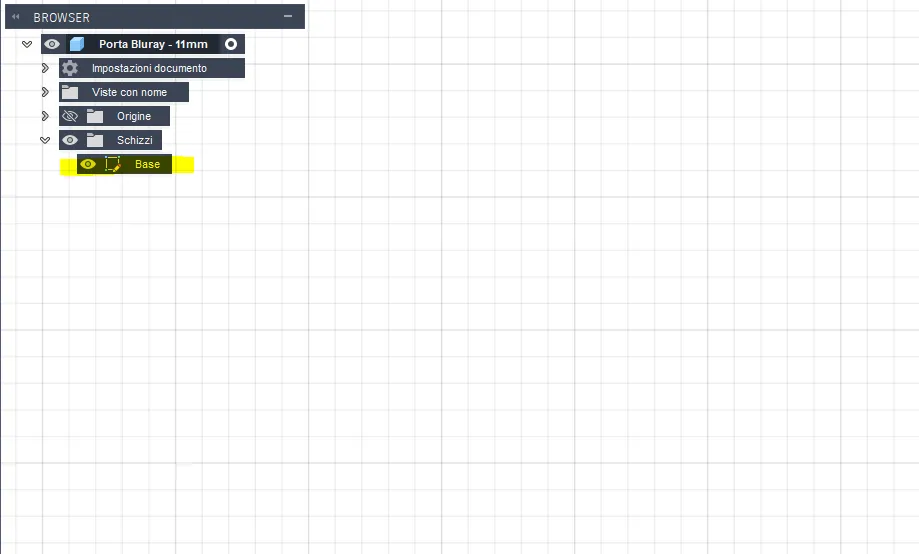
using the “Base” Sketch you can modify the width of each individual slot by double-clicking on the dimension corresponding to the slot you want to modify and setting the value in millimeters that you prefer!
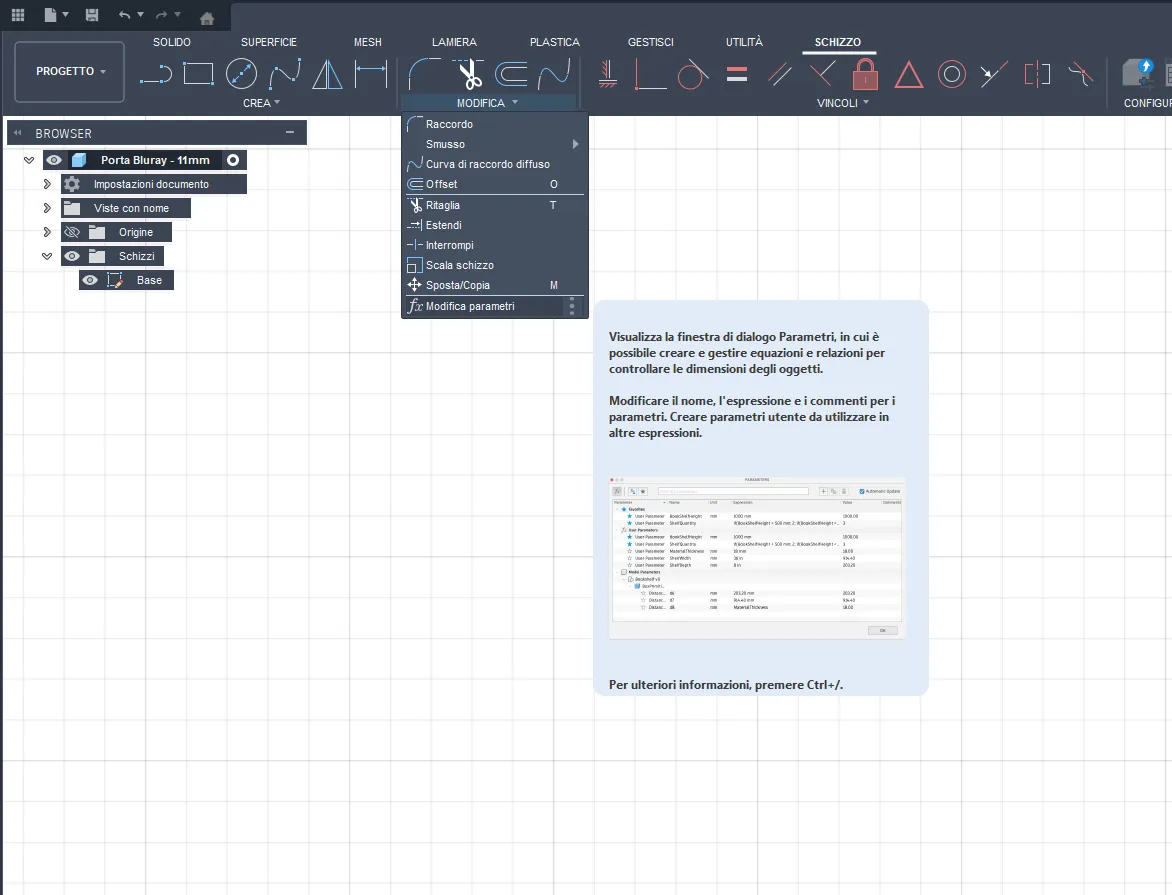
- You can also manage the 3 parameters BaseLength, WallThickness, and InsertWidth via Fusion by opening the modify tab and then selecting “Change Parameters”.
- Once you have modified the parameters and are satisfied, export the project in Step format or directly the 3D models in STL and upload them to your favorite slicer ready for printing!
License

You may create derivative works based on this object, provided that all such derivative works are published exclusively on the MakerWorld platform and include proper attribution to the original creator. You may not share, upload, host, distribute, or publish this object—or any derivative work of this object—on any other digital platform, marketplace, or distribution channel. Commercial use of this object and any derivative works is strictly prohibited. This includes, but is not limited to, selling, renting, sublicensing, or using the object in any context in which you receive monetary compensation or other financial benefits.


Comment & Rating (9)