
Wired LED Tealight Candle - No more Batteries!




Print Profile(1)

Bill of Materials
- Flickering yellow LED – 3mm x 1:
- Mini slide switch: SS12D00 x 1:
- DC power supply x 1:
- Thin electronic wires x 1:
Description
Boost Me (for free)
Please give me a boost to appreciate my work. I will thank you with more great models like this. Thank you very much
🎄 Wired LED Tealight Candle – No More Batteries!
Tired of replacing button batteries and manually turning on dozens of LED tealights every single day during the holidays? I was too 😄

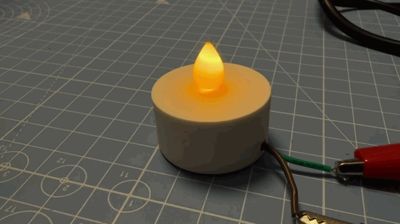
So I designed my own wired LED tealight candle that you can 3D print and connect to a single power supply.
Perfect for Christmas villages, decorative houses, shelves, or windows, this tealight gives a warm flickering candle effect without the hassle.
✨ Why this design?
Every December we place more than 12 tealights inside decorative Christmas houses. Turning them all on and off — every day — quickly became a very tedious ritual.
This design solves that problem once and for all:
✅ Benefits
- No more batteries needed, goodbye CR2032 replacements
- Consistent brightness, no more dim lights after a few days
- Central on/off control, power them all from one adapter
- Smart-home friendly, plug the power supply into a smart outlet (e.g. Home Assistant)
- Safe & cool, LED only, no heat or flame
🧩 What’s included in this model?
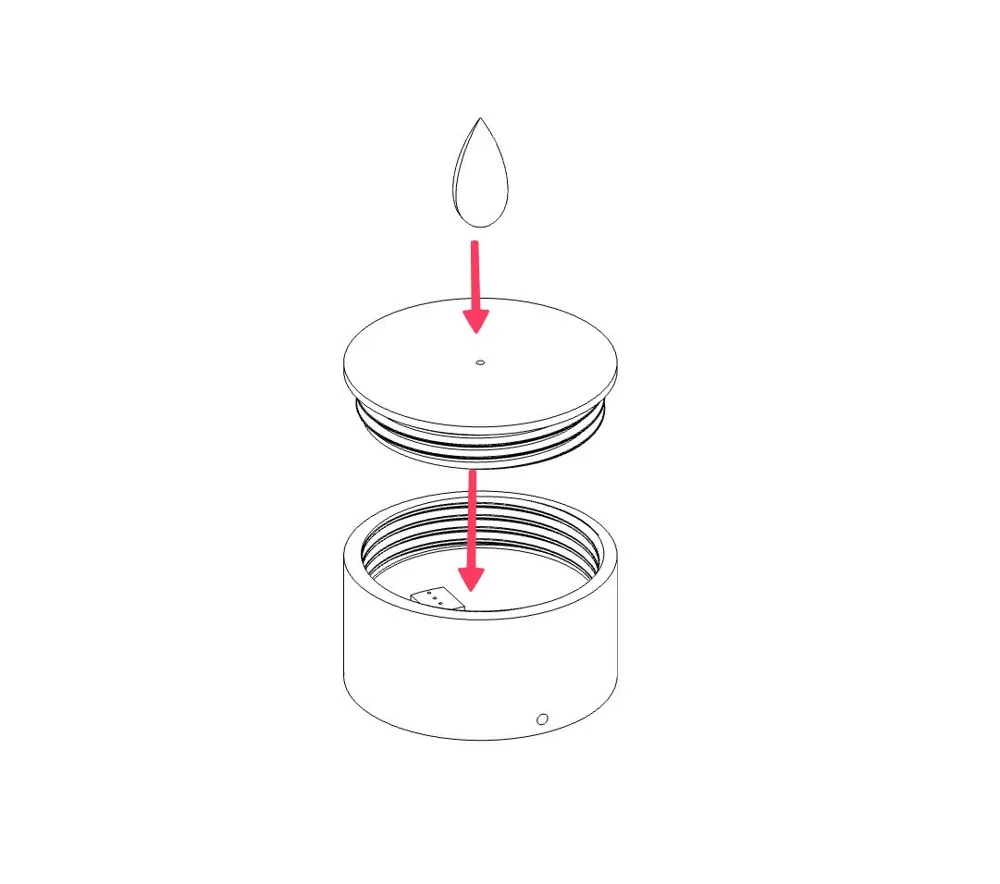
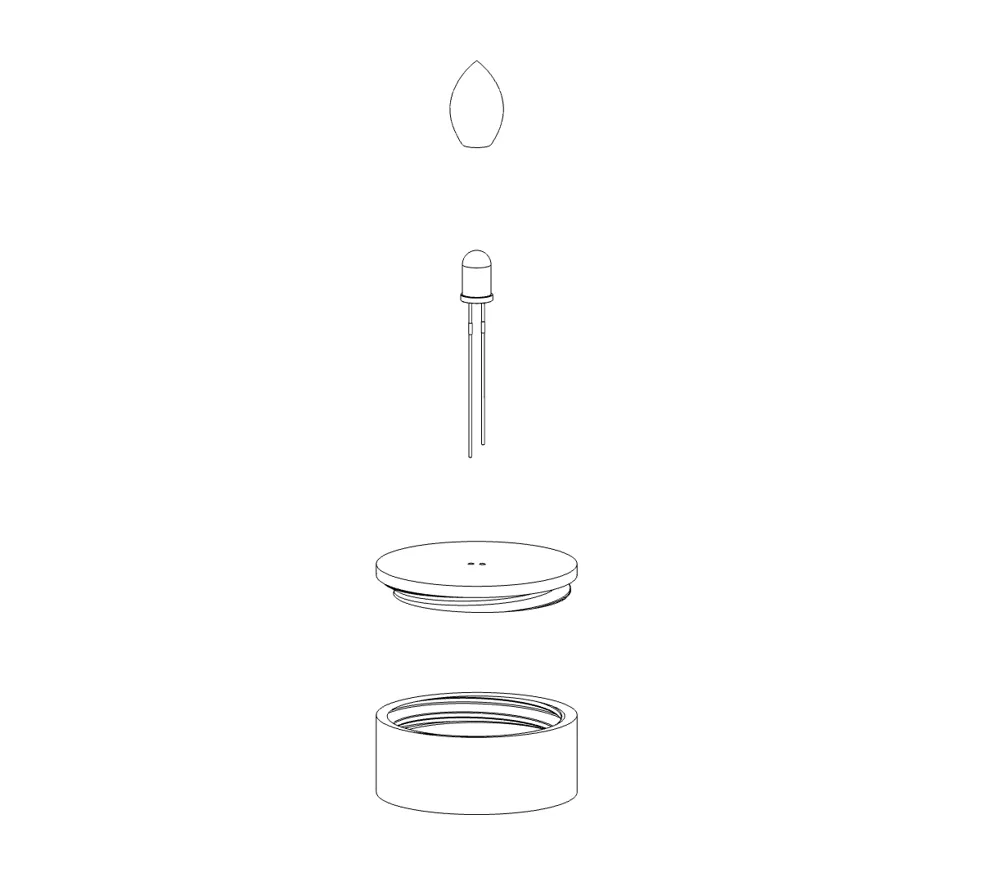
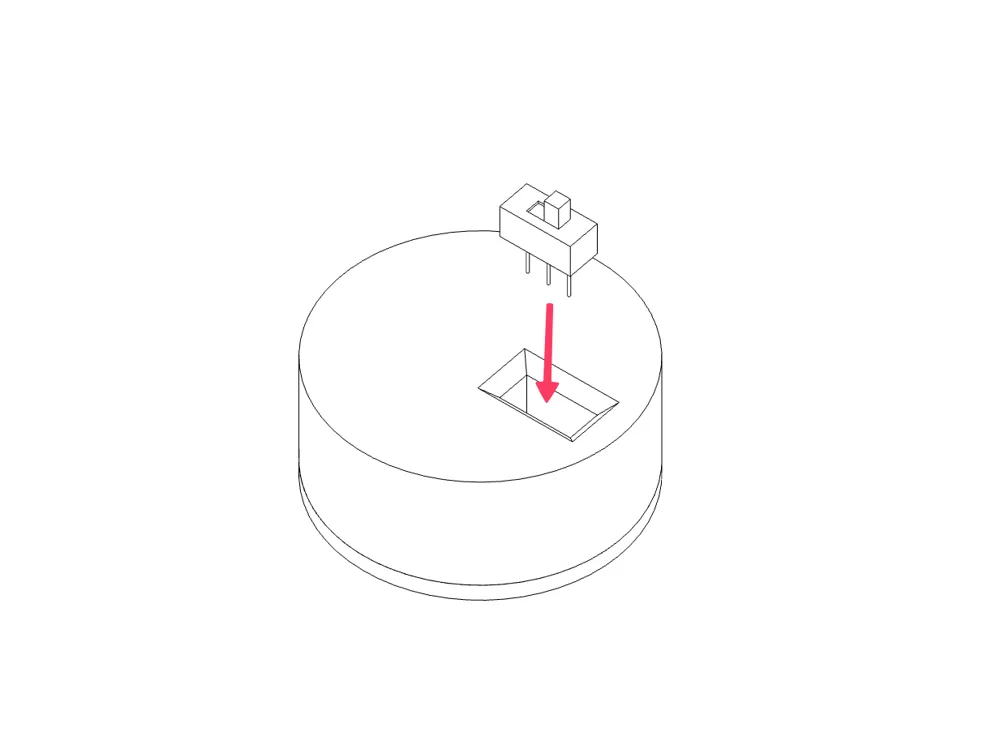
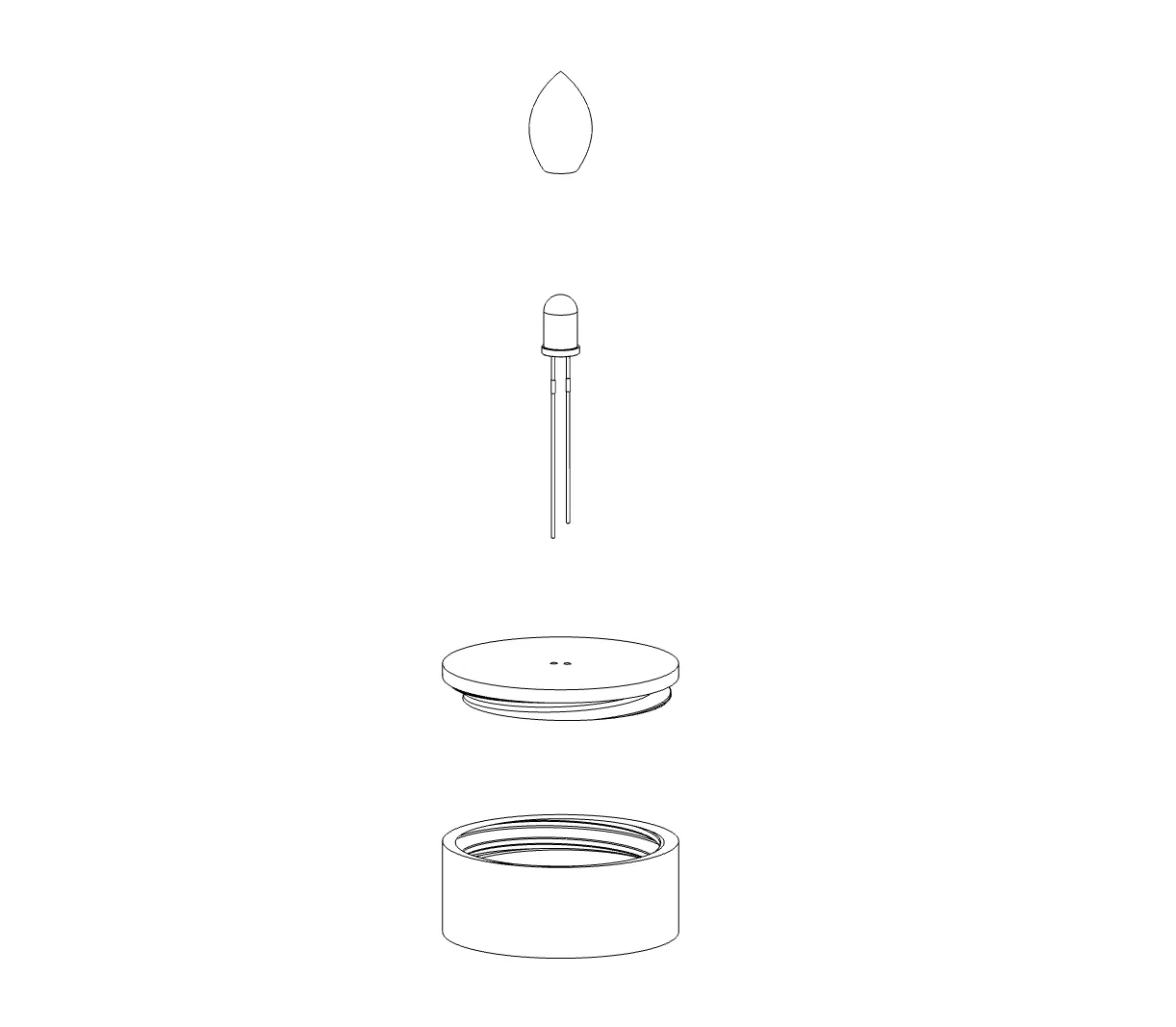
- Candle body with mini slide switch slot at bottom
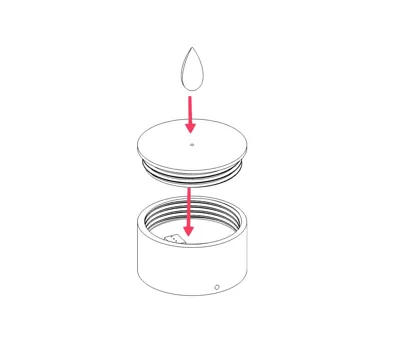
- Screw-on lid
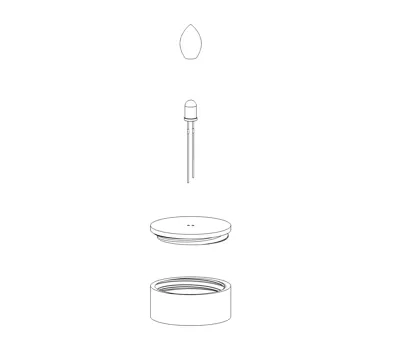
- Flame diffuser for a realistic flickering effect (using print vase mode)
Designed for easy assembly and clean wire routing.
🔧 Required Hardware
You’ll need the following components (cheap and easy to find):
- Flickering yellow LED - 3mm
Example: flickering candle LEDs from AliExpress / Amazon Link - Mini slide switch SS12D00 (optional)
Dimensions: 8.7 × 3.7 × 3.7 mm, Amazon Link - DC power supply
Choose the correct voltage for your LEDs (or use a simple voltage regulator like the MCP1700) - Thin electronic wires
to wire the LEDs together and connect it to the power supply
⚠️ Note: Use a suitable resistor if your LED requires it.
🖨 Print & Assembly
- You can print all parts with regular PLA, I use Bambulab PLA Matte White.
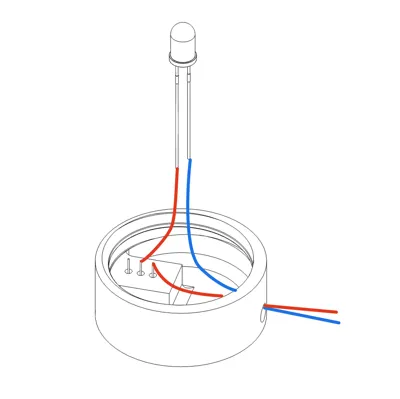
Insert the LED diode into the lid, ensuring it goes through the two holes on top. Make sure the LED leads are fully pushed through, and the LED should be just barely touching the lid itself.
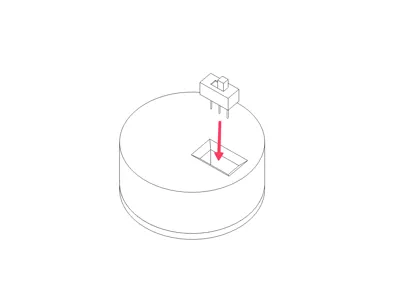
Mount the slide switch in the bottom slot (optional)
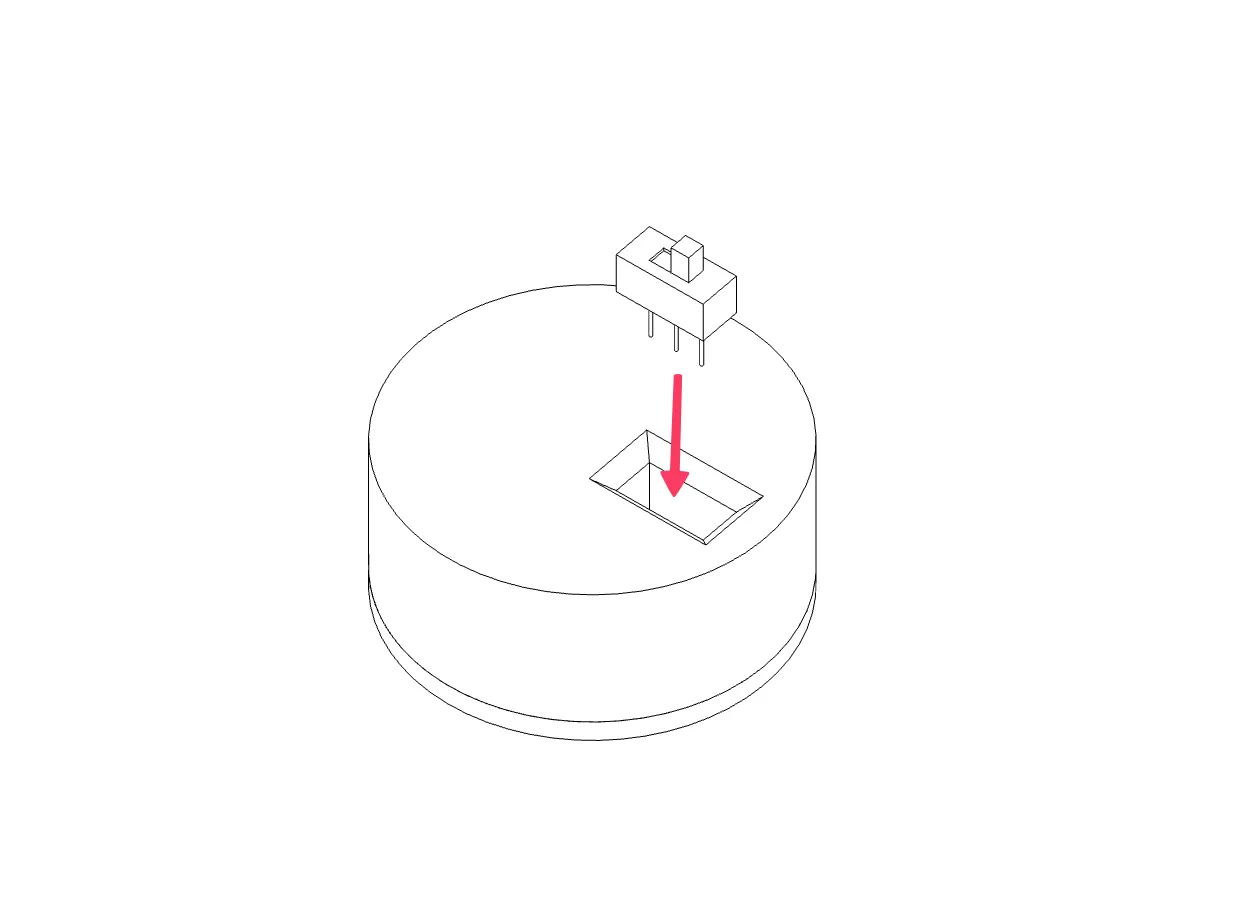
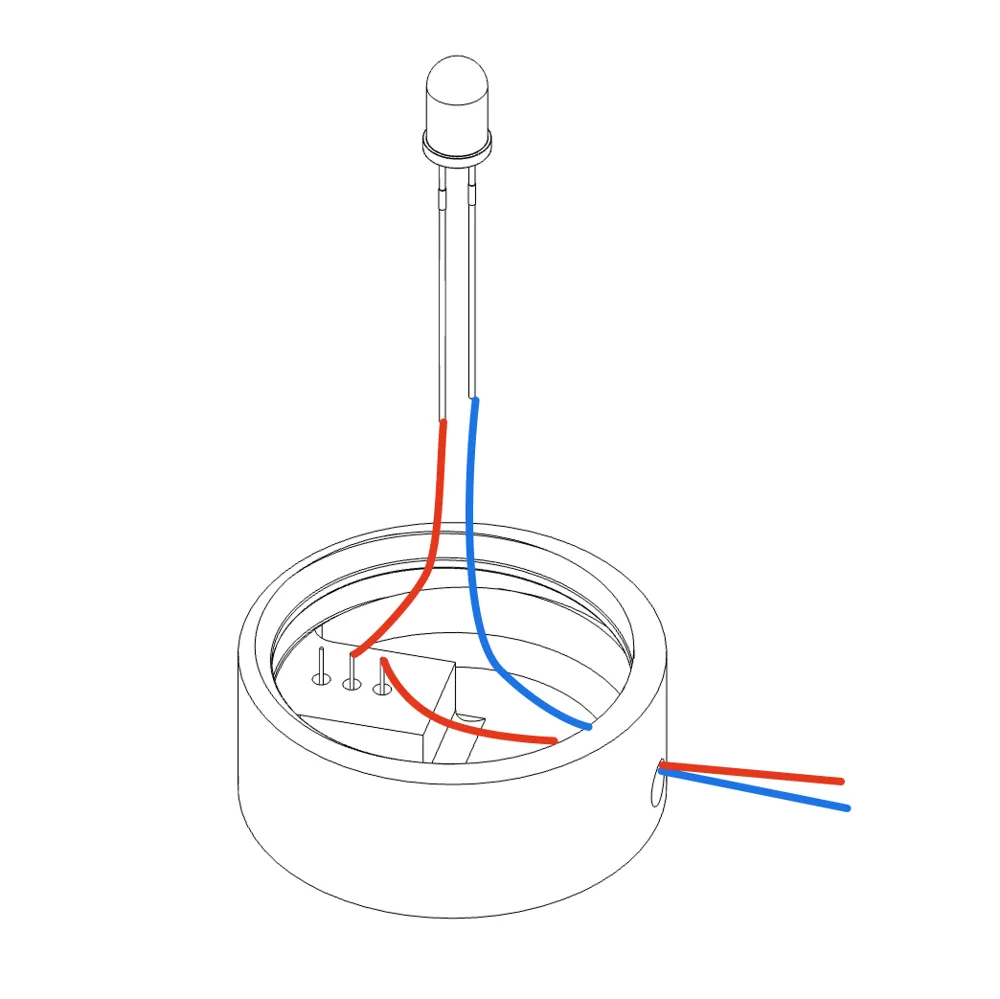
Route the wires (see image), the slide switch is optional, if you do not use a switch you can just connect the wires directly to the LED leads
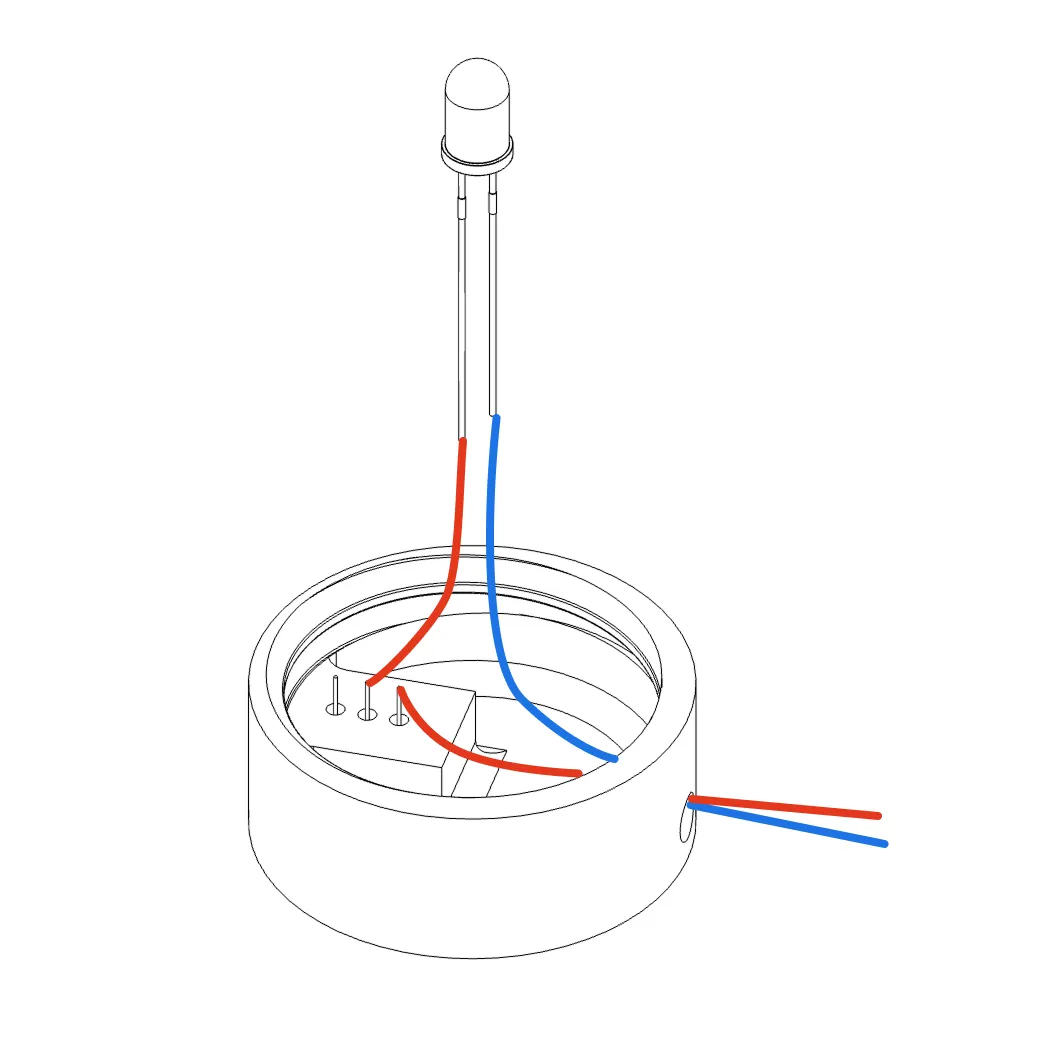
- Solder the wires to the LED leads and slide switch
- Close the lid by rotating the lid on the bottom, make sure the wires are not getting twisted
- Connect multiple candles in parallel to a single power supply.
That's it!
🏠 Smart Home Tip
For maximum convenience, connect the power supply to a smart power outlet.
One tap (or automation) and your entire Christmas village lights up 🎅✨
🖨 Print Settings (Recommended)
- Layer height: 0.2 mm (add smaller layer heights for the threads)
- No supports needed!
- PLA or PETG works great
- White filament recommended for best light diffusion
I recommend using the provided print profile, as the optimal settings have already been applied. The flame is printed in vase mode to ensure optimal diffusion.
License

You shall not share, sub-license, sell, rent, host, transfer, or distribute in any way the digital or 3D printed versions of this object, nor any other derivative work of this object in its digital or physical format (including - but not limited to - remixes of this object, and hosting on other digital platforms). The objects may not be used without permission in any way whatsoever in which you charge money, or collect fees.


Comment & Rating (0)