
Customizable Name Puzzle for Kids (no AMS)


Print Profile(4)
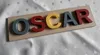
Description
Membership
If you like our work or want to support it, feel free to join as a member. We look forward to seeing you!
############################################################################################################
Please feel free to share your created puzzles as print profiles. This saves the next user time and effort if they want to create the same name ✌️
############################################################################################################
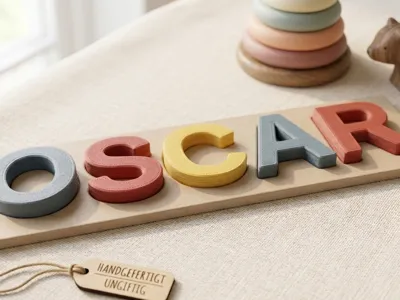
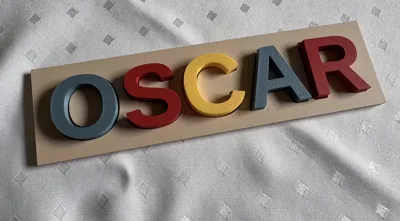
🧩 Personalized Name Puzzle (OpenSCAD Customizer)
Gift playful learning! With this customizable name puzzle, toddlers can not only learn to spell their own name but also playfully train their fine motor skills and shape recognition
Thanks to the integrated OpenSCAD code, you can customize the puzzle directly here on MakerWorld – simply type in the name and select your desired size
✨ Features
- Fully customizable: Works with any name (for very long names or double names, two individual puzzles may be necessary)
- Easy printing: Optimized for printing without support structures (Support-free)
- Individual fit: Adjustable thicknesses and heights, so you can decide the size yourself
🛠️ How to customize it
- Click the "Customize" button (or open the .scad file locally)
- Enter the desired Name in the text field
- Select the Font Height and the Thickness of the base plate and the letters
- To use different colors and printing plates, proceed as follows:
Update from 2026-04-27: I learned a simpler way to split the letters:
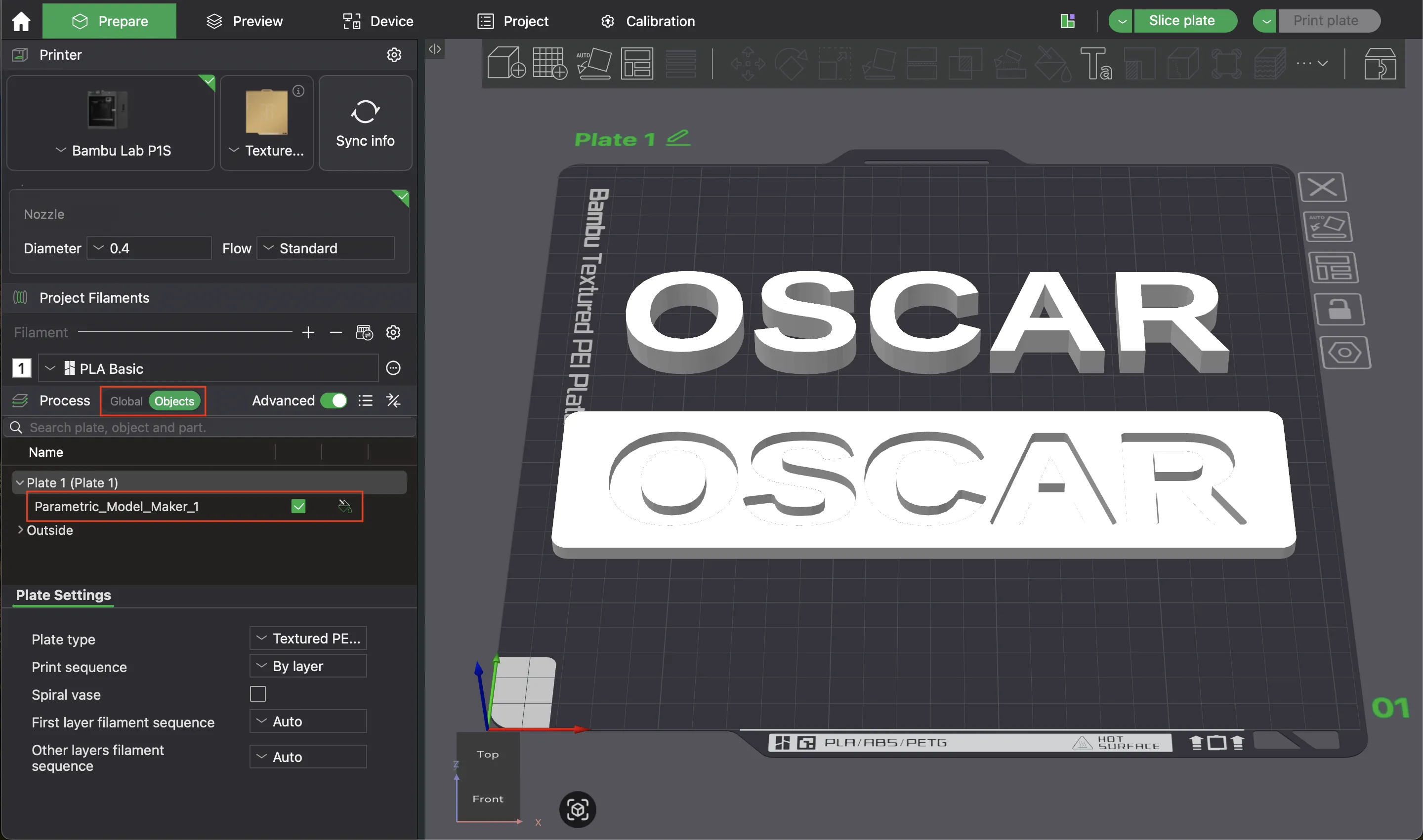
When you download the model, Bambu Studio recognizes it as a single contiguous object. However, since the letters and the plate do not touch, we can split it into individual objects with a few clicks. To do this, click on “Objects” on the left (upper red box) and then select the object with a left-click
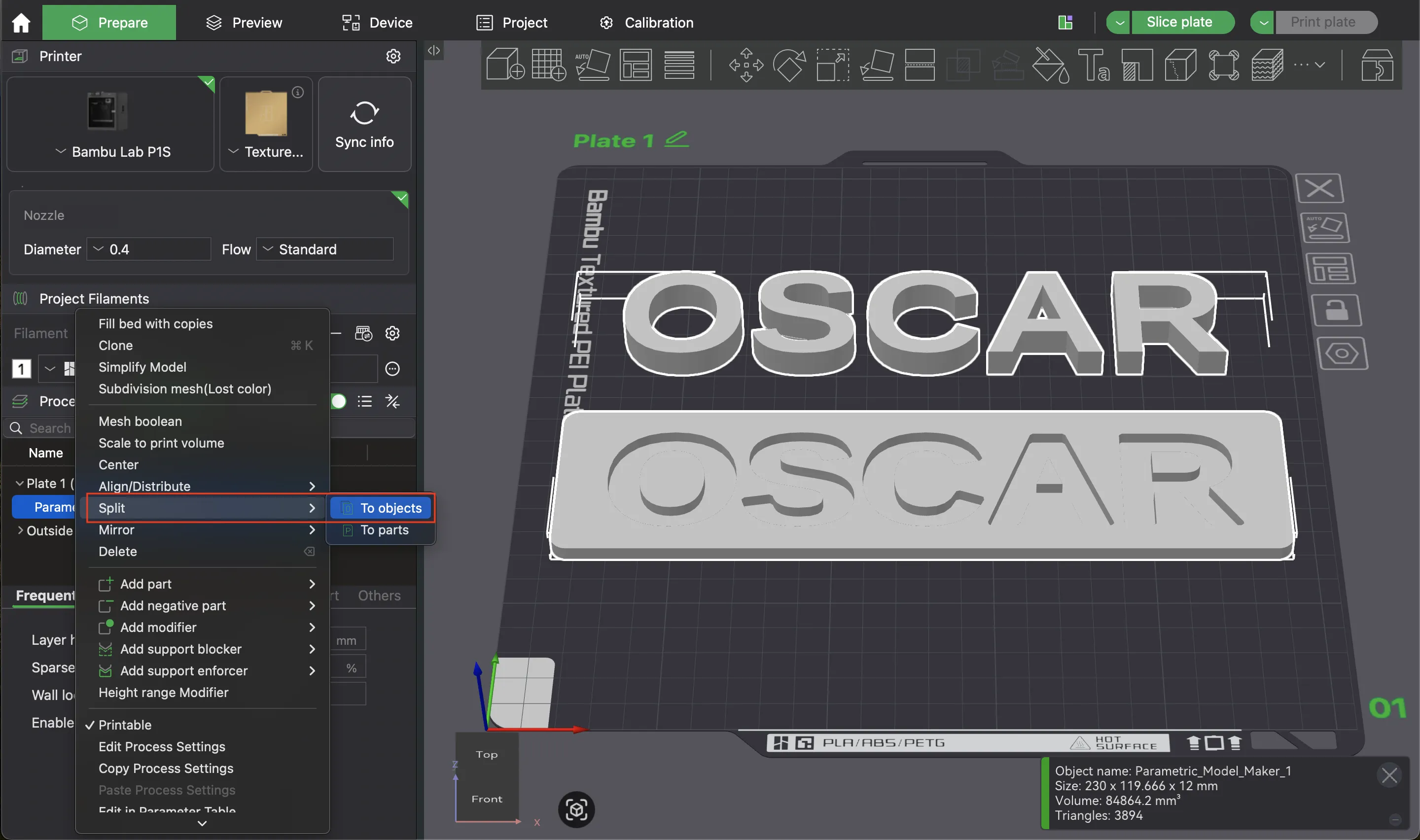
Then right-click on the object and scroll down until you find “Split”. Then click on “To objects”
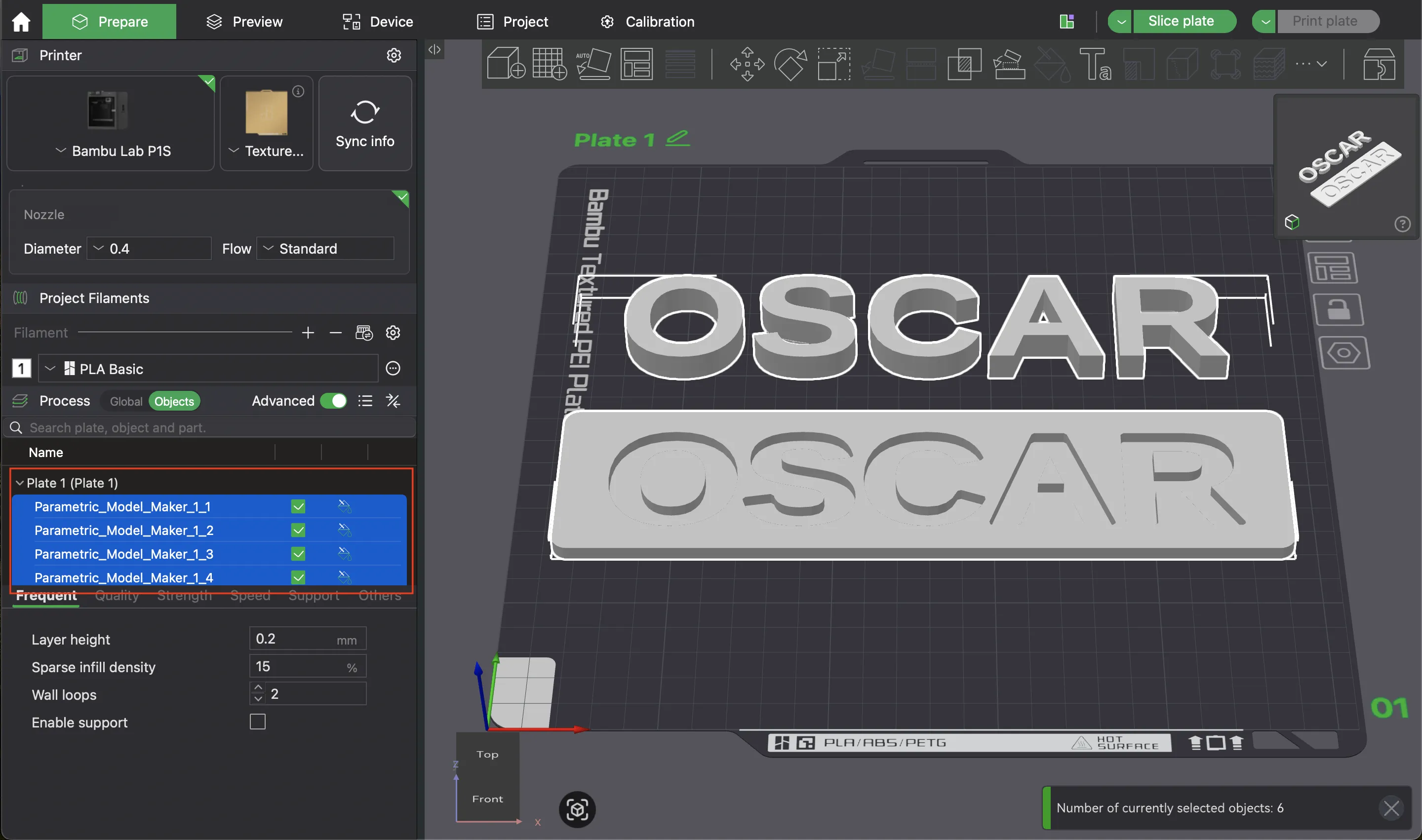
Now all letters are stored as individual objects. Afterwards, you can add a printing plate for each color via “Add Plate” (second icon from the left) in the top bar and distribute the letters. Then you print each plate with a different color
🖨️ Print Recommendations
- Material: PLA (non-toxic and available in great colors)
- Colors: Print the plate in a neutral color and the letters in bright colors to pique the child's interest
- Infill: 15-20% is completely sufficient
- Colorful Letters: To save material, I created one printing plate per color and printed in multiple passes. This saves quite a bit of waste
- Nice Finish: If you want a particularly nice surface for the letters, you could flip them horizontally. This way, the top side is at the bottom during printing, and you get the beautiful plate texture
Update on February 6, 2026 (v2):
- Rounded corners can be explicitly selected
- There is an option to add a keyhole on the back so that the puzzle can be hung up when the child no longer wants to play with it or is too “old” for it
Boost Me (for free)
If you would like to support our work, feel free to leave us a boost so we can get new filament for more projects :)
If you don't have a boost, we'd also appreciate a coffee. Every cent is welcome 🥰 buymeacoffee.com/greenworkshop
License

You may create derivative works based on this object, provided that all such derivative works are published exclusively on the MakerWorld platform and include proper attribution to the original creator. You may not share, upload, host, distribute, or publish this object—or any derivative work of this object—on any other digital platform, marketplace, or distribution channel. Commercial use of this object and any derivative works is strictly prohibited. This includes, but is not limited to, selling, renting, sublicensing, or using the object in any context in which you receive monetary compensation or other financial benefits.


Comment & Rating (47)