Search models, users, collections, and posts

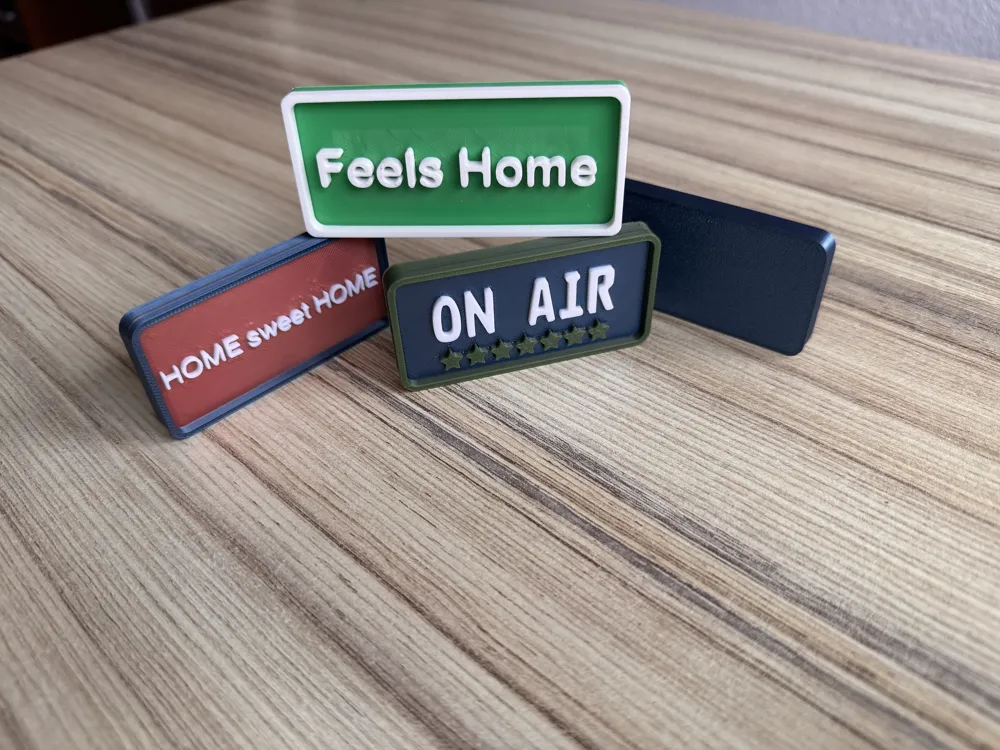
Magnet 80x40 various designs




Print Profile(1)

0.2mm layer, 2 walls, 15% infill
Designer
1.1 h
1 plate
Open in Bambu Studio
Boost
0
1
0
0
2
0
Released
Bill of Materials
Maker's Supply Kits and Parts
Select all







Description
Content has been automatically translated.
These are magnets with dimensions of 80 × 40 × 8 mm
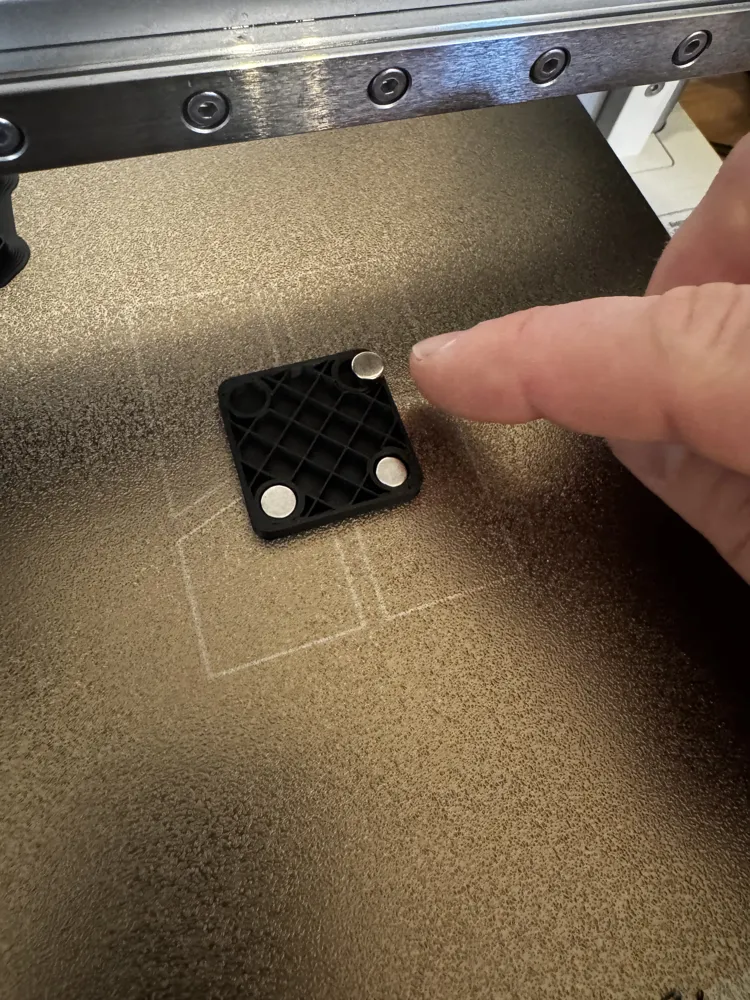
The special feature is the embedded magnets. This means the print is paused so that the magnets can be inserted
As a result, the magnets are not visible from the outside, do not add extra thickness, and there is no need to glue them in place
The magnets used are standard round magnets with a diameter of 6 mm and a height of 3 mm
Procedure:
- The pause should already be correctly set in the 3MF file and should be located on layer no 18
- This should be visible in the “Slice-Plate” menu. If this is not the case, please add the pause by dragging the green dot on the right-hand bar to layer no 18 → right-click → Add Pause
- Start the print. It will then pause at layer no 18
- Insert the magnets. 4 magnets are sufficient; 6 are, of course, even better. See picture, example used a 30x30 print
- Then resume the print (this can be done directly on the printer’s display)
Additional notes:
- To change: It can easily be selected as “text_shape” via “Objects,” for example to change the color or modify the text
Boost Me (for free)
Like it -> Boost Me
License

This user content is licensed under a
Creative Commons Attribution-Noncommercial-Share Alike


Comment & Rating (0)