Search models, users, collections, and posts

Creality Ender 3 V3 KE Axis Locks (X & Y)
IP Report
Print Profile(1)
0.2mm layer, 4 walls, 20% infill
Designer
29 min
1 plate
Open in Bambu Studio
Boost
1
3
0
0
2
0
Released
Description
The Problem When moving a 3D printer, the heavy bed and toolhead tend to slide freely. This uncontrolled movement can slam the nozzle into the frame, loosen belts, or generate back-EMF voltage into the motherboard.
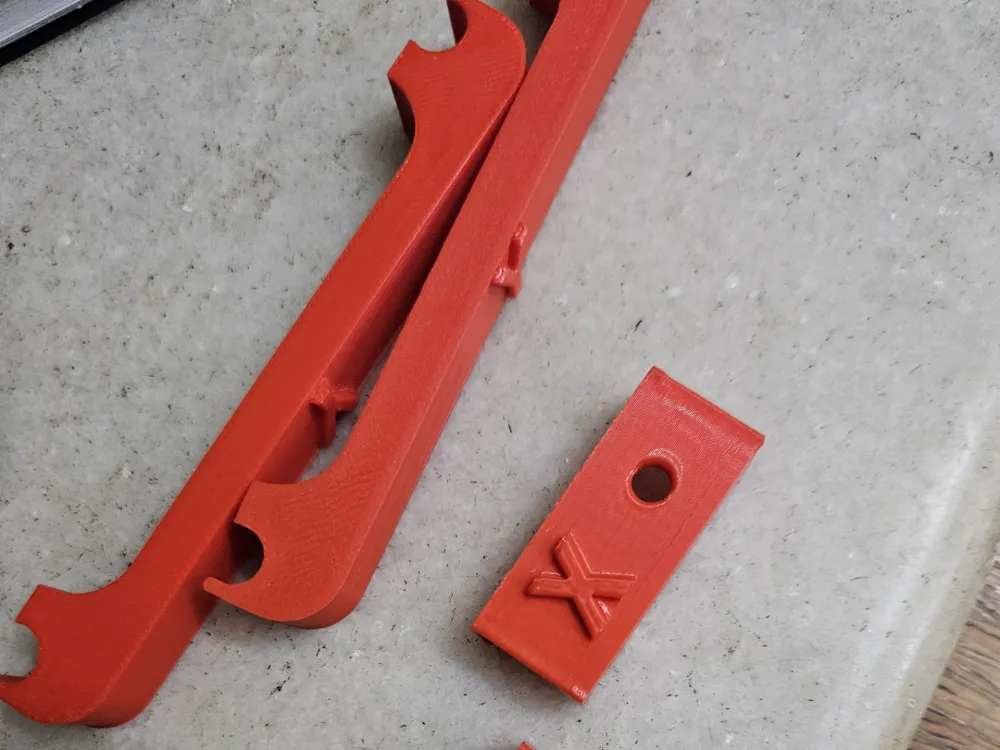
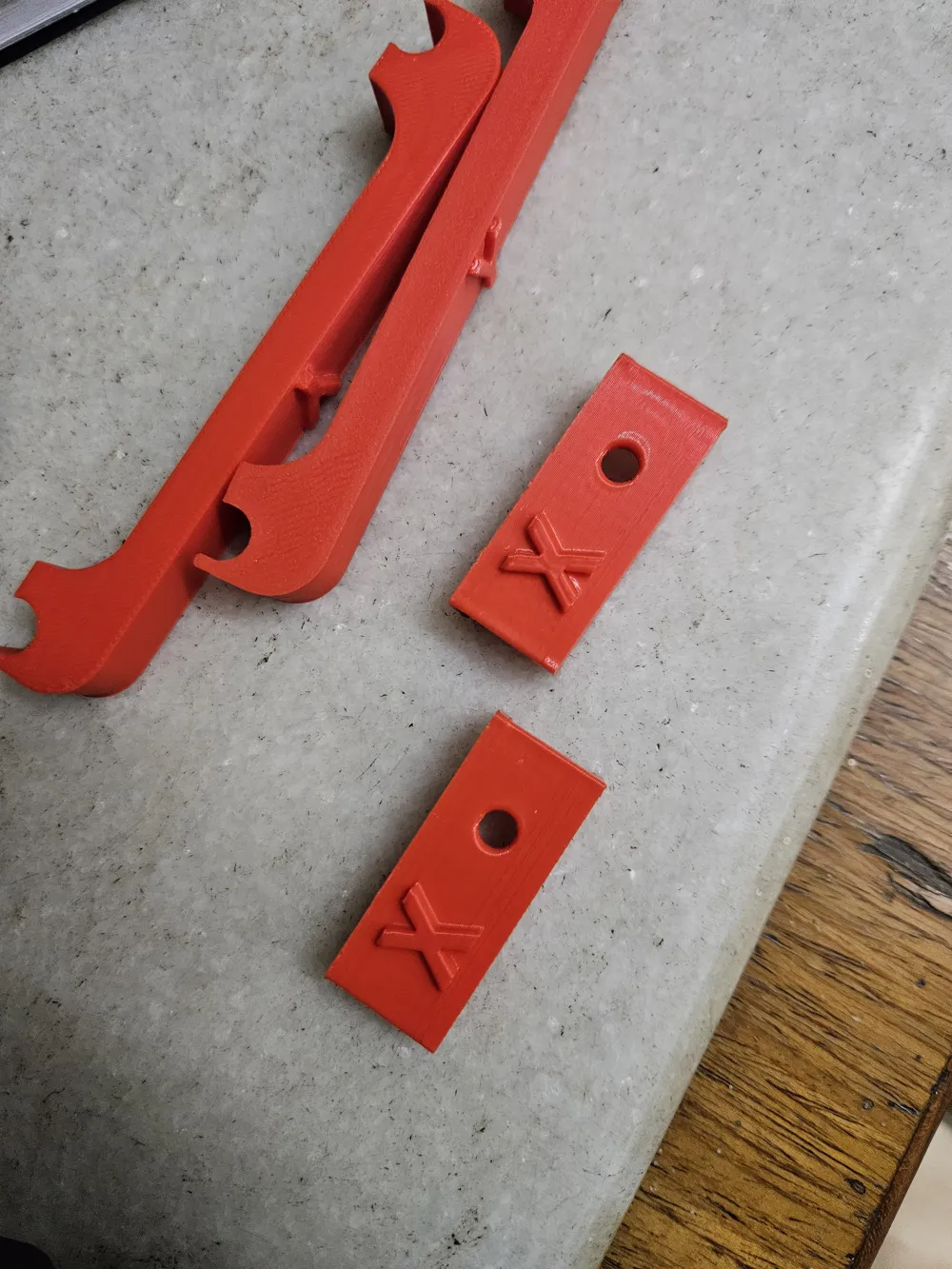
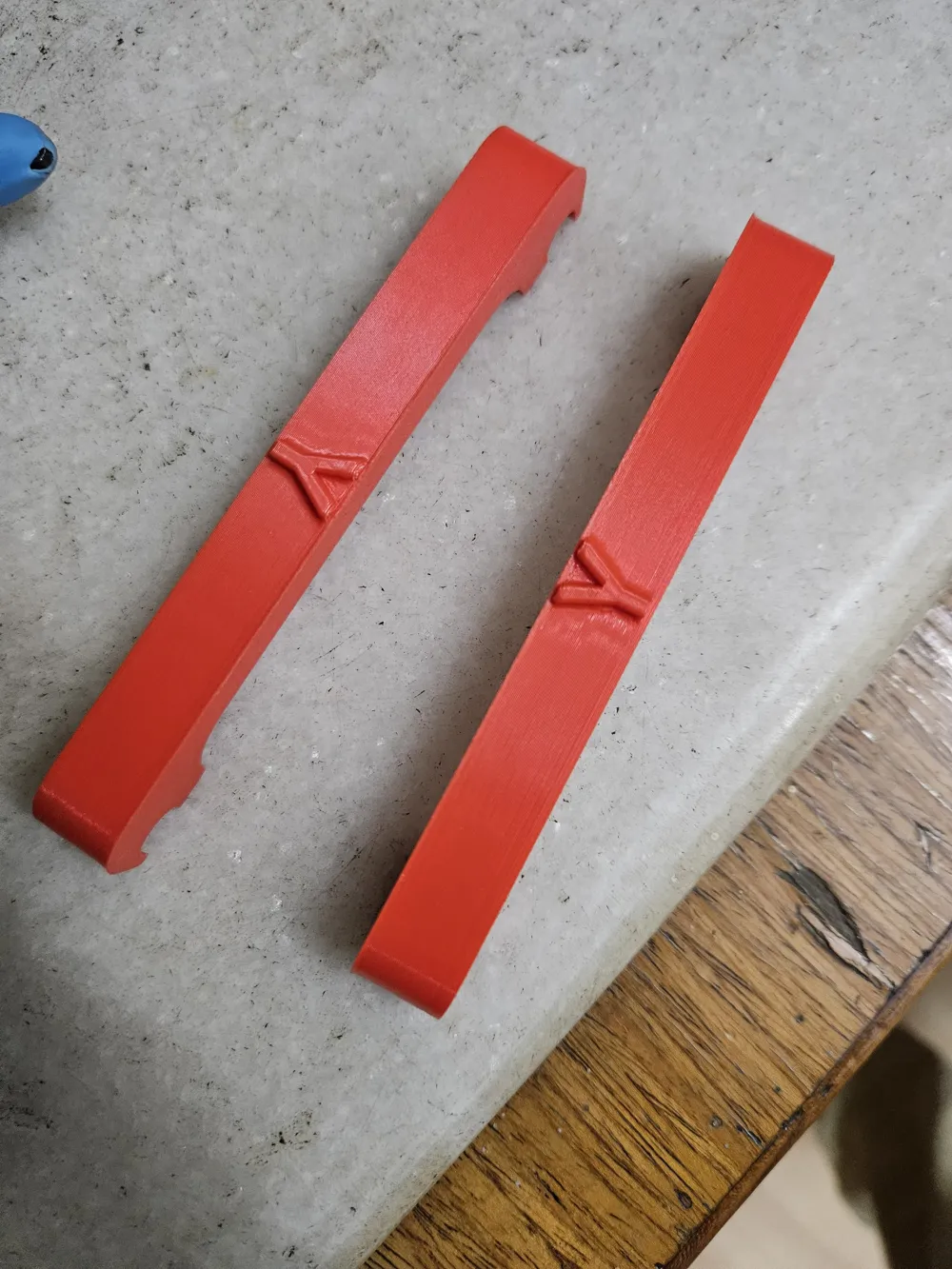
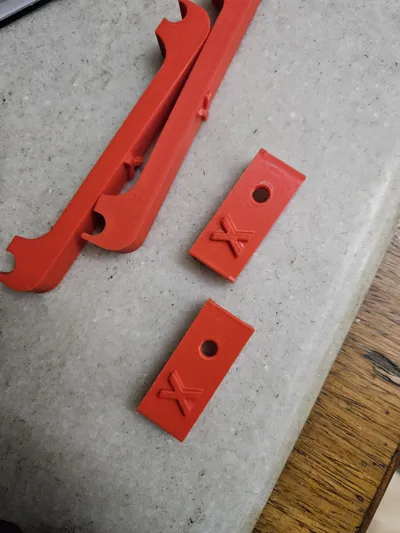
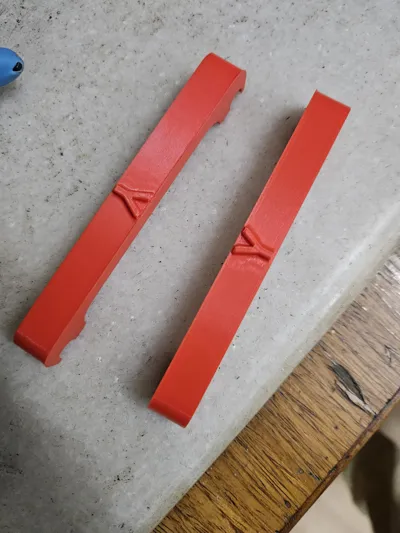
The Solution I designed these custom locks to fit the specific geometry of the Ender 3 V3 KE:
- Y-Axis Locks (Long Rod Clips): These clip directly onto the Y-axis smooth rods. They act as spacers to wedge the bed firmly in position.
- X-Axis Locks (Marked 'X'): These fit onto the X-axis linear rail to stop the toolhead from sliding side-to-side.
How to Use
- Y-Axis: Slide the bed to the desired position (usually center or back) and snap the long clips onto the smooth rods on either side of the bed bearings.
- X-Axis: Place the small blocks on the linear rail next to the extruder assembly to prevent lateral movement.
- IMPORTANT: REMOVE ALL CLIPS before powering on or homing the printer!
License

This user content is licensed under a
Creative Commons Attribution-Noncommercial


Comment & Rating (0)