
Spirit Island Nature Incarnate Insert
Print Profile(5)


Description
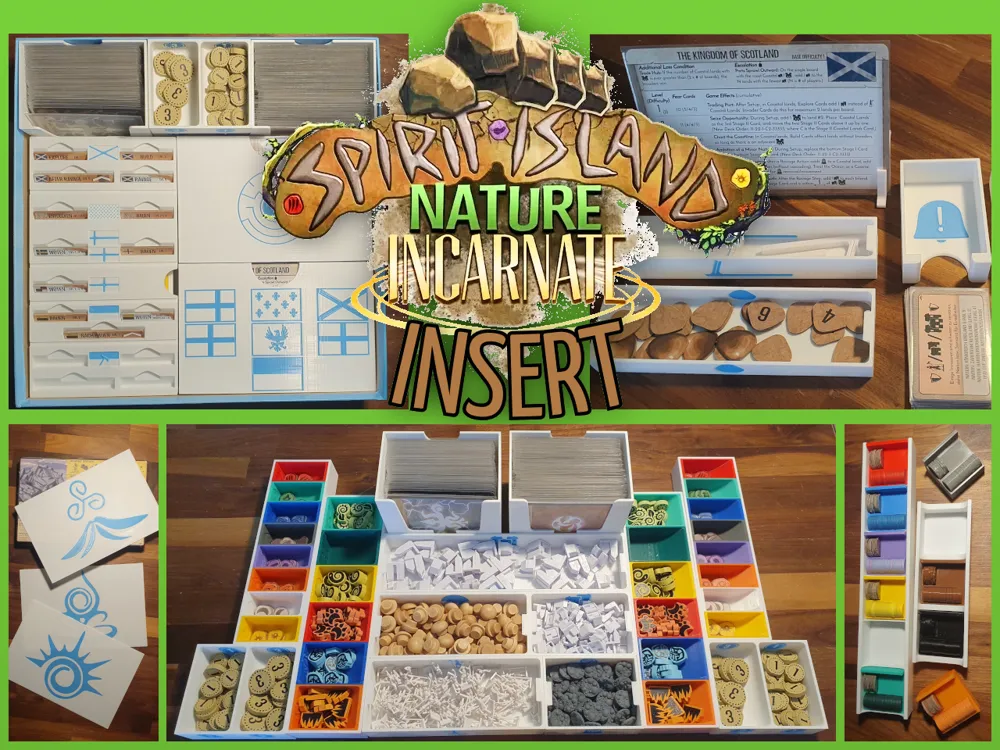
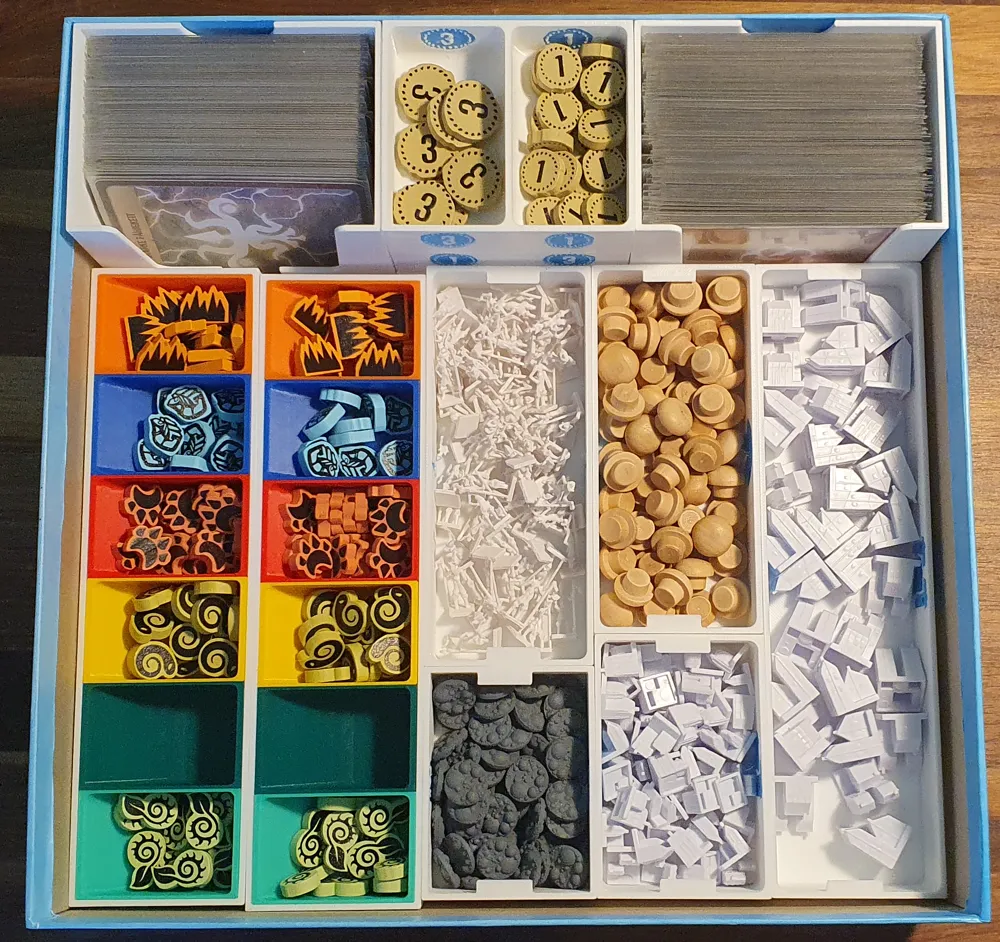
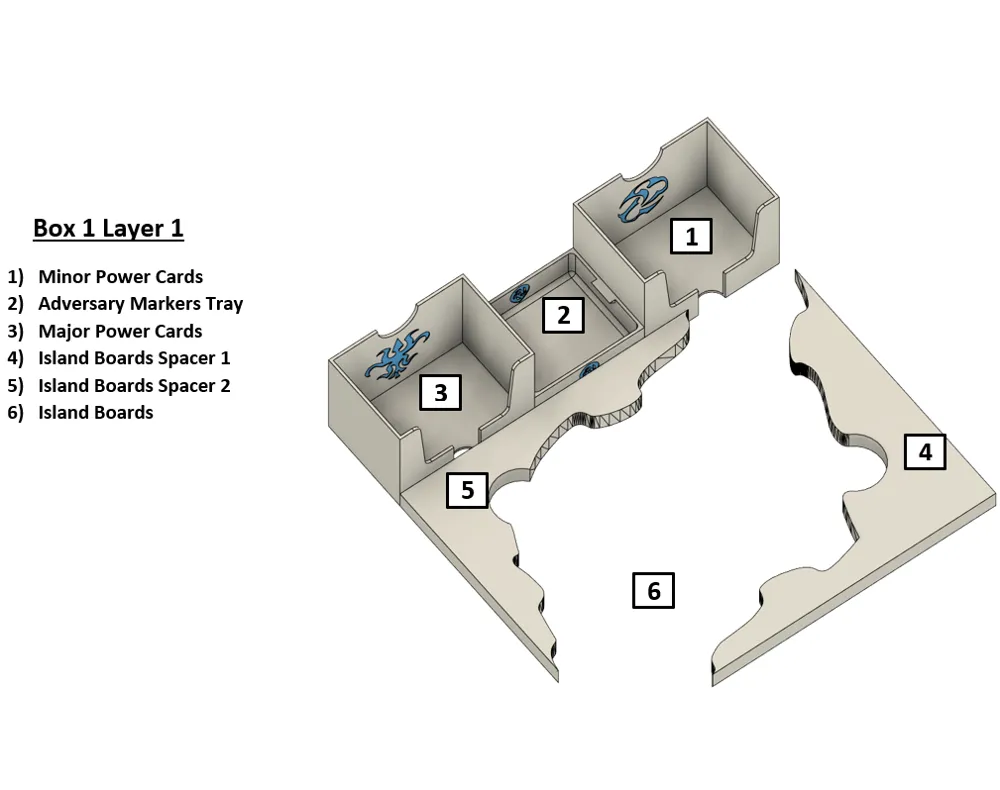
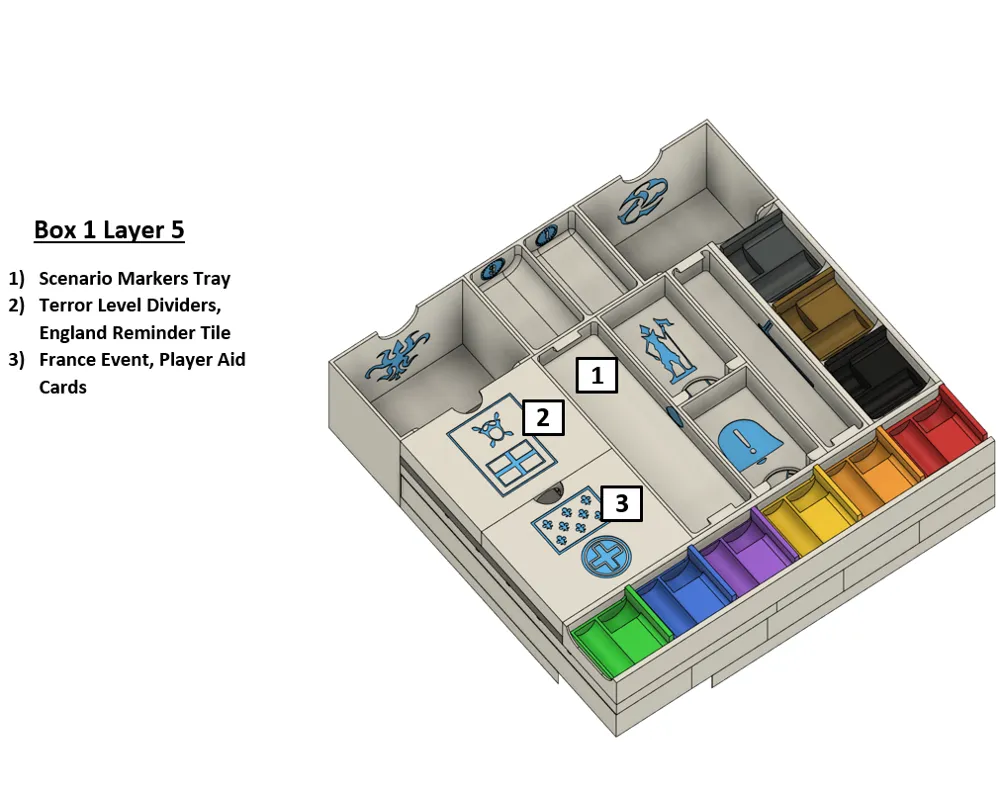
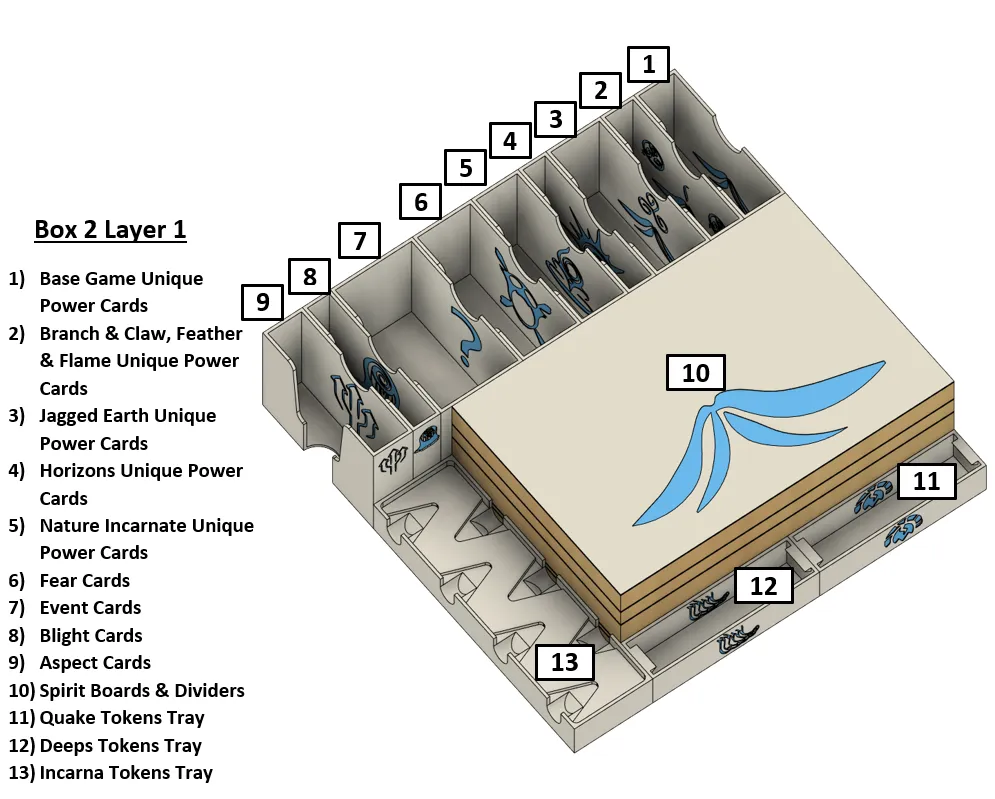
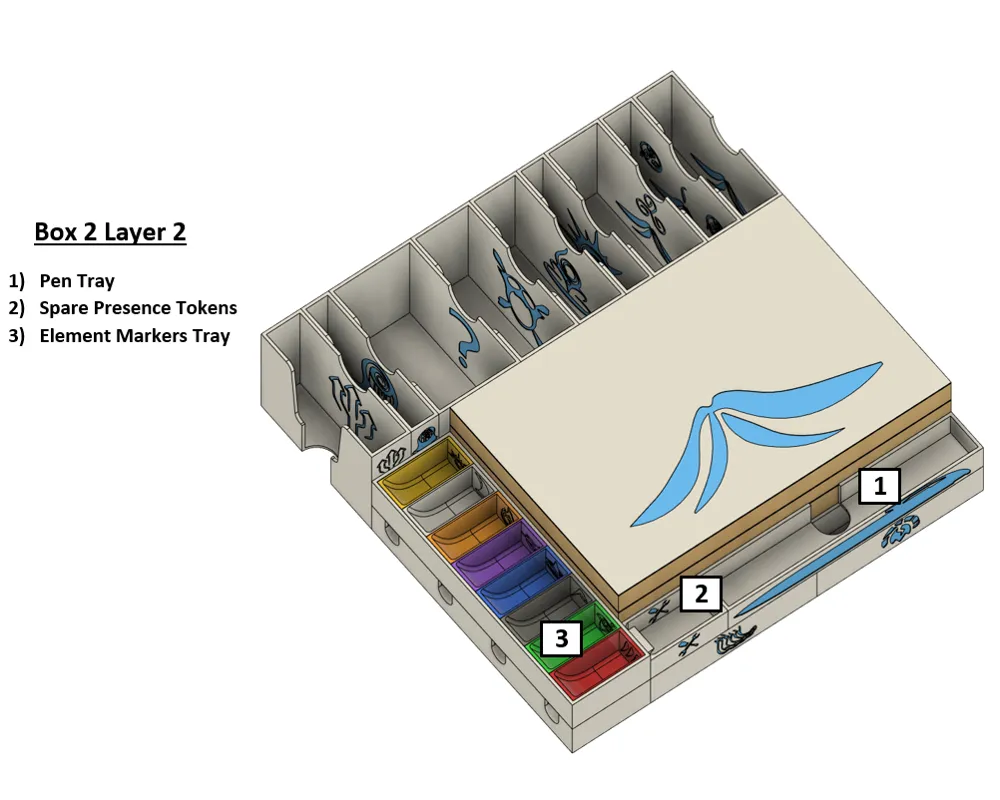
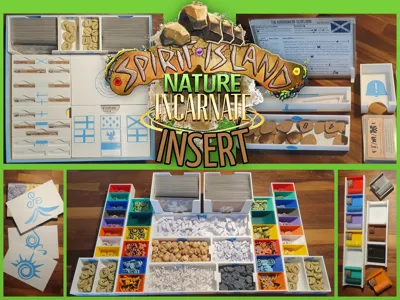
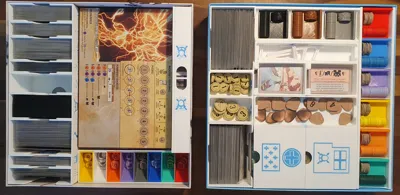
This insert was designed to hold all available Spirit Island content with quality sleeved cards in the Base Game and Jagged Earth box. The insert is optimized for multi-person play, as trays such as energy, elements and other tokens are available in pairs.
The insert fits into the boxes with dimensions of around 11.50 x 11.50 x 3.13 inches or 29.2 x 29.2 x 7.9 cm. You can look up the dimensions of your edition on Boardgamegeek.
The insert is compatible with:
- Base Game
- Branch & Claw
- Feather & Flame
- Jagged Earth
- The Foil Spirit Panels from Horizons of Spirit Island
- Nature Incarnate
- Premium Token Pack 1 & 2
There is no box lift for both of the boxes by default. If you want to store the manuals in the boxes, there will be a small box lift equal to the height of the manuals.
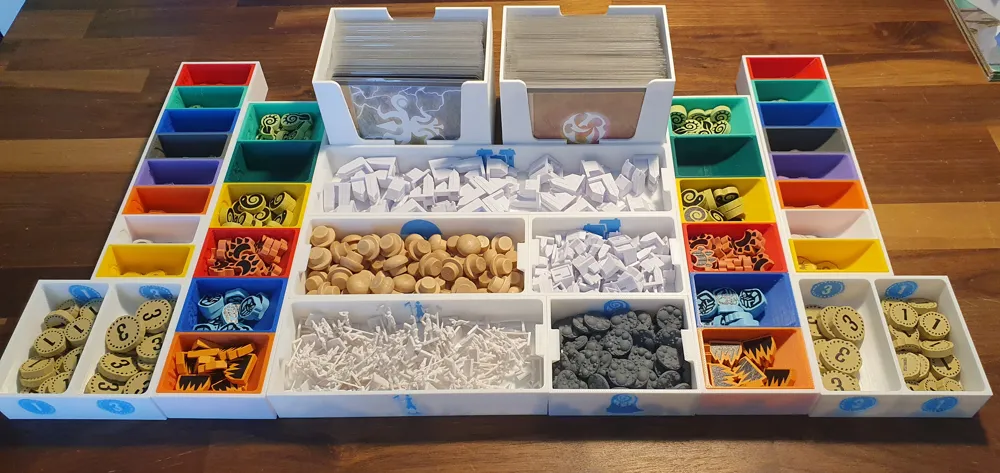
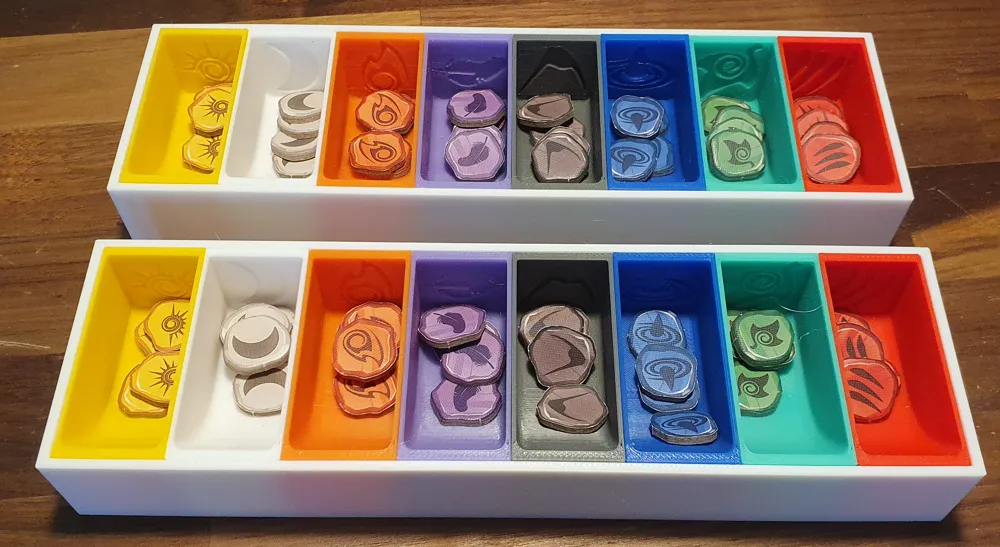
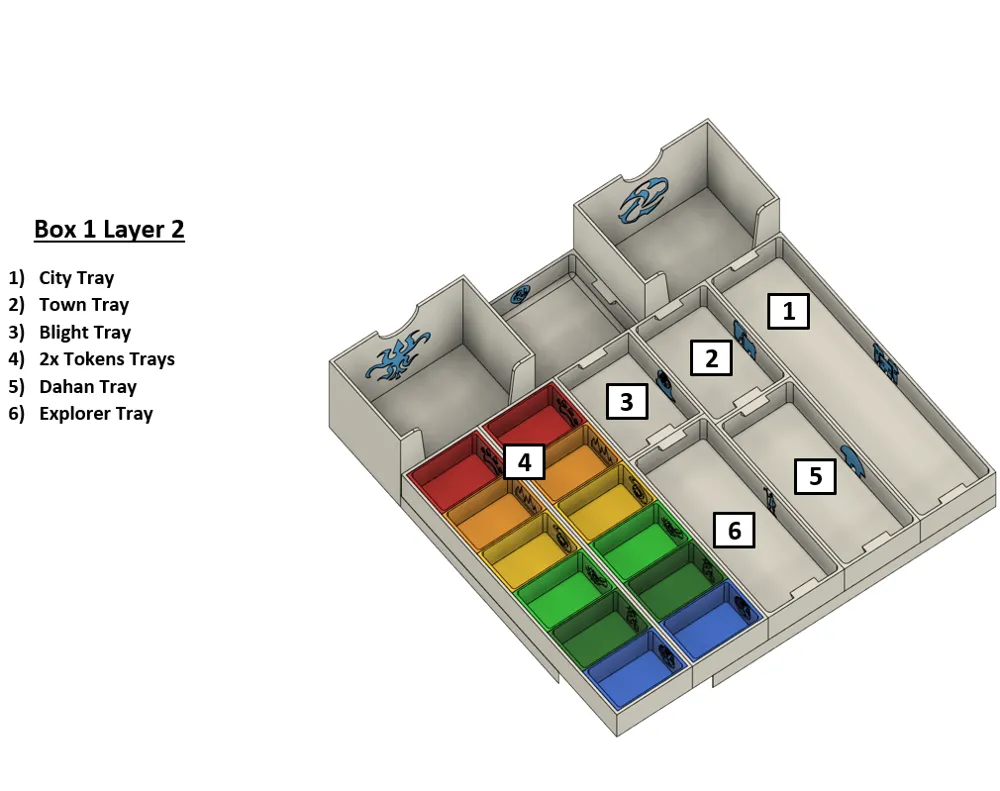
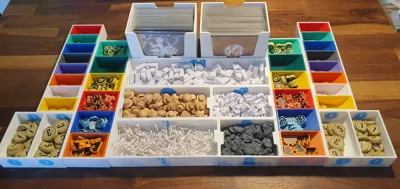
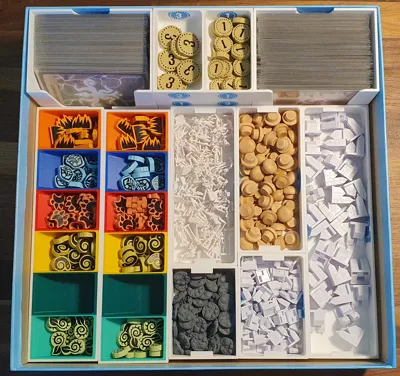
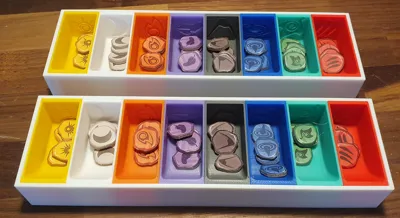
Elements Tray and Tokens Tray
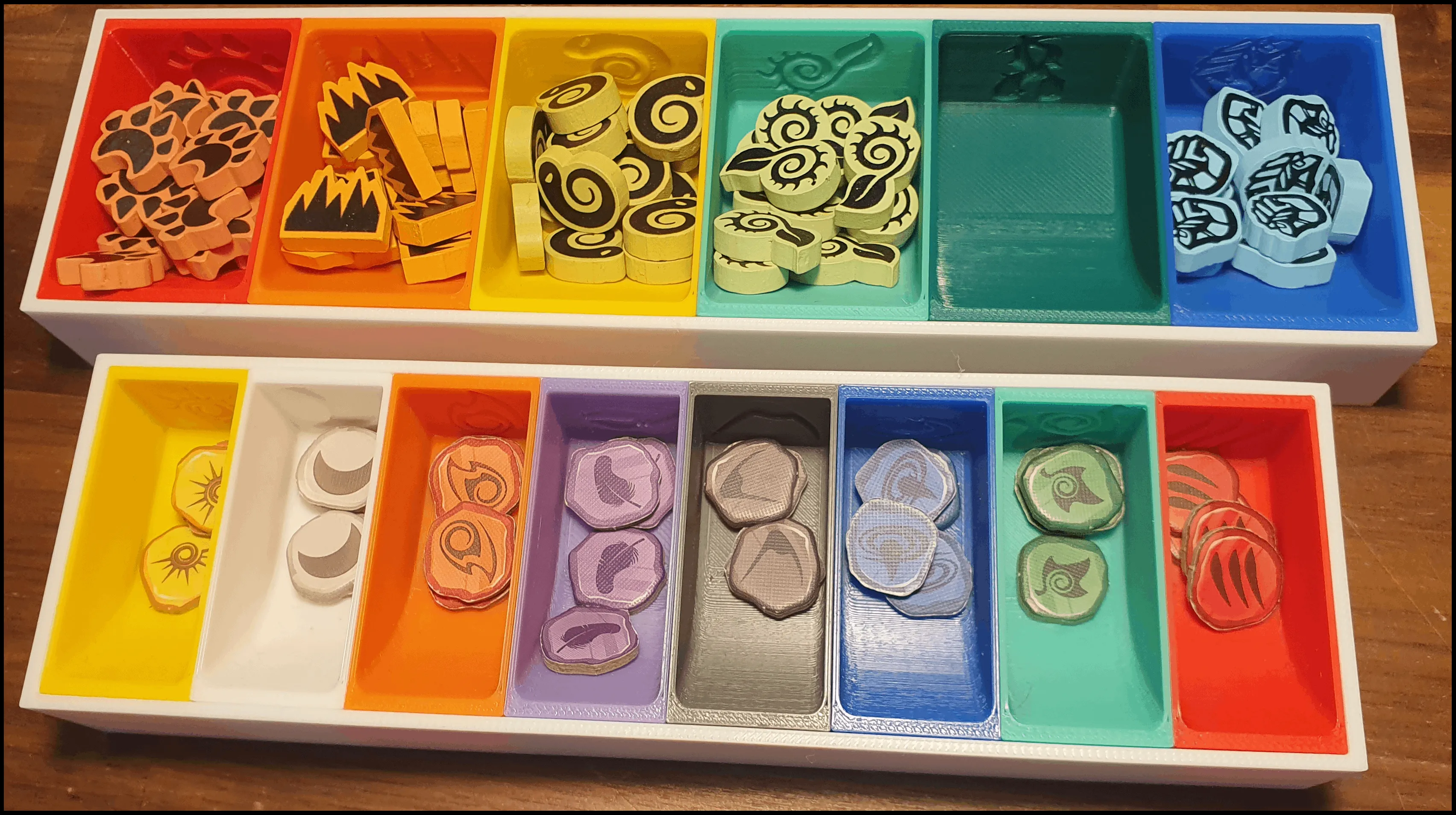
Both trays come in two variants:
- A multi color variant (pictured here) where each individual tray for the different elements and tokens is printed in the corresponding color and then inserted into the large tray. The tolerances are rather tight which is why we'd advise to test the tolerances before printing everything. Downscale the trays if they don't fit.
- A single color variant, where everything is printed in one piece.
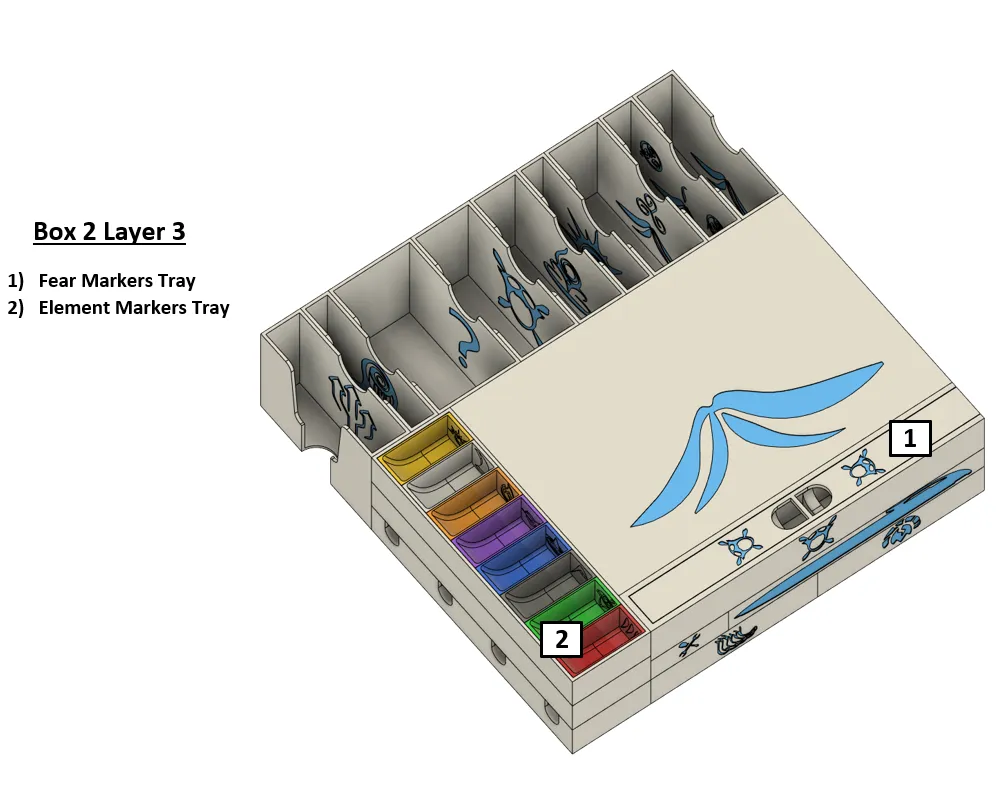
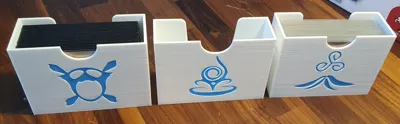
Fear Token Tray

The tray comes in two variants:
- A variant for the tokens from the premium token pack (pictured here).
- A variant for the cardboard tokens included in the game.
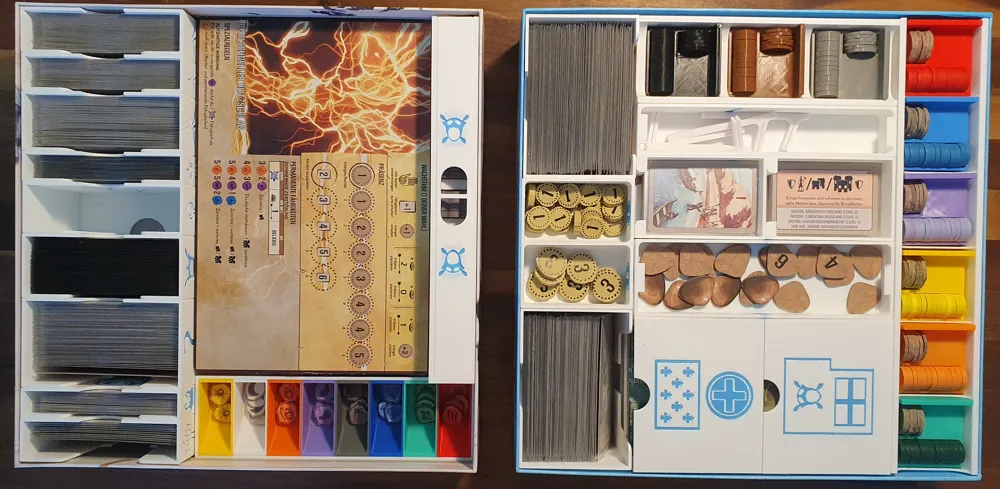
Presence Trays
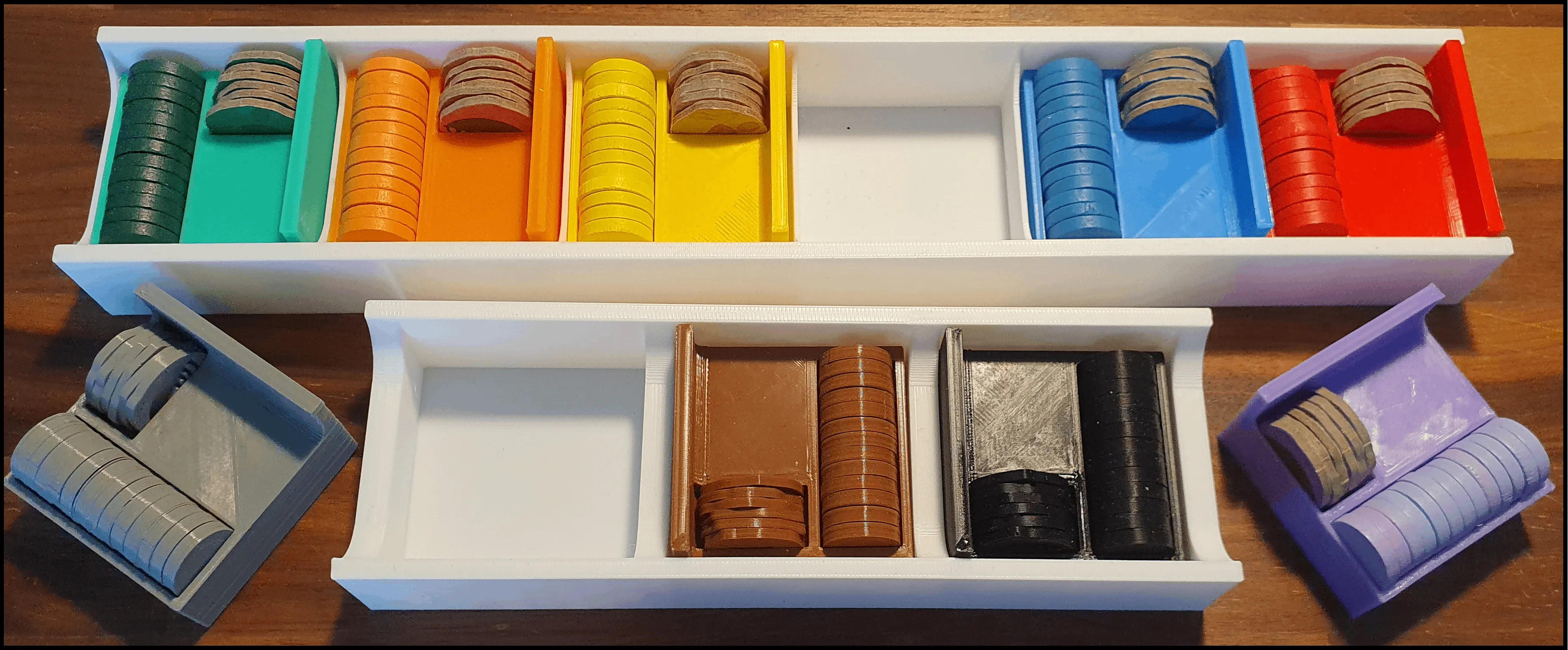
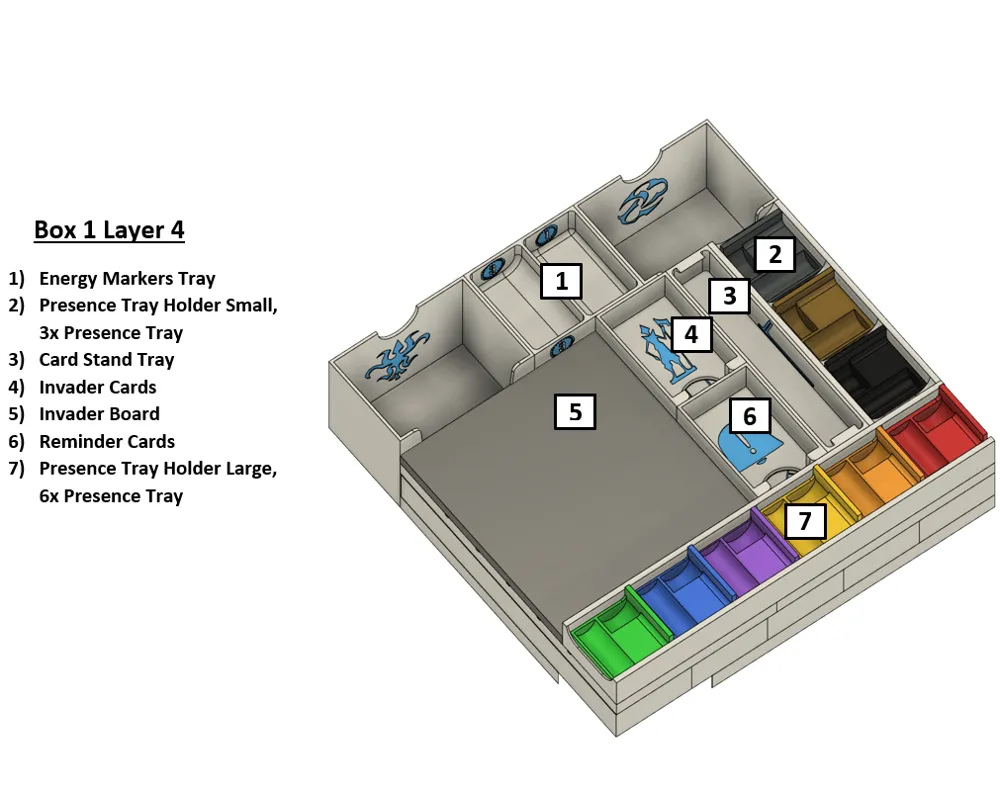
Apart from the six different colored presence token sets, these trays have room for three additional sets of presence tokens. We chose the colors black, brown and grey.
Note that you will need to print the small presence tray holder and the large presence tray holder. If the size of your print bed is too small for the large presence tray holder you will need to print the “presence tray holder large split up version” twice instead. The split up version is different from the small version.
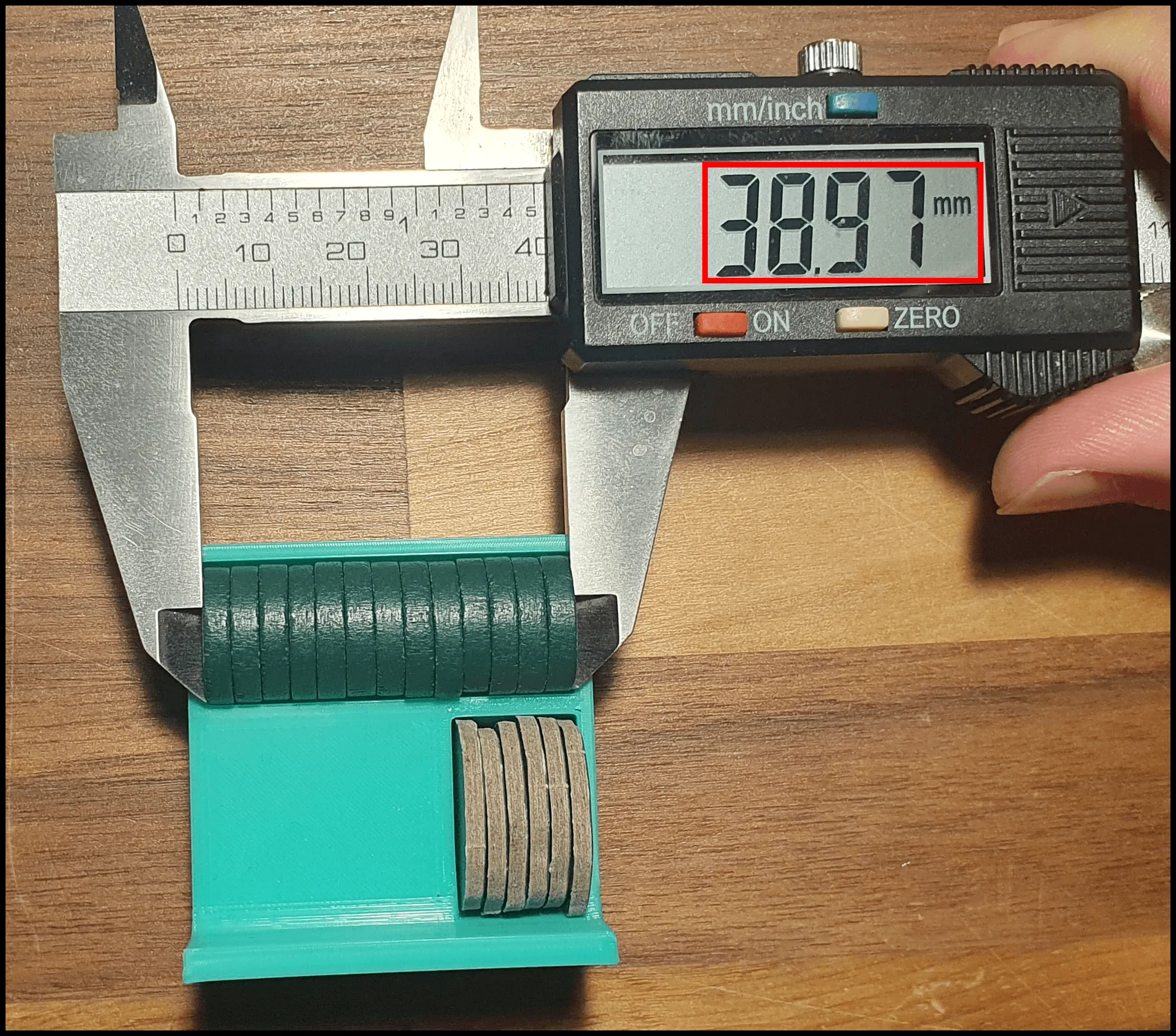
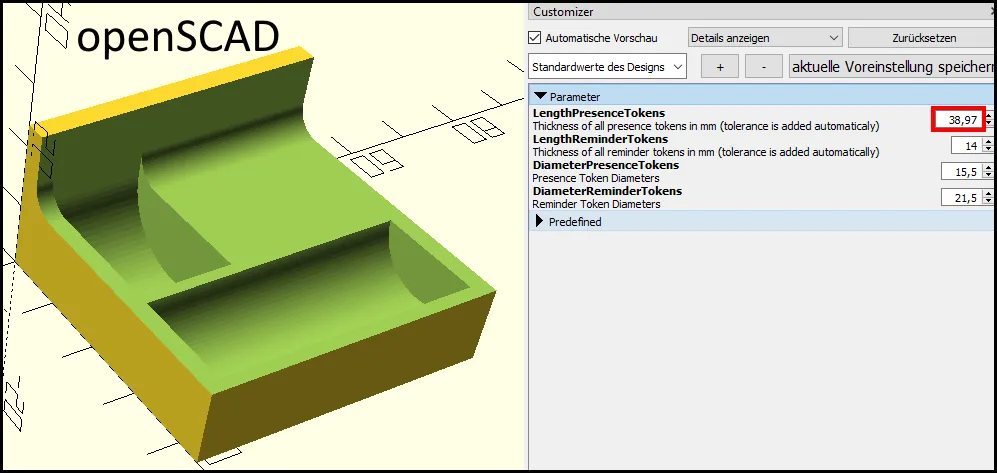
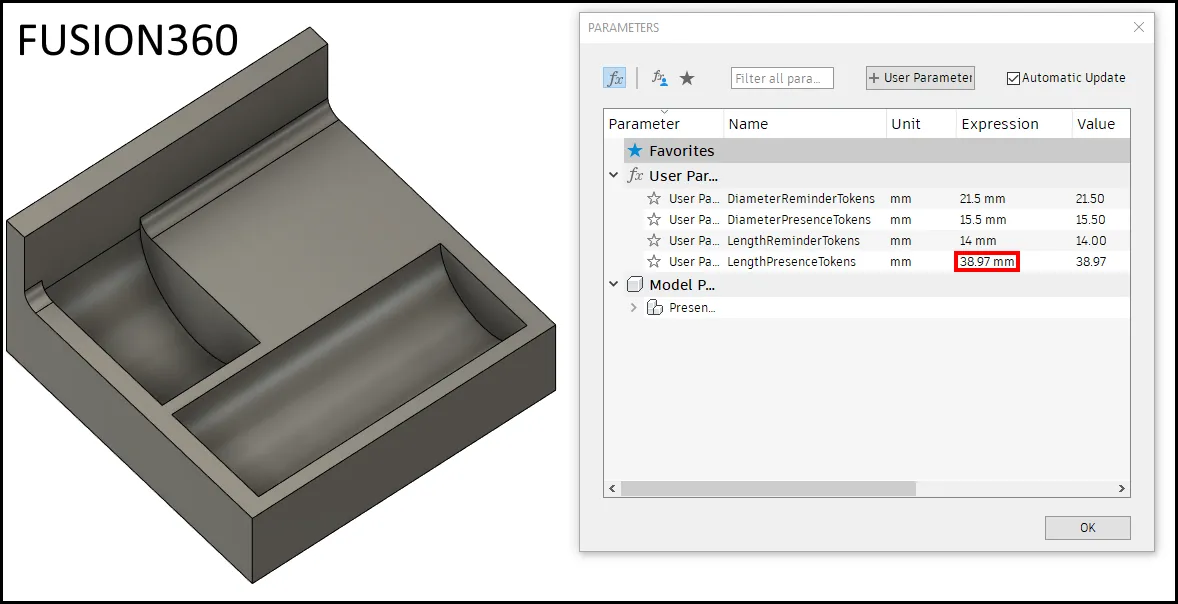
When designing the presence trays, we noticed that the wooden presence tokens are very different in width when lined up next to each other. If you don't mind a loose fit, you can download the “[9x] Presence Tray Loose Fit” file which has the values set high enough so that every token should fit. We have also provided a Fusion360 and an openSCAD file (choose whichever you prefer) so that the presence trays can be adjusted if you prefer the presence tokens to fit more tightly into the tray.
If you want to adjust the trays, you can measure the presence and the reminder tokens as depicted in the picture and adjust the corresponding values in the CAD software. Tolerances of 0.4mm are added automatically in both programs. In case you own the premium token pack 2, you can also adjust the diameter of the reminder tokens.
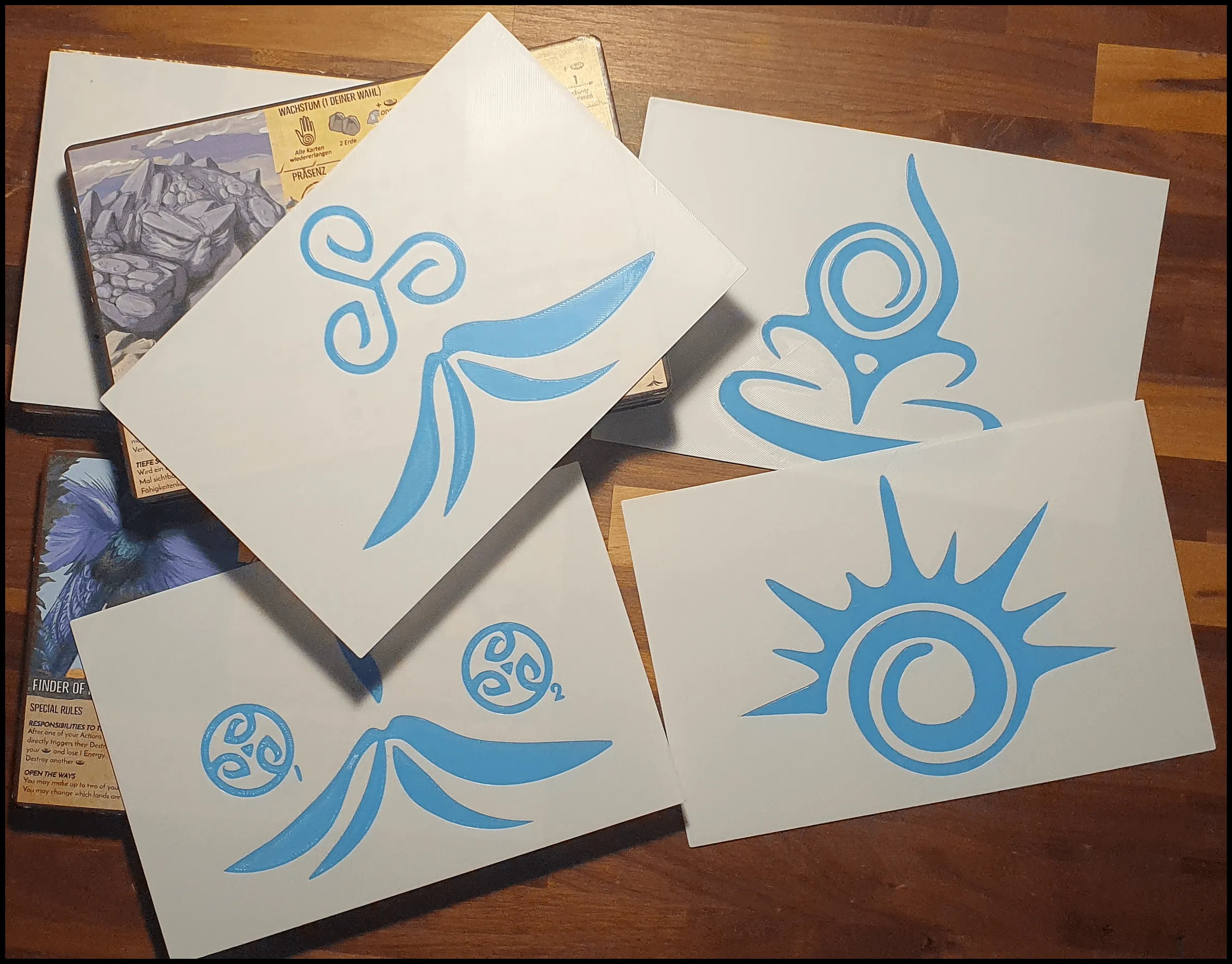
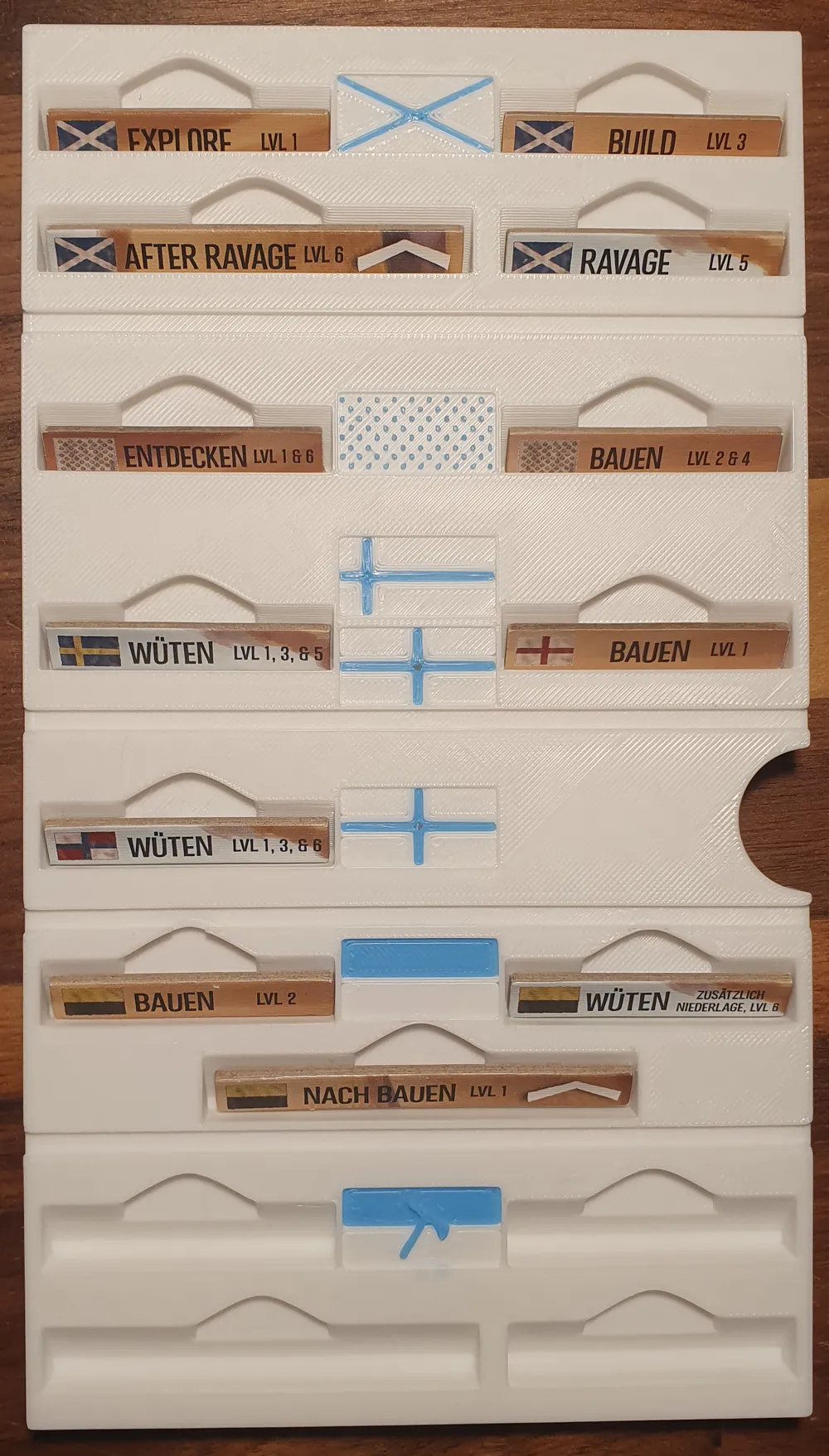
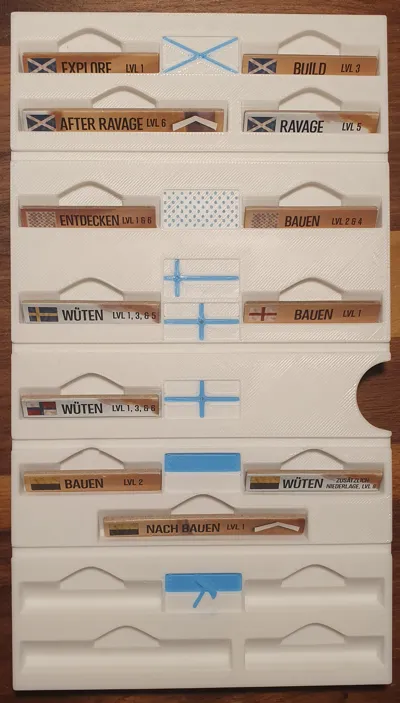
Spirit Board Dividers
These dividers allow you to separate the spirit boards by expansion. You only need to print the ones for the expansions you plan to store in the box.
Print Settings
- You can choose any layer height you want. I printed everything in 0.2mm as a compromise between detail and speed.
- Supports are not necessary for any objects.
- If you have an automatic color changing system, such as the AMS by Bambu Lab, you can print the symbols in different color than the rest of the objects. It is not necessary, however.
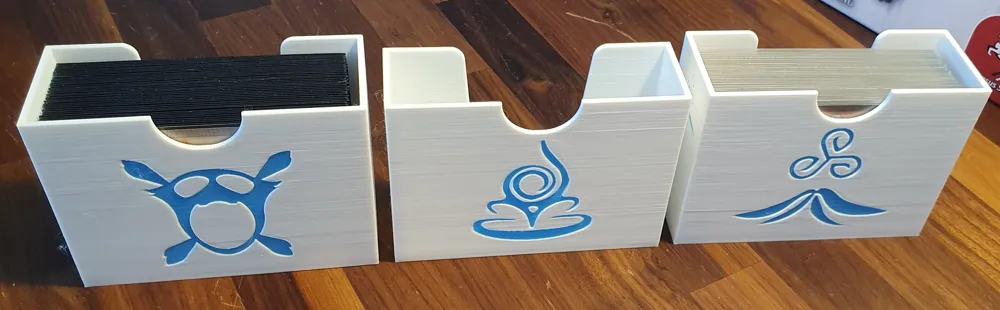
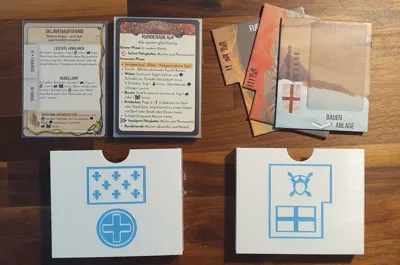
Card Sleeving
As mentioned above, all cards can be sleeved with quality card sleeves. Mine are 100 microns thick.
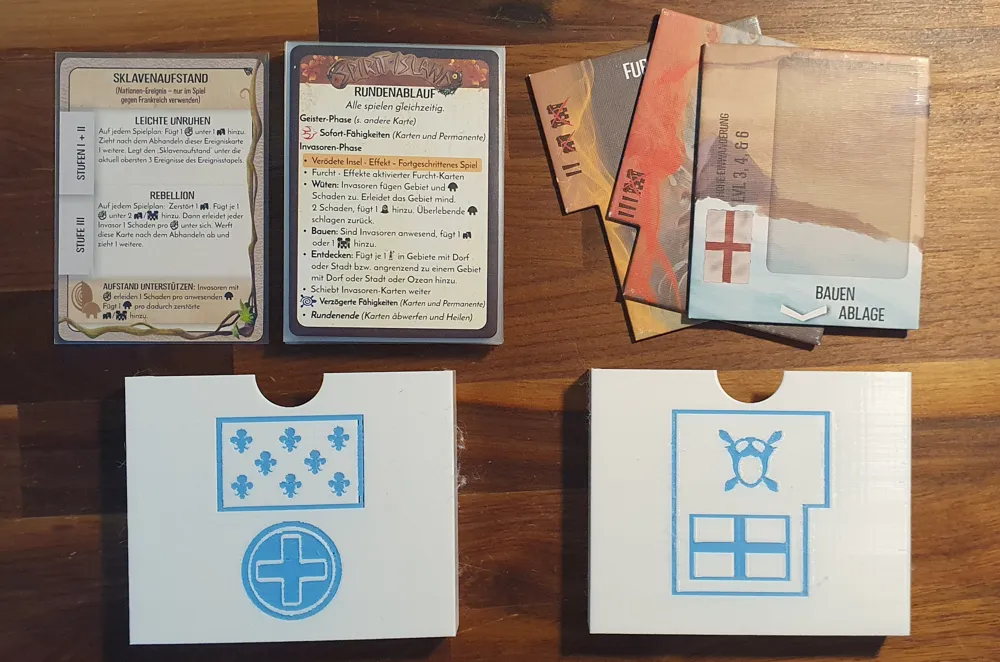
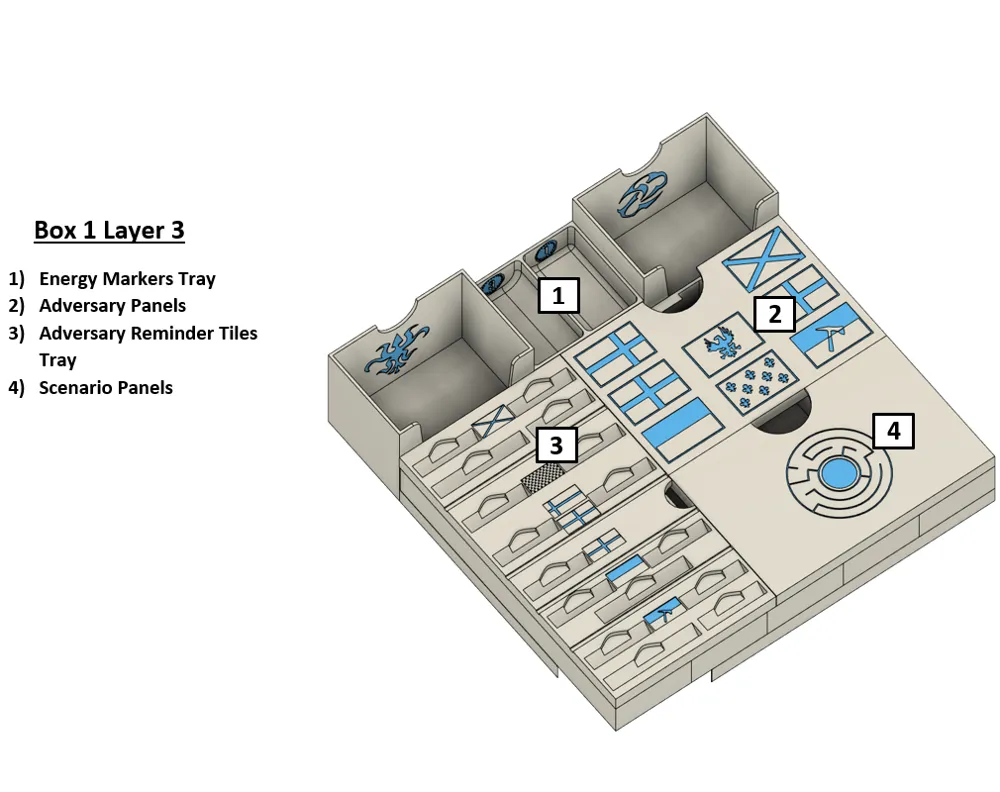
Here is on overview for the inner space of each different card tray so that you can check if yours fit in width and length.
| card size | width | length |
|---|---|---|
| 63x88mm cards (power cards, events, etc.) | 71.5 | 95.8 |
| 44x67mm cards (Invader cards, reminder cards) | 52 | 74.6 |
| 101.6x152.4mm cards (Adversary panels, scenario panels) | 105 | 158 |
If your cards are sleeved, you should compare the size of your sleeves to the given values.
Organizer Sheet
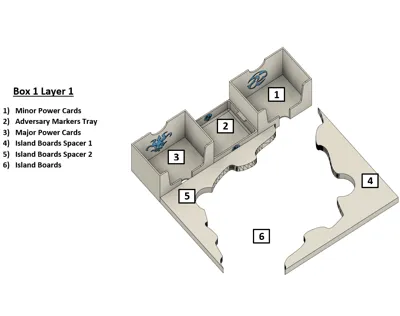
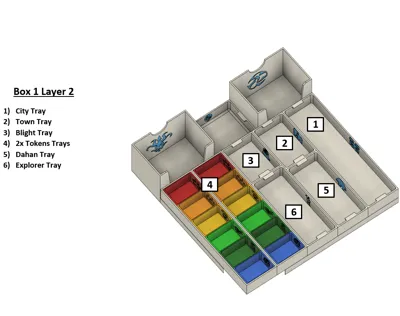
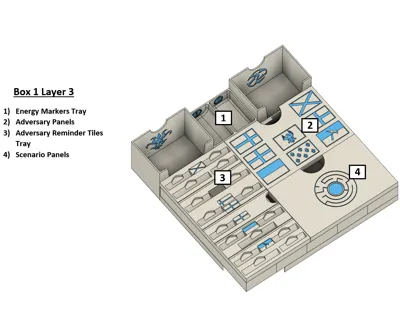
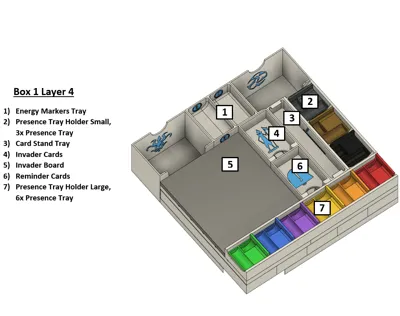
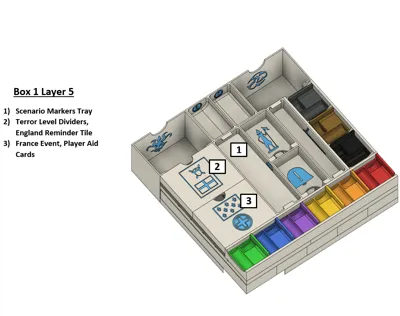
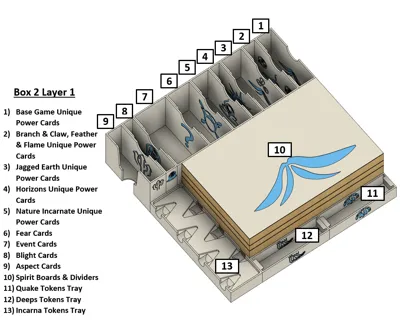
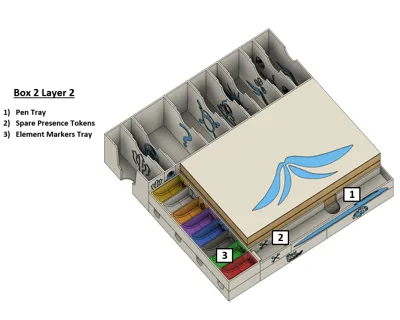
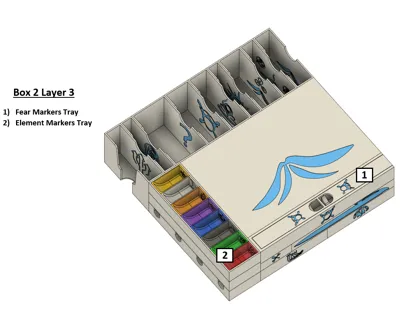
Caitlin Jorgensen created a 4 pages long organizer sheet PDF that you can print out and store with the organizer. It explains which trays go where for both of the boxes.
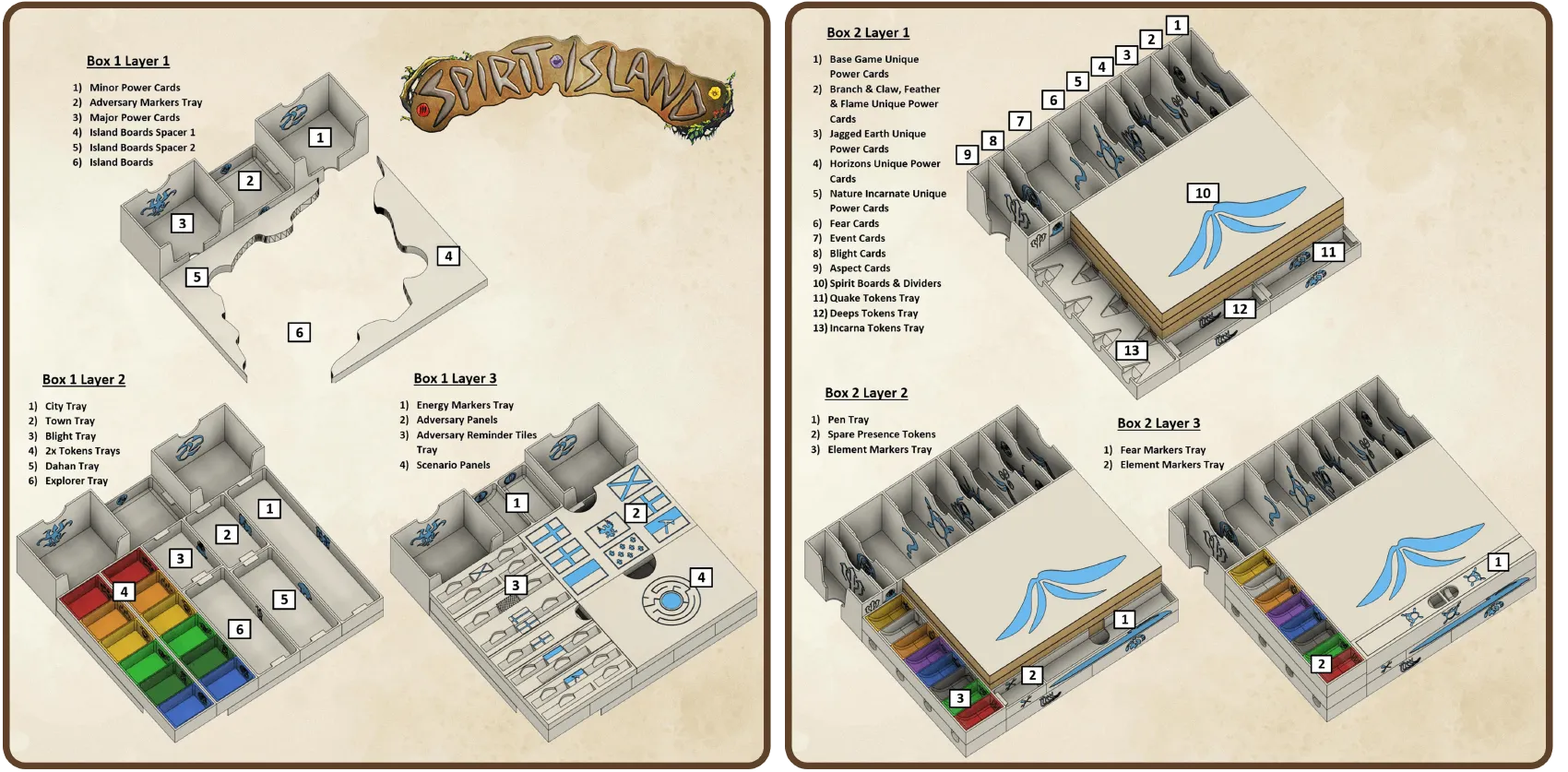
Not all objects have been presented here, but only those that are not self-explanatory.
Filenames
some filenames have information in square brackets. Here is an explanation of what these mean:
- [4x] print this object four times. If no quantity is given, print it once.
- [Choose] choose between printing one of two different options.
Credits
- Island Boards Spacer 1 and 2 based on Spirit Island + BC + JE Organizer by Anemic on Thingiverse
- Reminder Tokens Spirit Island Reminder Token by BlueChromis on Thingiverse
MrMesh, my best friend with whom I designed this insert.
Also check out our insert for Frosthaven!
If you print this insert, please post a make! I would love to see how it turns out and hear your feedback.
Thank you in advance for your support, and happy printing!
Documentation (1)
License



Comment & Rating (145)