
Print Profile(1)
Bill of Materials

Description
Membership
V2 Update - Added no icon option
Create professional-looking, chunky bubble-style keychains right at home!
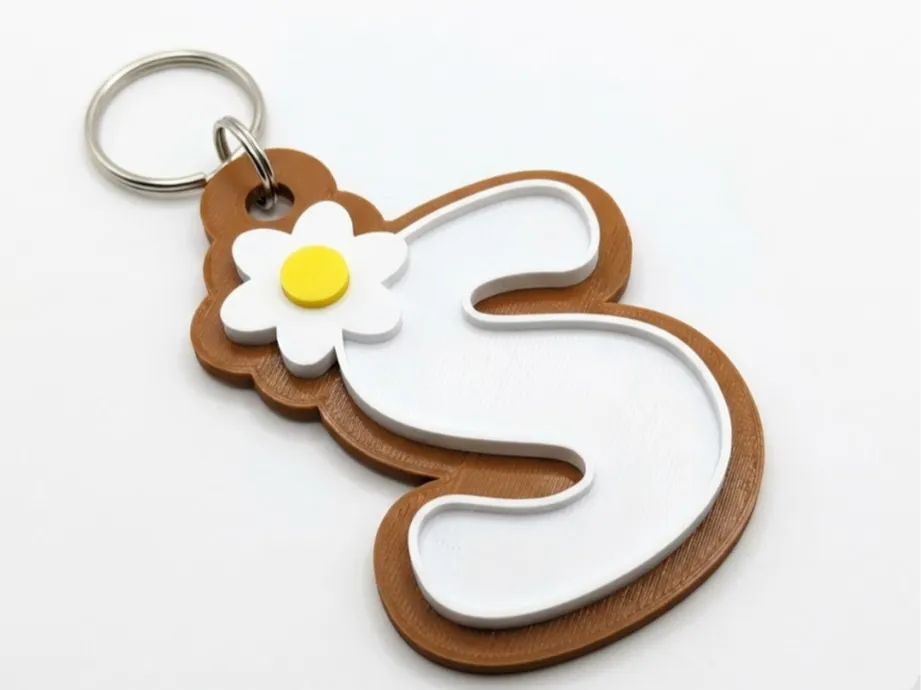
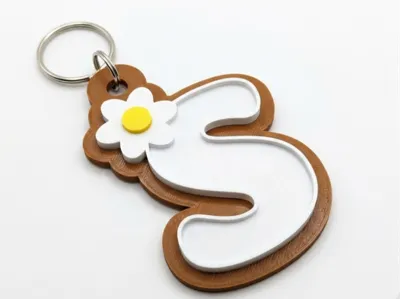
This parametric generator is designed specifically for makers who love combining 3D printing with epoxy resin crafts. The letters feature raised walls that form a perfect "bath" or cavity intended to hold resin, allowing you to create a stunning, glossy, glass-like finish.
Key Features:
- ✨ Resin-Ready Design: Deep recessed letters designed to hold epoxy resin cleanly. The walls allow you to overfill slightly, using surface tension to create a beautiful "domed" effect.
- 🎨 Fully Customizable: Choose any initial (A-Z) and pair it with a cute decoration icon (Flower, Heart, Star, Crown, Diamond and no icon at all).
- 🌈 Multicolor Friendly: The model is segmented and pre-colored for easy multi-color printing (perfect for AMS users).
- 👌 Easy to Print: Designed to print flat on the build plate with absolutely no supports needed.
PRINT INSTRUCTIONS:
The provided profile is set up for a balance of strength and print speed using standard settings.
Recommended Settings:
- Nozzle Size: 0.4mm standard
- Walls / Perimeters: 2 (Sufficient for structural integrity for this model)
- Infill Density: 15% (Gyroid or Grid pattern recommended)
- Layer Height: 0.2mm (A good balance for quality results)
- Supports: None required.
- Material: PLA works perfectly.
AMS/Multicolor Note: ensure your filament colors are assigned correctly in the slicer before printing to get the multi-colored base, letter, and icon effect.
POST-PROCESSING GUIDE (Resin Filling):
While the print looks great on its own, follow these steps for the glossy "bubble" effect:
- Ensure your 3D print is clean and free of stringing.
- Mix a small batch of clear 2-part epoxy resin.
- Using a fine syringe, pipette, or toothpick, slowly fill the white cavity inside the letter.
- Pro Tip: Fill it just until the resin reaches the top edge of the white wall. Surface tension will keep it from spilling over, creating a nice rounded dome.
- Place the keychain on a perfectly level surface and allow the resin to cure completely according to the manufacturer's instructions (usually 24 hours).
We can't wait to see your custom combinations! Please share photos of your Makes.
Boost Me (for free)
Boosts help me to continue creating more!
License

You shall not share, sub-license, sell, rent, host, transfer, or distribute in any way the digital or 3D printed versions of this object, nor any other derivative work of this object in its digital or physical format (including - but not limited to - remixes of this object, and hosting on other digital platforms). The objects may not be used without permission in any way whatsoever in which you charge money, or collect fees.


Comment & Rating (4)