Search models, users, collections, and posts

Print Profile(1)

0.12mm layer, 2 walls
Designer
37 min
1 plate
Open in Bambu Studio
Boost
1
3
0
0
2
1
Released
Description
Boost Me (for free)
Like it? Drop a rating ⭐ and boost 🙌
It really helps me bring more designs for you!
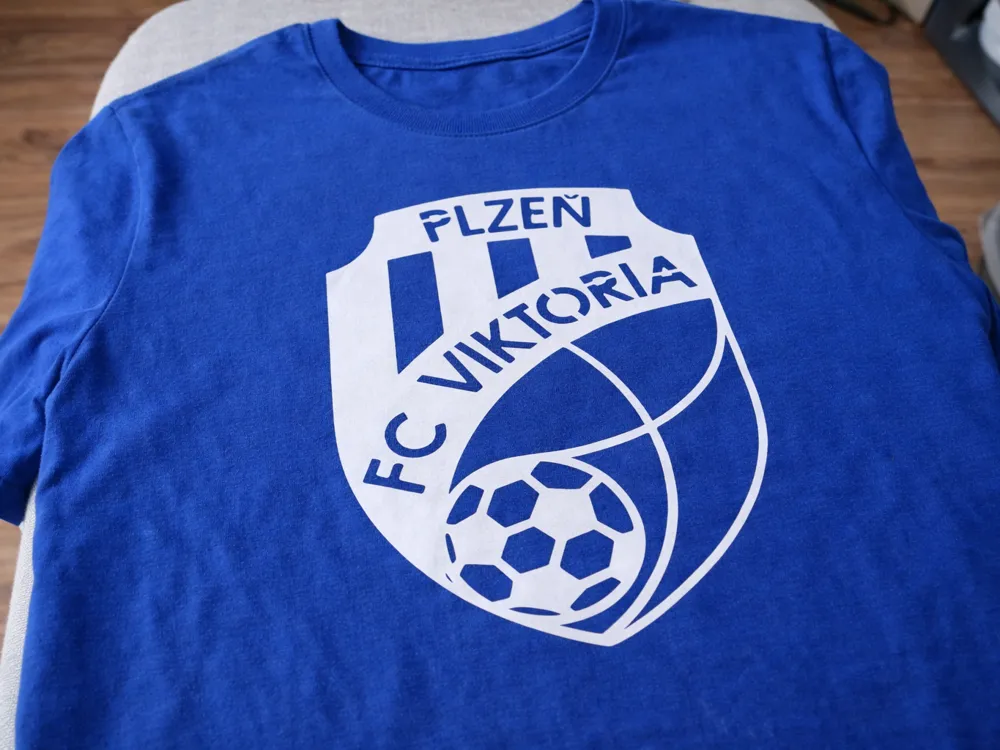
How to heat-press a 3D printed logo onto a T-shirt
1. Preparation
- Pre-iron the T-shirt (smooth surface)
- Place it on a flat, firm surface (avoid soft ironing boards if possible)
- Set the iron to:
- 160–180 °C (320–355 °F)
- Turn steam OFF ❗
2. Position the design
- Place the printed logo on the T-shirt
- Align it properly (centered, straight)
3. Protective layer
Cover the print with:
- baking paper / parchment paper / Teflon sheet
👉 This protects both the plastic and the fabric
4. Heat pressing
- Place the iron on top
- Do not move it – just press down
- Hold for about:
- 10–20 seconds per section
- Move across the whole design step by step
5. Check
- Let it cool slightly
- Check if the edges are properly attached
- Repeat if needed
🟡 Tips (important)
- PLA works best (softens easily)
- Don’t press too hard → may deform details
- Better to use multiple short presses than one long one
🔴 What to avoid
- ❌ Steam = bad
- ❌ Too high temperature = melting
- ❌ Soft surface = poor adhesion
License

This user content is licensed under a Standard Digital File License.
You shall not share, sub-license, sell, rent, host, transfer, or distribute in any way the digital or 3D printed versions of this object, nor any other derivative work of this object in its digital or physical format (including - but not limited to - remixes of this object, and hosting on other digital platforms). The objects may not be used without permission in any way whatsoever in which you charge money, or collect fees.


Comment & Rating (0)