
parametric texture plates / rubbing plates
Print Profile(0)
Description
Boost Me (for free)
Thanks for your support
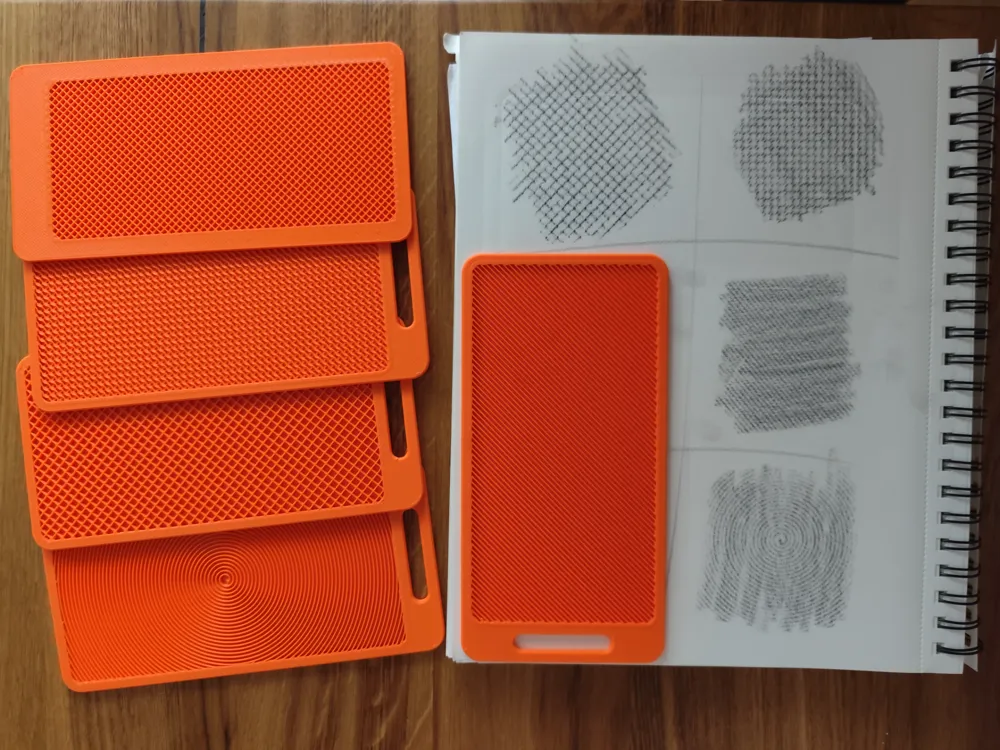
Parametric Rubbing Plates for Sketchers & Product Designers
I made these during my studies because I kept losing time hand-drawing textures.
So I just printed the texture instead.
Place the plate under your paper, grab a pencil, and rub.
You instantly get a repeating surface pattern that would take minutes to draw by hand.
How it works
infinite patterns in your slicer
Each plate is made from two parts in your slicer :
a frame and an infill body.
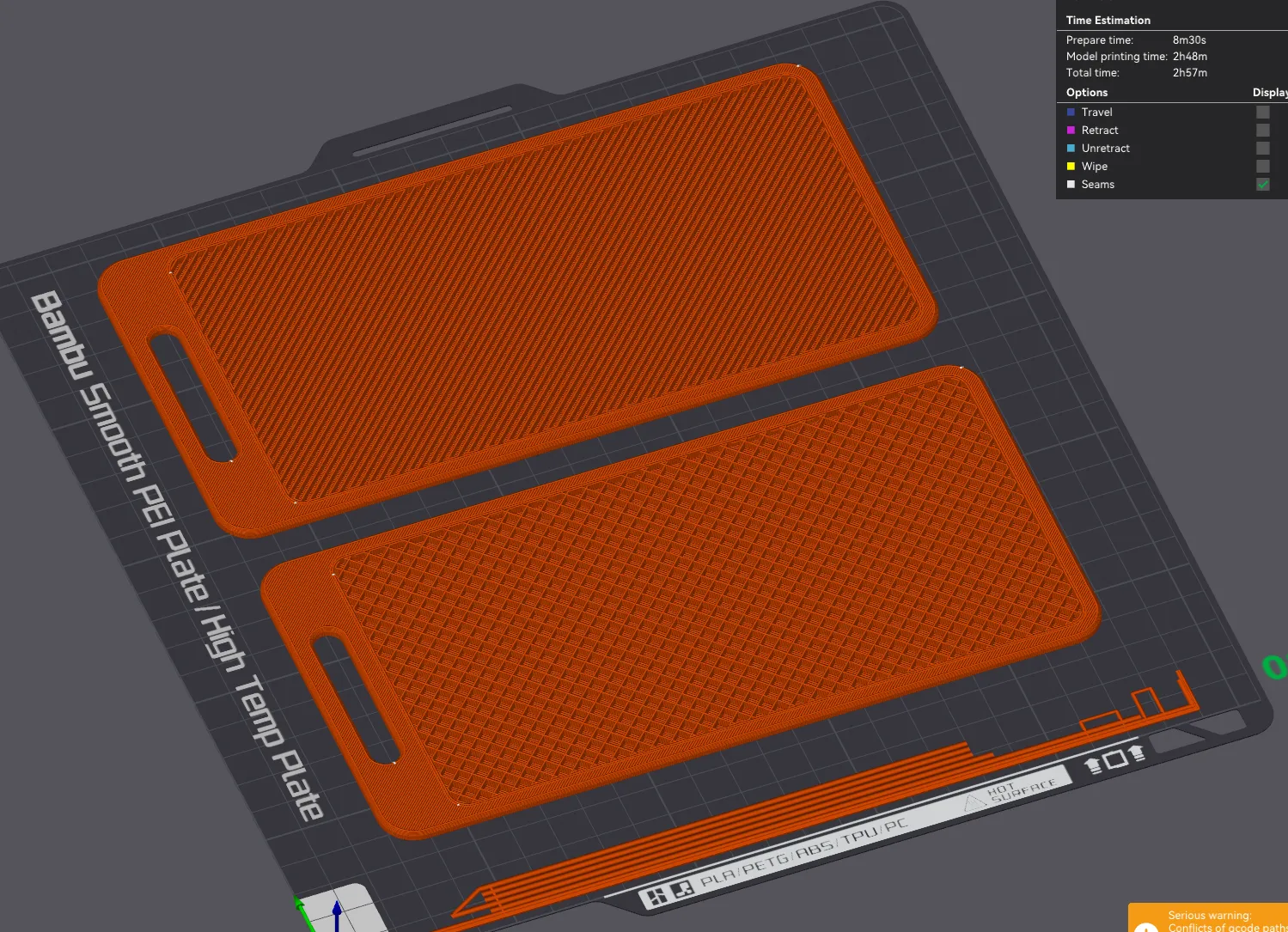
You set the texture entirely in the slicer — no need to touch the model itself.
click the inner body, go to Object Settings → Strength → Infill Pattern & Infill Density.
Pick a pattern, set your density, and slice.
One important thing: print the infill body without a top layer — that's what exposes the texture.
Check the result in Preview before printing.
Patterns I've been using
- Grid — crosshatch, metal, fabric
- Lines — hatching and shading
- Hex — industrial and technical surfaces
- Concentric — surprisingly convincing wood grain
Play with the density. I used infill density between 20 - 30%, depending on what you need
Print info
Around 50–60 g per plate. Good use for leftover filament.
I printed my plates with a 0.6 nozzle and HF PETF.
if you are using 0.4 nozzles , you might want to increase the support walls from 1 →2
License

You shall not share, sub-license, sell, rent, host, transfer, or distribute in any way the digital or 3D printed versions of this object, nor any other derivative work of this object in its digital or physical format (including - but not limited to - remixes of this object, and hosting on other digital platforms). The objects may not be used without permission in any way whatsoever in which you charge money, or collect fees.


Comment & Rating (0)