
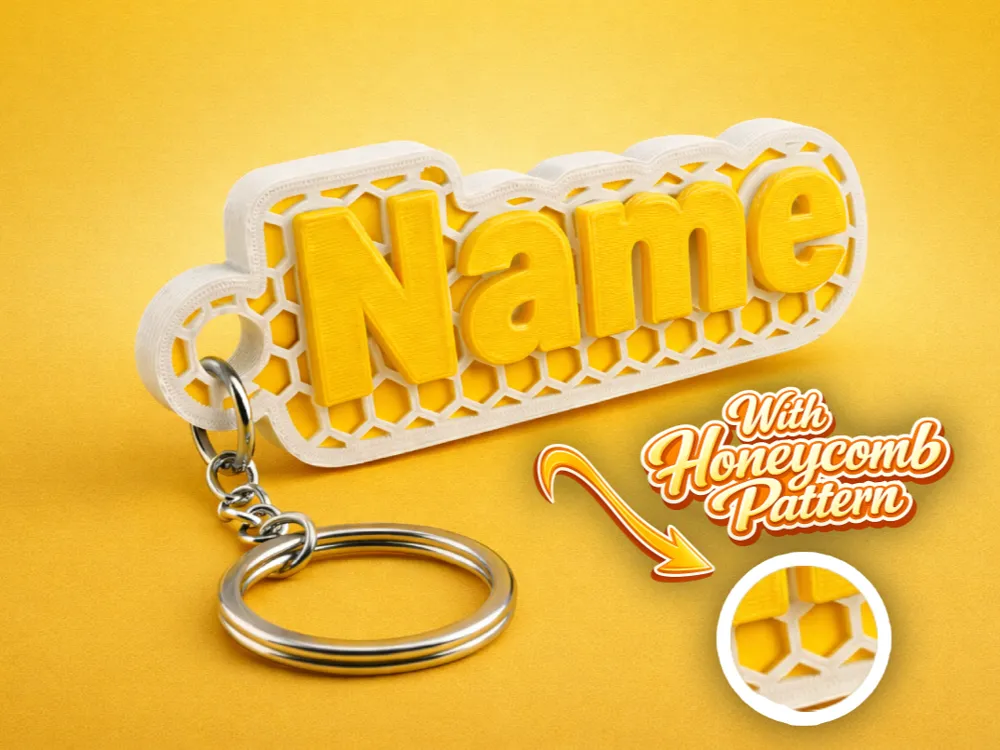
Keychain Configurator (With Honeycomb Pattern)


Print Profile(1)

Bill of Materials

Description
Boost Me (for free)
🔧 Customizer Features (All Settings Explained)
📝 Text Settings
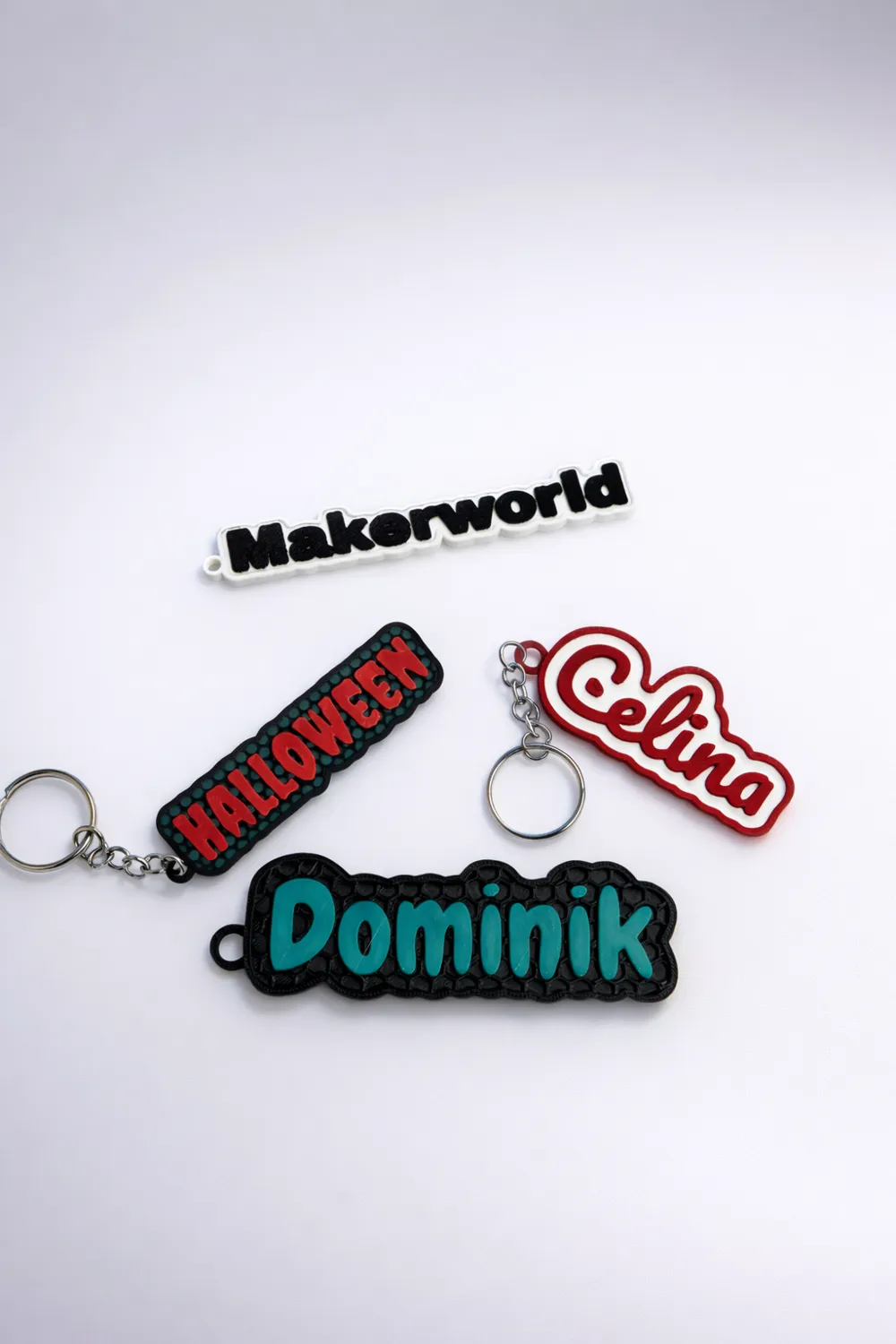
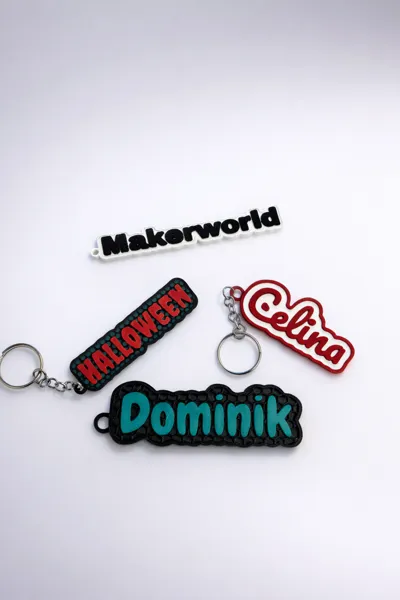
- Text String (Your Text)
Enter any name, word, or nickname. The tag shape automatically adapts to your text. - Text Size
Controls how large the text appears. Larger values make the text more prominent but require more space. - Font Name (Font Selection)
Choose from built-in fonts (e.g., Liberation Sans, Serif, Mono, DejaVu variants, Archivo Black).
Each font has a different style and width. - Letter Spacing
Adjusts the spacing between characters.
Higher = more spacing
Lower = tighter text - Text Thinning
Fine-tunes the thickness of the letters.
Lower = thinner / more delicate
Higher = thicker / bolder
📐 Dimensions
- Base Thickness
Total height of the base plate (in mm). - Outline Width
Distance between the text and the outer edge of the plate.
Higher values create more margin around the text. - Recess Depth
Depth of the recessed area (e.g., where the honeycomb sits).
Defines how far the background is lowered below the text.
🖼️ Frame
- Use Frame
Enables or disables a raised border around the tag. - Frame Thickness
Controls the thickness of the frame.
Automatically enabled when Honeycomb is active.
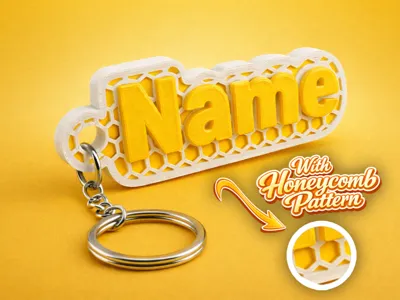
🐝 Honeycomb Pattern (Optional)
- Use Honeycomb
Enables the hexagonal background pattern. - Honeycomb Cell Size
Size of each hexagon. Honeycomb Wall (Wall Thickness)
Thickness of the honeycomb walls.⚠️ Important Recommendation:
- For 0.4 mm nozzle or larger → use at least 0.6 mm wall thickness
- For 0.2 mm nozzle → less critical, smaller values work fine
- Honeycomb Height
How far the honeycomb walls rise above the recessed floor. - Honeycomb Rim
Outer boundary around the pattern for strength and clean edges. - Honeycomb Text Clearance
Distance between the text and the honeycomb pattern to prevent overlap.
🔑 Keyring Loop
- Add Keyring
Enables the keyring loop. - Keyring Hole Diameter
Diameter of the hole for the keyring. - Keyring Wall
Thickness of the loop wall. - Keyring Gap
Distance between the loop and the plate.
Smaller = shorter connector
Negative values = closer / overlapping - Keyring Offset Y
Vertical position of the loop.
Negative values move it downward. - Keyring Connector Width
Width of the connector between the loop and the plate.
🎨 Colors (Preview Only)
- Plate Color
Base plate color (preview only). - Honeycomb Color
Color of the honeycomb pattern. - Keyring Color
Color of the loop.
⚙️ Advanced
- Preview FN
Controls preview resolution.
Higher values = smoother preview but slower performance.
🖨️ Print Settings (Recommended)
- Material: PLA / PETG / ABS
- Colors:
- Dark color → base + honeycomb
- Light color → raised text + frame (for maximum contrast)
- Layer Height: 0.20 mm
- Infill: 100% (small part → maximize durability)
- Top Surface:
Enable Ironing for a smooth, glossy finish on text and frame. - Filament Swap Tip:
Add a pause at:
Base_Thickness - Recess_Depth
→ for clean color separation between recessed background and raised elements.
🔩 Hardware Recommendation
The keyring hole is perfectly sized for:
Bambu Lab 25 mm Split Ring Keychains
💡 Pro Tips
- If your text looks too wide or too tight:
→ adjust char_width_factor- Bold Sans ≈ 0.62
- Regular Sans ≈ 0.55
- Mono ≈ 0.60
- For a clean classic nametag:
→ disable Honeycomb - For a minimalist look:
→ disable Frame - For a more natural hanging position:
→ use negative values for keyring_offset_y
❤️ Share your makes!
Show off your prints for creative color combinations!
License

You may create derivative works based on this object, provided that all such derivative works are published exclusively on the MakerWorld platform and include proper attribution to the original creator. You may not share, upload, host, distribute, or publish this object—or any derivative work of this object—on any other digital platform, marketplace, or distribution channel. Commercial use of this object and any derivative works is strictly prohibited. This includes, but is not limited to, selling, renting, sublicensing, or using the object in any context in which you receive monetary compensation or other financial benefits.


Comment & Rating (0)