
The Ultimate Customizable Name Keychain
Print Profile(1)
Description
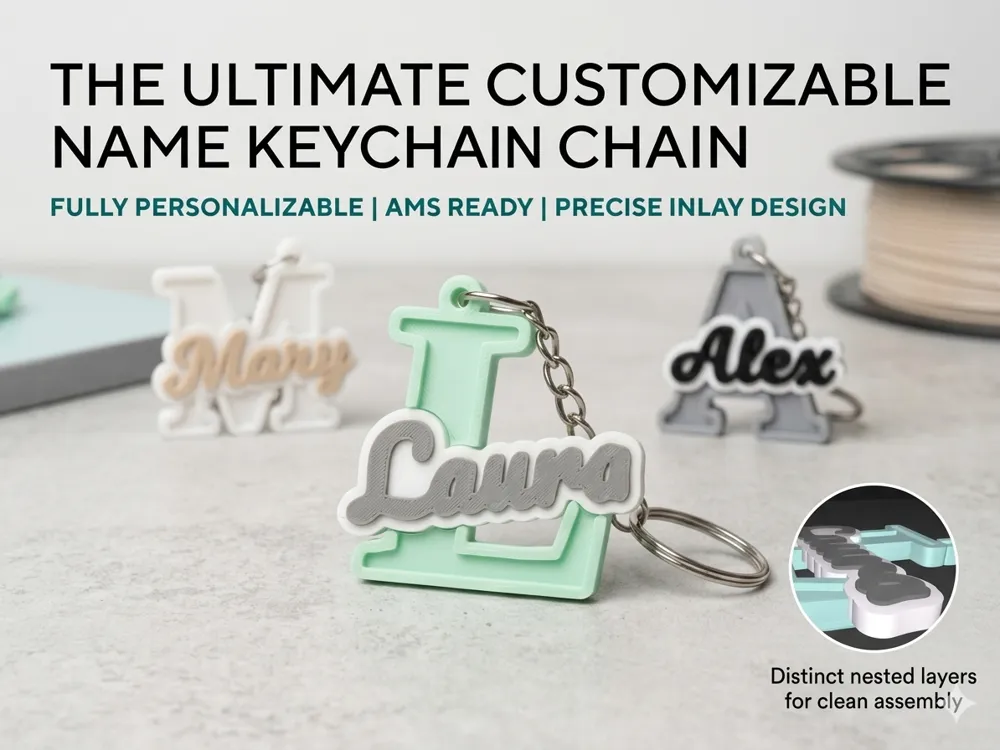
🎨 Customizable Multi-Color Name Keychain Generator
🚀 Create Your Unique, Luxury Keychain in Seconds!
Tired of boring, flat keychains? This Parametric Generator allows you to design a professional, multi-color keychain featuring a bold initial and a stylish script overlay. Optimized for Bambu AMS, but thanks to its clever design, anyone can achieve amazing results—even without multi-color printing!
🌟 Why Choose This Model?
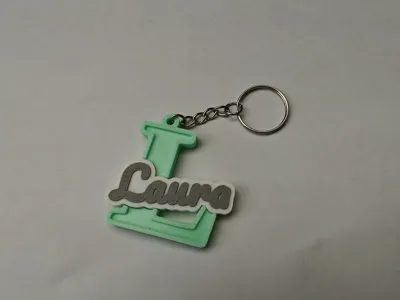
- Multi-Color 3D Depth: The model consists of three independent color layers (Base, Name Offset, and Name Core), giving it a unique, "store-bought" premium look.
- Aesthetic Inlay Design: The name isn't just printed on top—it sits within a precision-carved "pool," creating a perfectly smooth and integrated finish.
- Smart "Gap Fill" Technology: The generator automatically fills small holes inside the name's background offset (e.g., in letters like 'a' or 'e'), ensuring the base under the text is solid and durable.
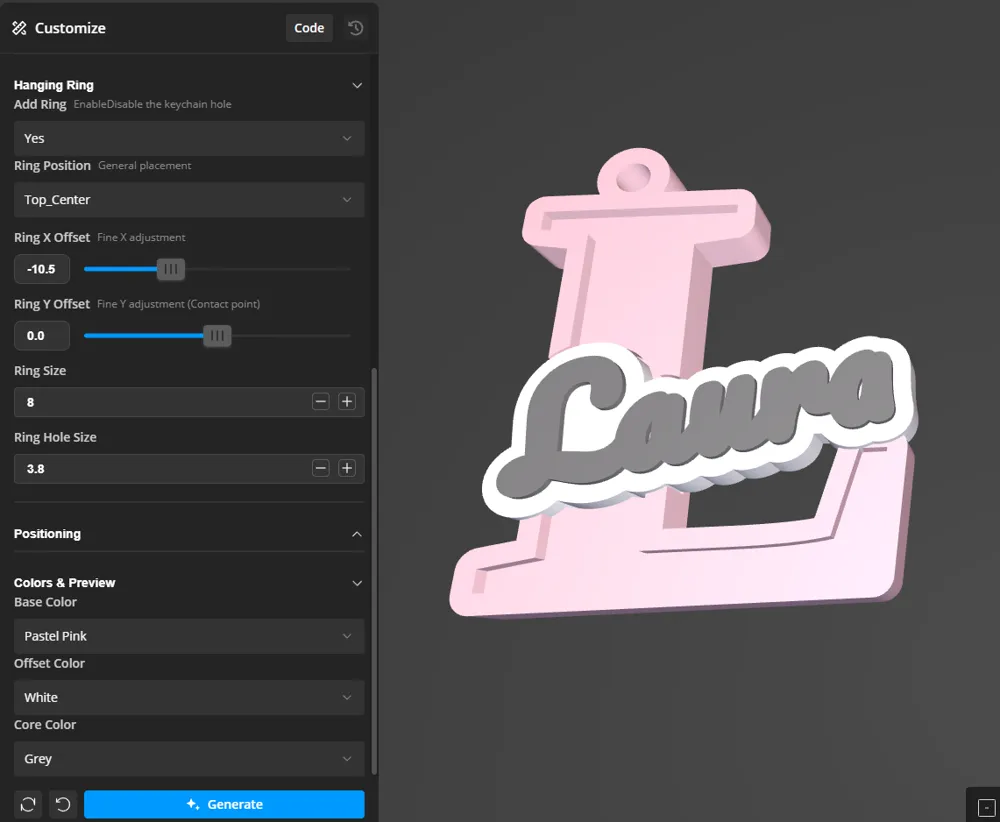
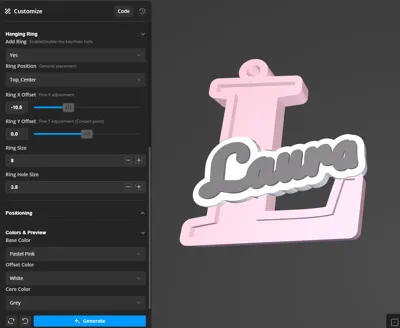
- Fully Parametric: Change fonts, sizes, thicknesses, and the keychain ring position using simple sliders in MakerLab.
- Tangent Ring Logic: The hanging ring is intelligently positioned to always stay tangent to the edge of the letter, regardless of its shape.
🛠️ How to Customize
- Click "Customize" (or open in MakerLab).
- Enter Name: The first letter will automatically become the large background initial.
- Choose Your Vibe: Select from a library of 10+ premium fonts—ranging from elegant scripts to bold modern types.
- Fine-Tune Details: Use sliders to rotate the name (Rotation_Angle) or perfectly position the ring (Ring_X/Y_Offset).
- Print & Enjoy!
🖨️ Recommended Print Settings & Assembly
- Printer: Optimized for Bambu Lab series (A1, P1, X1) with AMS.
- Nozzle: 0.4mm (0.16mm layer height recommended for fine script details).
- Settings: 3 Wall loops, 15-20% Infill (Gyroid).
- Ironing: Highly recommended to enable ironing on "All top surfaces" for a professional, injection-molded look.
💡 Pro Tip for Perfect Results: For the highest quality finish (especially if you don't have an AMS), I recommend a two-step print:
- In the Element_Selection menu, select only the Base and print it.
- Next, select Name_Complete and print it separately (ideally face-up or with "ironing" enabled).
- Glue the parts: Thanks to the built-in Fit_Tolerance, the name will snap perfectly into the carved slot on the initial. A single drop of superglue (CA glue) results in a professional-grade keychain with zero stringing between colors!
💡 Color Inspirations
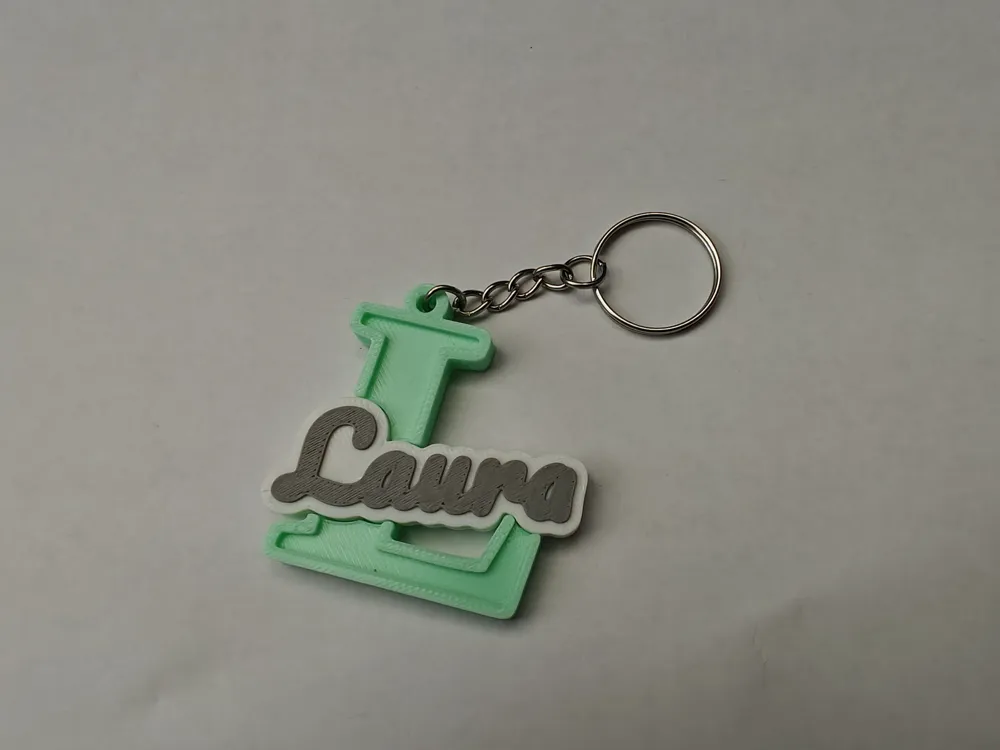
- The Classic: White Offset + Grey Name on a Pastel Mint Base.
- The Elegant: Gold Name + Black Offset on a Dark Green Base.
- The Sweet: White Offset + Beige Name on a Pastel Pink Base.
❤️ Love this project? Please leave a 5-star rating and upload a photo of your make! Your support helps me keep creating free tools for the community.
License

You may create derivative works based on this object, provided that all such derivative works are published exclusively on the MakerWorld platform and include proper attribution to the original creator. You may not share, upload, host, distribute, or publish this object—or any derivative work of this object—on any other digital platform, marketplace, or distribution channel. Commercial use of this object and any derivative works is strictly prohibited. This includes, but is not limited to, selling, renting, sublicensing, or using the object in any context in which you receive monetary compensation or other financial benefits.


Comment & Rating (19)