Search models, users, collections, and posts

Bauhaus tray but ... Gridfinity
Remixed by

Print Profile(2)

unstackable, multicolor_with_AMS, 0.2mm layer
Designer
56.6 h
10 plates

unstackable, multicolor_without_AMS, 0.2mm layer
Designer
33.2 h
26 plates
Open in Bambu Studio
Boost
36
142
5
3
92
33
Released
Description
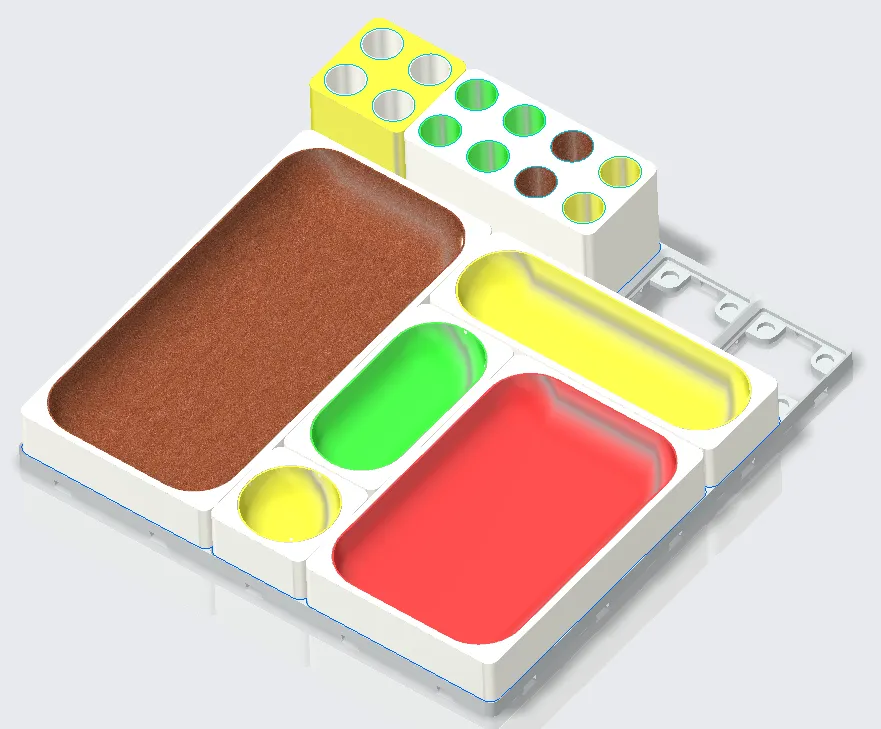
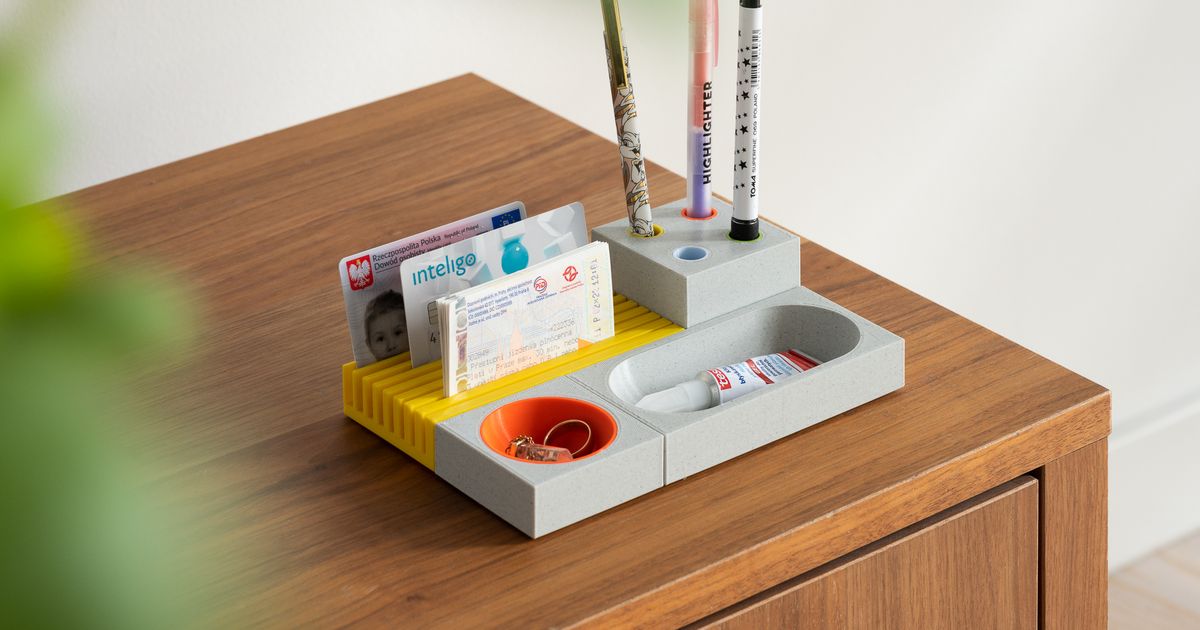
I do like the design of Bauhaus tray by AndrzejG, I also like the commonality of Gridfinity system, so here comes this remix of Bauhaus tray and Gridfinity.
Features:
- 1 Unit for 42mm x 42mm x 7mm
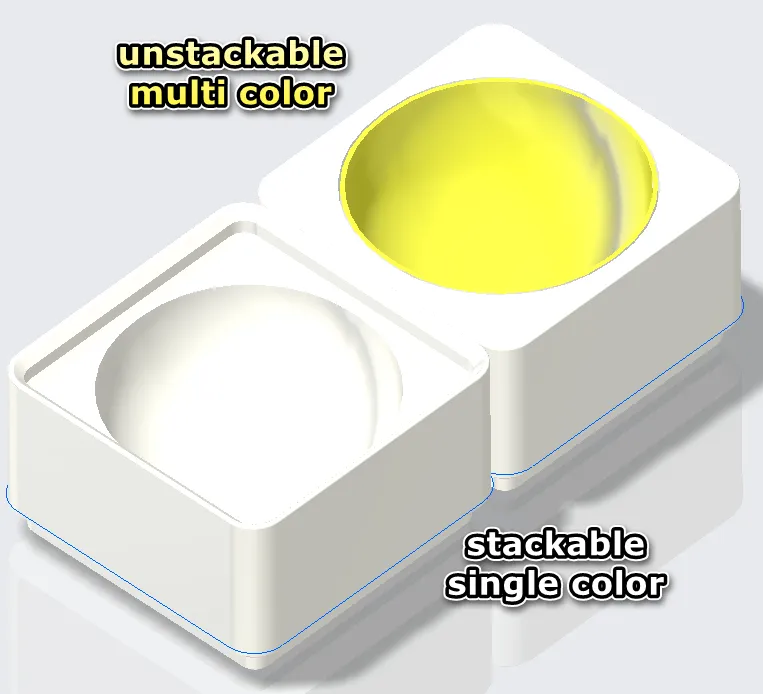
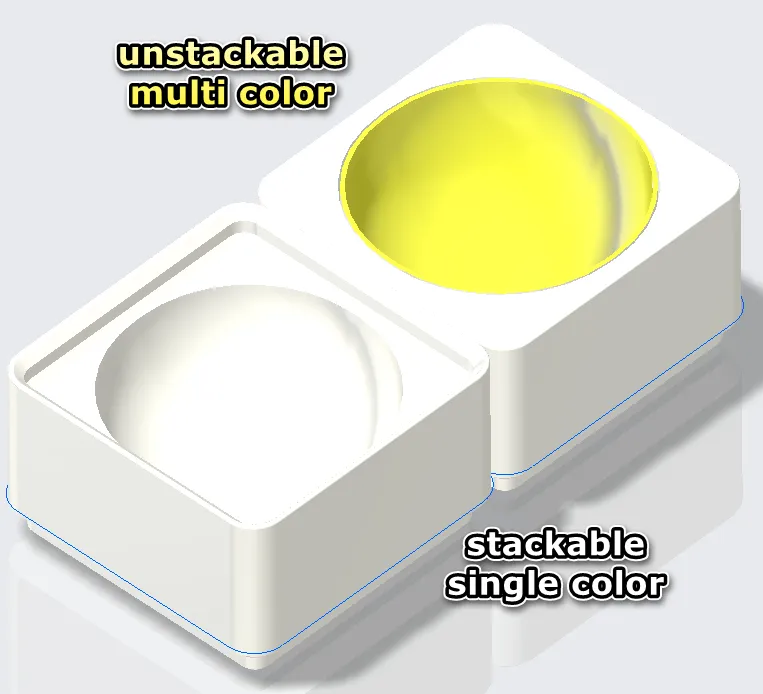
- - / us: stackable / unstackable
- - / mc: single color / multi color
- No supports needed
- No MMU or AMS needed for multicolor design
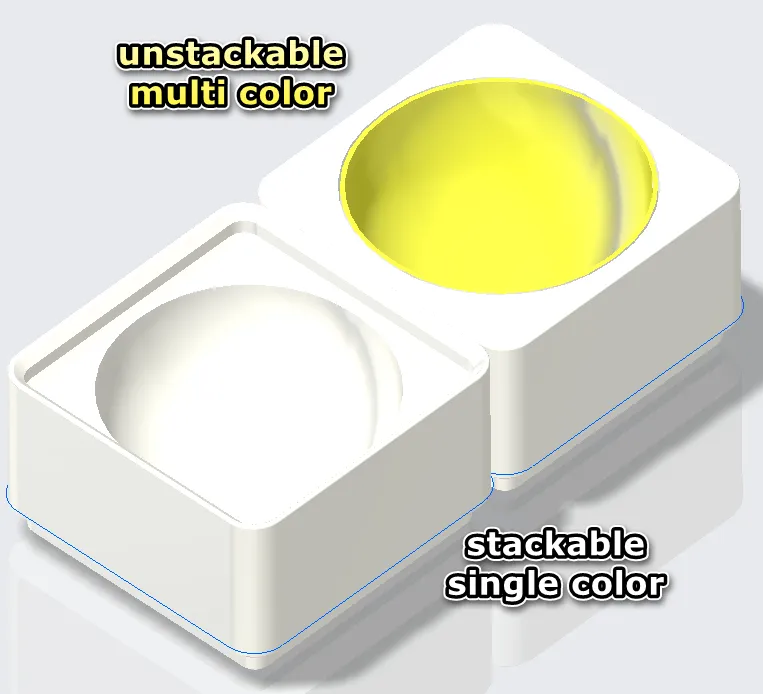
| Size | Stackable | Multicolor | |
| Trays | 1x1x3, 2x1x3, 2x2x3 … 4x4x3 | - / us | - / mc |
| Pens_holder | 1x1x6, 2x1x6, 3x1x6 | us | mc |
Multicolor print hints:
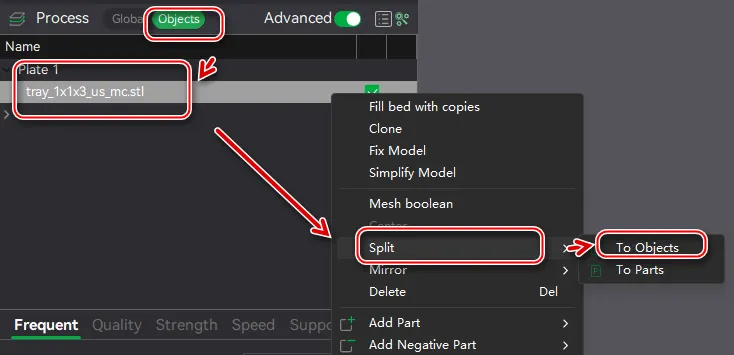
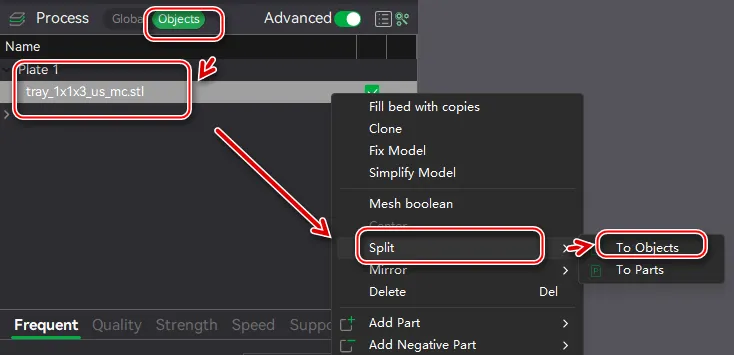
- If you downloaded the multicolor design, split the model to 2 parts using slicer software as picture shown below. I'm using bambu lab slicer, and if you're using other slicers, the process should be similar.
- The gap of two parts is 0.2mm, and if your printer is set correctly, maybe glue is not necessary.
我很喜欢AndrzejG 设计的 Bauhaus tray , 我也很喜欢 Gridfinity 收纳系统,所有就有了这个融合两者的设计
特性:
- 1 个单元的尺寸是 42mm x 42mm x 7mm
- - / us: 可堆叠 / 不可堆叠
- - / mc: 单色 / 多色
- 不需要支撑
- 多色设计不需要MMU或者AMS之类的设备
多色打印提示:
- 如果你下载的是多色设计,在切片机里面把模型分成两片,如图所示。我用的是Bambu的软件,如果你用其他的过程应该也差不多。
- 两个部件的间隙是0.2mm,如果你的打印机设置正确,应该不需要胶水。
This remix is based on
License

This user content is licensed under a
Creative Commons Attribution-Noncommercial-Share Alike


Comment & Rating (5)