Search models, users, collections, and posts

Print Profile(0)
Add the first print profile to earn points
Boost
0
0
0
0
1
0
Released
Description
📌 Parametric QR Code Sign & Rack Tag Generator
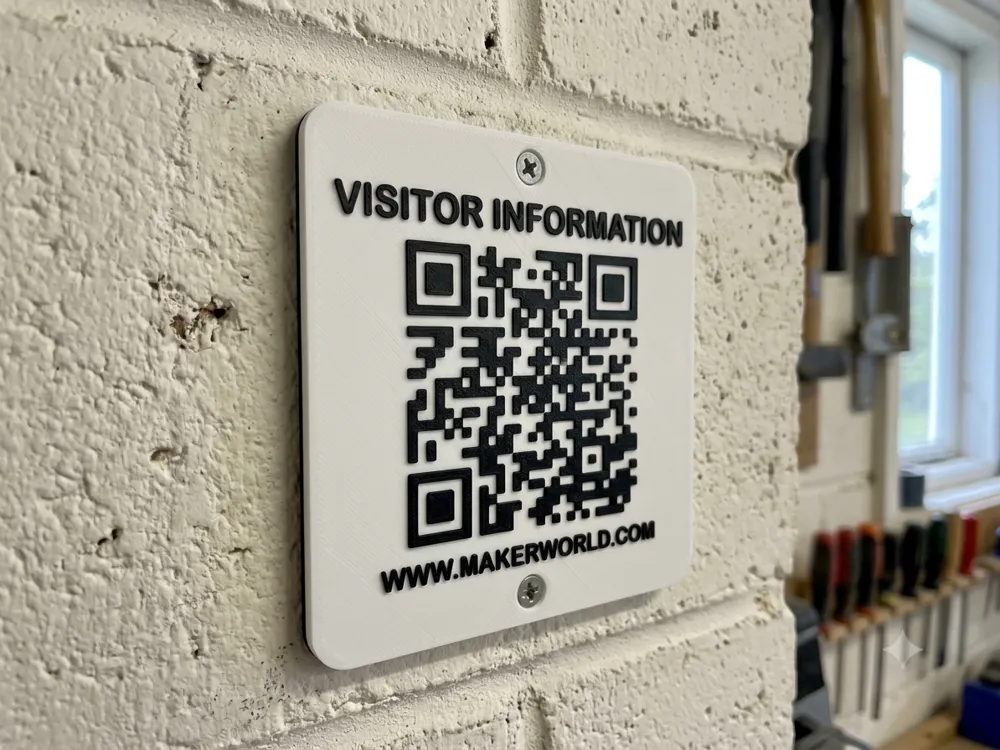
Create clean, durable, 3D-printable QR code signs in seconds! Whether you need large screw-mounted wall plaques for Wi-Fi/links or compact adhesive rack tags with location labels for warehouse storage, this parametric tool handles it all.
Designed specifically for crisp high-contrast optical scanning and seamless slicing in Bambu Studio.
✨ Key Features
- 🛠️ Fully Parametric: Adjust width, height, base thickness, QR code size, and corner rounding.
- 🔩 Screw Holes Toggle: Enable 4.5 mm countersunk holes for standard M4 / drywall screws, or turn them off for flat adhesive/magnetic mounting.
- 🏷️ Custom Text Labels: Add location text (e.g., RACK-A04, AISLE 3, WIFI CODE) above or below the QR code.
- 📷 Scanner Optimized: Designed with raised relief geometry to prevent glare and shadow interference during scanning.
- 🎨 AMS & Manual Swap Ready: Set up for easy 2-color prints with Bambu AMS or simple layer pauses.
🖨️ Recommended Print Settings (For Best Scannability)
To ensure phone cameras and optical barcode scanners read your printed QR codes reliably, use these exact settings in Bambu Studio:
| Setting | Recommended Value | Why? |
|---|---|---|
| Wall Generator | Arachne (Required!) | Prevents small square corners of the QR code from rounding off or skipping. |
| Layer Height | 0.16 mm or 0.20 mm | Ensures clean transitions between colors. |
| Top Surface Speed | 50 mm/s | Slower top speeds produce smoother, non-reflective surfaces. |
| Outer Wall Speed | 50 mm/s | Sharpens vertical edges on raised QR blocks. |
| Filament Type | Matte PLA (Black & White) | Avoid glossy filaments. Gloss causes light glare that disrupts camera scanning. |
🎨 Dual-Color Printing Setup
With Bambu AMS:
- Set Object Body / Base to White (Filament 1).
- Set Raised QR Code & Text to Black (Filament 2) using height-range painting or multi-color slicing.
Without AMS (Manual Swap):
- Slice the model in Bambu Studio.
- In the right-hand layer preview slider, move down to the first layer where the QR code starts rising.
- Right-click the slider handle (+) and select Add Pause.
- Swap filament from White to Black when the printer pauses!
🚀 How to Customize
- Click Customize on this MakerWorld page.
- Paste your target URL or upload your QR SVG.
- Enter your Location Text Label (or leave set to None).
- Toggle Screw Holes On (for walls) or Off (for rack tags).
- Click Generate and download your .3mf file straight to Bambu Studio!
License

This user content is licensed under a
Creative Commons Attribution


Comment & Rating (0)