
Sliding Door Sign with interchangeable inserts


Print Profile(2)


Description
Looking for a classy door sign that's both fun and practical? It features a clever print-in-place holder with a sliding mechanism and various inserts that can easily be swapped out to suit your needs.
Right now, it's all about the bathroom – making sure private things stay private and nobody gets surprised when the door is opened.
But I'm expanding the range of inserts to include cool options for your office, the kids' gaming hideout, and more in the very near future.
Got another idea for a new insert? Drop me a line – I'm all ears for your creative suggestions!
The holder has the following dimensions:
Width: 150mm
Height: 70mm (75mm with the top grip of the inserts)
Thickness: 15mm (about 19mm with the grip of the slider)
For individuals preferring a more permanent fixture than double-sided tape, the design includes two holes located behind the inserts. These holes are 4.5mm in diameter.
Some printing notes:
- I've used tree support because it's much easier to remove in this print than the classic support. I've tried both. Due to it it relies a bit on bridging capabilities, which shouldn't be an issue with a Bambu or other dialed in printer and filament.
- The slider has a hidden and very thin support that's already implemented in the design. The first time you move the slider it might need some little force, but at that point the support of it will break by design and release the slider fully. I've used plenty of tolerances in my design so it should move very easily after that first sliding action. I did multiple test prints in PLA and that design approach worked always without an issue.
- My inserts are designed in a way that you can easily change the colors of the elements in the Bambu Studio objects tab. Want to change the background color of one side of an insert or do multi-color lettering or graphics? It's no problem.
- In all of my test prints so far I had only one time a not so perfect line on the slider - this was the only time i tried to print it with “matte” filament. If you experience that and you've used matte as well, you might want to try with another or tweak the settings a little bit for it.
Updates:
22.03.2024
- Based on the first user request I've added a “clean vs dirty” insert.
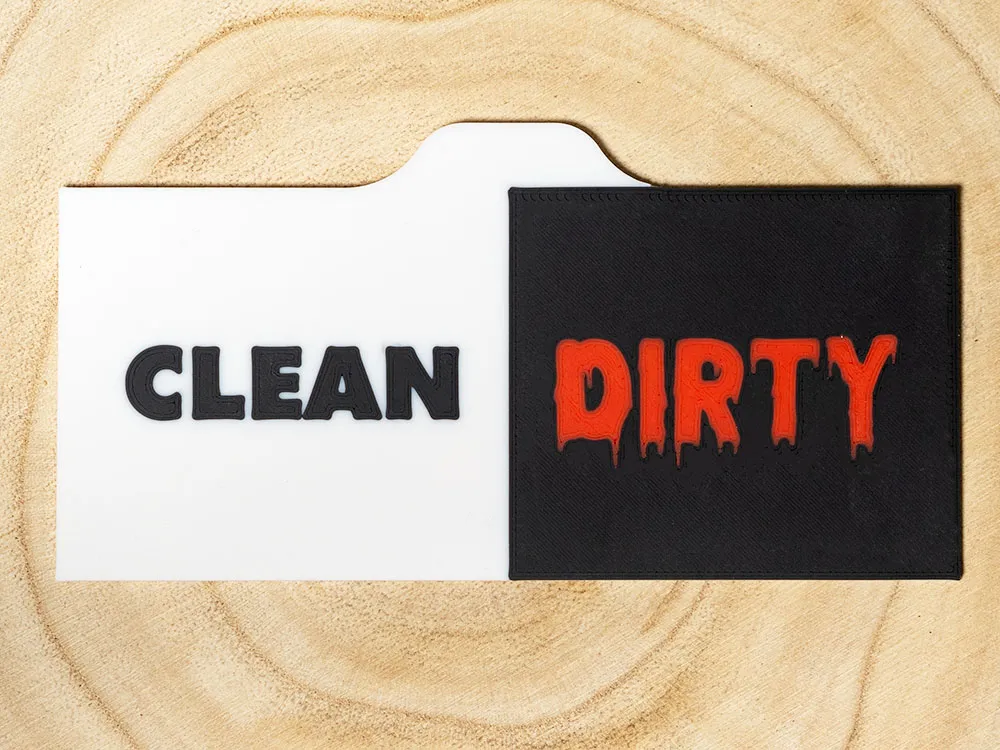
29.03.2024
- I've added an “Available” / “In Use” Sign for Meeting Rooms or Machines
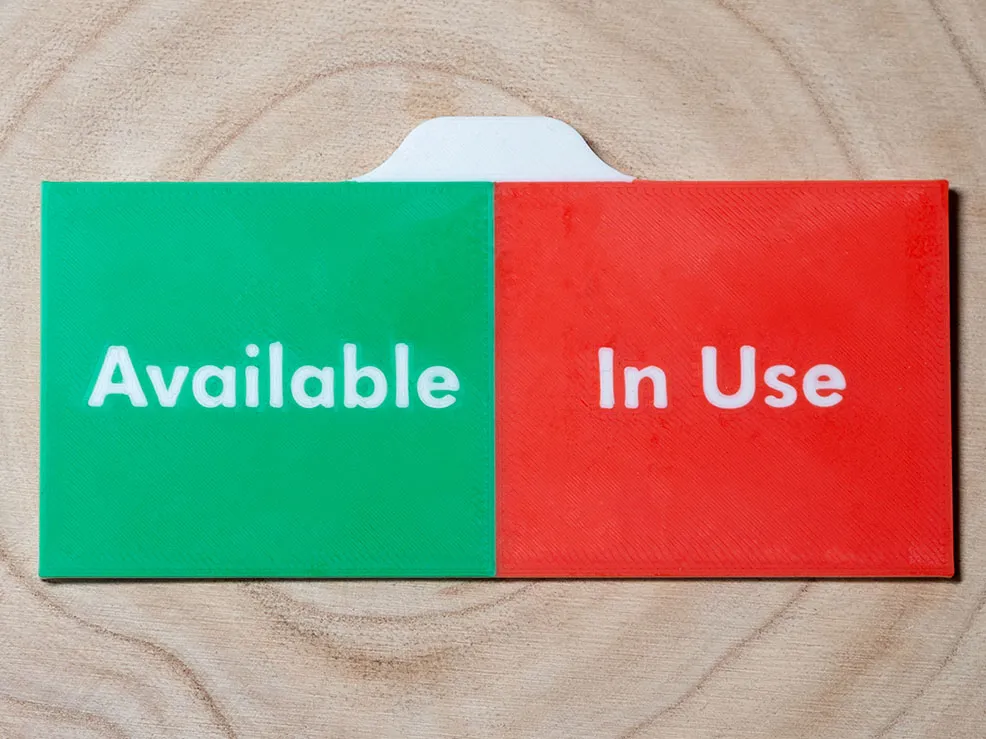
31.03.2024
- Due to requests I've added a slighty thicker version of the holder that has 6 additional holes at the back for 10x3mm Magnets. I've tried common Amazon Neodym Magnets at that size and 3 were enough to keep the holder and insert in place (tested on a fridge).
The holes for the magnets have a diameter of 10.2mm. So there is a little tolerance, which was in my test still small enough to give the magnets a nice friction fit.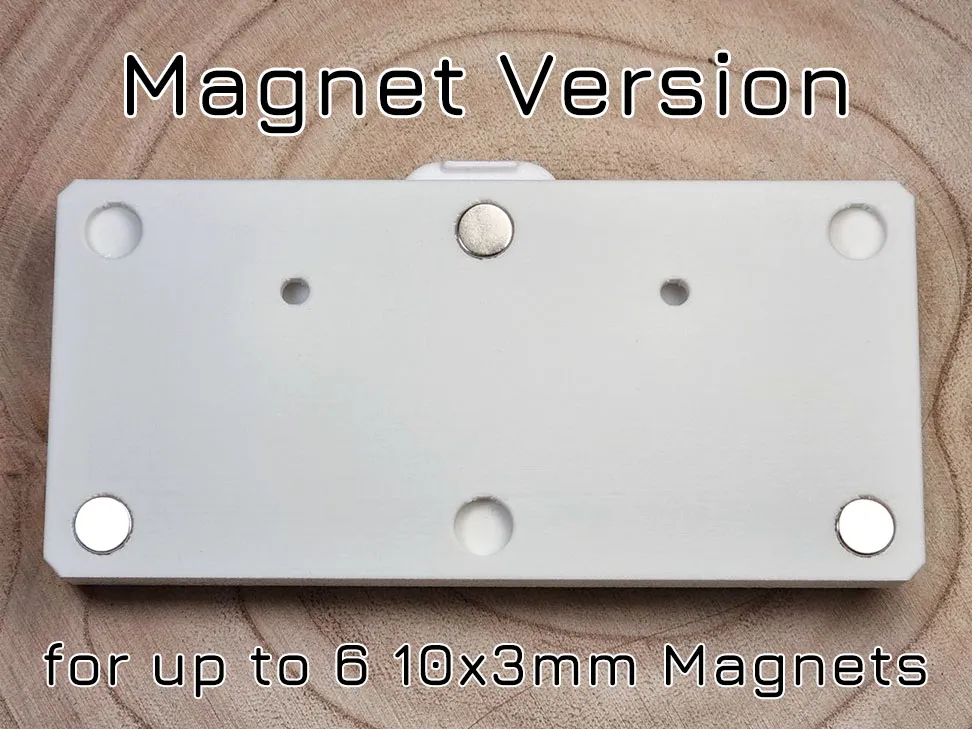
07.04.2024
Improved the support design further to avoid layer shift that could occur on the print in place slider with more brittle filaments (like old filament or matte PLA). To do this I've changed two things:
- Added tree support under the handle. It's still easy to remove and doesn't leave big marks, but it increases the stability during printing a lot. Especially for people using a bed slinger.
- added very thin “fins” at the back of the slider into the design to make it more stable in the Y-Axis during printing. They're very subtle and easily break free when it's moved the first time, but help with the print process.
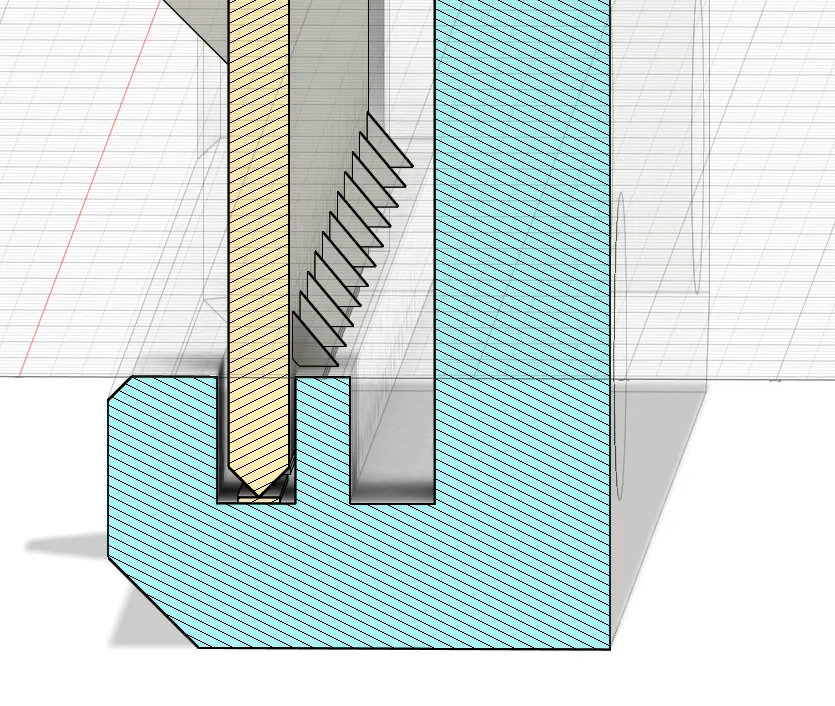
I've test printed the updated classic and magnet version with my most brittle filament I had (Sunlu Matte White) and had no issues with it.
09.04.2024
I have added a printplate with just the handle part of the inserts. This way you can easily create your own inserts with the Makerworld “Make my Sign” and then attach the handle in the slicer.
To do this open “Make My Sign” and follow the next steps to get the right size. Play around with the colors, text, shape or add svg as you want. 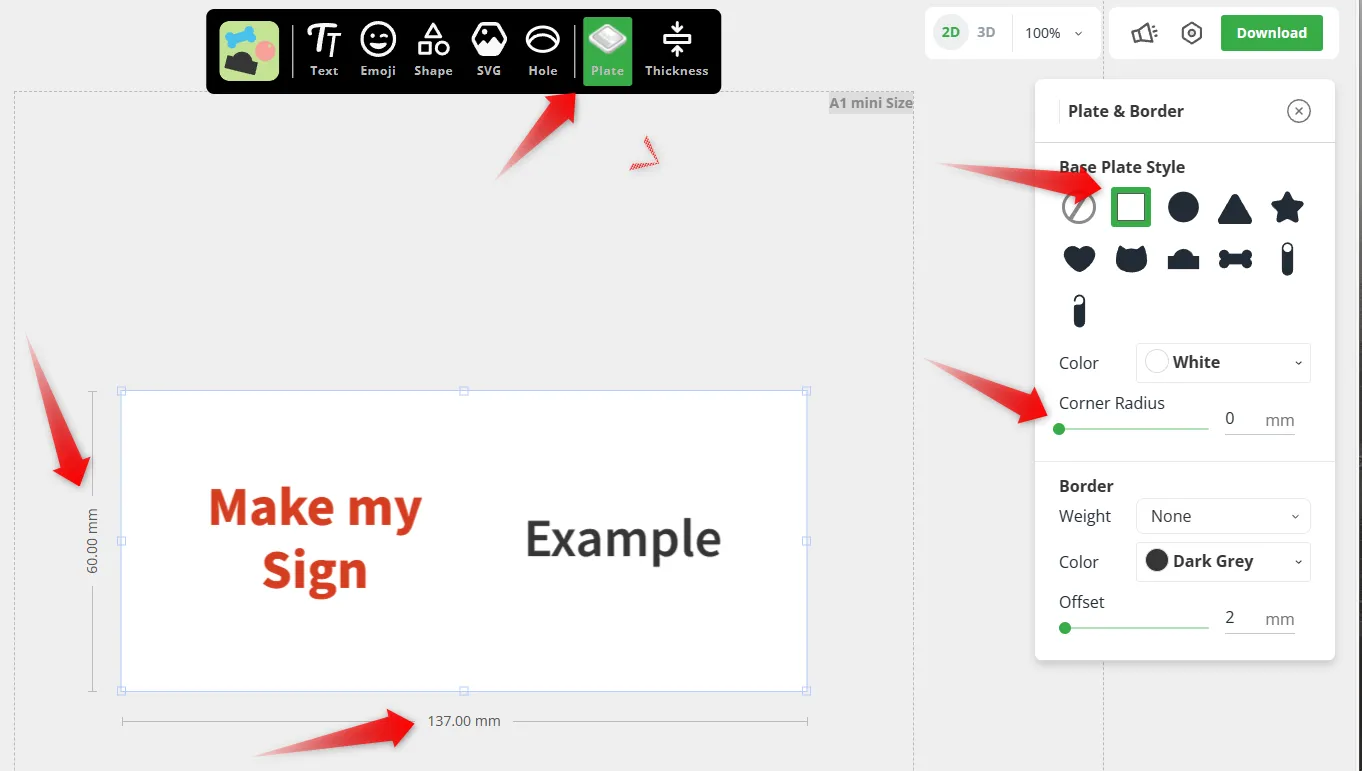
I highly recommend to select “Face down”. This way it will have the right orientation when you add it in the next step to the slicer and having the text / icons facing down usually also results in a better front finish of the insert
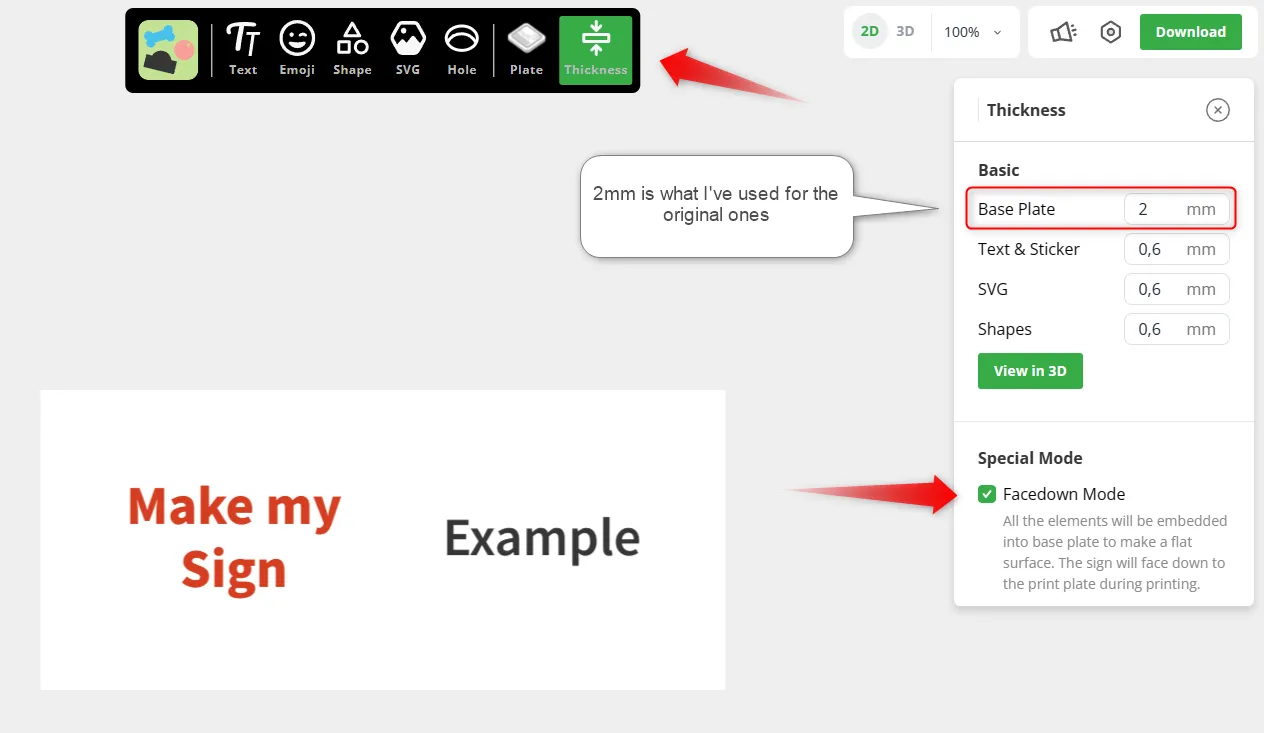
Then click dowload and save the .3mf file.
Next step - Bambu Studio:
Open the latest version of my file. I've added the Handle today, so previous versions won't have it.
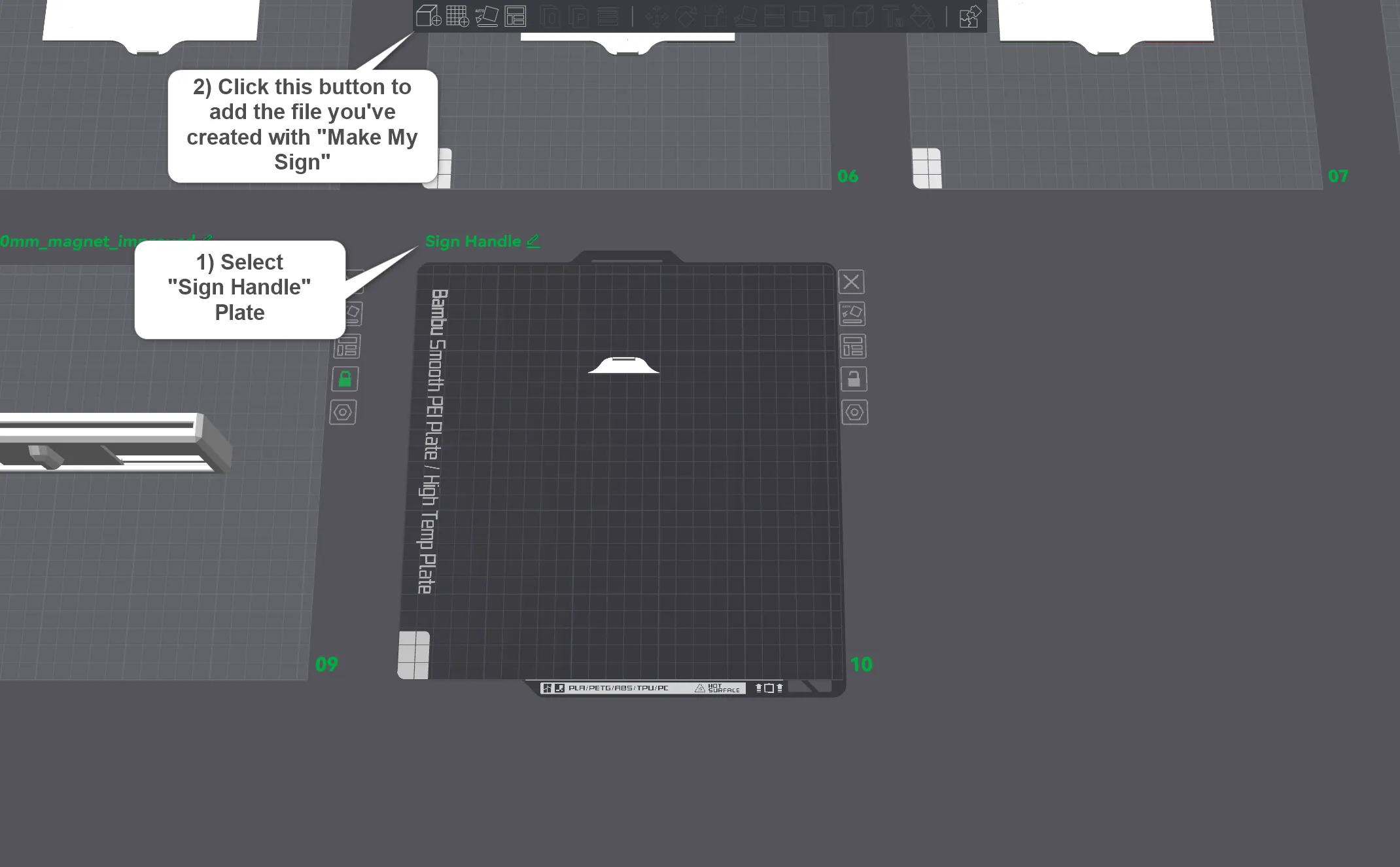
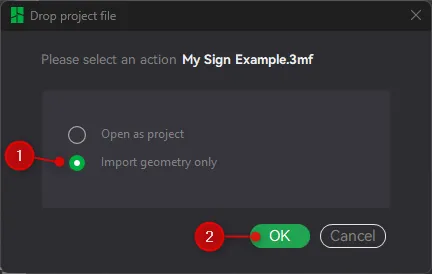
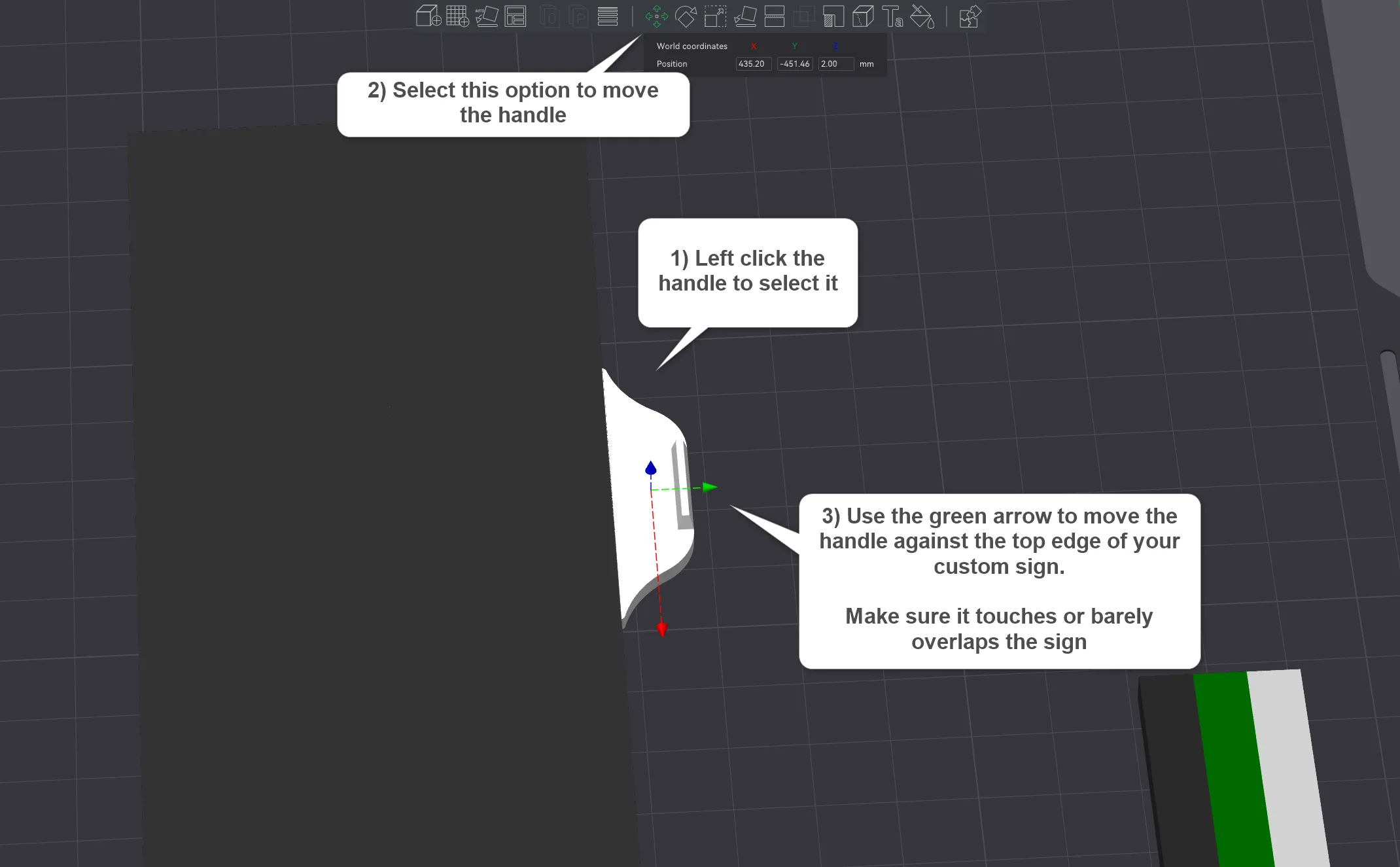
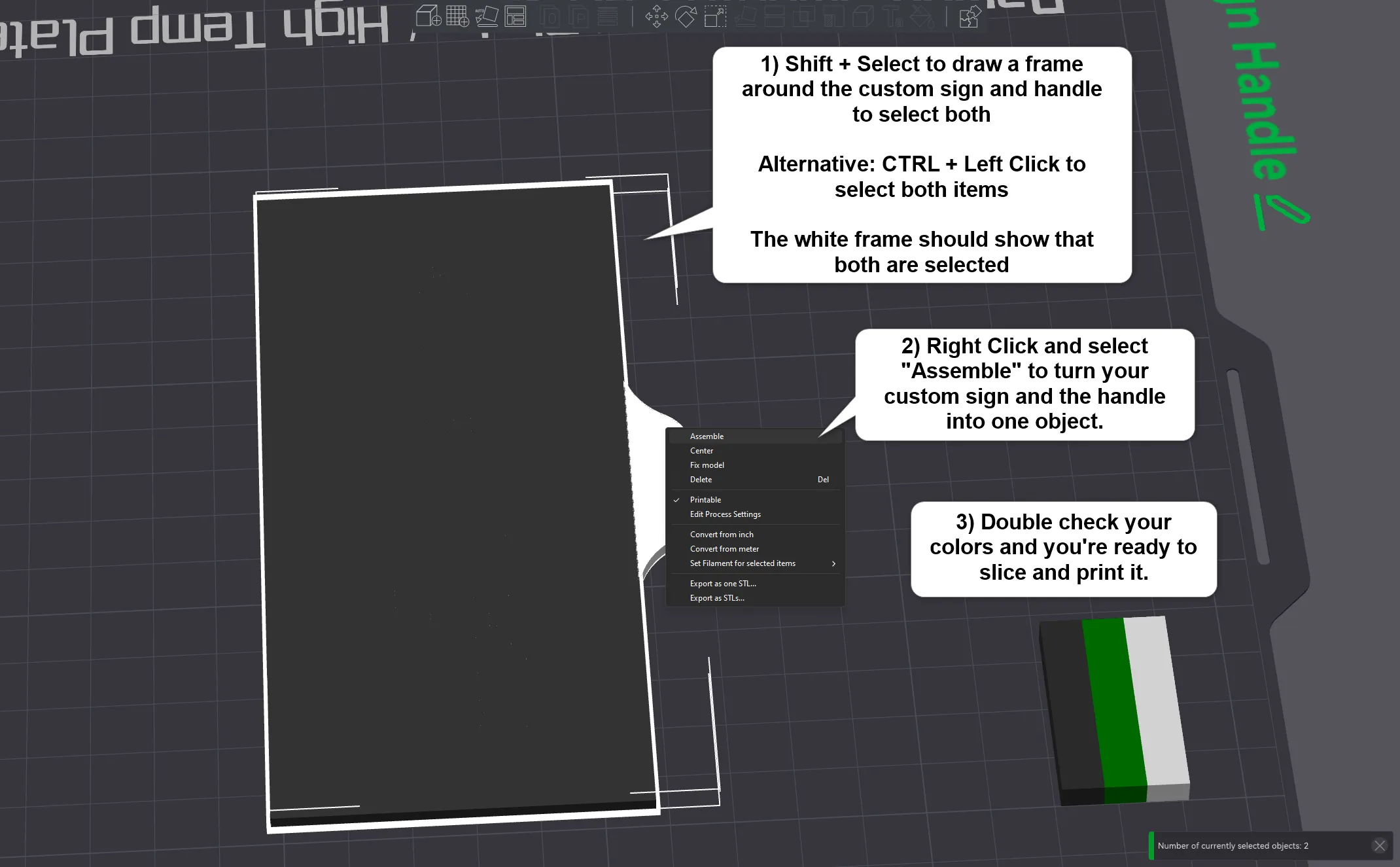
If you feel uncomfortable with these steps you can also just print your insert and the handle separately and glue them together.
Boosts are greatly appreciated. They not only help offset the filament costs of test printing such designs and going through multiple iterations until they're 'ready' to share, but they're also a vote of confidence that inspires us to keep exploring new ideas and pushing the limits of what's possible with 3D printing. I'm deeply thankful for every single boost and the support it represents. Whether you use them on my models or others' - please utilize them.
Boost Me (for free)
Enjoying this model? A free boost goes a long way — thank you! ❤️
🪧 AMS Filament Type Sign | 🩹 Band Aid Container | 🔑 Ergonomic Key Knob |🚪 Sliding Door Sign
License



Comment & Rating (196)