
Articulated Ducks in a Row

Print Profile(2)


Description
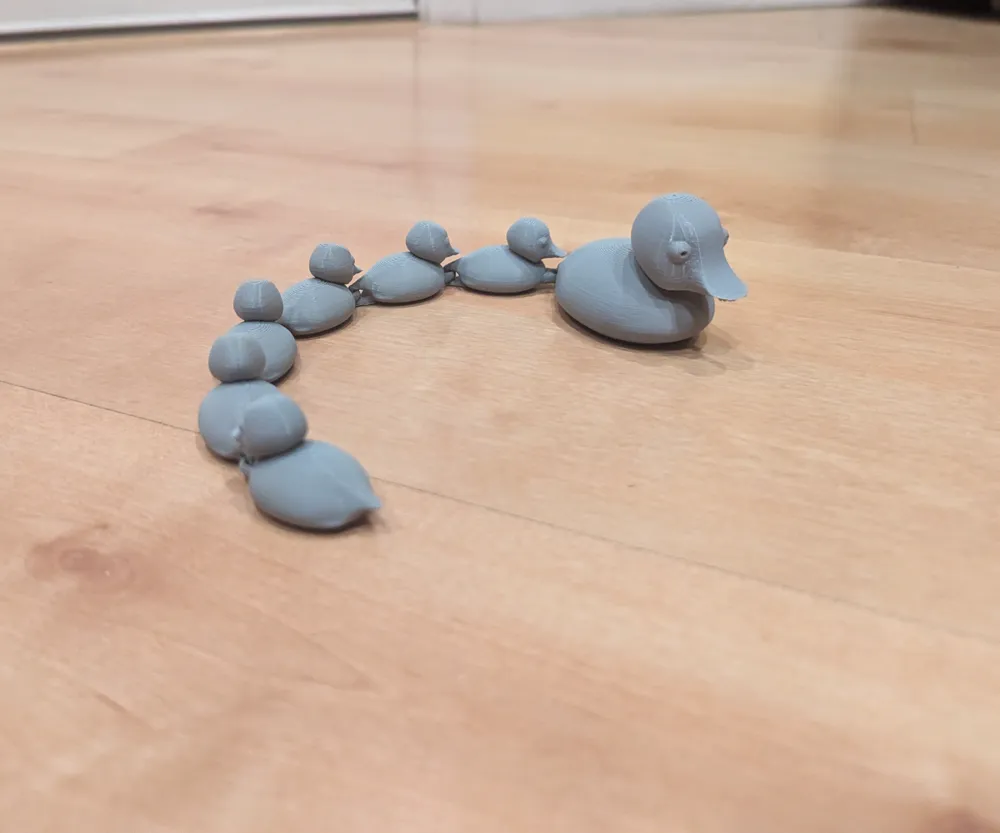
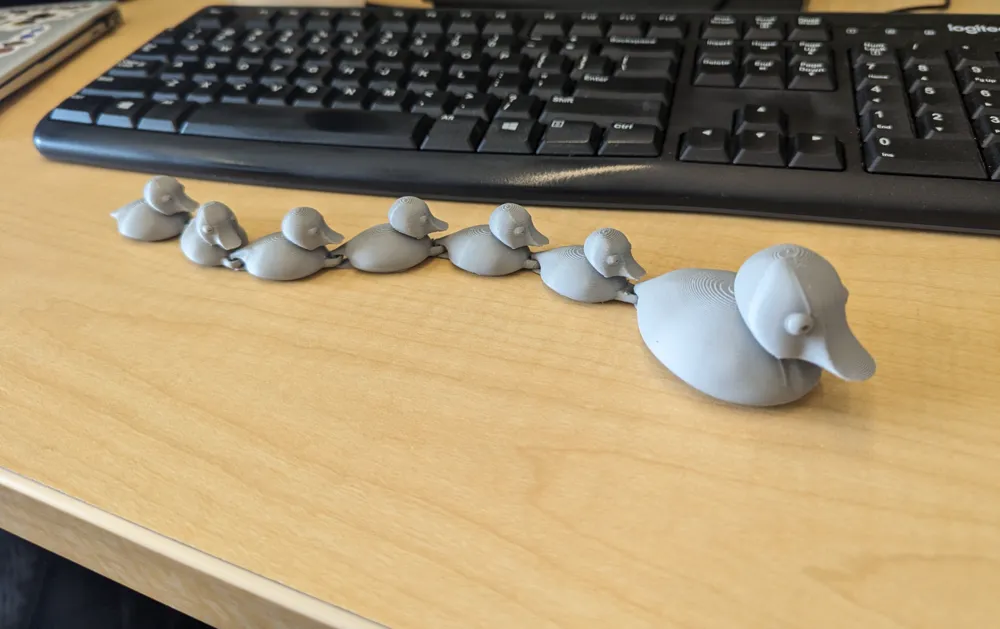
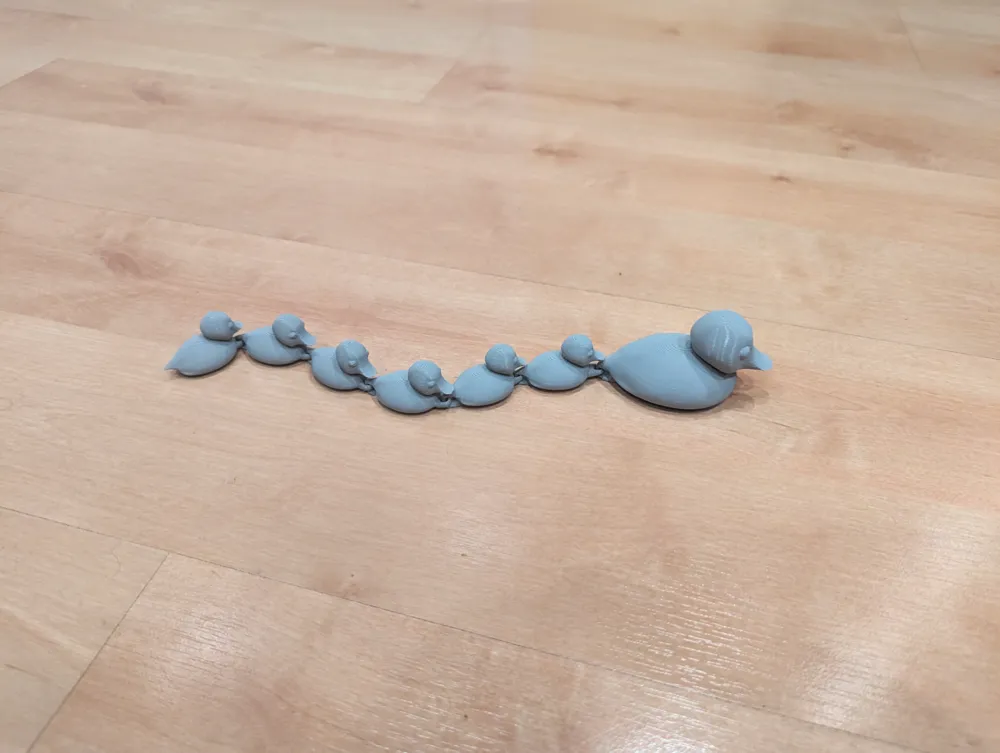
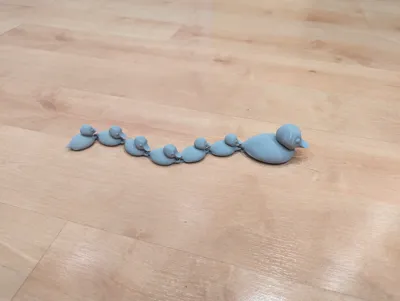
Articulated model of mama duck and ducklings following behind.
When stretched it's approximately 29cm long.
Prints with minimal supports that are easy to pull off without tools.
NOTE: Some users reported this model's links between ducks not being strong enough for their purpose. I made a new version that has larger links that are perhaps not as well integrated with the shape of the ducks, but are considerably stronger.
https://makerworld.com/en/models/433928#profileId-338716
--------------------------------------------------------------------------------------------------------------------------------------------------------------------------
If you create a new profile, please note that the default profile includes a support enforcer primitive under the beak of the last duckling. Without this support the slicer fails to auto-generate a support structure and the beak will show print defects.
If you need to re-create this volume in Bambu Studio:
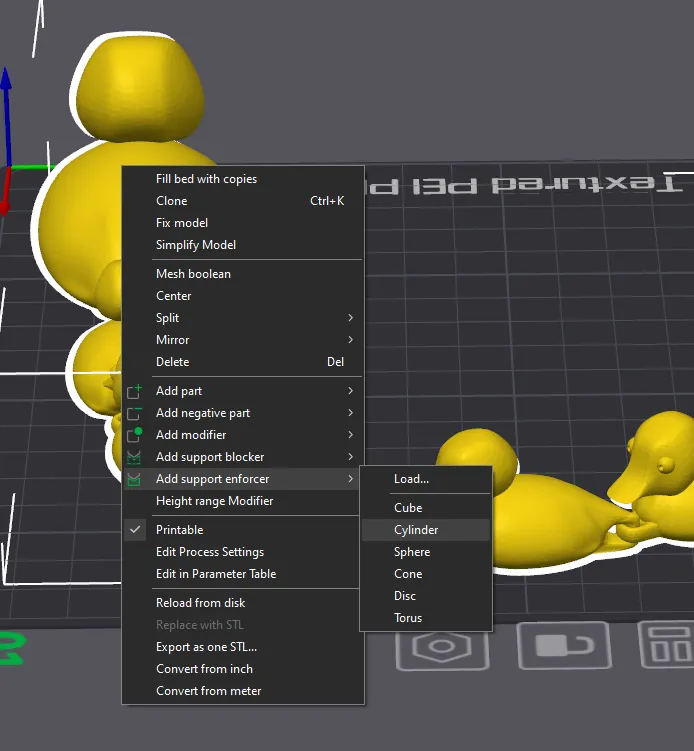
– Select the ducks and right click to open the context menu. Select Add support enforcer → Cylinder
– When this prompt appears click OK.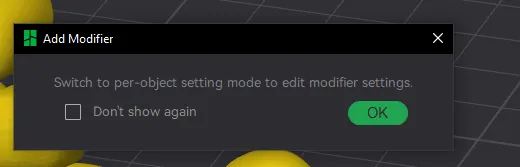
– A transparent blue cylinder will appear in the scene.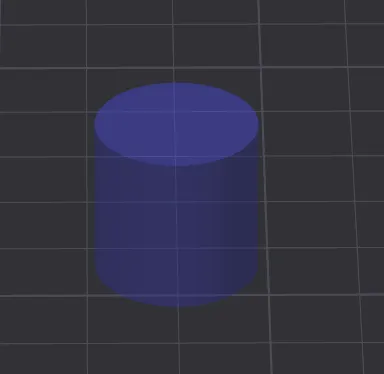
– Click and drag it under the beak of the last duckling.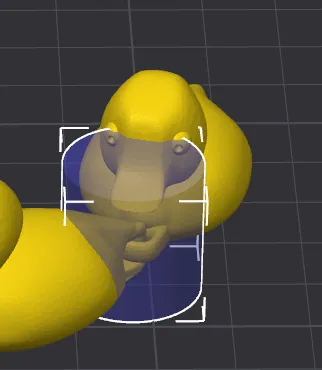
– Click the scaling tool in the toolbar.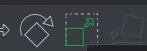
– Scaling handles appear round the cylinder.
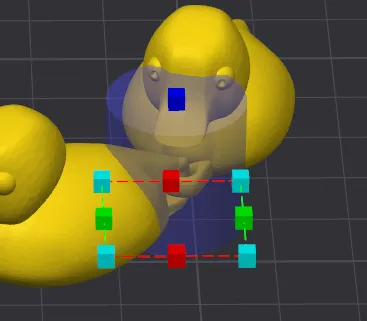
– Shrink the cylinder until it's above the flexible link but covers the beak.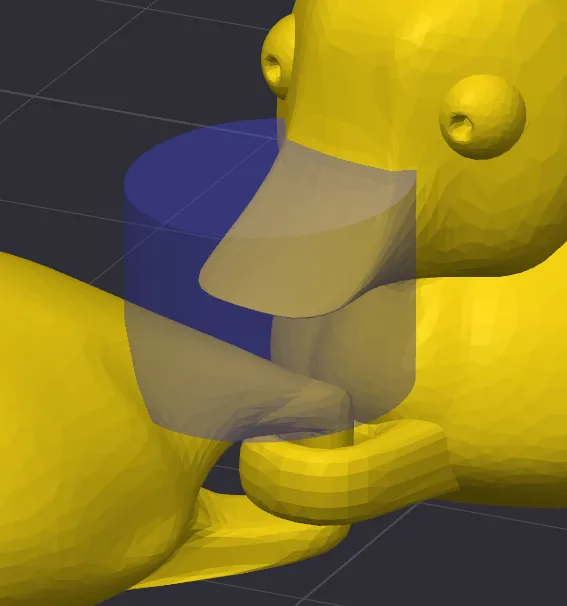
Please remember to rate your prints!
Profile ratings are not only important for other users but also serve as valuable feedback for designers!
Click here to see my other models
Boost Me (for free)
If you like this model, please boost! It's free to you, but it's a meaningful way to support me and my designs.
General 3d Printing Tips
- Make sure your printing plate is clean! Oils from your skin can cause adhesion issues for your prints. Regularly wash your print plate with a detergent like Dawn, and avoid touching the surface when removing prints from the bed.
- If it's an option on your printer, always level the bed before each print. If you have to perform this manually, do so after every few prints. It takes a bit of time and patience, but it's a fair trade for reliable results.
- Ensure bed and nozzle temperatures are within the expected range for the material you're printing. Temperatures that are too high or too low can negatively affect the print, causing warping, malformed layers, or adhesion issues.
- Reduce your printing speed. Slower speeds are especially important for overhangs, as they give the material more time to cool as it's deposited.
Membership
Click here to obtain a commercial license to sell physical prints of my 3D models.
License



Comment & Rating (190)