


Print Profile(3)


Description
Easy to customize. Just edit the text in bambu studio and place how you would like.
Check my store for options with more bears soon to come.
INSTRUCTIONS TO EDIT TEXT:
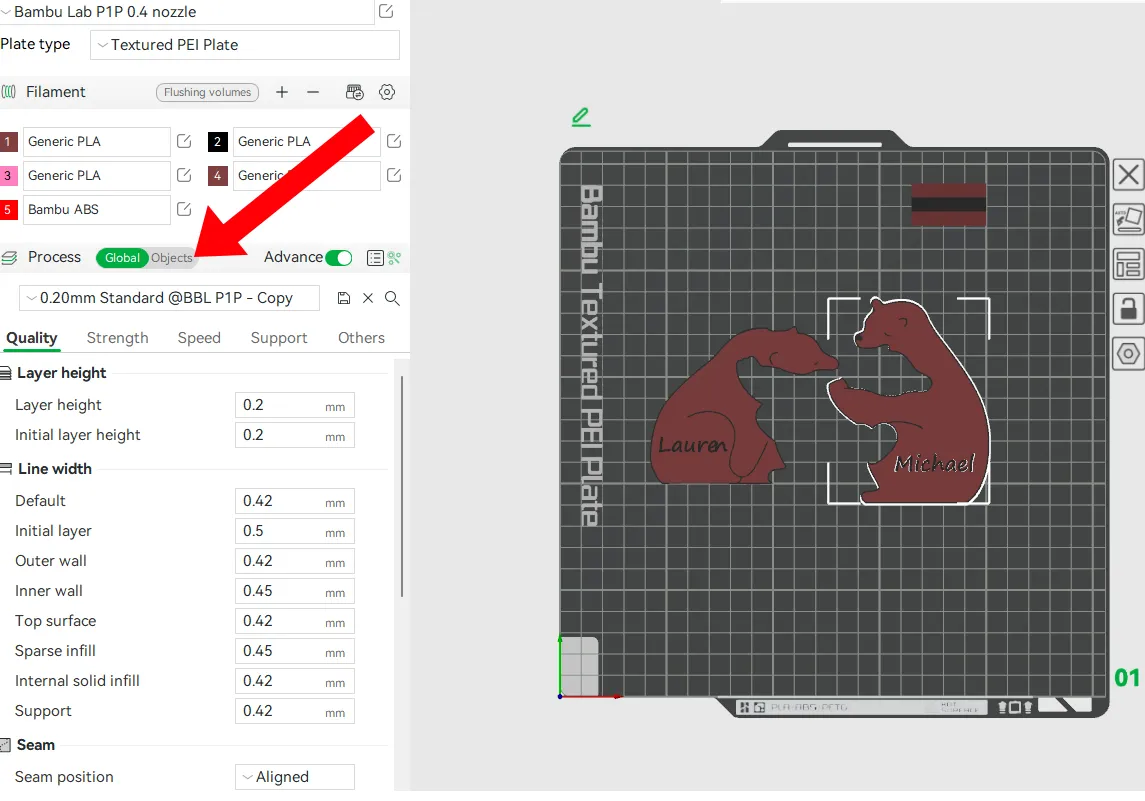
STEP ONE: Select the bear you want to edit. Choose objects on the left side of the screen where the red arrow in the picture is pointing.
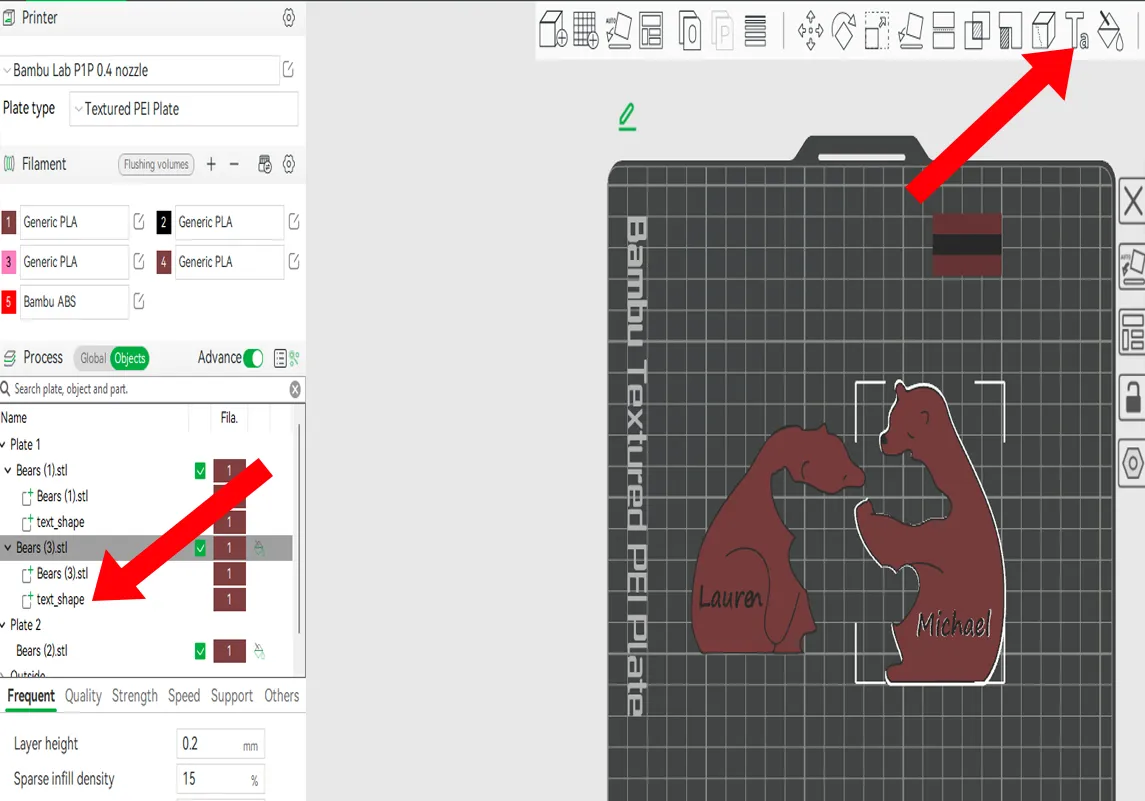
STEP TWO: On the left hand side the bear you want to edit will be highlighted. Click where is says “text_shape” and it will choose the name. Then you will click on the right upper hand side “Text Shape” icon which looks like “Ta” where the red arrow is pointing in the picture.
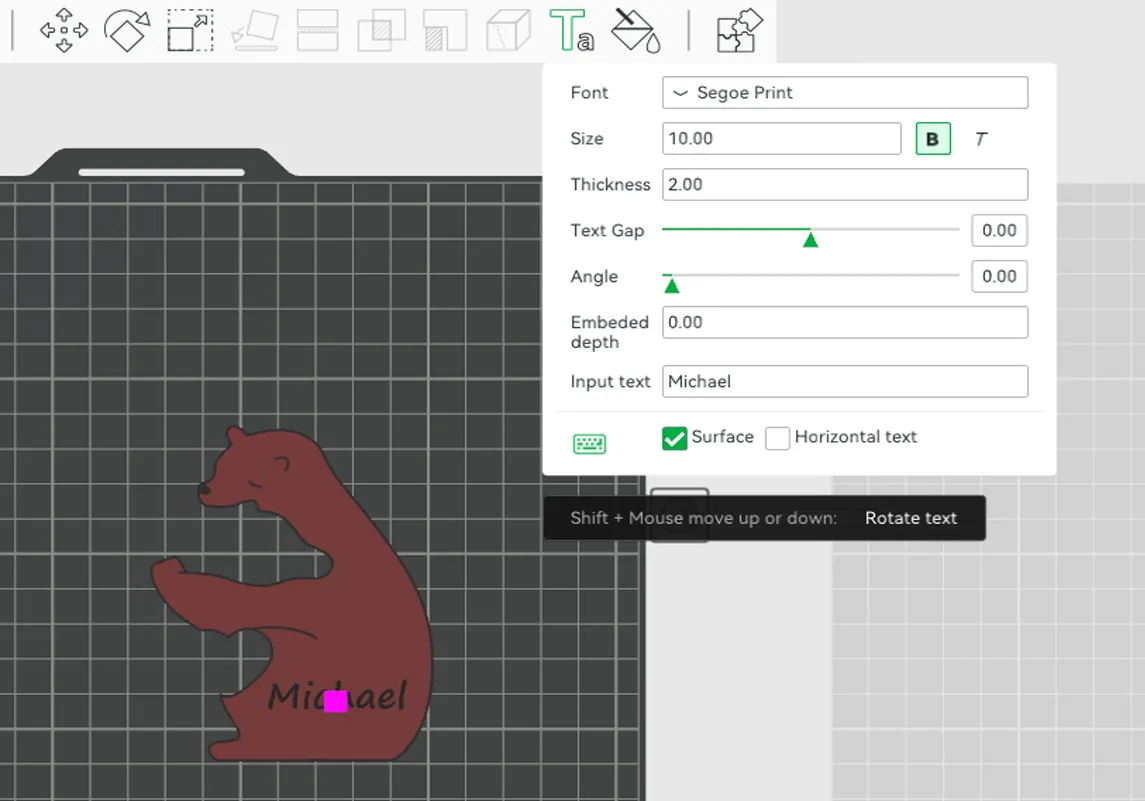
STEP THREE: Edit the text in the box shown. You can change the name, size, width, etc
License

You shall not share, sub-license, sell, rent, host, transfer, or distribute in any way the digital or 3D printed versions of this object, nor any other derivative work of this object in its digital or physical format (including - but not limited to - remixes of this object, and hosting on other digital platforms). The objects may not be used without permission in any way whatsoever in which you charge money, or collect fees.


Comment & Rating (180)