
SpoolBox4All - (For all Brands)


Print Profile(5)


Bill of Materials






Description
Boost Me (for free)
I usually don’t ask for this, but I’ve noticed that many creators actively encourage it on other platforms—and it makes sense, as it helps increase visibility. So, if you can follow me, it would make difference. It’s a great way to support my work and show appreciation. For more insight subscribe my blog at: https://designrepcom.com/ This design is freely available for the community, but if you enjoy my work and would like to show your support, you can boost this project. Thanks!
Membership
Need a commercial license for this model? Learn more about the available options here.
Introduction and contextualization
A box for spools, I know there are many out there, but for those who already know me, they know that I like to do things my own way. So, I decided to make a box for the filament spools.
What is particular about it, you may ask:
- It must be closed and provide the best possible seal (I think I've managed to do that)
- Allow its production on the Bambu Lab X, P and A1 printer's (the mini is out), and that why the model is divided in 4 parts.
- Easy printing with minimal material usage, PETG and TPU, and 3 screws and corresponding nuts to create a good seal, which is necessary for insulation.
- It should be aesthetically pleasing, visually communicating its function (more on this later).
- Be aesthetically interesting while fulfilling functional needs (such as sealing and others).
- Allow for the placement of some desiccant at the base to maintain controlled humidity levels.
- Check my Desiccant container for Spools

This version cannot be used to feed the printer with filament (see image bellow, serving instead as a temporary storage container and always with the accessory mentioned in the previous point to keep humidity levels low. It should last for a few weeks... The time it takes for the desiccant to become saturated depends on the humidity in your area. I recommend silica desiccant, which can be reused by heating it in an oven or microwave.
For more permanent storage, you can use vacuum bags.

So, here it is saying hi and taking off his hat ;)

The Closing clips can represent the color and material that inside the box, the text on the clip can be edited on Bambu Studio.

You can choose between the version with or without the logo, chose the 3mf file that suits you best.
For some reason, there has been a movement within the community against displaying the Bambu Lab logo on my work. In my opinion, the logo is an interesting graphic element and much like in some sports, people enjoy showcasing the brand, creating a sense of belonging to a group. While there could be many reasons for opposition, tastes are subjective, making this a trivial matter that I will not discuss more.
Another point to note is that neither Bambu Lab, Prusa, nor any other company pays me to include their logo on these models. This process is an inherent artistic feature. To end this, beauty is always in the eye of the beholder.
 |  |
 |  |
 |  |
As an update, I’d like to share that this is now stackable with the Racks4All modular system. You can find more information in the 4All Collection.
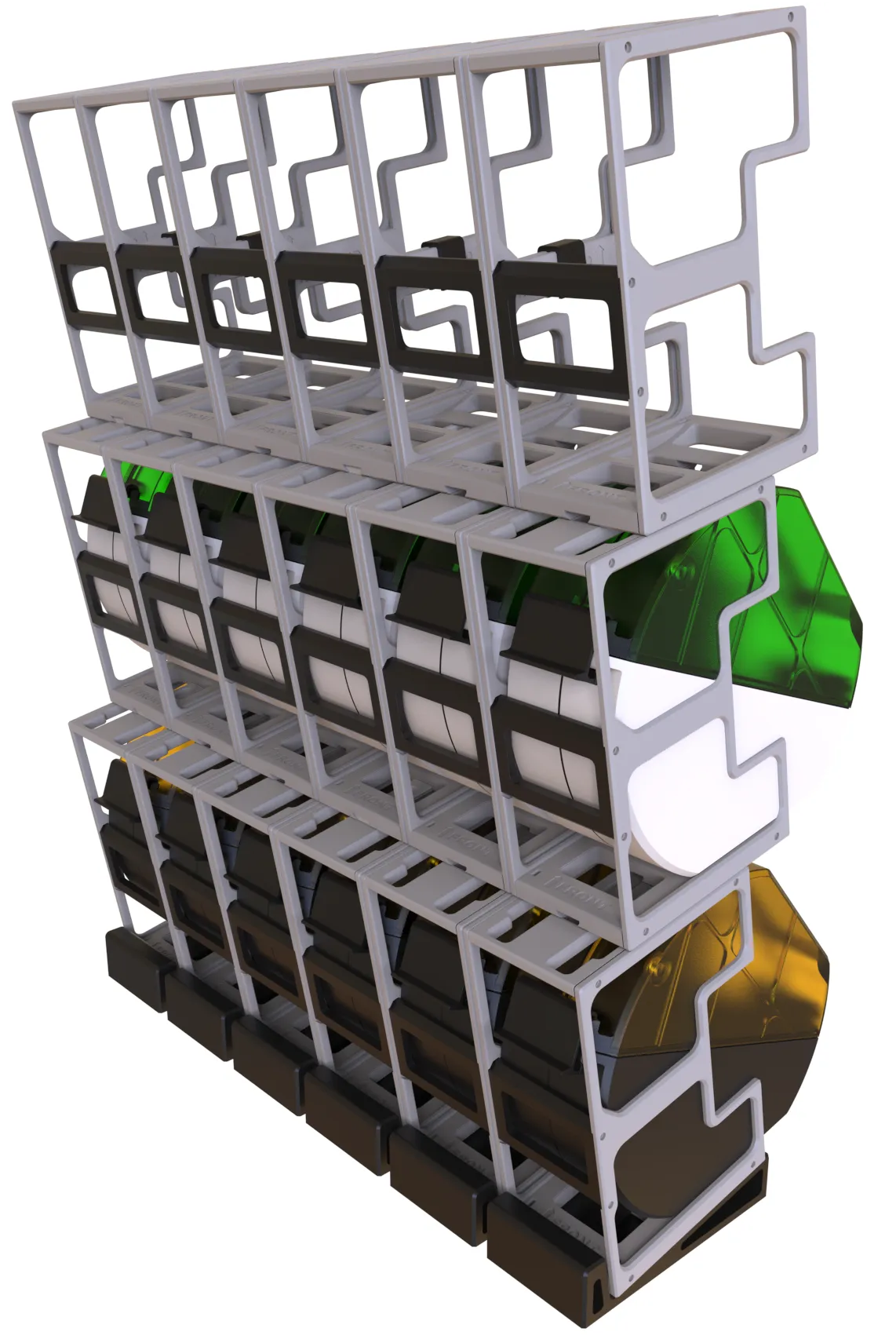
And an example of a printed part with Translucent PETG from bambu lab
There is a other version, prime, that was designed with the filament feed in mind, more advanced, with rollers, pneumatic adapter and other features, you can get it here: SpoolBox 4 all Brands with Filament

Printing parameters
I’ve written an article on my blog titled ‘To What Extent and How Can Transparent PETG Parts Be Achieved?’ It would be great if you could follow me there—I use it to share projects like this and occasionally present some of my preliminary work.
Special care has been taken to provide the models with the printing parameters already defined; however, you are free to change whatever you them if necessary. The use of multiple colors should not hinder those who do not have a multi-material printing unit, as there are only 4 color changes throughout the process. That being said, the provided 3mf files are configured for use with the AMS and changing them for printing without the AMS is up to you.
I would like to emphasize that these models cannot be distributed in any way or form; therefore, any alterations are solely for your own use.
This decision stems from issues I had previously, where my work was copied extensively, leading to accusations that I had copied the models myself (my own models…)
Some may have some special feature that you can configure to your linking's. An examples is the closing clip that you can change the text label and material color to match the spool material.

- Printing material PETG and TPU from Bambu Lab,
- Other material can use other materials you may prefer, like PLA, but PETG can make translucent parts (not easy, but possible (very slow and hot with a nice quality filament without moister, and don't expect "glass" like opacity. Here you can find an exceptional example of application: How To Print Glass by Rygar1432
- the file “SpoolBox_translucent.3mf” contains some top lids (with logo and clean) with a configuration that I think will render you the best results without taking you days to print. The one made by Rygar1432 will give you the best result, but will be a very slow print approx. 20mm/s

Parts included that are needed to print
- Base (PETG or PLA);
- Right
- Left
- Top (PETG or PLA);
- Right
- Left
- Joints (TPU)
- Volume 1 & Volume 2, They include:
- Side
- Top
- Bottom
- Top
- Right
- Left
- 4x Foot's
- Side
- Volume 1 & Volume 2, They include:
- Hinge and Closing Clip (PETG or PLA or any other material you like)
- in total there are 2 parts, that print in place 4 bodies.
Assembling
See image on how to assemble (The exploded view may help one this, so check it)


The feet's on the base must be glued if you what to use them (recommended).
If you want to add a humidity sensor, there is a configuration for that on the 3mf file included. I've use this temperature and humidity sensor.

Modules available for the 4All Ecosystem
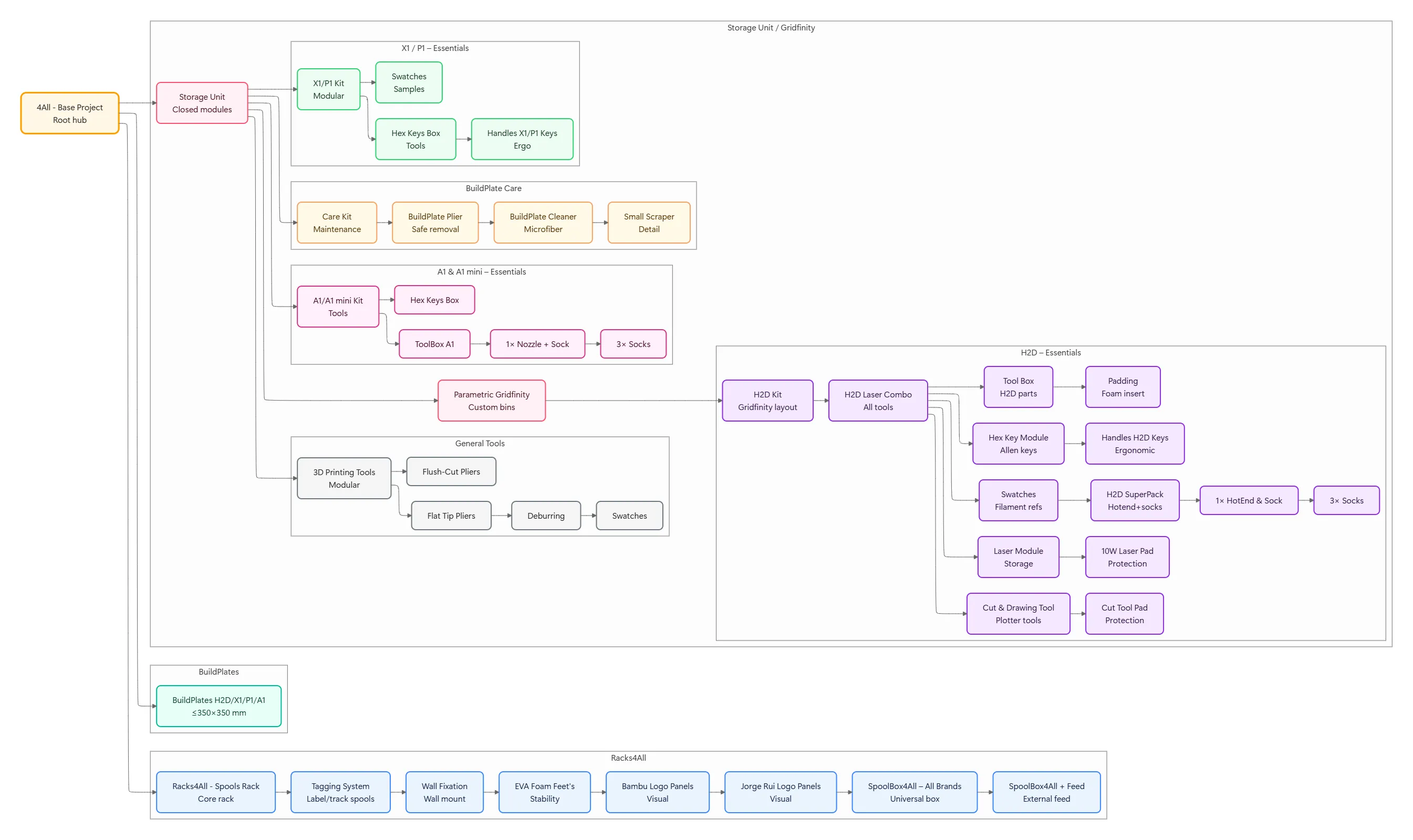
Please refer to the 4All collection at: https://makerworld.com/en/collections/6004654-4all
Change Log
- (17-05-2024) - Initial release
- (30-12-2024) - Added a Custom Label that you can specify, on the slicer, the name of the material. That label can be interchangeable.
Curious About My Tools? Check This Out!
For those of you who often ask about the tools I use to bring ideas to life, this article, The Journey From Idea To Object (Part I), offers some insights into the initial stages. It highlights the use of various tools, including software like Autodesk Fusion for CAD design, Blender for render and Bambu Studio for 3D printing preparation, and other... So, if you're curious about the software and hardware too, that I've incorporate in my workflow, take a look at the link for more details!" – Visit https://designrepcom.com/ for much more.
License



Comment & Rating (731)