
P1 / X1 series - Bed rear axis cover V1


Print Profile(1)

Description
V2 available ! Get it here : P1 / X1 series - Bed rear axis cover V2
Model
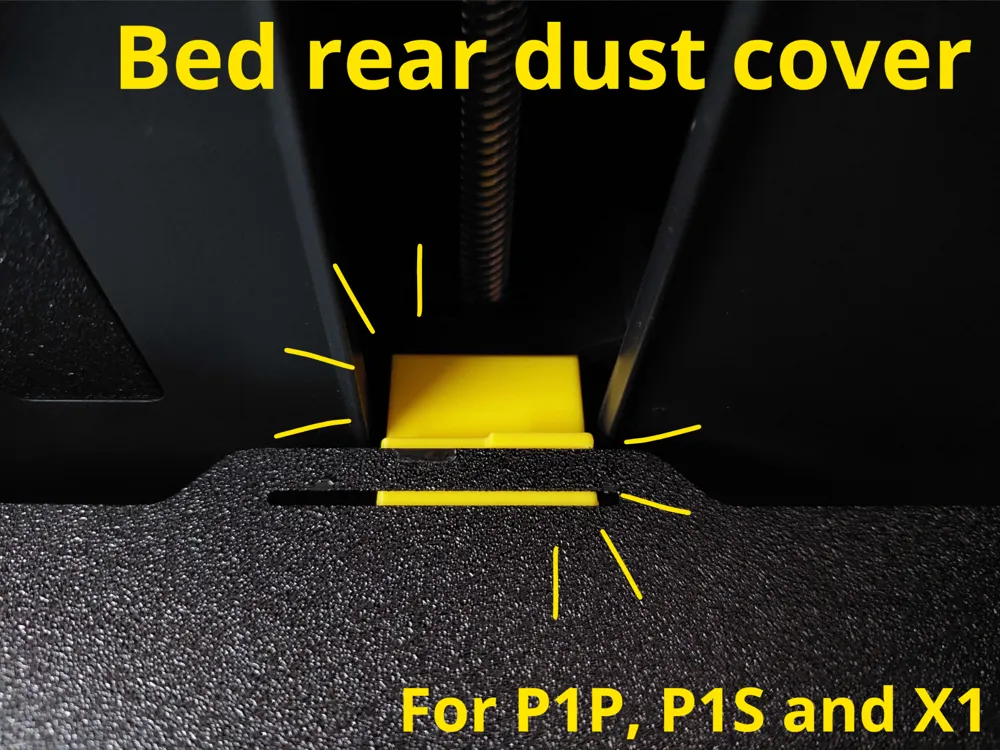
This cover is designed to prevent dust and filament debris from falling into the small space between the bed frame and the rear axis.
It also acts as a third build plate guide in the middle.
Installation
Remove the build plate : Remove it to access the space under it. Remove any filament debris that might be stuck.
Snap the Cover In Place : Simply position the cover without applying excessive force, it should snap in easily.
Check for Gaps : Ensure there are no gaps between the little walls where the cover rests and the cover itself on each side.
Put the build plate back : The build plate should slide smoothly on top of the cover
Once you’ve completed all the steps, your cover is now ready to go!
Boost Me (for free)
Don't hesitate to boost my model if you like it !
License

You shall not share, sub-license, sell, rent, host, transfer, or distribute in any way the digital or 3D printed versions of this object, nor any other derivative work of this object in its digital or physical format (including - but not limited to - remixes of this object, and hosting on other digital platforms). The objects may not be used without permission in any way whatsoever in which you charge money, or collect fees.


Comment & Rating (176)