
Parametric Rugged Container




Print Profile(1)

Bill of Materials

- The length and number of the screws depends on the selected parameters. Maximum of 8 screws. x 1:
Description
BASIC GENERATOR
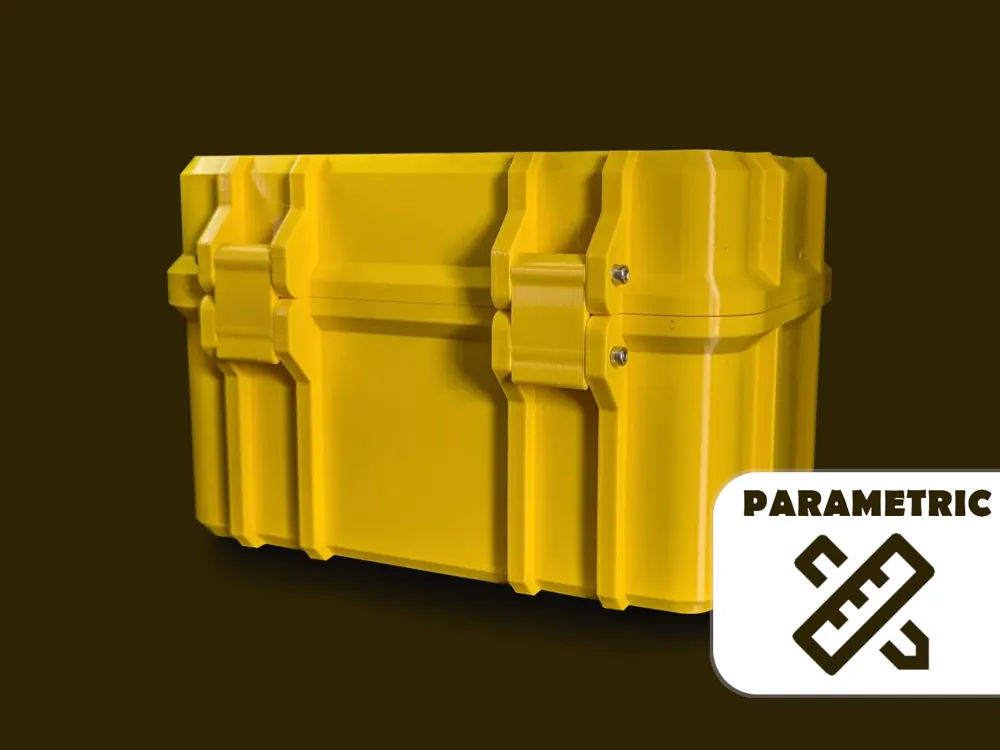
This parametric container is ideal for creating suitable cases for various tools and small parts. The internal dimensions and some geometries can be changed via the parameters.
Boost Me (for free)
If you like this project, I would appreciate a boost.
The container is created in the generator on a single print layer. The generated stl file in Bambu Studio can be split into several printing plates using the split object function.
Membership
A commercial Membership for all my models is available.

In addition to the dimensions, you can also decide whether a hinged lid or a lid that can be removed completely should be generated.
Depending on the selected parameters, different screw lengths must be used to assemble the container. It is recommended that lockclip_size+2*rip_thickness is a multiple of 5mm so that standard screws can be used.
If there are any problems with the generation of the files, please write me a message so that I can fix this as quickly as possible.
I hope you like the design and I would be happy if you upload the finished containers as a make.
Boost Me (for free)
If you like this model I would appreciate a boost token :)
Thanks for your support!
CUTOUT GENERATOR
Make a picture of the things you want to put in your container. It is very important that the svg is scaled properly! After outlining the part on the picture adjust the size of the whole image to your cutout size like in the image below [CTRL+Shift+D]. Now export the image as .svg format and tranfer the width[px], height[px] and dpi to the makerworld gernator and import the svg there. The container should now be generated with your specific cutout. Have fun and enjoy!


License

You shall not share, sub-license, sell, rent, host, transfer, or distribute in any way the digital or 3D printed versions of this object, nor any other derivative work of this object in its digital or physical format (including - but not limited to - remixes of this object, and hosting on other digital platforms). The objects may not be used without permission in any way whatsoever in which you charge money, or collect fees.


Comment & Rating (384)