
Parametric bits box with hinge, lock and magnets


Print Profile(4)


Bill of Materials

- Magnets are optional. x 1:
Description
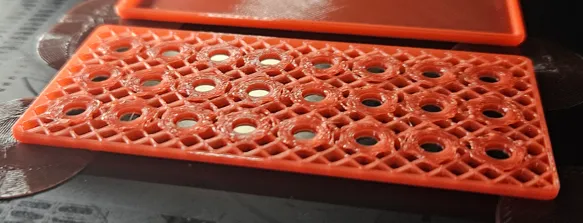
Configurable box and holder for hex bits with hinge. Optionally you can add magnets at the bottom with glue or by embedding in the middle of print.
Check this description for more clear definition of parameters.
Basic configuration
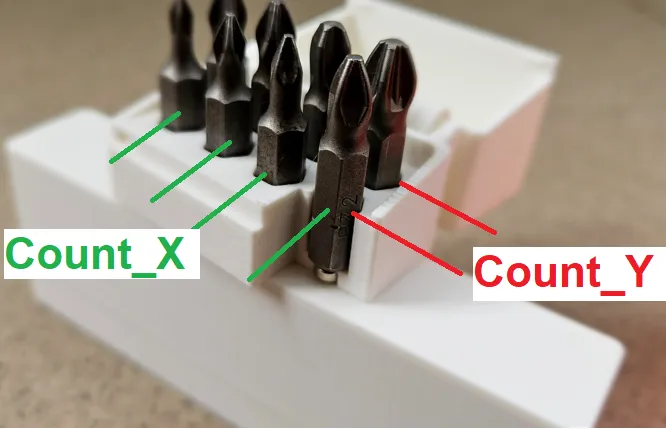
Count_X
Count_Y
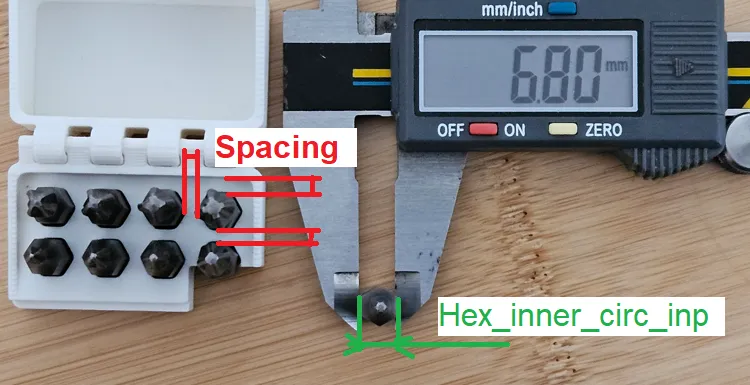
Spacing - Space between each slot
Hex_inner_circ_inp - Smallest dimensions of hex bit. f you change this dimensions, you may want to adjust also Hinge_length_overlap
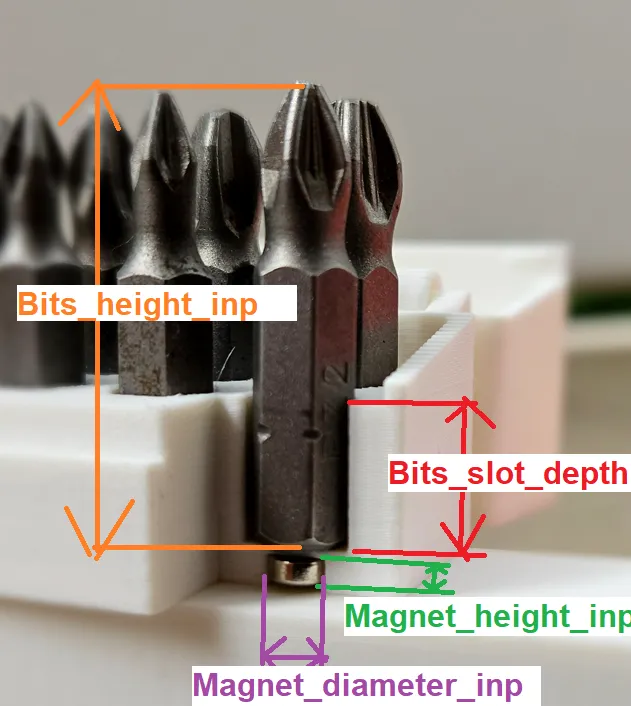
Bits_height_inp
Bits_slot_depth
Magnet_diameter_inp
Magnet_height_inp
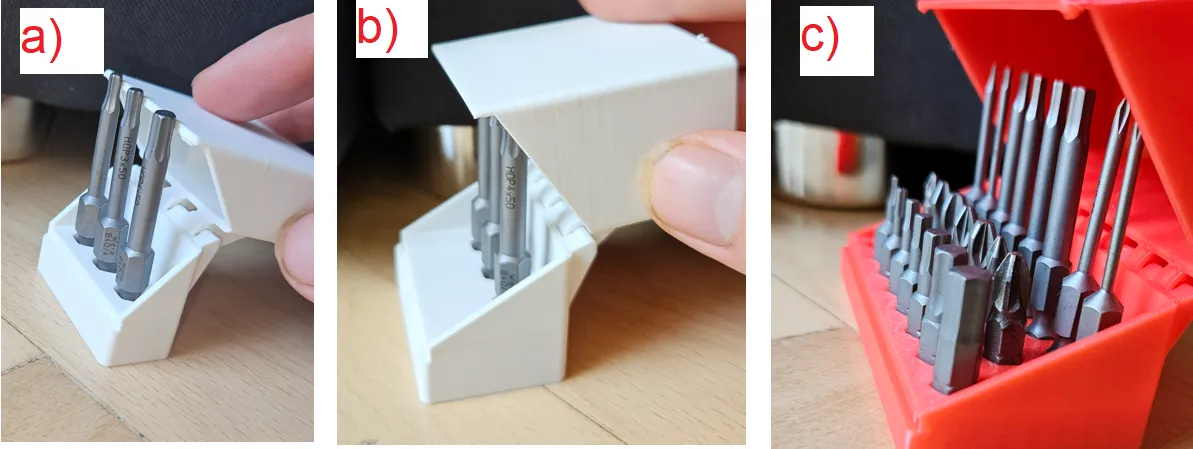
Bits_height_compensation
If turned off, it can happen that lid will colide with bits (figure a). With turned on, there is calculation to add dimensions to avoid this (figure b).
However in cases you want to mix bits with different height and the smallest bits will be placed at front, it might be turned off (figure c)
Embeded_magnets
As default, magned holes are exposed and the model is configured to glue magnets at the bottom of box. If you enable Embeded_magnets option, it will add extra layer at the bottom of model to enclose the holes. You must then configure to pause the print at correct layer and put magnets inside model. No glue is needed then, since magnetic force of bed is strong enough to hold them.
Advanced configuration
Printing_tolerance - General tolerance for 3D printing
Wall_thickness - Lid wall thickness
Radius - Outer radius of box
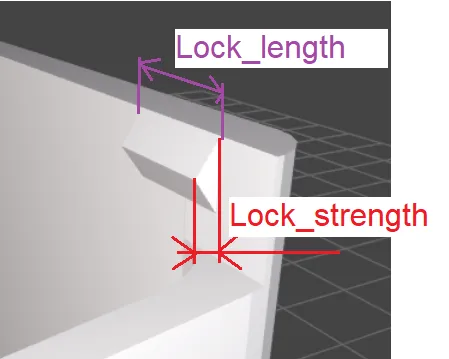
Lock_strength - Strenght(depth) of lock mechanism
Lock_length - Length of lock mechanism
Hinge_tolernace - General tolerance for hinge mechanism
Hinge_thickness - Wall thickness of hinge
Hinge_diameter - Center hinge diameter
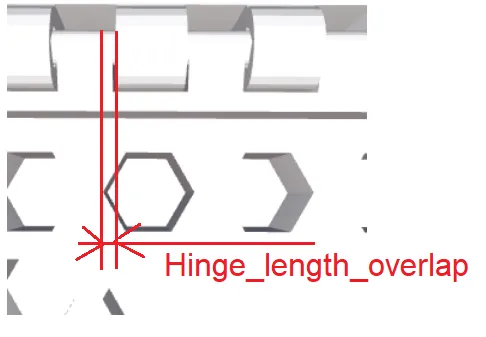
Hinge_length_overlap - This dimensions changes the ratio of hinge lengths. Good to adjust if you change Hex_inner_circ_inp
Circle_precision - in Openscad, it must be configured from how many segments each cylinder consist
Overlap_Visualization - No need to change at all.
Membership
Subscribe to get commercial license.
License

You shall not share, sub-license, sell, rent, host, transfer, or distribute in any way the digital or 3D printed versions of this object, nor any other derivative work of this object in its digital or physical format (including - but not limited to - remixes of this object, and hosting on other digital platforms). The objects may not be used without permission in any way whatsoever in which you charge money, or collect fees.


Comment & Rating (32)