Search models, users, collections, and posts

Cute Penguin
IP Report


Print Profile(5)
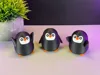
Multicolor 3 Color 0.16mm layer, 3 walls, 15% infill
Designer
8 h
1 plate

Multicolor 3 Color 0.16mm layer, 3 walls, 15% infill
Designer
6.6 h
1 plate

Multicolor 3 Color 0.16mm layer, 3 walls, 15% infill
Designer
6.5 h
1 plate

Multicolor 3 Color 0.16mm layer, 3 walls, 15% infill
Designer
6.6 h
1 plate
Click to see more
Open in Bambu Studio
Boost
844
1785
317
252
3.2 k
1.9 k
Released
Description
Tips for printing:
- Supports: Yes = CutePenguin_3 / No = CutePenguin_1_2
- Layer height: 0.16mm (optimal)
- Wall loops: 3
- Infill: 15%
- Seam position: back
- Wall generator: Arachne !!!
- Detect thin walls: -
- Brim: Yes
Colors and filament I used (3 Color Version):
- PLA / White - for the face and eyes
- PLA / Black - for the body and eyes
- PLA / Orange - for the feet and beak
Or decide for yourself which colors and how many you want to use!
When you decide to print my multicolor Pre-Sliced (3mf file) for BambuLab I would recommend printing several models at once, not just one, to reduce waste!
Here is another important tip for printing in multicolor: All penguins (1 + 2 + 3) must be printed in Arachne! Not in Classic! (Wall generator). So that the lines are printed in the middle, equal and look better! (See picture below!)

Boost Me (for free)
If you enjoyed this model, please consider boosting it to support me to further develop creative and more cute looking designs🥰. Thank you!
License

This user content is licensed under a
Creative Commons Attribution-Noncommercial-Share Alike


Comment & Rating (317)