
Keyboard holder for XP-Pen Artist 15.6 Pro

Print Profile(1)
Description
Hey there,
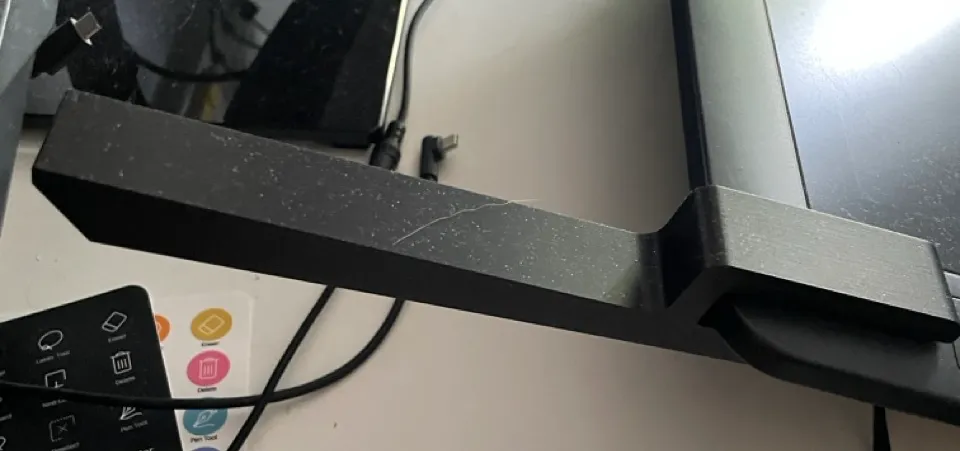
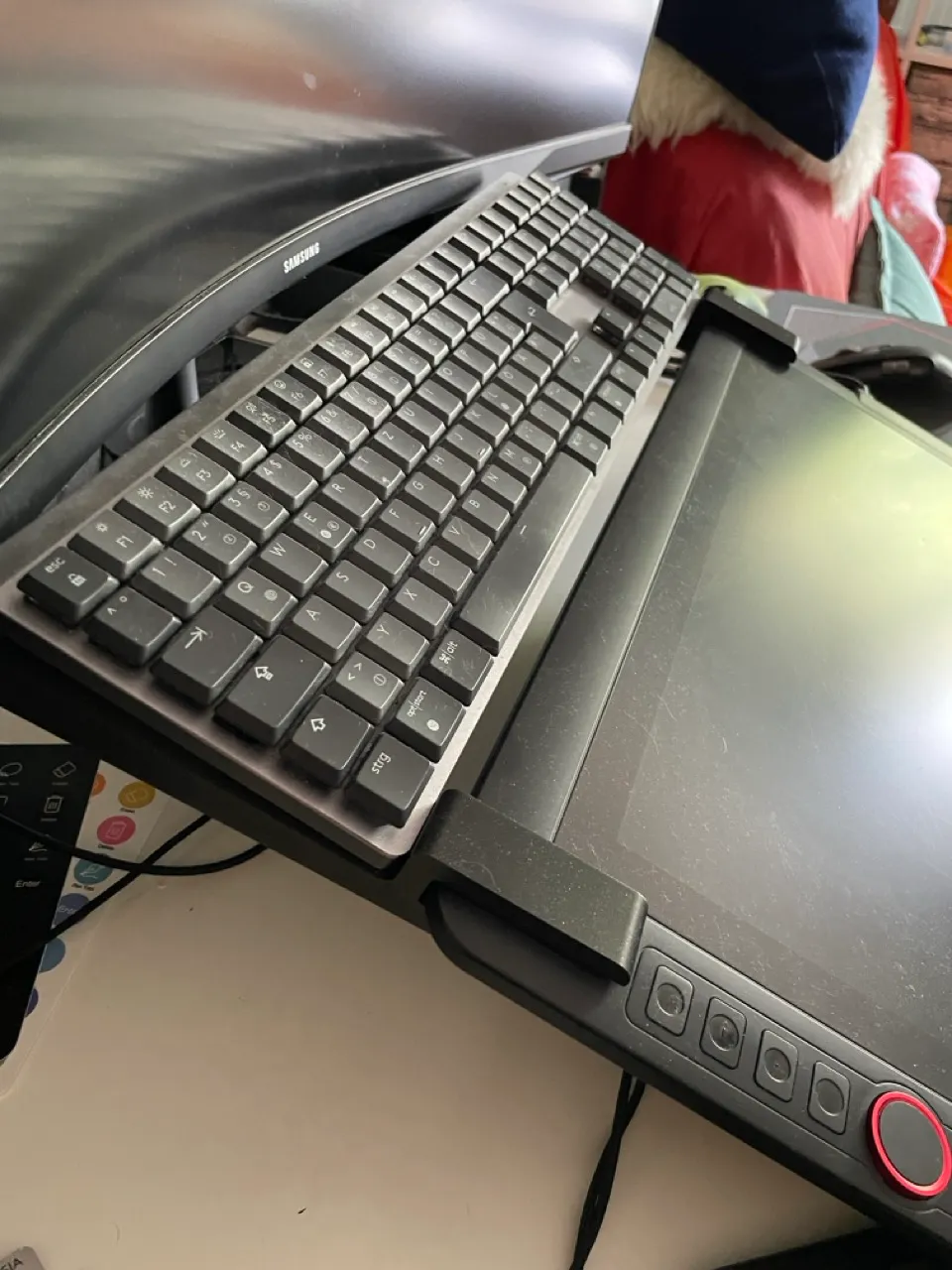
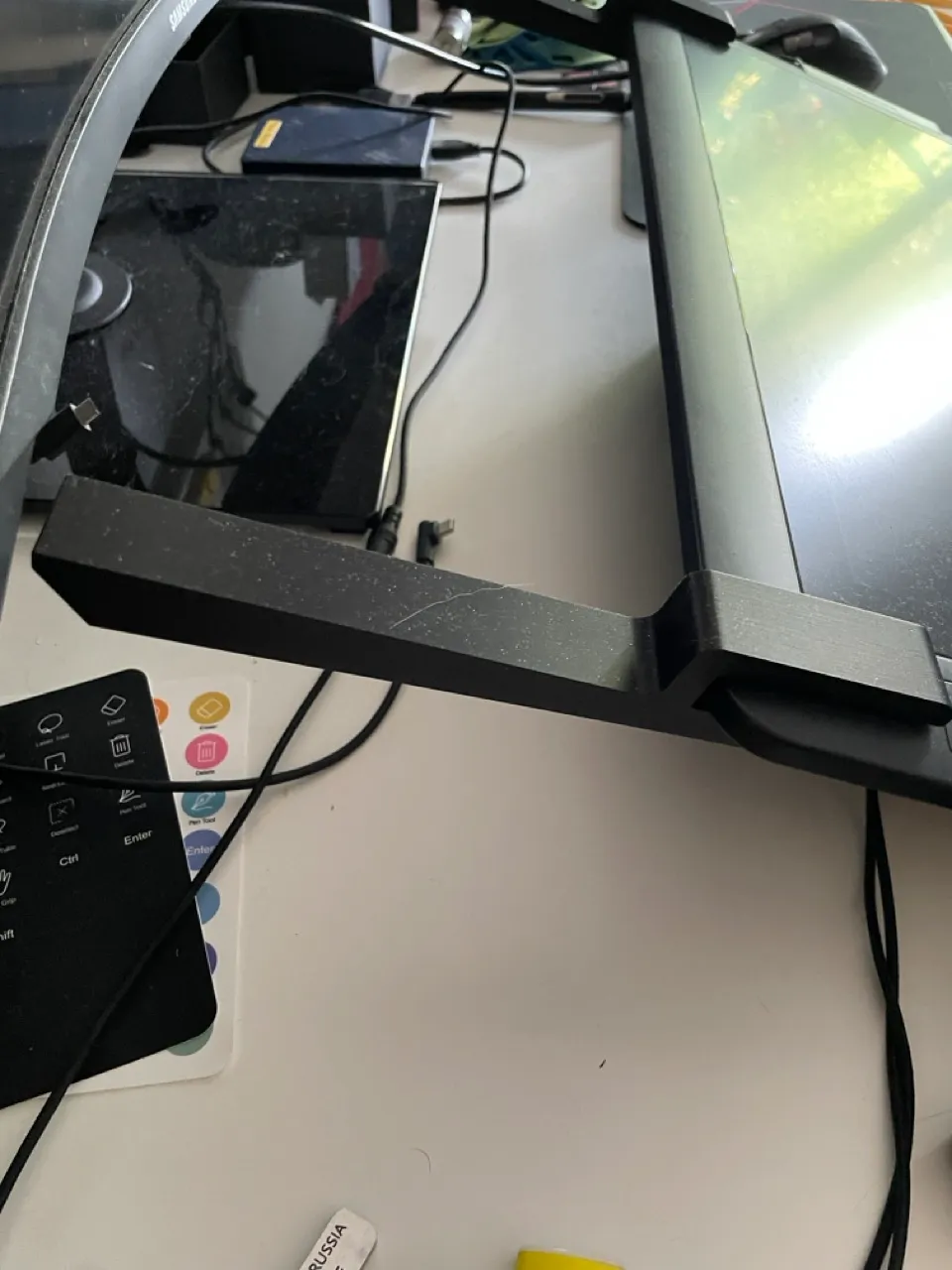
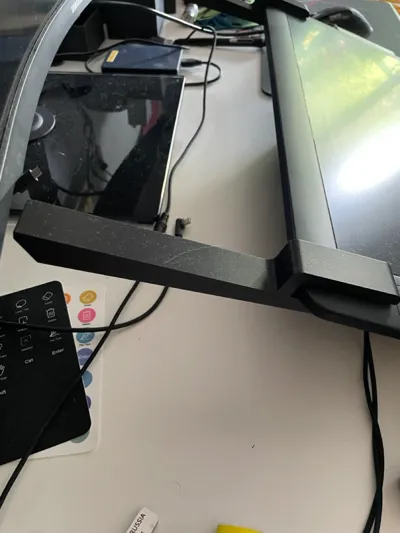
i always had the problem where to put my keyboard when i used my drawing tablet. It was either in the way, or i couldnt reach the keys for shortcuts. So i designed a bracket, that you can put on your drawing display, so you can put the Keyboard on top of the display.
Its designed for an XP Pent Artist 15.6 Pro, but it should work for others if you scale it a bit.
Scaling:
If you use the orientation thats provided in the 3mf file, you need to scale the X-axis.
the bracket is 13mm wide.
so you need to calculate the following:
100+(x/13-1)*100=y
x=the thickness of you pen display
y=the new percentage you enter for the x axis
consider adjusting the z-axis too. the higher the more durable.
Disclaimer: If you use the original stand for the pen display, it gets a bit top heavy and the whole thing will tilt if you use the keyboard!
Just put a strip of double sided tape on the lower end of the stand so the display gets a bit of tack when it sits on the stand. That worked fine for me!
License

You shall not share, sub-license, sell, rent, host, transfer, or distribute in any way the digital or 3D printed versions of this object, nor any other derivative work of this object in its digital or physical format (including - but not limited to - remixes of this object, and hosting on other digital platforms). The objects may not be used without permission in any way whatsoever in which you charge money, or collect fees.


Comment & Rating (4)