Search models, users, collections, and posts

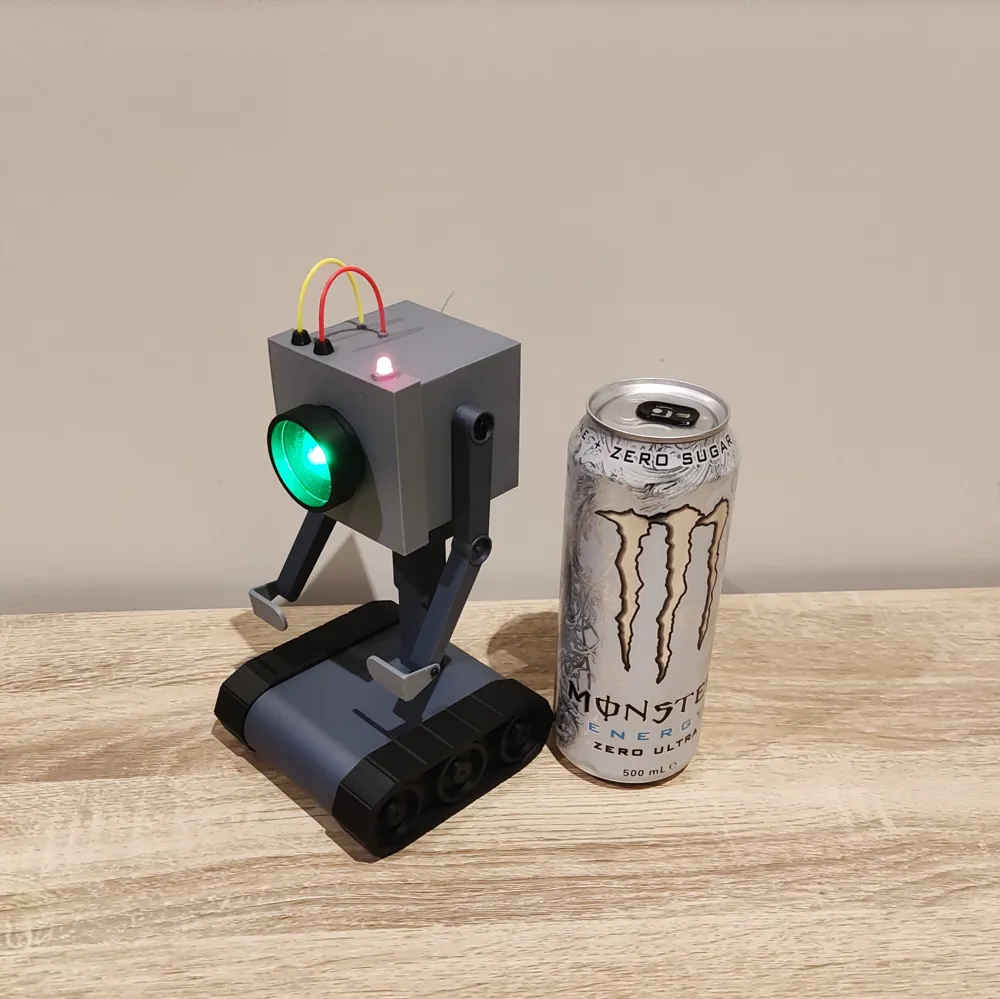
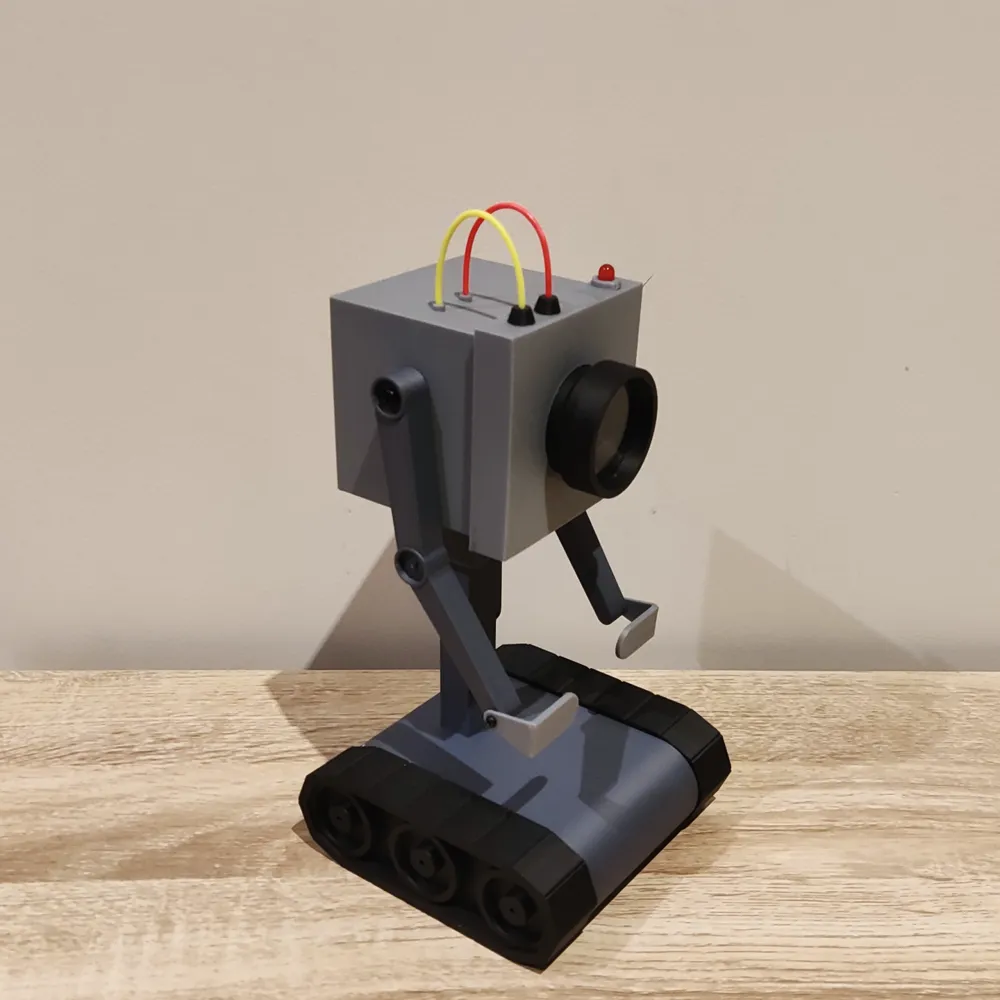
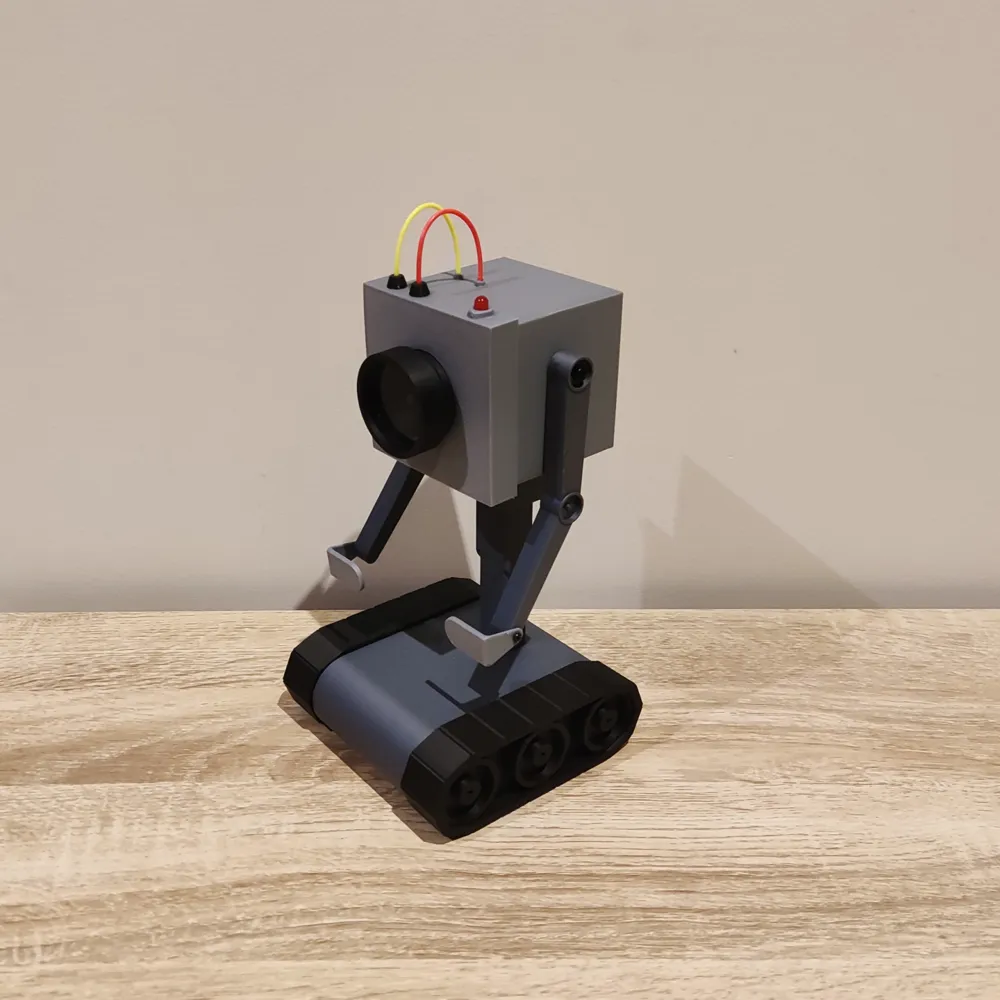
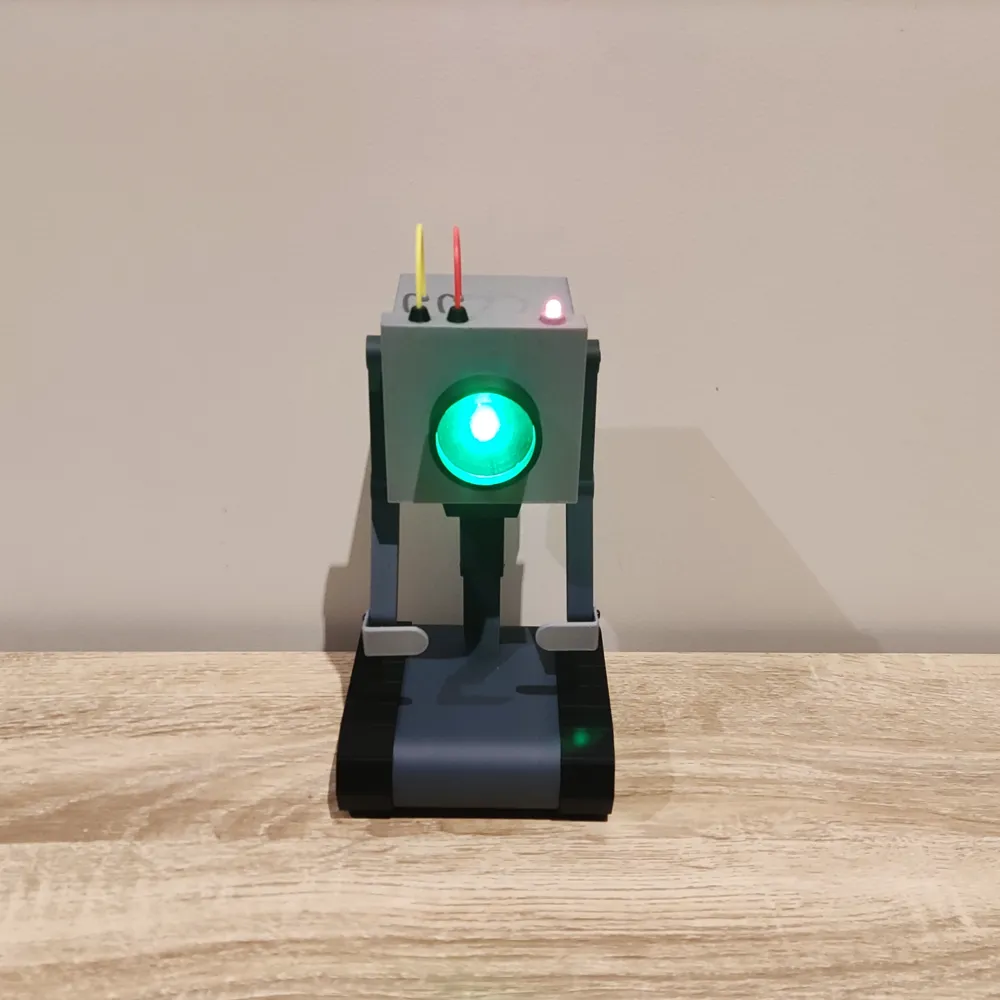
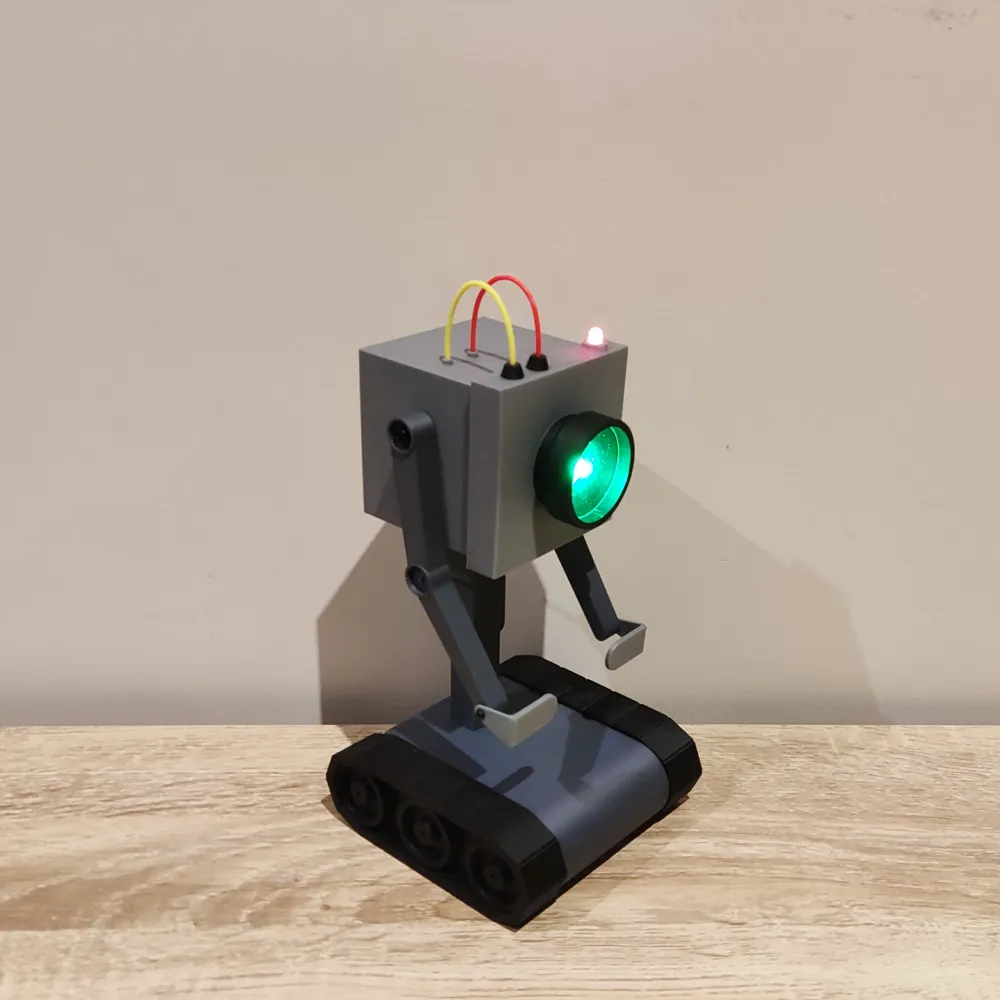
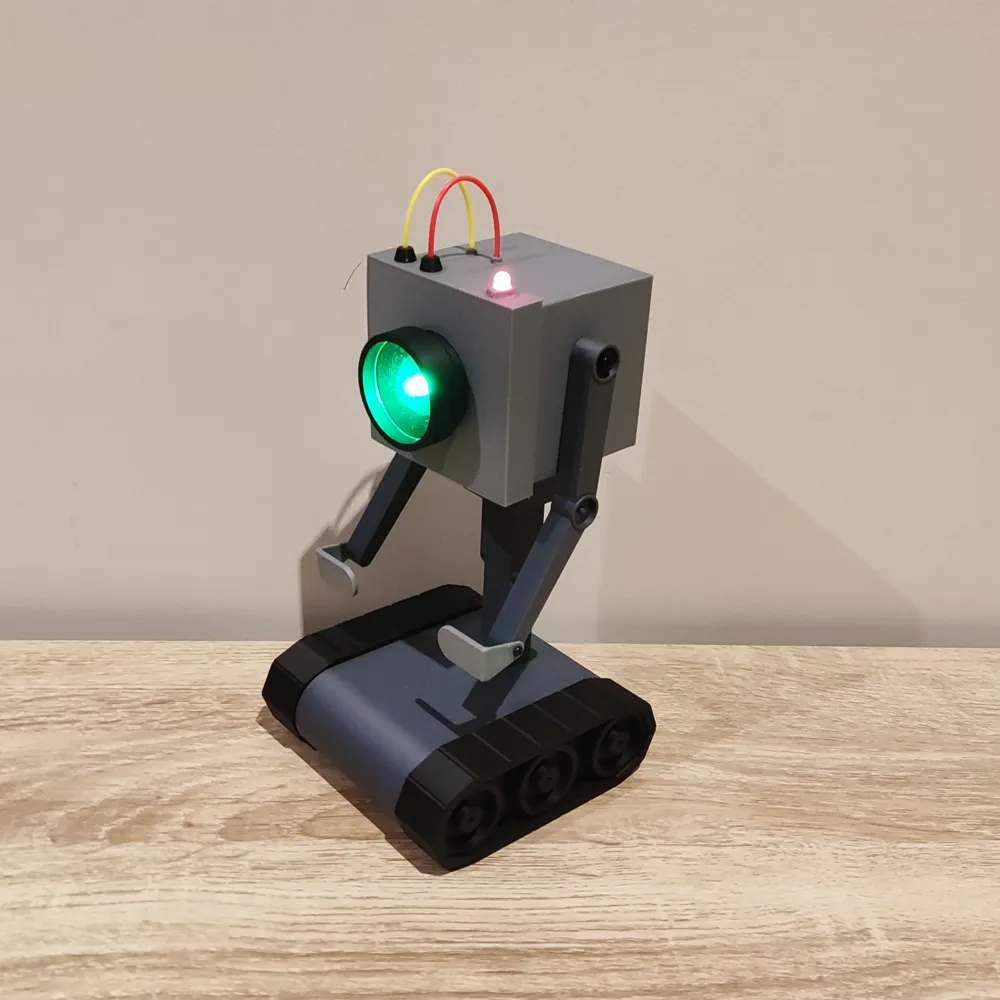
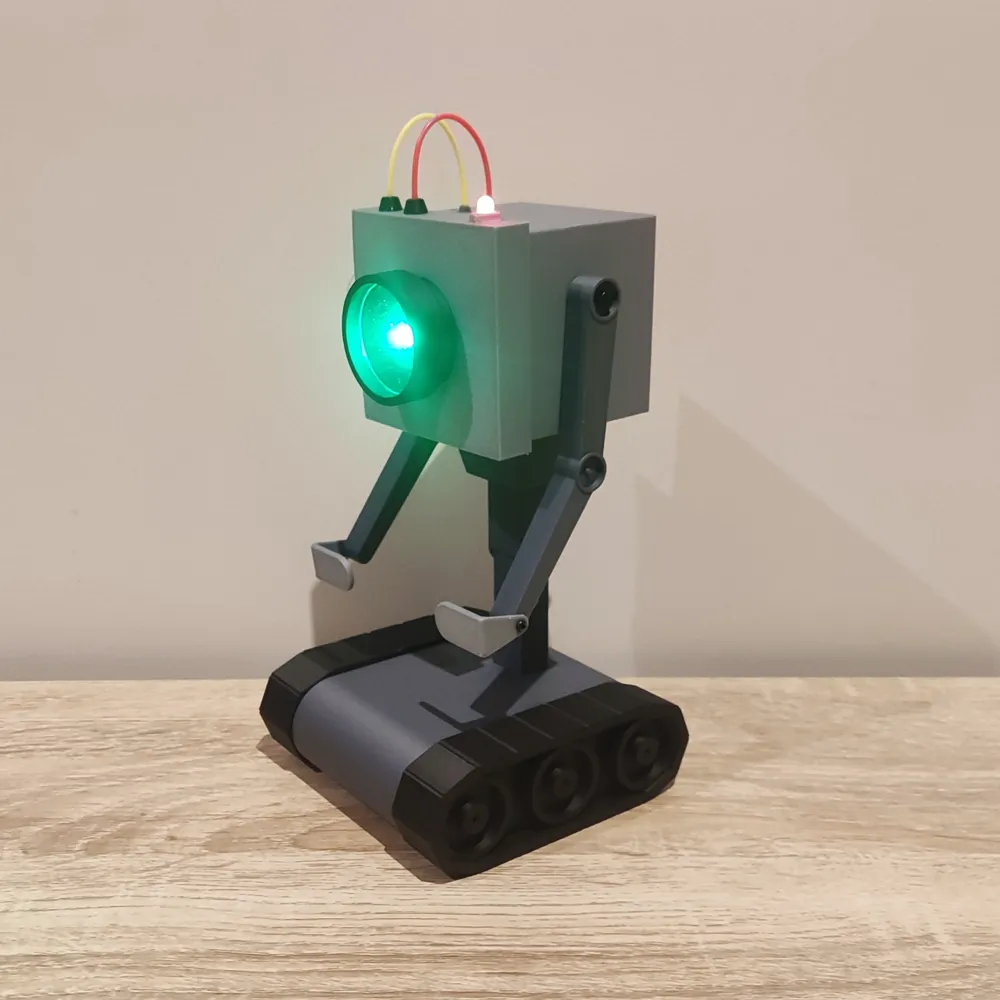
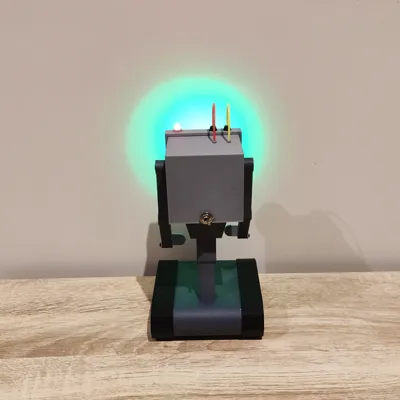
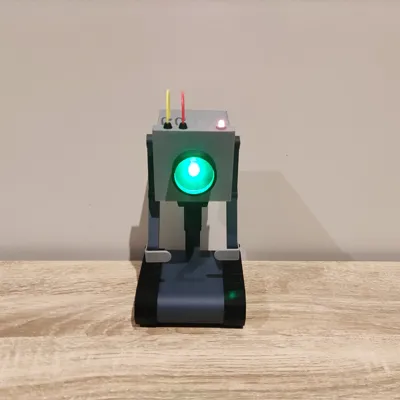
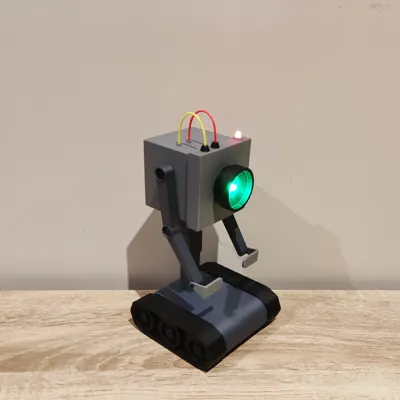
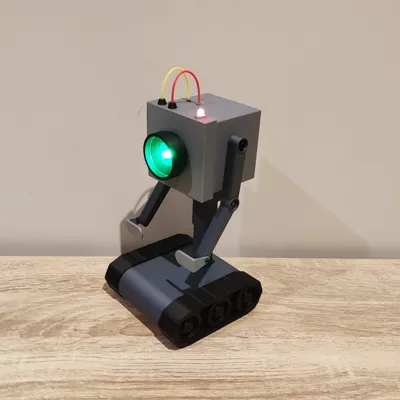
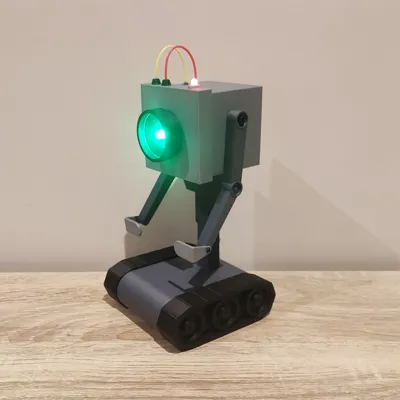
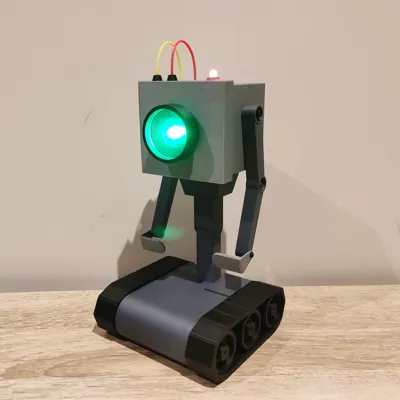
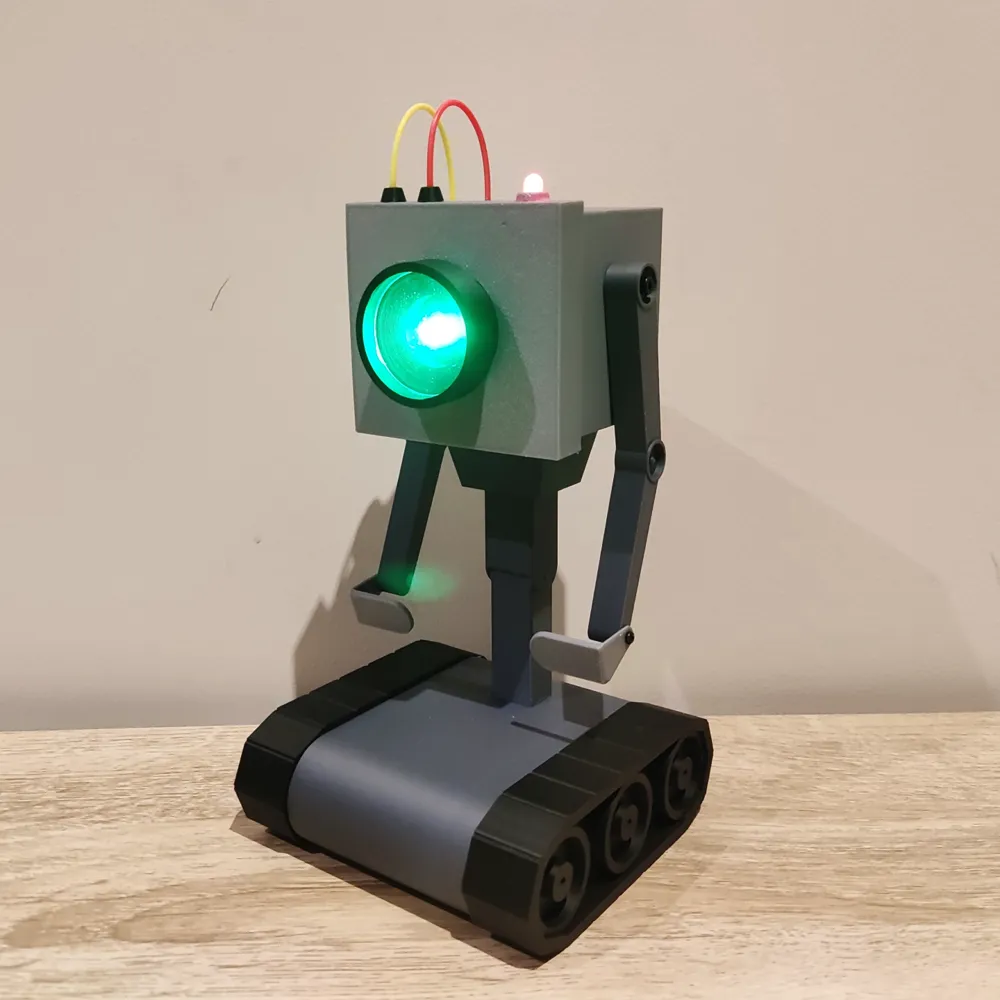
The Purpose Robot/Butter Robot from Rick and Morty
Print Profile(1)

All
X1 Carbon
P1S
X1E
X1
P1P
H2D
A1
P2S
H2C
H2S
H2D Pro
X2D
A2L

0.2mm layer, 2 walls, 15% infill
Designer
6 h
3 plates
4.9(32)

Open in Bambu Studio
Boost
831
1828
61
59
564
238
Released 

Bill of Materials

Maker's Supply Kits and Parts
Select all
M3x6 BHCS Machine Screw (20PCS) - AA057
Bambu Filaments
Select all
Matte Nardo Gray (11104) / Refill / 1kg
Dark Gray (10105) / Refill / 1kg
Matte Charcoal (11101) / Refill / 1kg
Red (10200) / Refill / 1kg
Yellow (10400) / Refill / 1kg
List other parts
  • Red LED x 1:
  • Green LED x 1:
  • AA Battery Case x 1: 2 slots for 3 volts
  • On/Off Toggle Switch x 1:
  • Wire x 1:
  • M3 Screws x 2: 3mm to 8mm
  • M2 Screws x 2: 3mm to 8mm

Description

Thanks for checking out my model! Interested in supporting my work or selling prints?


Support Crew – Show some love and help keep the projects flowing
Galactic Maker Foundry – Sell physical prints of my original designs
Foundry License+ – Sell prints and use my photos for listings


🎉 Supporter-only Discord coming soon – get early access, tips, and sneak peeks!


Membership

Join here to support or get a license

Join

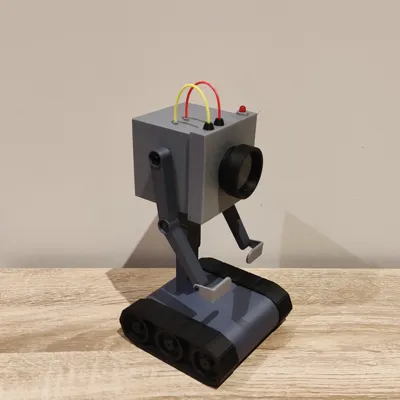
Inspired by the iconic Purpose/Butter robot from Rick and Morty Season 1, Episode 9, this 3D printed model brings the quirky character to life with some unique enhancements. Now you can relive the existential dread and humor of this beloved robot right at home!
Key Features:

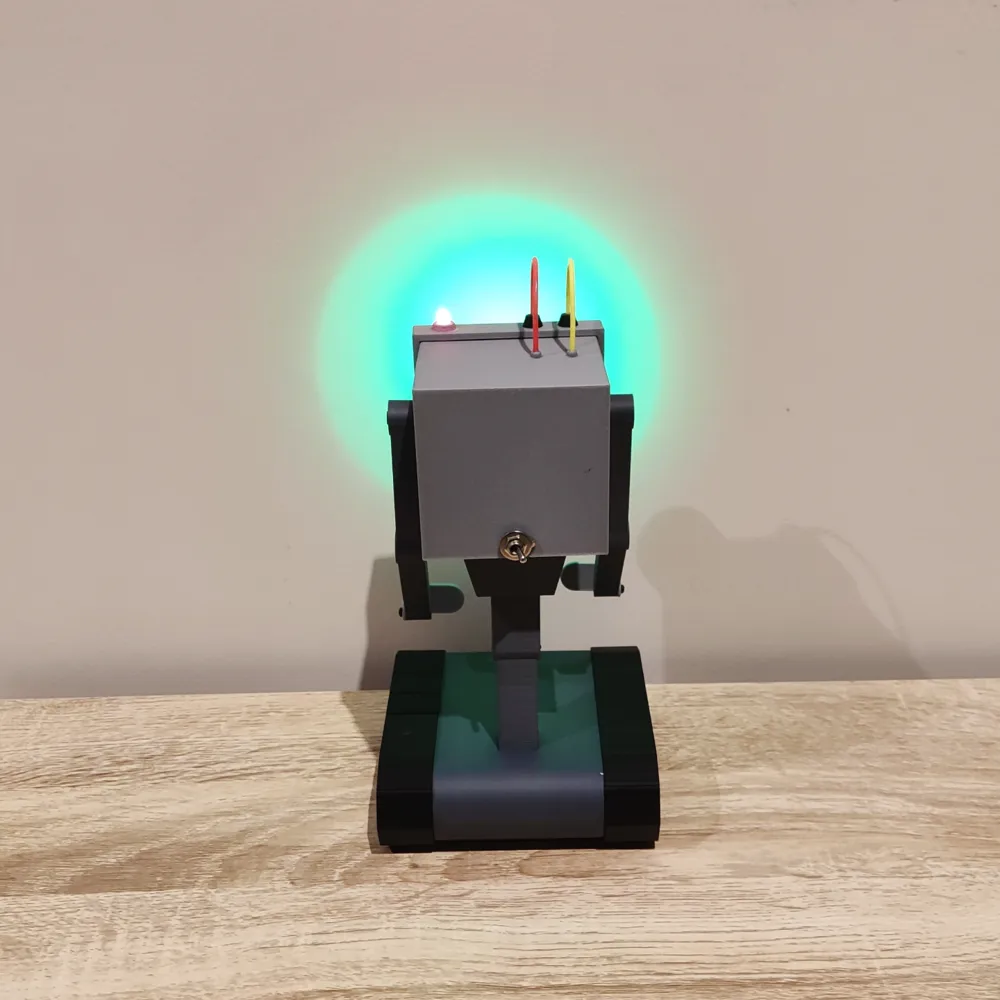
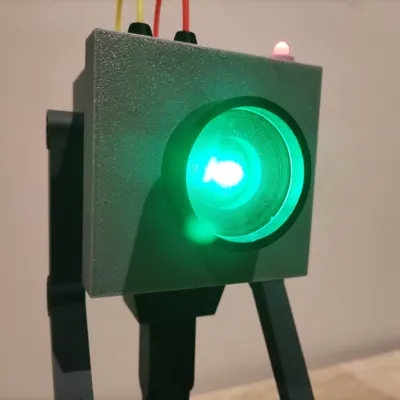
  • LED Integration: The robot comes to life (well, sort of) with a red and green 5mm LED, powered by 2 AA batteries. Who knew existential crises could be so bright?
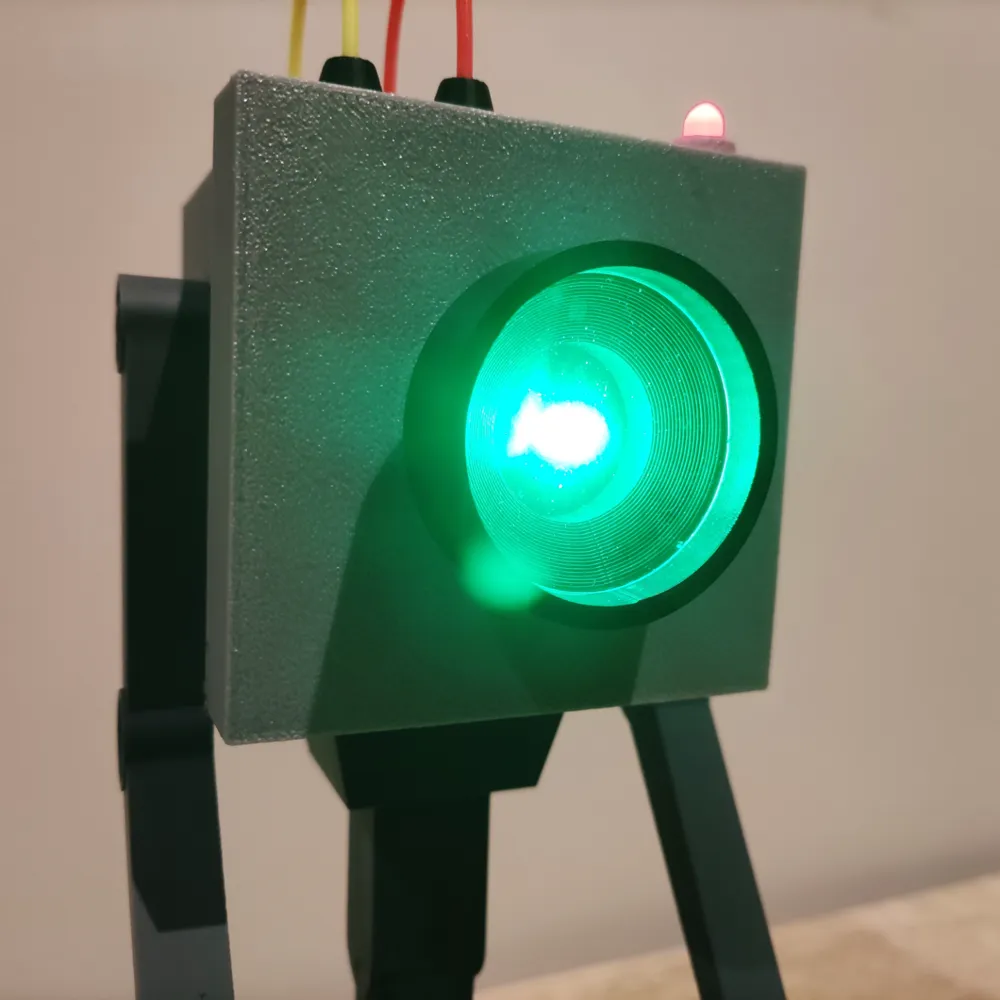
  • Realistic Lens: Using a slice of the lens model as a mold, we crafted a clear lens with UV resin, adding that extra layer of realism. Just don’t ask it about its purpose.
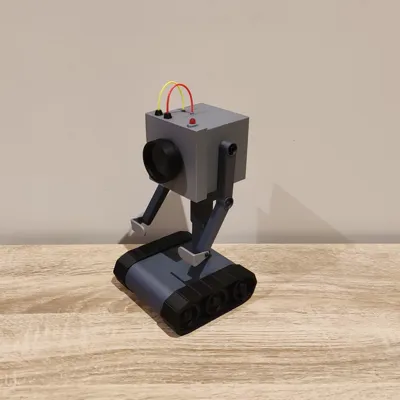
  • Filament Wires: The wires on top are creatively made from off cuts of red and yellow filament. It’s like giving the robot a colorful, albeit meaningless, new hairdo.
  • Magnet Slots: Slots for magnets in the head and leg/body sections allow for rotation, though honestly, it’s not needed. The robot already knows it’s going nowhere fast.
  • Sturdy Assembly: The arms attach to the body using M3 3mm to 8mm screws, and the hands with M2 3mm to 8mm screws. Alternatively, glue can be used if you’re in a hurry to get it questioning its existence.
  • Alignment Pins: 5mm x 5mm pins help align the threads and foot and body/legs models when gluing. CA glue is recommended, but any should work. You know, just like any of us searching for meaning.

Dimensions:

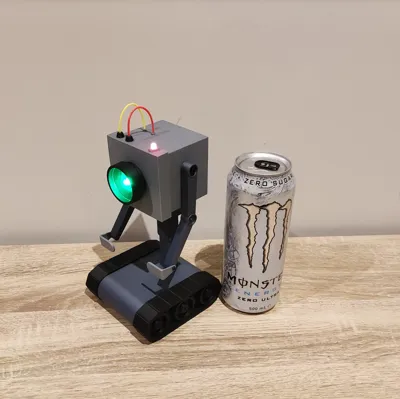
  • Height: 190mm
  • Width: 110mm
  • Depth: 110mm

Components Required:

Enjoy bringing this little robot to life, and remember, even if it can't find its purpose, it can still add some Rick and Morty humor to your day!

Comment & Rating (61)

(0/1000)

Boosted
super cool buddy for bender 😂.... but... so pointless...😄👍
The designer has replied
3
Reply
haha looks awesome, thanks for sharing.
0
Reply
Boosted
Print Profile
0.2mm layer, 2 walls, 15% infill
great model! going to make a nice Christmas present to a Rick and Morty fan. working through some upgrades still and will share a print profile when I do. thanks for the model! I put some effort into a print profile with a lot of improved parts not noticing your licensing and my profile got taken down unfortunately.
(Edited)
The profile uploader has replied
0
Reply
looks great, I should probably do a version so you can add CyberBrick to it so it moves. I've been waiting for the official Butter Bot Kickstarter for ages which is why I designed this.
0
Reply
Boosted
Replying to @pumpkin20303 :
Moving would be amazing. Wife thought I should make that upgrade as well. I might just do that. BTW, the toggle switch you link to is discontinued.
0
Reply
Replying to @cmcraig2 :
noooo, thanks for that. I'll update it ASAP
0
Reply
Print Profile
0.2mm layer, 2 walls, 15% infill
You pass butter.
2
Reply
Print Profile
0.2mm layer, 2 walls, 15% infill
My new little helper for soldering, incredibly practical
The profile uploader has replied
Show original
profile
1
Reply
that's a great idea, perhaps I should make a v2 with different hands for various tasks.
0
Reply
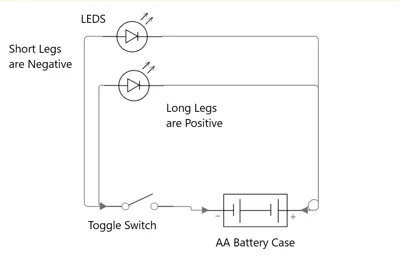
As someone with zero experience on electronics, this seems daunting. Could you please elaborate on how to do the electronics or point me in the direction of some type of guide on how to connect this? Thanks
The designer has replied
5
Reply
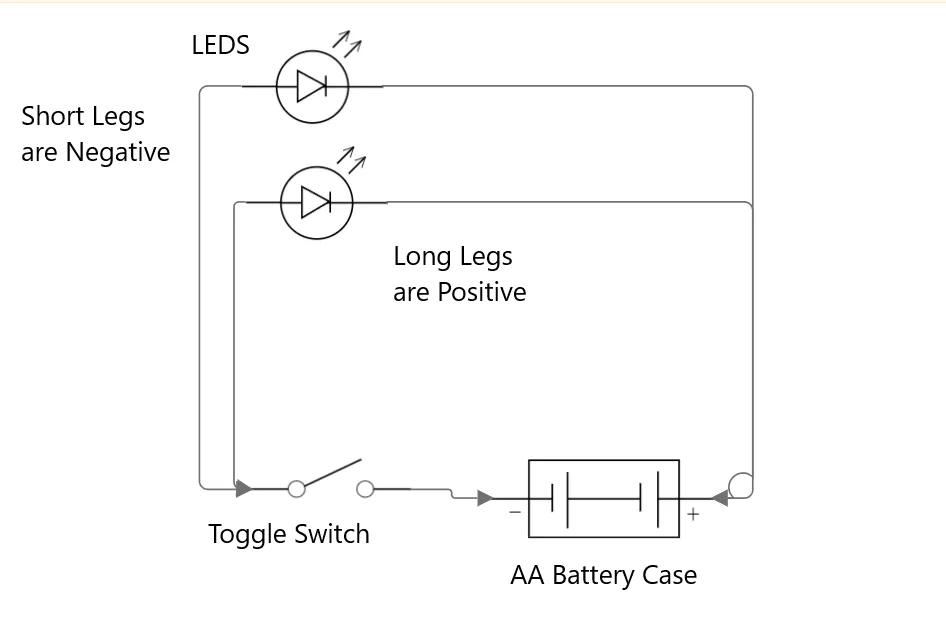
the last photo is the wiring diagram, it's just powering the 2 LEDs from a 2xAA or 2xAAA battery pack. take the red wire/positive wire from the battery pack and connect it to the positive leg of the LED, the long leg and the black wire to the negative of the LED, short leg. if you want to add a switch you just put it in-between the battery and the LED. it is just a simple circuit and that's all there is too it.
4
Reply
thank you!
1
Reply
Print Profile
0.2mm layer, 2 walls, 15% infill
Came out very cool. I made up an insert for the red light at the top and the lens part so it looked like it should as I wasn’t going to do the lights. It would be nice if the screws were all the larger size though. The smaller screws are not something I keep. I ended up just sizing the holes up for 8mm
1
Reply
Boosted
Print Profile
0.2mm layer, 2 walls, 15% infill
Had a blast building mine, made one for home and office. Even working on a modded one that houses a motion sensor to trigger it to ask "What's my purpose?">
The profile uploader has replied
profile
5
Reply
that sounds awesome!
0
Reply
Quick question, i'm trying to change the filament on plate 1 to use my petg. When I make the change on all the objects they show as PETG in the side bar on the left, but the object color doesn't change. And if i slice it and go to print, and try and change it before it starts the print, it wont allow me to change to PETG, only a PLA. Is this because of something the designer forced?
The designer has replied
0
Reply
hi there, it looks like you selected multiple parts from multiple plates and for some reason it's not changing. it looks like plate 1 is set up for PLA wood. looks like you've also got a part on plate 4 as pla wood. I think you have to select the parts that are just on that plate or just change the pla wood to petg
0
Reply
Print Profile
0.2mm layer, 2 walls, 15% infill
Great project. I added some colors to look like from serial
0
Reply
Boosted
great print
0
Reply

License

If you want to use this model commercially, please join my membership.
Join Now
This user content is licensed under a Standard Digital File License.

You shall not share, sub-license, sell, rent, host, transfer, or distribute in any way the digital or 3D printed versions of this object, nor any other derivative work of this object in its digital or physical format (including - but not limited to - remixes of this object, and hosting on other digital platforms). The objects may not be used without permission in any way whatsoever in which you charge money, or collect fees.