Search models, users, collections, and posts

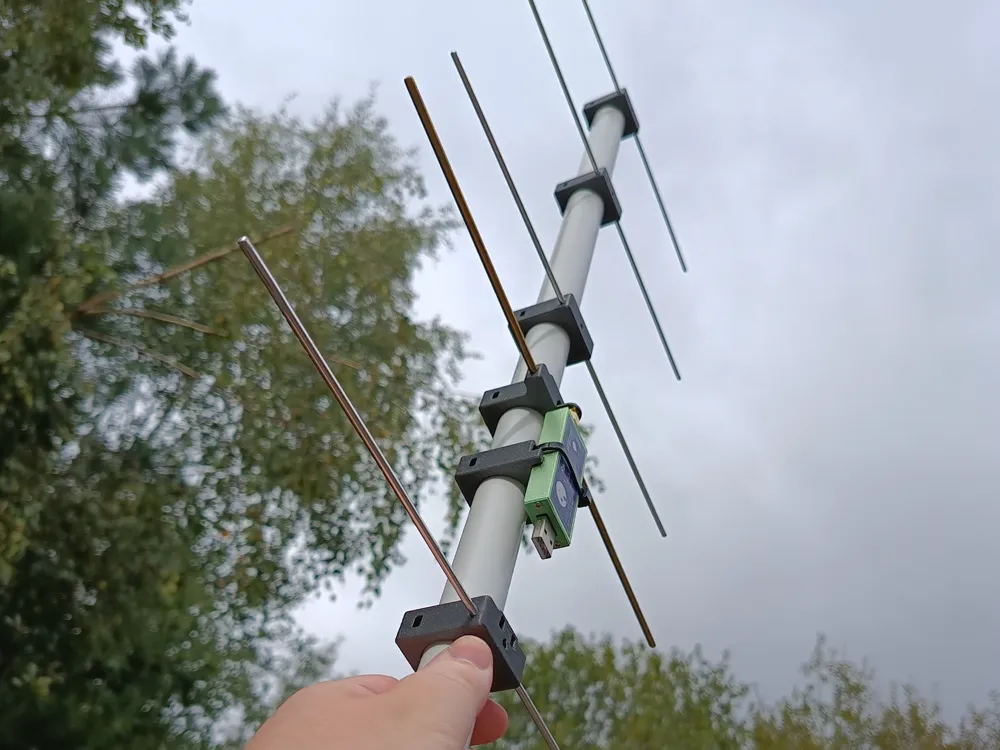
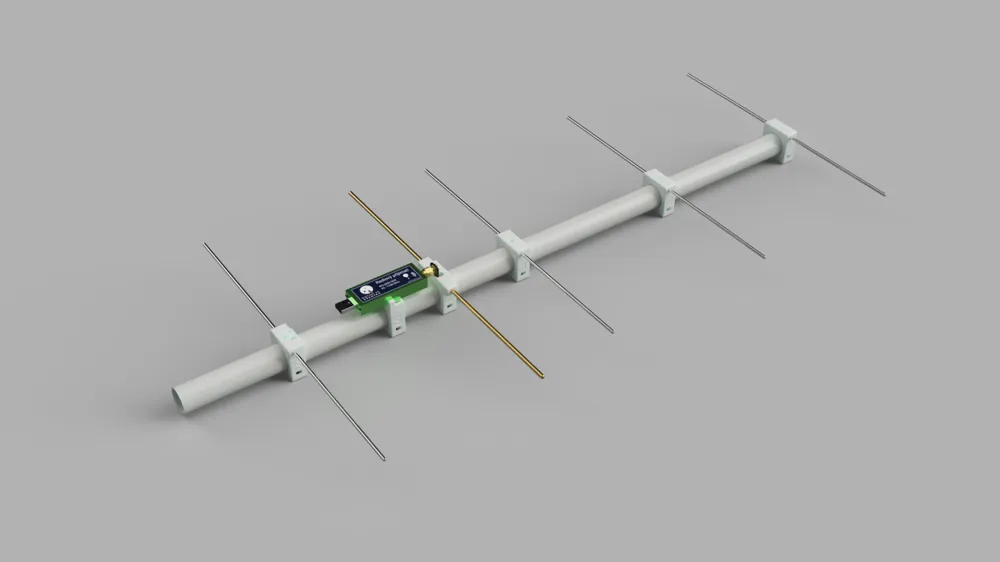
70cm Yagi Antenna with SDR
Remixed by
IP Report

Print Profile(1)
0.2mm layer, 2 walls, 15% infill
Designer
1.8 h
1 plate
Open in Bambu Studio
Boost
122
348
7
5
205
52
Released
Description
Simple & lightweight Yagi antenna for the 70cm band. Developed in conjunction with the ‘Touch The Universe’ project.
Required hardware
- 3.2mm aluminium welding rods
- 4mm brass welding rod
- 25mm PVC pipe
- ~3mm self-tapping screws
- superglue / silicone / hot glue gun (optional)
- soldering iron & solder
- SMA edge connector (Aliexpress)
- SMA PCB adapter (can be ordered from JLCPCB for $2 - see provided gerber files)
- RTL SDR (Aliexpress)
- USB-A extension cord (~2m)
- cable ties
Printing instructions
Works best with PETG or similar. I recommend default 0.2h@0.4n presets. Add more perimeters for extra strength (optional). No supports required.
Assembly instructions
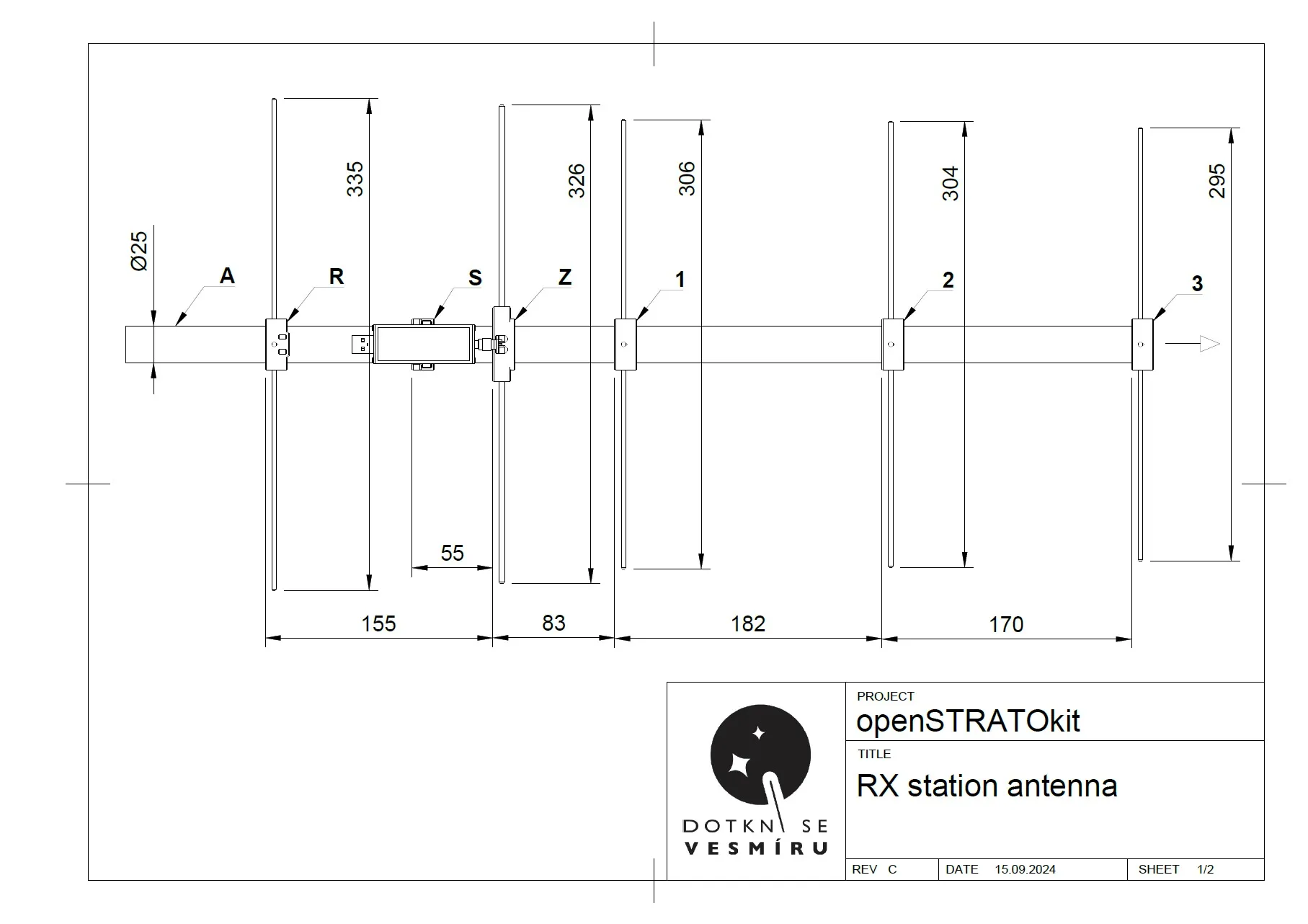
- cut the welding rods to size (see the provided drawing for dimensions)
- the 4mm brass rod needs to be cut 2mm shorter and split in half to account for the center gap
- roughen up the ends of the brass rod with a file or sandpaper for easier soldering later
- file / deburr all edges
- mark the centerpoint of each aluminium element and insert each one into the appropriate printed part
- use the top hole to align the center mark, then fill the hole with glue (optional)
- solder the SMA connector to the SMA PCB
- insert the brass elements into the 'Z' printed part and solder the PCB to them
- cut a ≥70cm section of PVC pipe and mark element locations (see the provided drawing for dimensions)
- attach the elements to the PVC pipe
- make sure the pointy holes on the sides of the printed parts are facing towards the business end of the antenna
- secure them by running a self-tapping screw through the hole on the bottom of each printed part
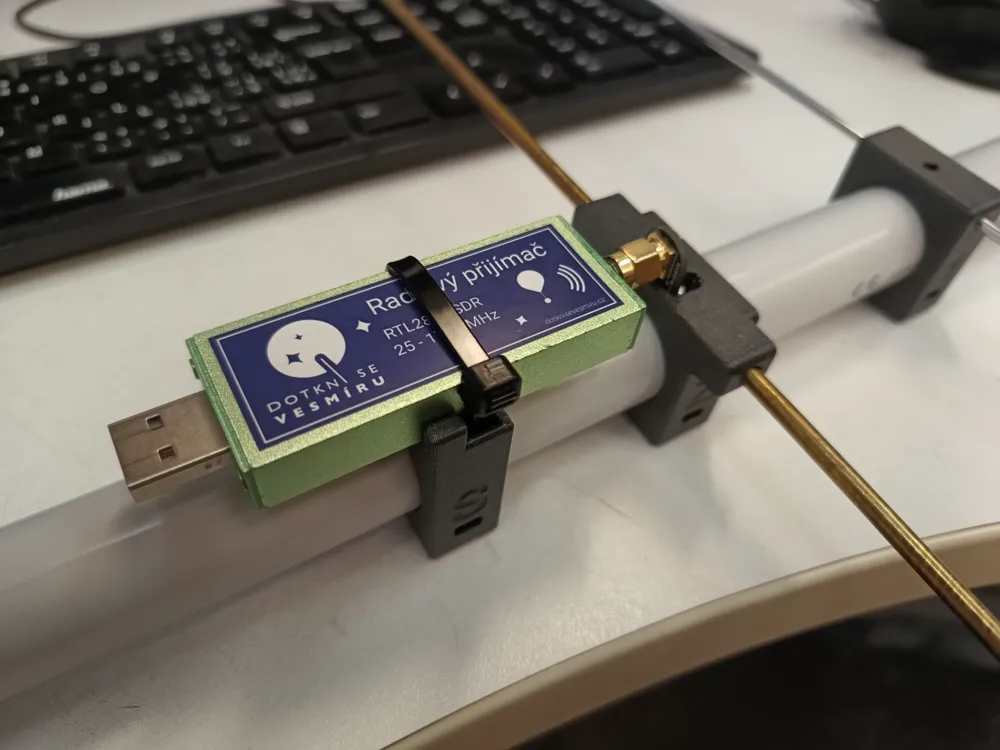
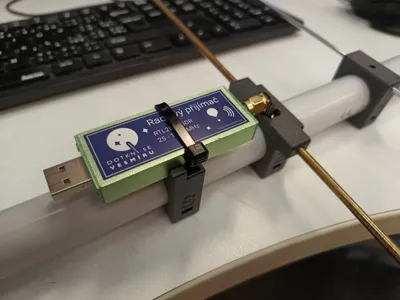
- attach the SDR using the SMA connector and secure it to the 'S' printed part using a cable tie
- connect the USB extension cord and secure it to the 'R' printed part using a cable tie
This remix is based on

License

This user content is licensed under a
Creative Commons Attribution-Noncommercial-Share Alike


Comment & Rating (7)