
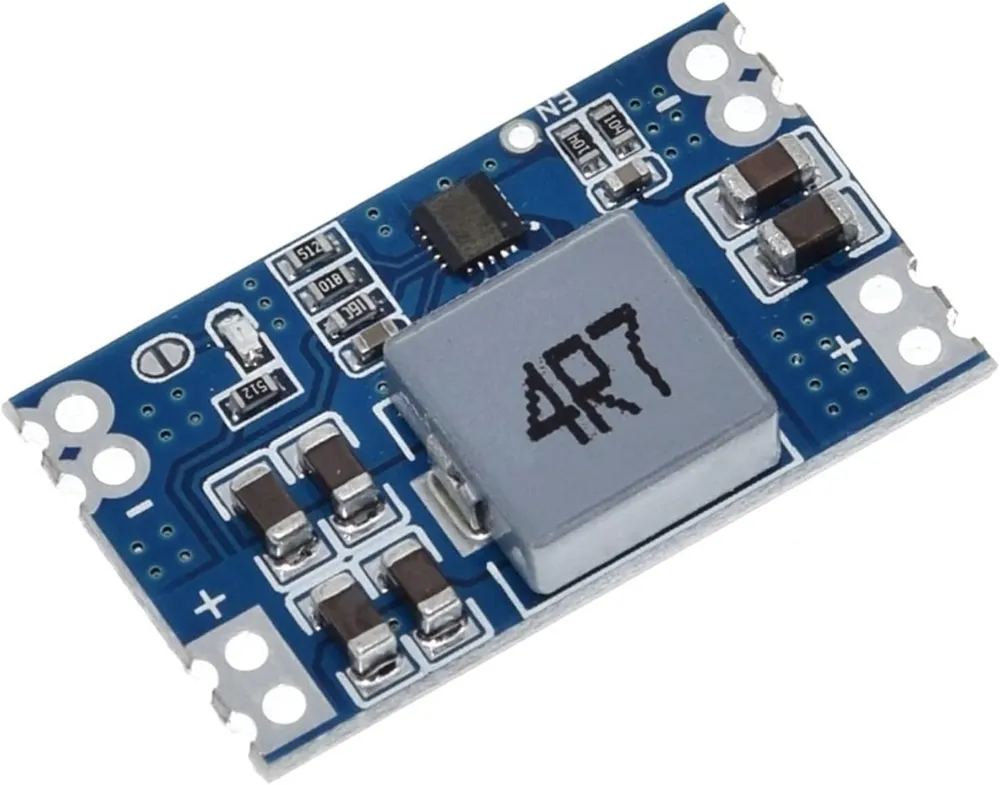
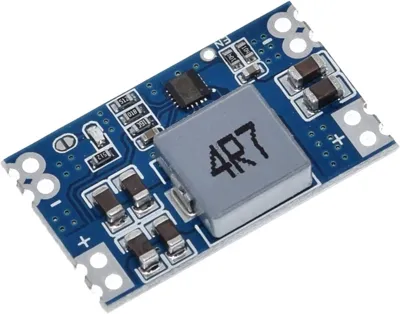
Case for Mini560 stepdown power supply pcb


Print Profile(3)


Description
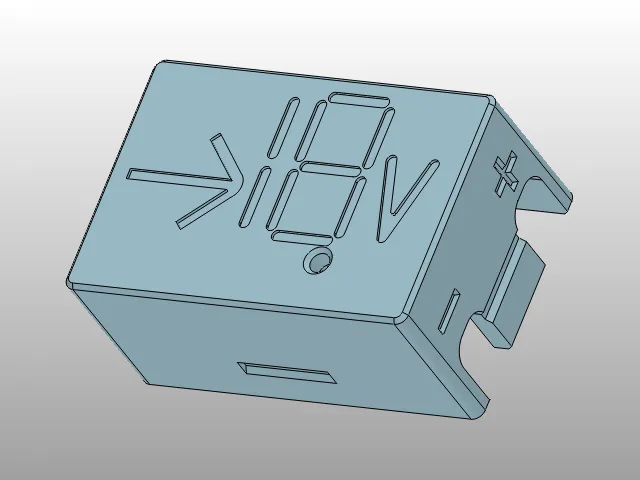
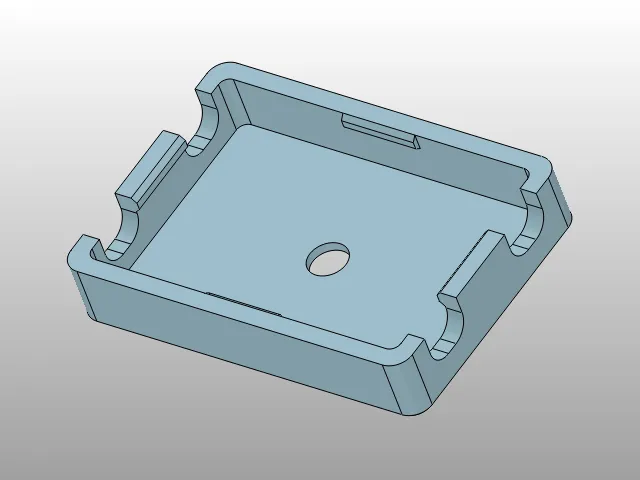
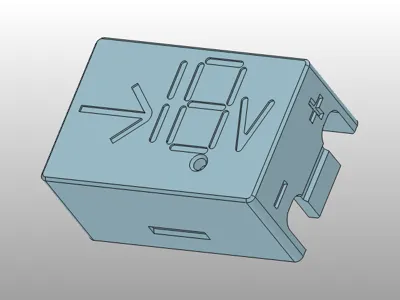
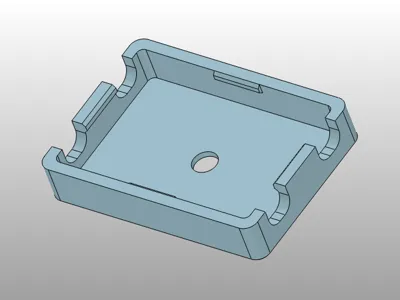
Lid - have hole for screw, can be mounted to something. In the fact “lid” become base in this way ;)
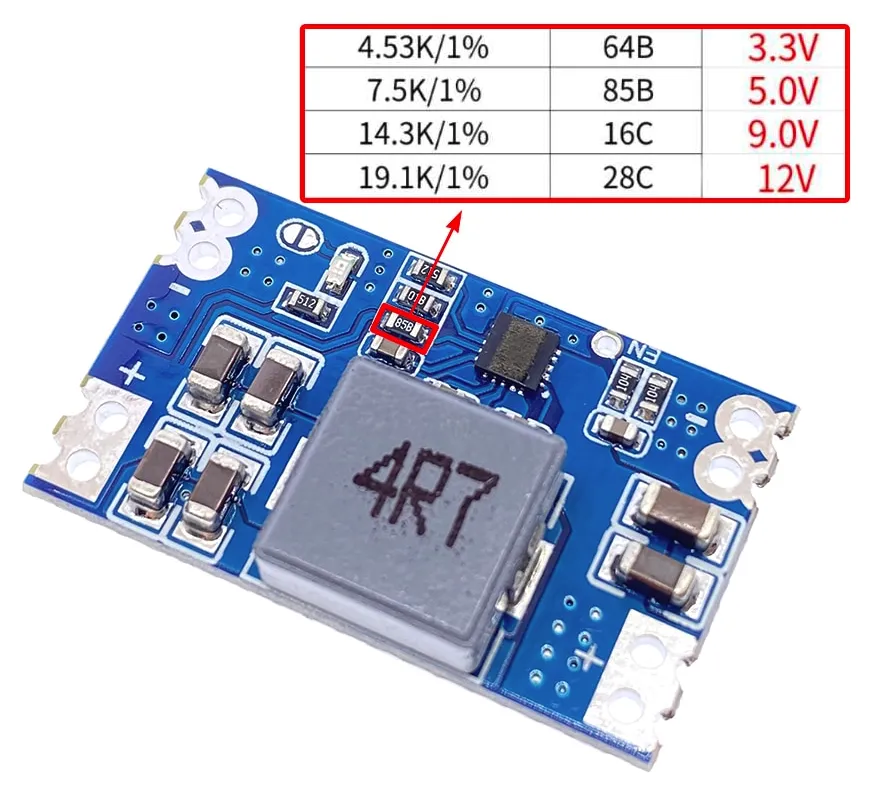
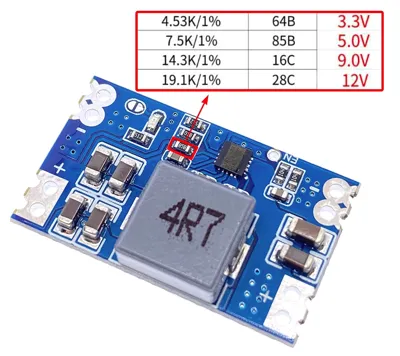
Base - fits tight to Lid. There are two version, one blank (only hole for led light), second - with a small recess “18” (like 7-segment display) to be filled in (with a marker, or paint) to show the output voltage of used module.
HINTS:
1. Mini560 have onboard LED indicating output voltage, but from factory - led is not working (for reduce power draw in idle). If you want led working - you should place a solder joint on special pads near the led.
2. Mini560 have pad marked with EN = /Enable. When this pad become low-level, board is shutdown. BUT there is no pull-up onboard! By datasheet - this pad should not be unconnected. Strongly suggestion - pull it up to (+) input voltage, by wire or resistor, when you do not use it, because any static voltage or leakage can shut down your board accidentally, when this input is leaved free floating.
3. If you want nice led-light-spot, you can put in this small hole piece of transparent filament, as light guide. Hole is tight, so there is a clever way to embed the wire inside the hole:
You put a cut piece (a few centimeters) of transparent filament into the drill holder and treat it as a drill. You drill the filament into the material so that it goes to the other side.
Thanks to friction and rotation, the filament melts the plastic around the hole and slides in smoothly, but if you just release the button and the drill stops - the filament is permanently welded into the hole! Just cut off the excess filament with a sharp knife, flush with the cover, and the optical fiber is ready!
EDIT: Added “low” version, slim fit ;)
License



Comment & Rating (1)