
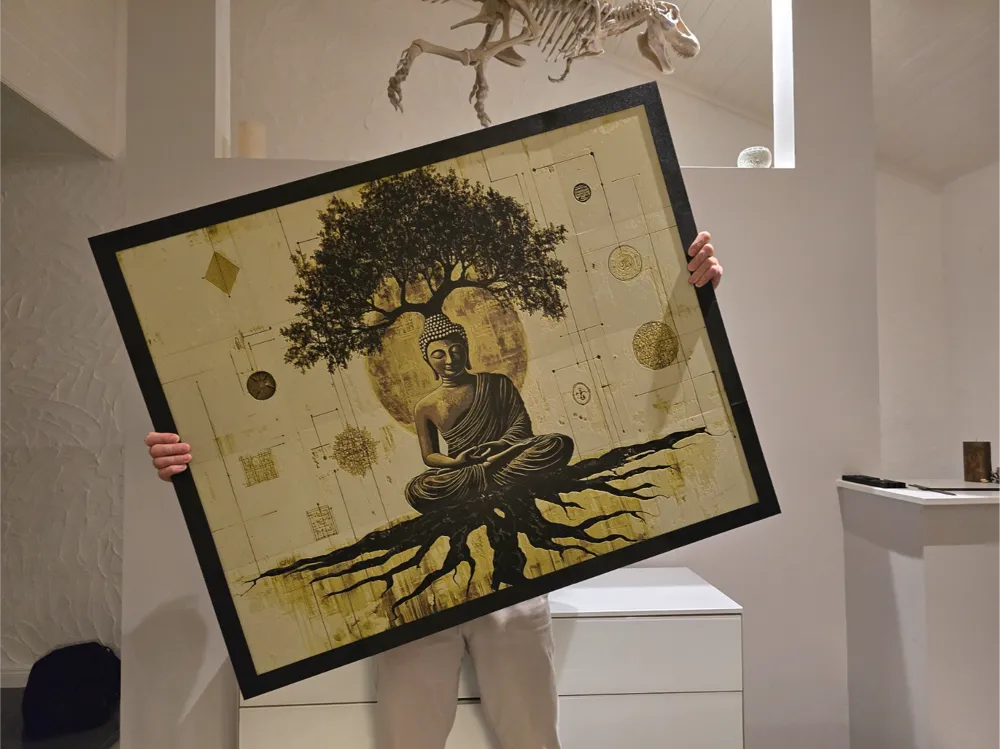
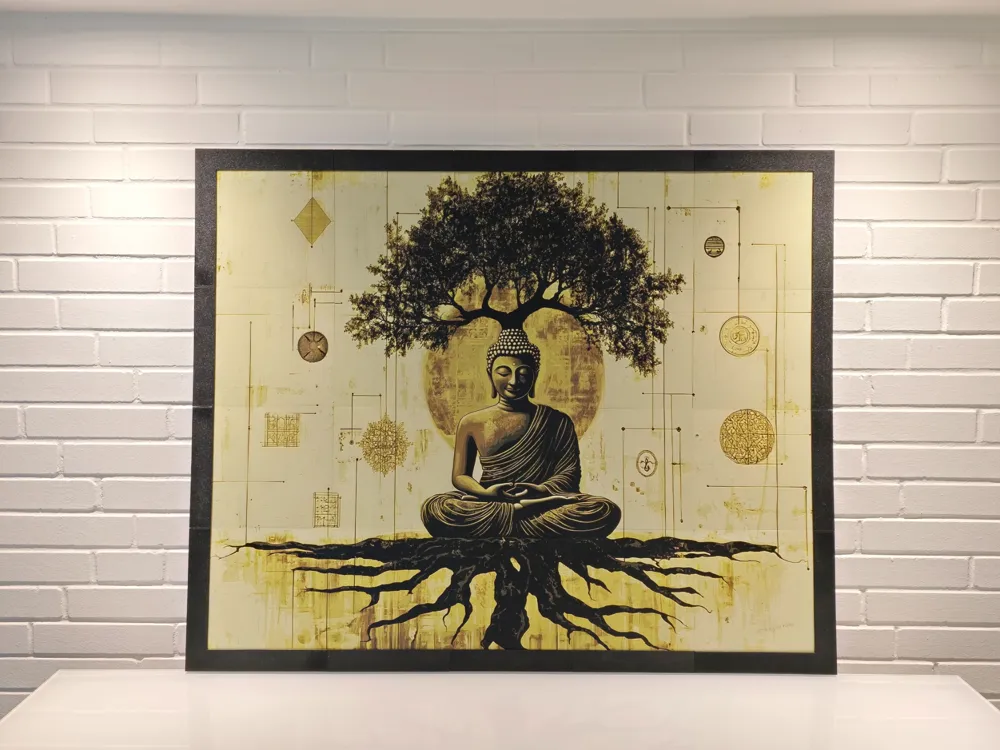
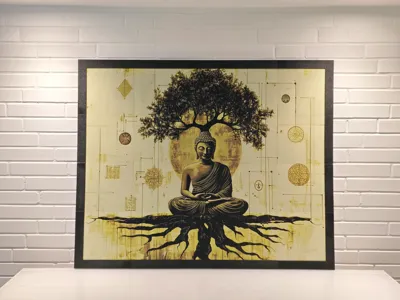
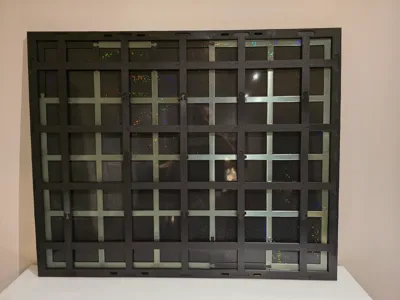
Hueforge Frame 1000mm x 800mm modular
Print Profile(3)


Description
Boost Me (for free)
If u like the frame i would be happy to get a BOOST :)
Assembly Instructions for the Modular Frame
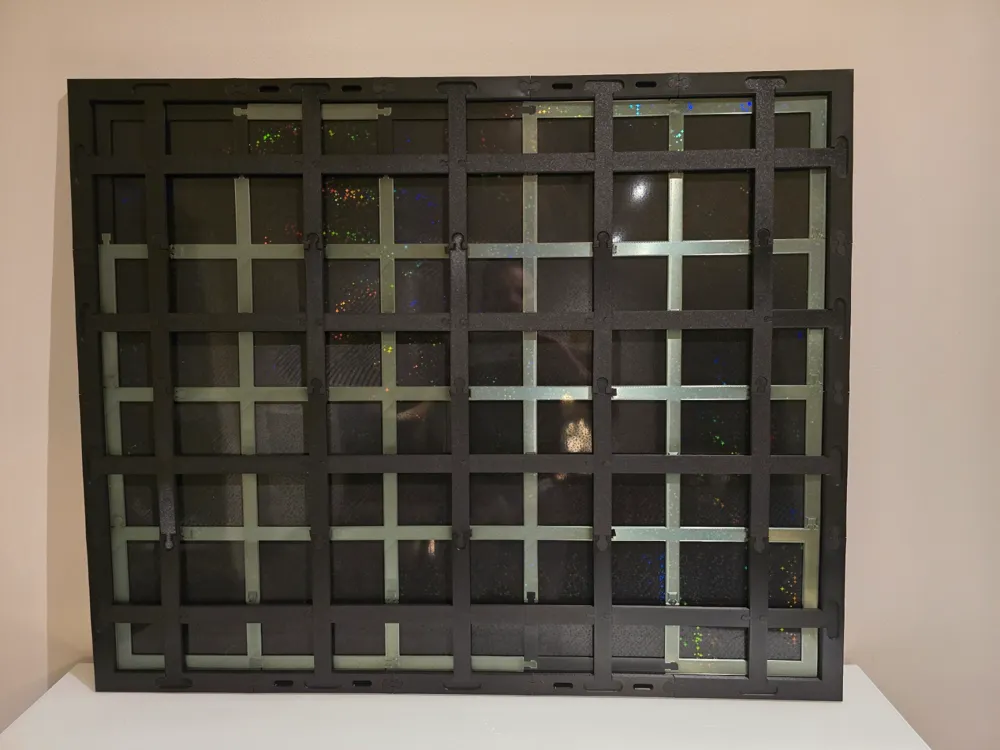
Introduction: The modular frame is designed to securely and stably mount a picture divided into multiple parts. The construction's base consists of a grid (substructure) onto which the picture parts are glued. After the picture is attached to the substructure, it is inserted into the frame. The substructure is then secured with struts that are pressed into the frame to provide stability to the picture.
Tip: Print frame parts on Textured PEI Plate
1. Picture Preparation CUT - CALCULATION CLICK
- The picture must be divided into 20 x 20 cm parts. The Bambulab Slicer or another slicer program can be used for this.
- Make sure the picture is slightly smaller than the substructure to ensure a perfect fit. For a 100 x 80 cm frame, it is recommended to reduce the picture to a size of 998.5 x 798.5 mm to allow for some clearance.
Cut information for the picture 1000x800 mm
---------------------------------------------------
1st cut-- horizontal top edge at 398.5 (tolerance cut 1.5 mm)
2nd cut-- vertical right edge at 498.5 (tolerance cut 1.5 mm)
3rd cut-- vertical 300.75
4th cut-- horizontal 200.75
5th cut-- right vertical strip cut horizontally 200.75 to have the first corner 198.5 x 198.5
6th cut-- vertical strip cut horizontally 100
7th cut-- right vertical strip cut horizontally 100
8th cut-- vertical strip cut horizontally 0
9th cut-- right vertical strip cut horizontally 0
10-13th cut-- horizontal strips (4 pieces) cut vertically 200
14-17th cut-- horizontal strips (4 pieces) cut vertically 100
18-21st cut-- horizontal strips (4 pieces) cut vertically 0
If you want to print the image of this Buddha, you will find it in the print files.
If you want to use the same filament, you will need the following filament:
Swap Instructions:
Start with Black
At layer #8 (0.96mm) swap to Orange
At layer #11 (1.2mm) swap to Yellow
At layer #14 (1.44mm) swap to White for the rest.
2. Substructure Preparation
- The substructure consists of modular parts that are assembled according to the instructions. Each picture part will later be glued onto a corresponding segment of the substructure.
Tip:
Apply the double-sided adhesive tape to the substructure in such a way that all corners of the picture parts are well secured. Additionally, add an adhesive point for every 10 cm of side length to ensure secure fixation.
I recommend using this tape with which I have had good experiences:
3. Mounting the Picture on the Substructure
- After the picture parts are prepared, carefully glue them onto the substructure. Make sure they are precisely positioned so that the overall picture is correctly assembled.
4. Inserting the Substructure into the Frame
- Once all picture parts are glued to the substructure, it can be carefully inserted into the frame. Make sure the picture is oriented correctly in the frame so that the top side of the picture corresponds to the wall mounts.
5. Securing the Struts
To provide stability to the substructure, the struts must be pressed into the frame. It is important not to press the struts in too tightly – only enough to lightly clamp the substructure.
Tools:
- Press ram: Used to push the struts into the frame.
Rubber mallet: Use this to carefully press in the struts.
Procedure:
- Place the struts into the designated recesses of the frame.
- Place the press ram on the strut and tap gently with the rubber mallet until the strut is seated.
- Make sure to push the struts only far enough to lightly clamp the substructure – do not push too hard.
- Ensure that the substructure is securely held between the struts and the frame.
6. Securing the Middle Struts and Connectors
- For the middle struts, it is recommended to place a spacer under the strut to keep it stable while the other end of the strut is pressed into the frame.
- The frame connectors can also be carefully pressed in with the rubber mallet.
7. Review and Completion
- Ensure that the picture is correctly placed in the frame and the top side of the picture faces the wall mounts.
- Check that all struts are firmly seated and the picture is securely and stably mounted.
8. Alternative Picture Sizes
It is also possible to use this modular frame system for various picture sizes, such as 1200 mm x 1000 mm. The same principles apply and allow for flexible use even for larger or smaller pictures. The minimum picture size that can be mounted with this system is 600 mm x 600 mm. Upwards, the picture size is open-ended and can be extended in increments of 200 mm each. For a 400 mm x 400 mm frame, I use the following model:
https://makerworld.com/en/models/659887#profileId-587032
Follow me on my channels!
Hey, do you want to see more cool projects? Then head over to my channels! There's not only interesting news, but also tips, tricks, and real insider info about my models. And the best part is you can ask me questions directly there, and I'll answer them with a smile!
- TikTok: https://www.tiktok.com/@toktikker46 – Fancy short, entertaining clips? Then follow me here, and you're guaranteed not to miss anything!
- YouTube: https://www.youtube.com/@jonnydasilva2311/videos – Fancy detailed videos and tutorials? A subscription would be a small thank you, and I promise you'll get lots of exciting content in return!
- Facebook Group: https://www.facebook.com/groups/3dmulticolor – The group is buzzing! Join to exchange ideas, ask questions, and learn from other cool people!
Check it out, click the Follow button, and be there – whether on TikTok, YouTube, or Facebook... ideally everywhere! I look forward to seeing you there!
License

You shall not share, sub-license, sell, rent, host, transfer, or distribute in any way the digital or 3D printed versions of this object, nor any other derivative work of this object in its digital or physical format (including - but not limited to - remixes of this object, and hosting on other digital platforms). The objects may not be used without permission in any way whatsoever in which you charge money, or collect fees.


Comment & Rating (32)