Search models, users, collections, and posts

A1 Mini Top Spool Mount
IP Report


Print Profile(4)

0.16mm layer, 3 walls, 20% infill
Designer
3.4 h
1 plate

0.12mm with Bambu Logo

4.2 h
1 plate

0.2mm layer, 2 walls, 15% infill

9 min
1 plate
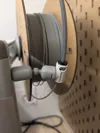
Spool support - ball joint - 0.16mm layer, 2 walls, 15% infill
35 min
1 plate
Open in Bambu Studio
Boost
951
2691
255
261
3.3 k
1.9 k
Released
Description
Mount the spool on top of the A1 Mini Z-axis using only the original hardware from the printer. The PTFE mount allows for slight movement along with the print head.
1. Use the three screws to attach the main body to the top of the Z-axis.
2. Slide on the front cover and the original spool holder arm.
3. Insert the pins into the internal cap and set it in place on the main body. (Ensure the correct orientation.)
4. Attach the main cap using the longer screw to secure it.
5. Reattach the PTFE mount, positioning it on the back of the main body.
Boost Me (for free)
License

This user content is licensed under a
Creative Commons Attribution-Noncommercial-NoDerivatives


Comment & Rating (255)