Search models, users, collections, and posts

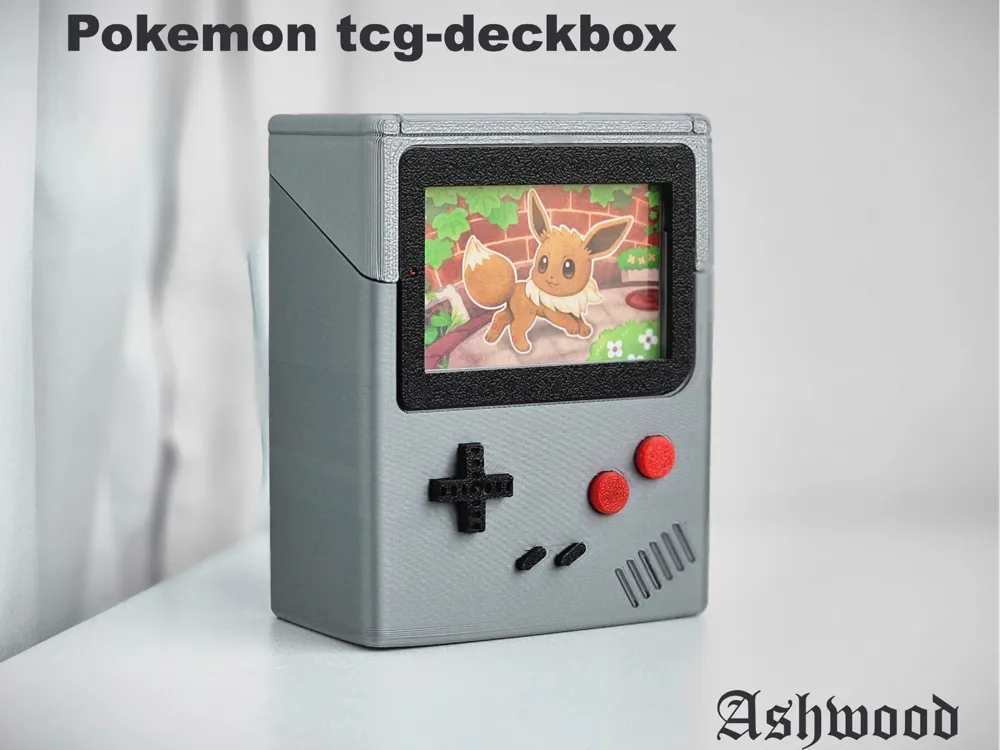
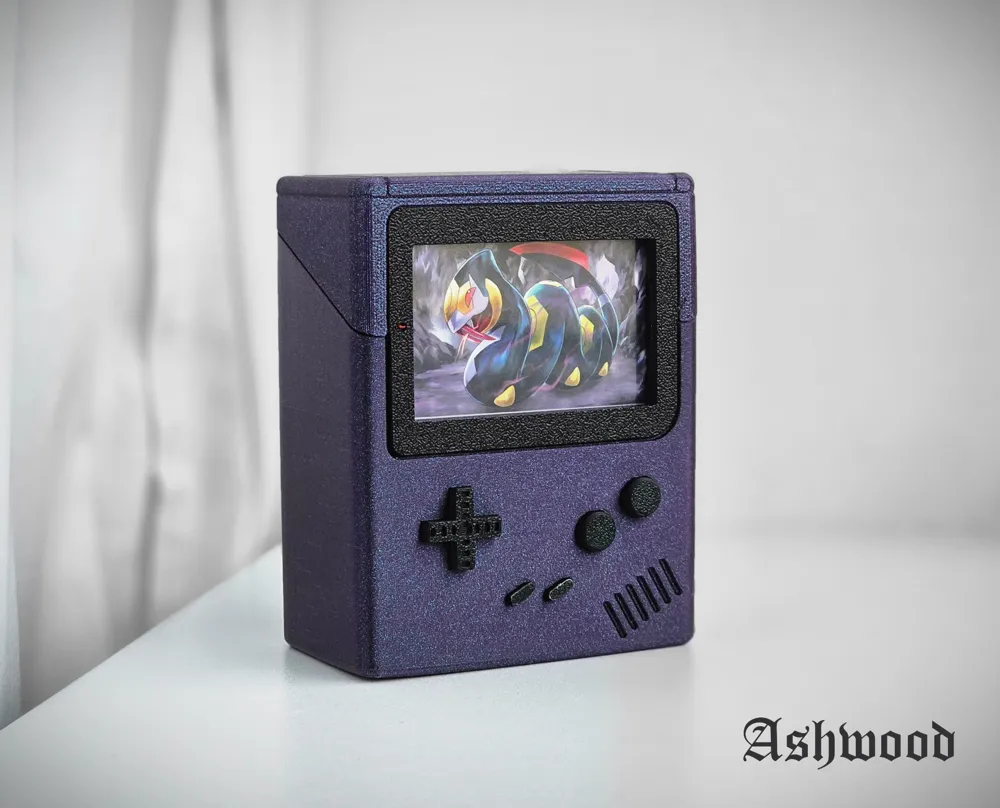
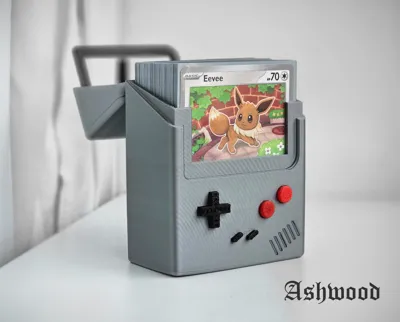
Pokemon tcg deckbox: Gameboy

Print Profile(10)

All
P1S
P1P
X1
X1 Carbon
X1E
A1 mini
A1
H2D
H2D Pro
H2S
P2S
H2C
X2D
A2L

0.2mm layer, 2 walls, 10% infill
Designer
2.4 h
1 plate
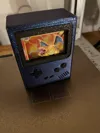
4.9(411)

For a1 mini, 0.2mm layer, 2 walls, 10% infill
2.6 h
1 plate
4.9(222)

100 cards! - 0.6mm nozzle, 0.24mm layer, 2 walls, 15% infill
2.7 h
1 plate
4.9(26)

Case and Case Top Same Print Direction
4.3 h
2 plates
4.9(16)
Click to see more

Open in Bambu Studio
Boost
7757
17041
993
926
13.7 k
7.7 k
Released 

Description

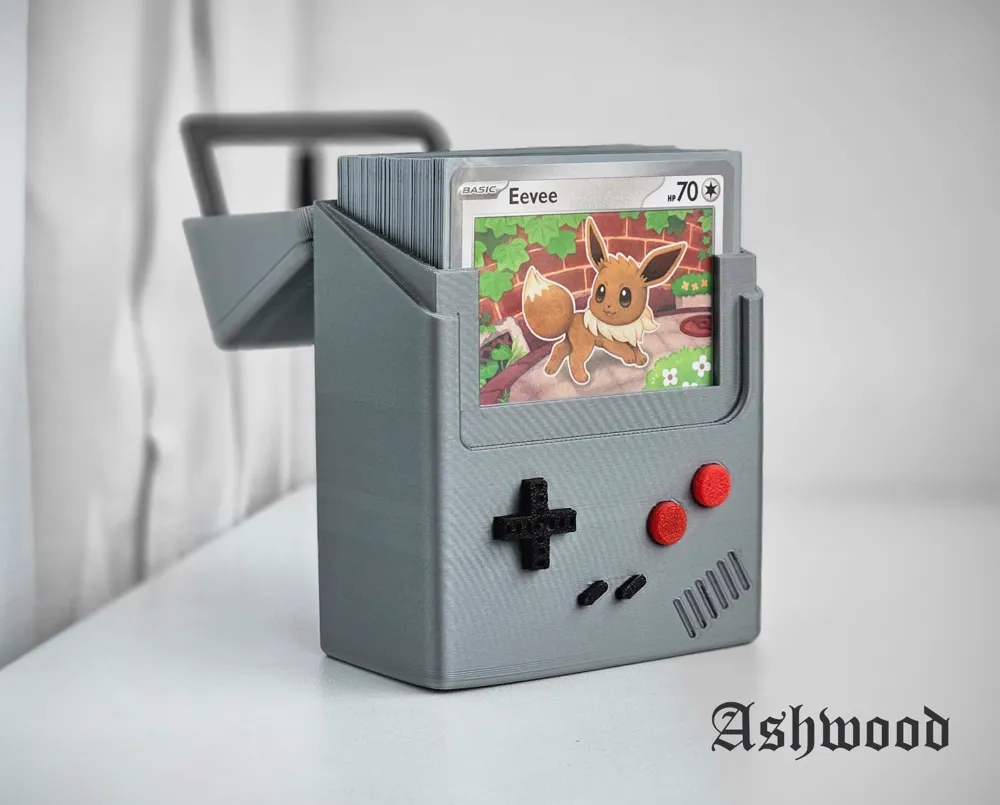
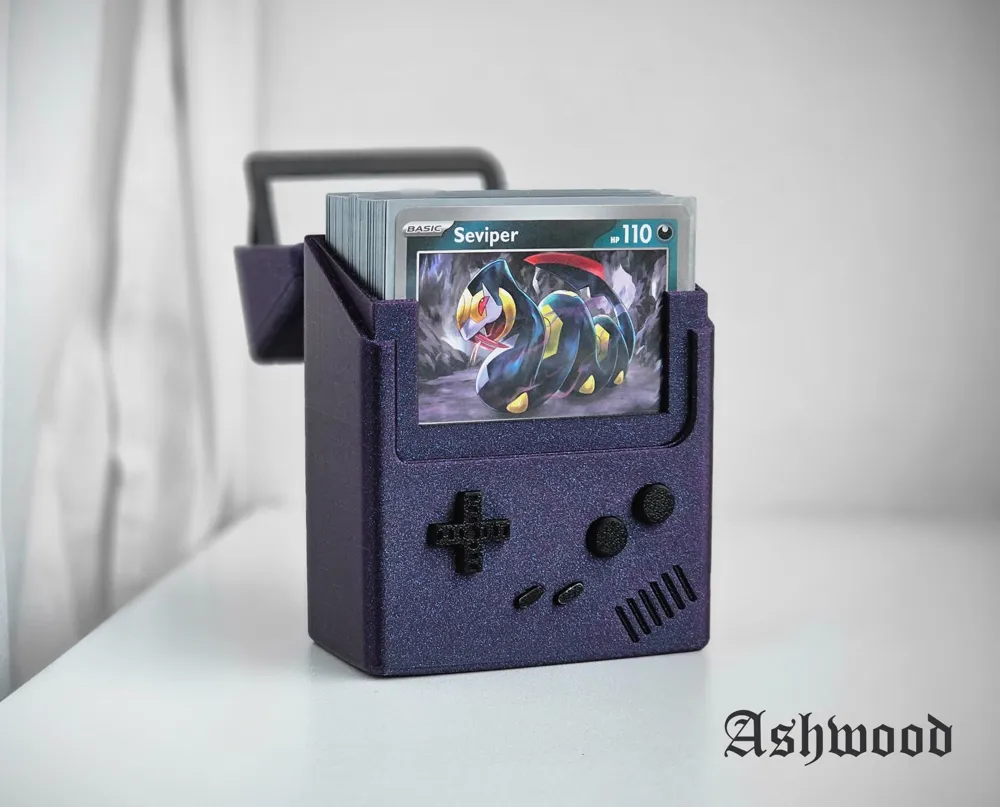
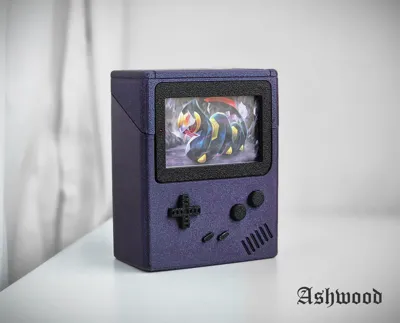
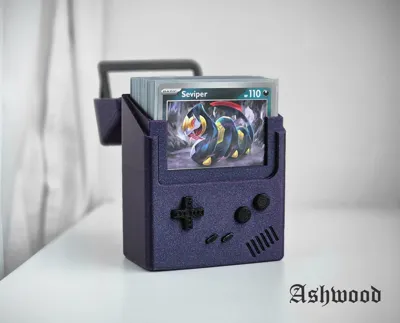
This deckbox fits 60 sleeved Pokemon cards. The first card is visable through the Gameboy screen.

Assembly:

  1. Push the buttons in their correct possition. The start and select buttons require some patience, I reccomend using a flat object like a butter knife to push them in.
  2. Connect the hinges from the lid to the case. Do not use too much force, the pieces are delicate and can break. If you use minimal force, but apply it consistently the hinges will connect..

Comment & Rating (993)

(0/1000)

Awesome Design. Glow in Dark worked really well, black is a little see through at some parts, so might go with a lighter color next time. I love the signature font on the bottom
designer
37
Reply
dang waht glow in the dark brand did u use? look great
1
Reply
Replying to @vietfarmer21 :
PLA Glow from Anycubic, it works really good!
2
Reply
magnifique
0
Reply
doesn’t fit double sleeved cards…. or sleeved cards at all. still very cool and can’t wait to show off.
The designer has replied
9
Reply
What kind of sleeves do you use? I use the standard UltraPro sleeves.
0
Reply
I used pokemon official sleeves, cannot close the lid. if the design can increase the height a little that will be great!
2
Reply
Boosted
I only sleeved cards once and use regular Pokemon sleeves but unfortunately it's a bit too small even for those..... Can it perhaps be made 3 mm larger
(Edited)
Show original
3
Reply
Boosted
Print Profile
0.2mm layer, 2 walls, 10% infill
Awesome print ! Had to upscale the model with 3mm to make it fit the official pokemon sleeves
profile
10
Reply
Hi @Utne, Do you still have the dimensions?
(Edited)
1
Reply
Boosted
Replying to @slynterin :
Hi Matheus sorry that i did not see your comment until know. I just found the file and it seems i "just" upscaled everything with 1,7% (see attachment)
(Edited)
7
Reply
Replying to @Utne :
No problem, thank you for the answer, I used 105% scale in the original model and works fine here for my sleeves.
(Edited)
0
Reply
Love this print! Based on the other comments, we scaled the file to 105% of default and it fits the Pokemon sleeves just fine. Printed in Mountain Dew Yellow PETG with 20% gyroid infill. We'll definitely be making more of these in other PETG colors!
9
Reply
that card is nice
0
Reply
What a great design, I printed one for my son's cards and one for my super glue
The designer has replied
6
Reply
I love the weathering on yours.
1
Reply
Replying to @Ashwood :
In fact, I forgot to change the filament profile and it came out little rough, I had to paint it and keep it to myself... happy mistakes lol
1
Reply
Print Profile
0.2mm layer, 2 walls, 10% infill
I give you 4 stars because of the gap on upper side 😫
The profile uploader has replied
0
Reply
this is not by design. this is a printing error, a layer shift. I would reccomend recallibrating your printer and reprinting it if the layer shift bothers you.
(Edited)
profile
42
Reply
Its not very nice to dock stars for his print profile for something your printer caused, not his profile
(Edited)
profile
44
Reply
Boosted
Fantastic Print!
(Edited)
3
Reply
Boosted
Print Profile
0.2mm layer, 2 walls, 10% infill
looks and works great
The profile uploader has replied
profile
6
Reply
That colour is amazing! I love it!
(Edited)
2
Reply
Boosted
Replying to @Ashwood :
thanks! that's Prusament PLA Opal Green
0
Reply
Print Profile
For a1 mini, 0.2mm layer, 2 walls, 10% infill
6
Reply
hello! i love snorlax and i was wondering what filliment you used for that color? THANK YOU SO MUCH
0
Reply
Replying to @user_1562899367 :
Bambu Color :Oxide Green Metallic (13500)
0
Reply
Hello, superb! How did you manage to change the color of the borders at the top and around the two buttons
(Edited)
Show original
0
Reply
Boosted
Print Profile
0.2mm layer, 2 walls, 10% infill
Great Model. Printed well.
profile
4
Reply
oh this looks beautiful, I actually just built an OLED GBC with this exact color scheme. Great print
(Edited)
1
Reply
Boosted
Replying to @barnburner :
Thank you! My kids loved it!
0
Reply
Really dig the box! Printed this for my neighbor. Saw the print orientation changes the texture for most people so I opted to print it on it's top. To get the color back without having to paint, I made a little frame that presses in! Love the box and excited to gift it to my neighbor. Thanks Ashwood!
(Edited)
3
Reply
Boosted
could be possible to get the printing files? I like your version
0
Reply
Replying to @brianex83 :
Howdy! I actually printed this file! Mine is different since I just made a separate little frame attachment that snaps into place. ^_^ The frame is on my page https://makerworld.com/en/models/991312-snap-in-bezel-for-ashwood-gameboy-deckbox#profileId-966867
0
Reply

License

This user content is licensed under a Standard Digital File License.

You shall not share, sub-license, sell, rent, host, transfer, or distribute in any way the digital or 3D printed versions of this object, nor any other derivative work of this object in its digital or physical format (including - but not limited to - remixes of this object, and hosting on other digital platforms). The objects may not be used without permission in any way whatsoever in which you charge money, or collect fees.